New FBA Return Complete Process
I. Definition
For overseas warehouses and sellers with high volumes of FBA return inbound orders, the new FBA return inbound process can be utilized. When creating an FBA return inbound order, directly select a handling instruction: (Option 1) Relabel, Pack, and Put Away, (Option 2) Direct Put Away, or (Option 3) Temporary Storage.
Advantages of the New FBA Return Inbound Process: (1) Enables direct relabeling, packing, and put-away upon FBA return arrival, streamlining the return workflow. (2) For sellers operating on multiple platforms who are undecided on the handling of returned goods, items can be quickly received in bulk and placed in temporary storage. Once a sales strategy is determined, items can be processed directly by scanning the carton label. (3) Reduces workload for both sellers and overseas warehouses in FBA return processing, avoids redundant tasks, and saves time and costs.
II. Operational Process
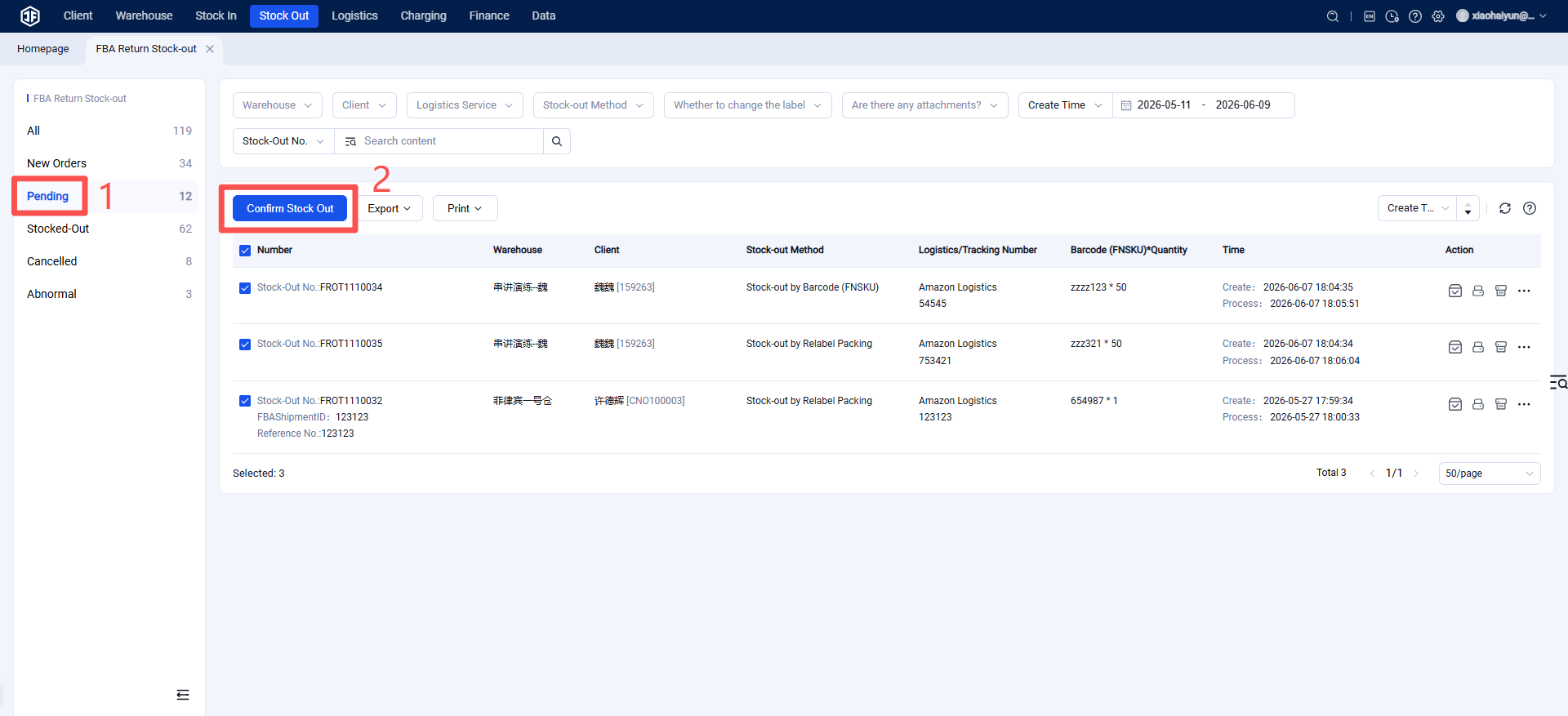
(1) Seller OMS Creates FBA Return Inbound Order (2) Overseas Warehouse WMS Handles FBA Return Receiving, Inspection, and Put-away (3) Seller OMS Modifies Handling Instructions for FBA Return Inbound Orders (4) Seller OMS Quickly Creates FBA Return Outbound Orders (5) Overseas Warehouse WMS Processes FBA Return Outbound Orders
Note: Since some sellers use the Jifeng Overseas Warehouse System for their own operations, this guide combines the seller (OMS) and warehouse (WMS) operations into one document for comprehensive understanding.
(1) Seller OMS Creates FBA Return Inbound Order
Step 1: If selecting "Relabel, Pack, and Put Away," the seller OMS must maintain the new barcode information for the products.
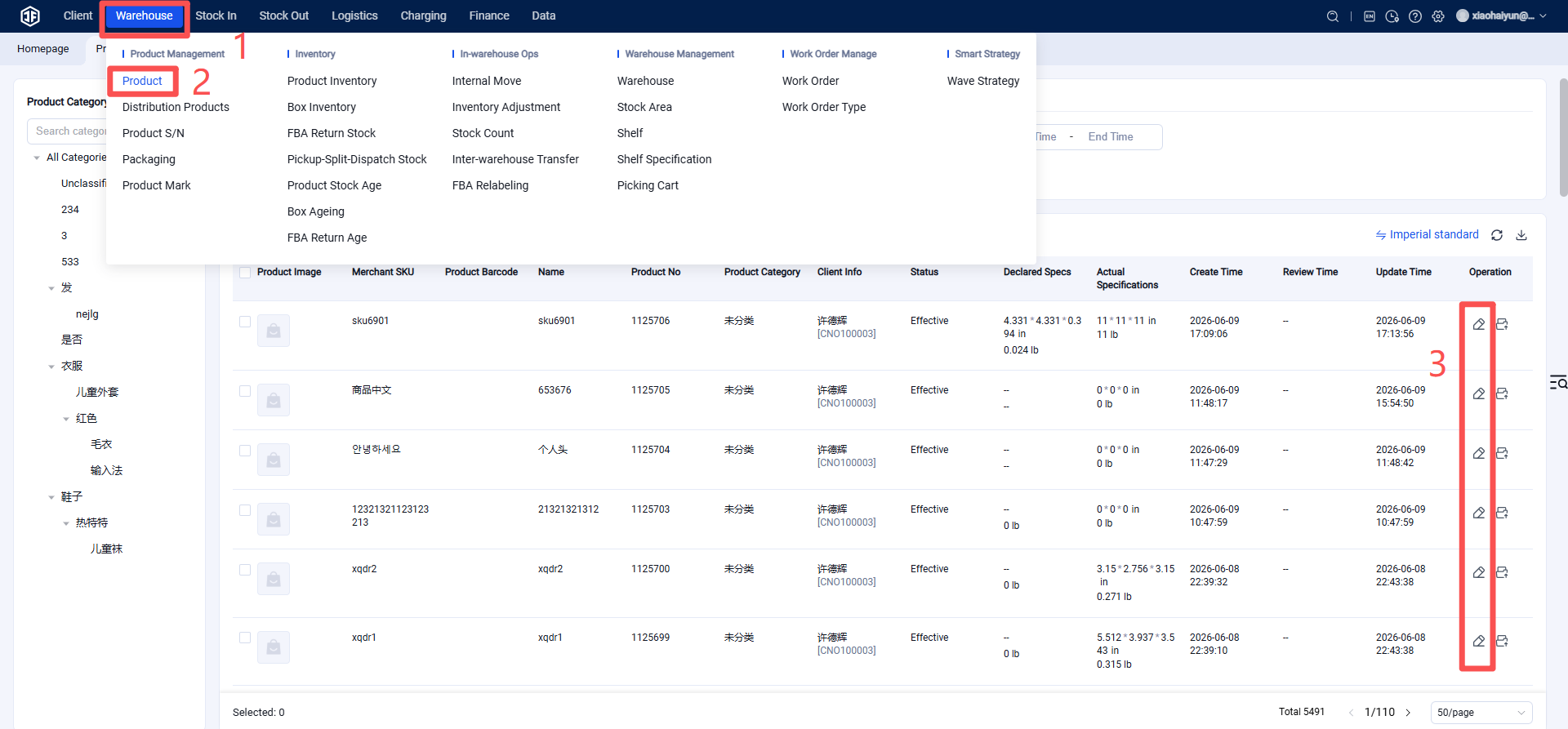
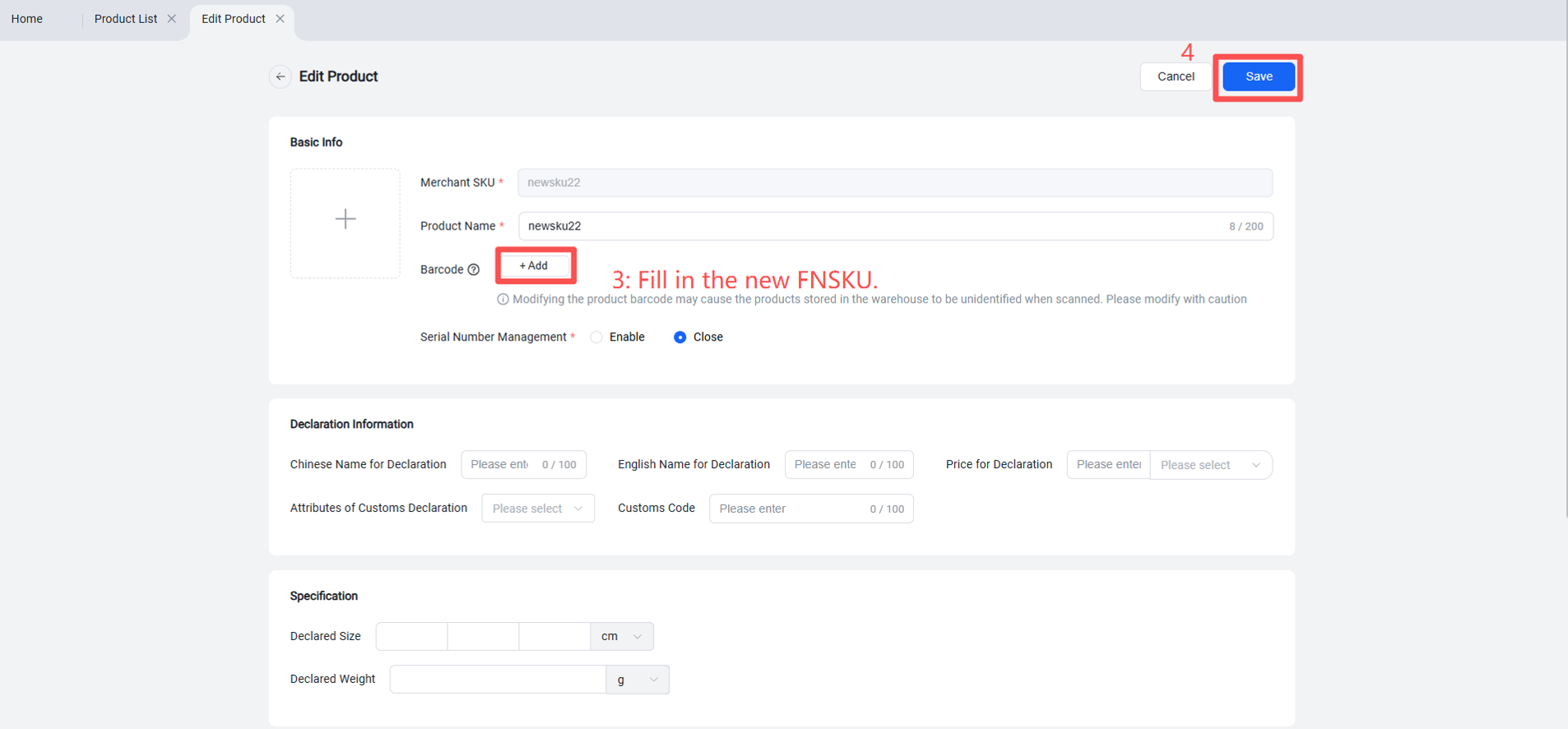
Step 2: In the OMS (Seller Platform), create the FBA return inbound order and select the FBA return handling instruction.
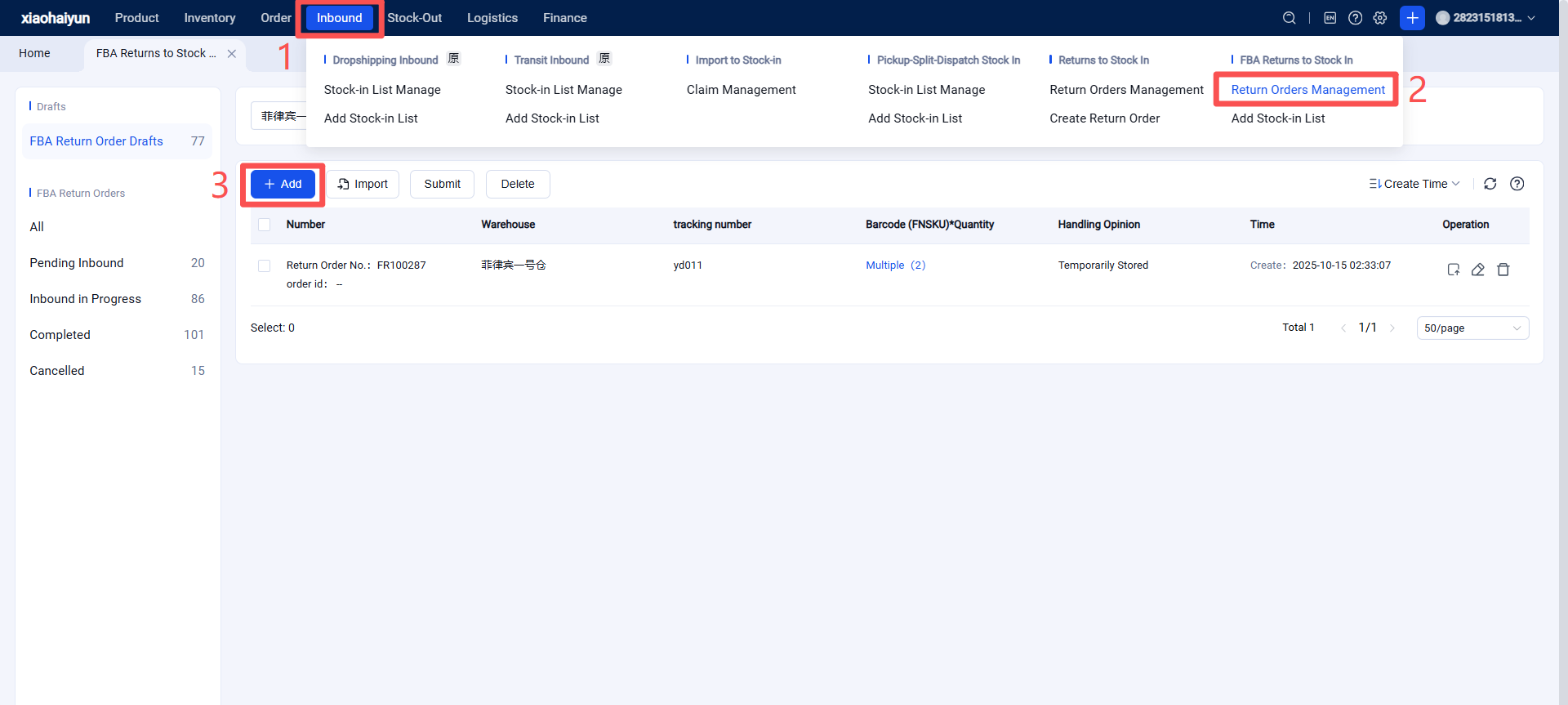
Proceed to the following page.
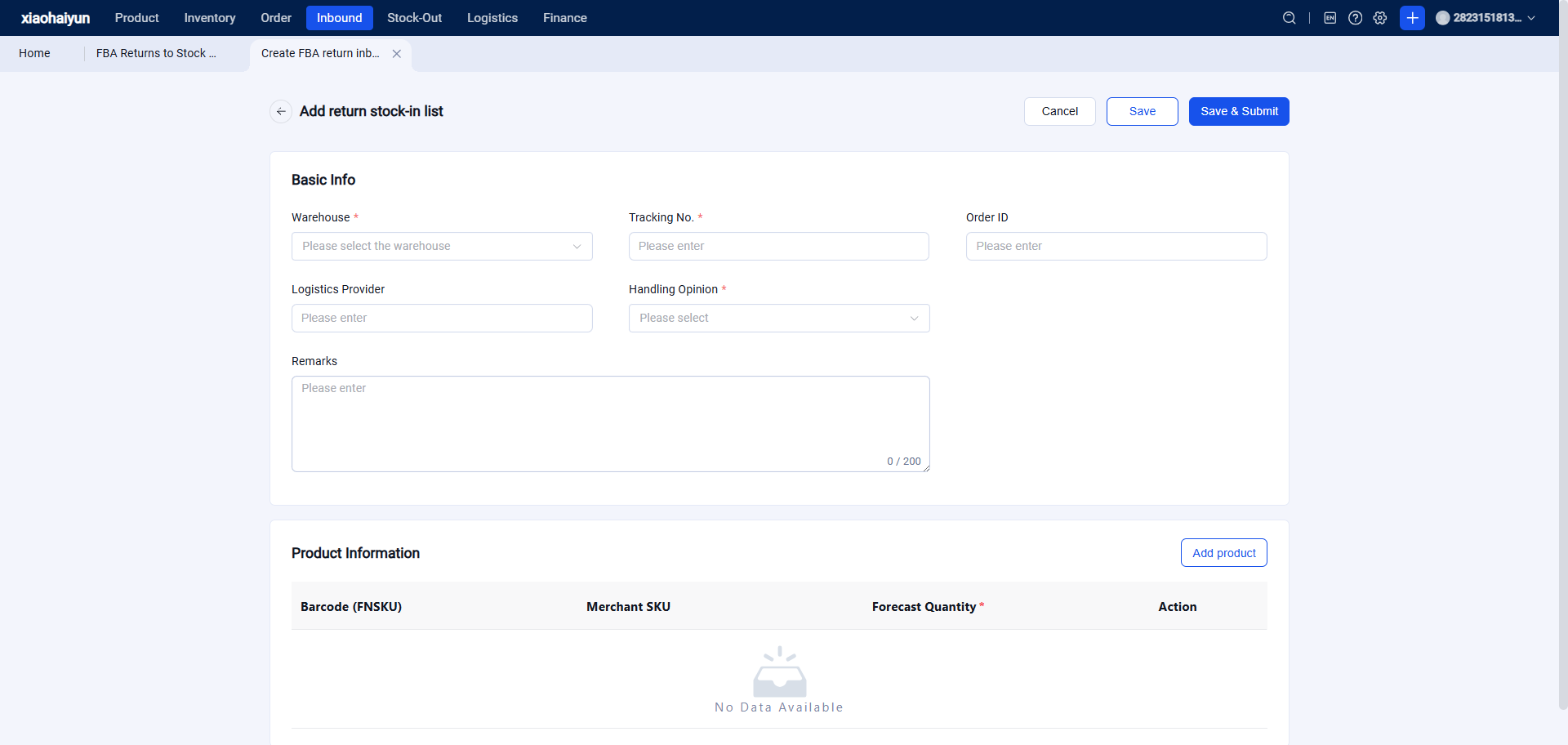
Step 3: Select the FBA return handling instruction, fill in the FBA return inbound information, then save and submit.
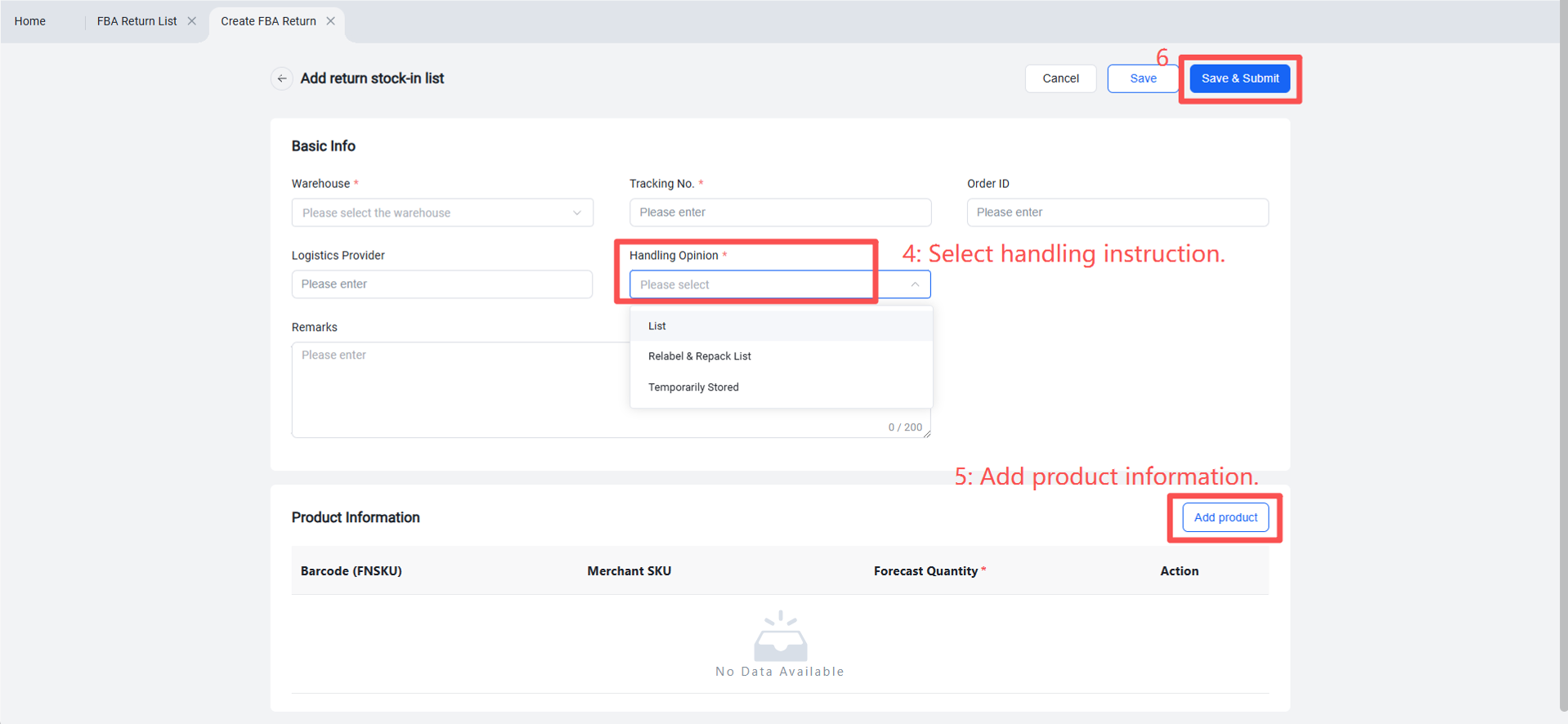
(2) Overseas Warehouse WMS Handles FBA Return Receiving, Inspection, and Put-away
Step 1: Sign For / Receive Goods
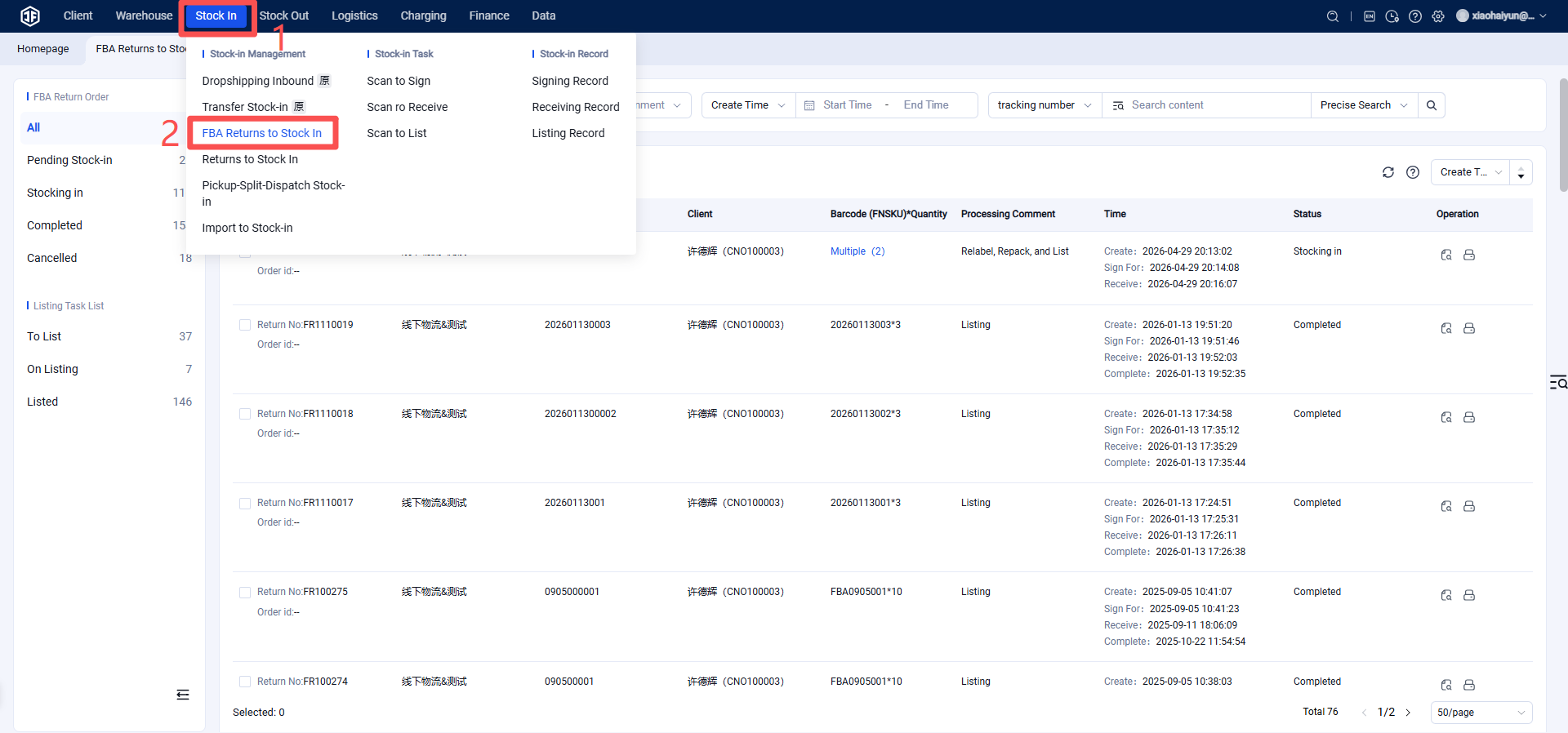
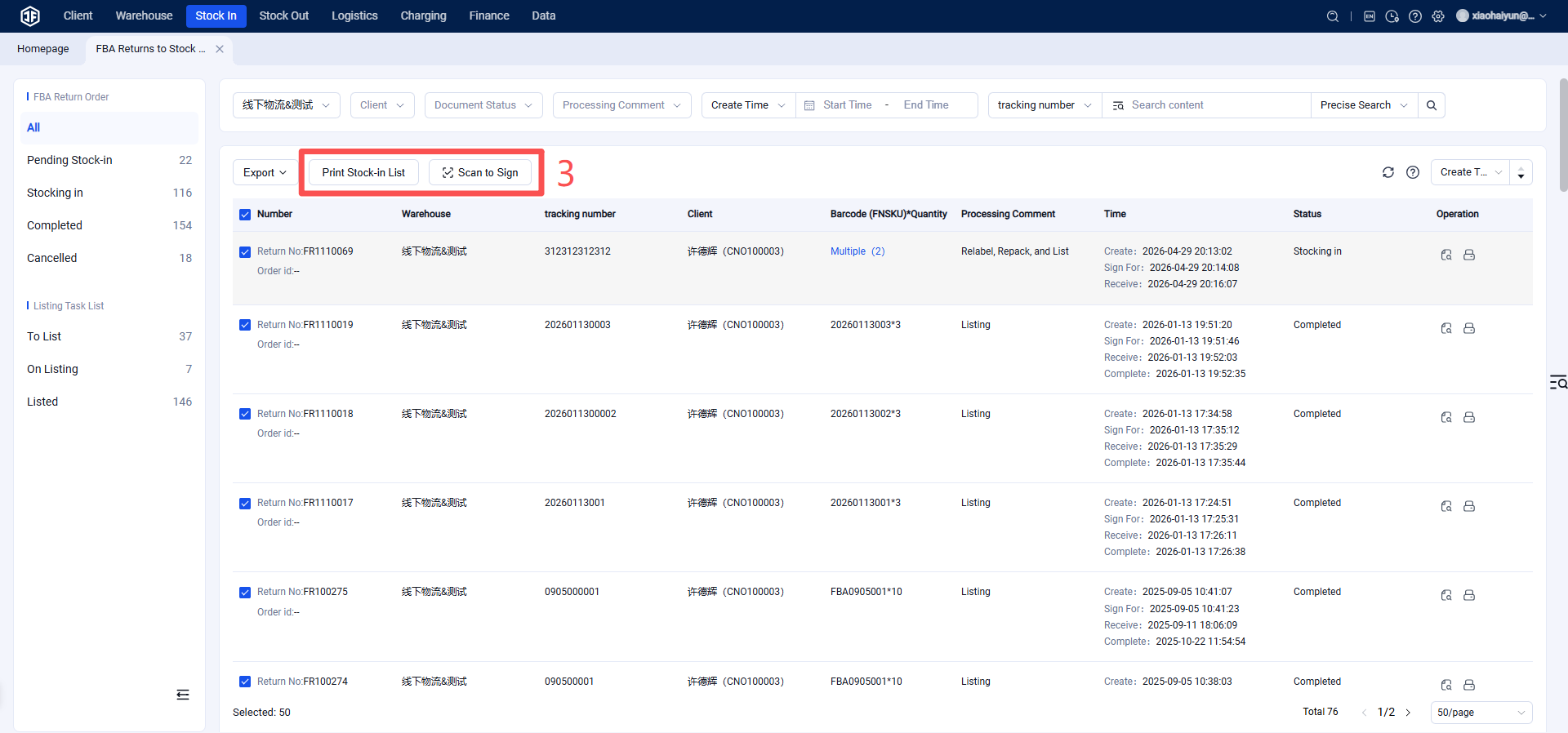
Step 2: Confirm Receipt
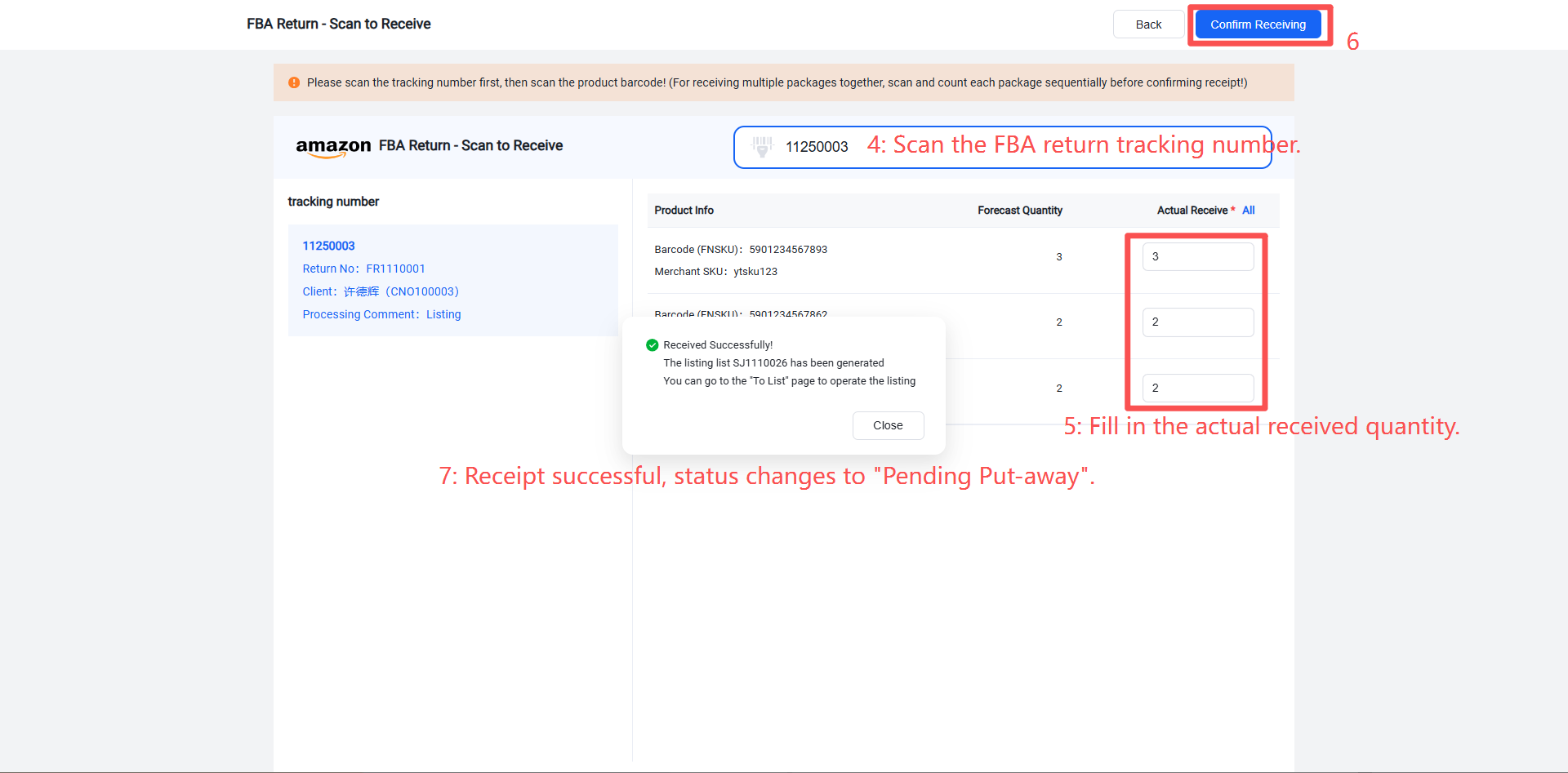
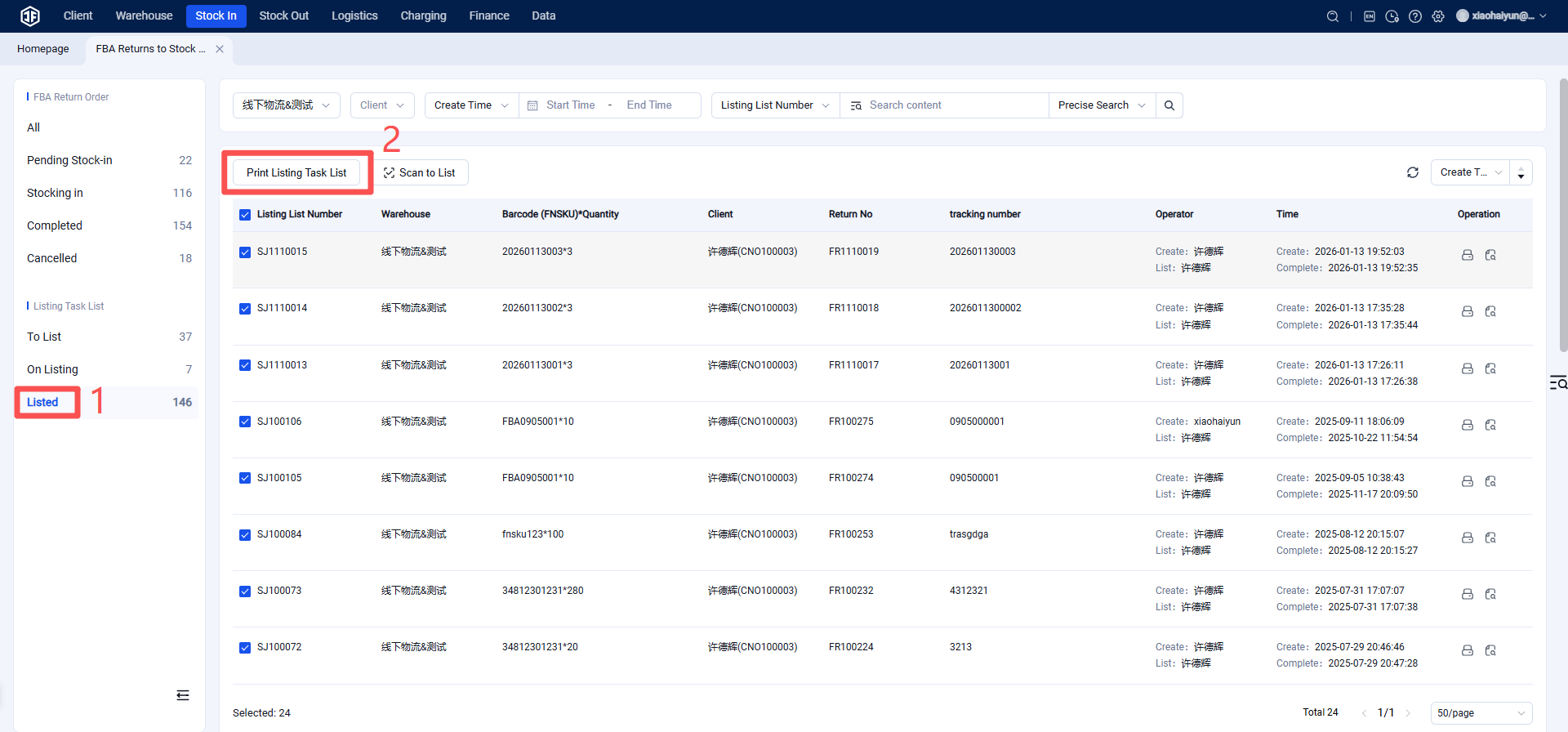
Step 3: Click "Put Away" for relabeling and packing.
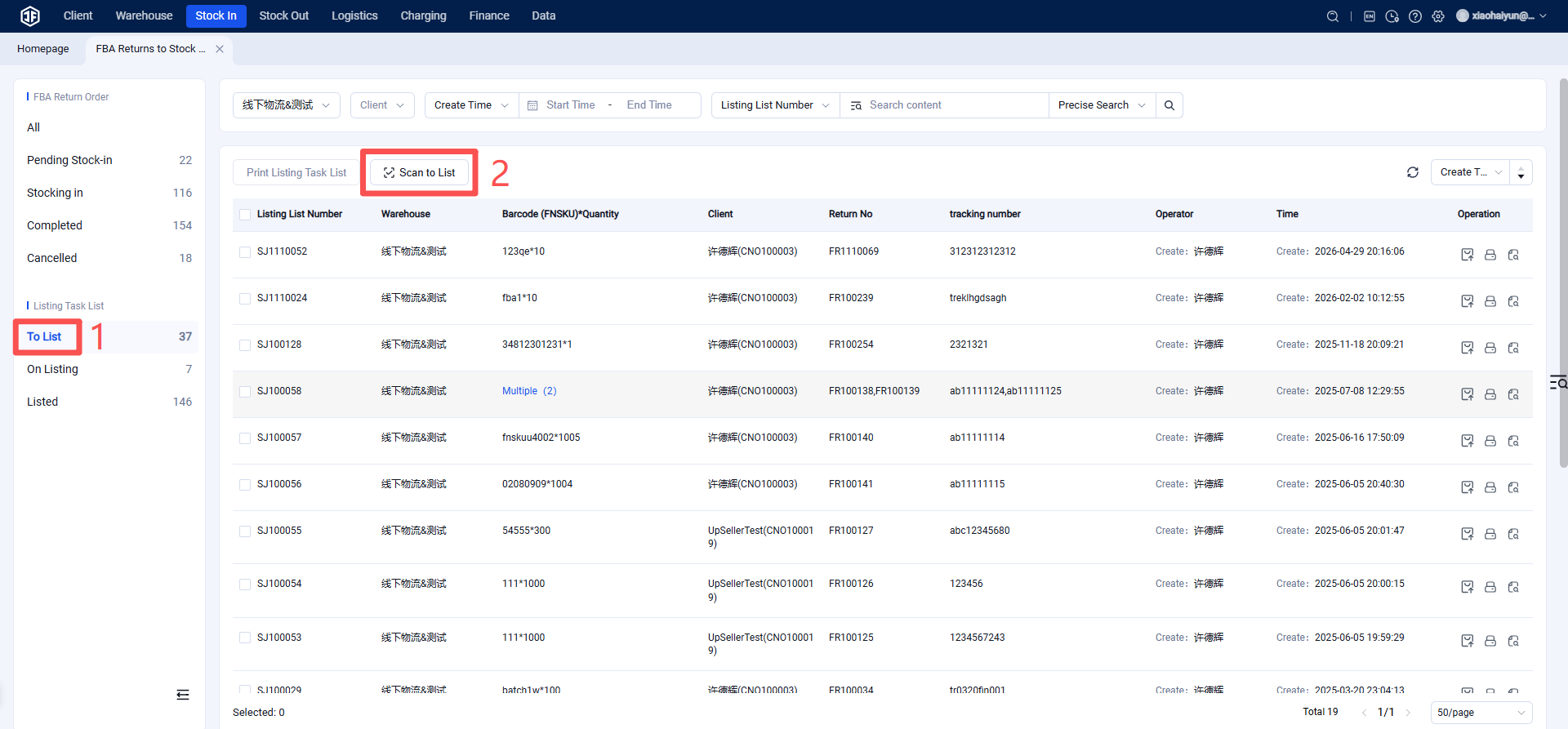
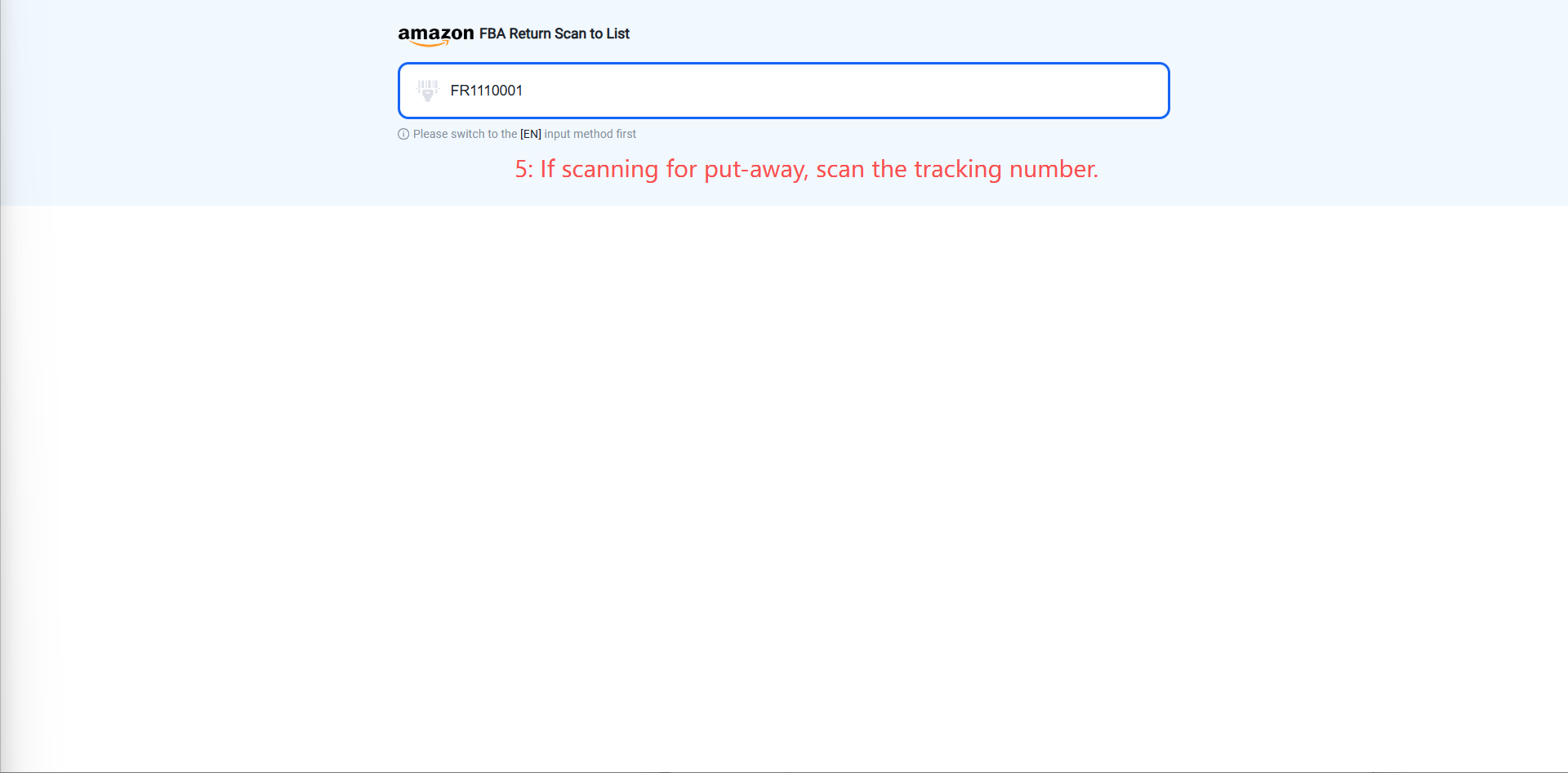
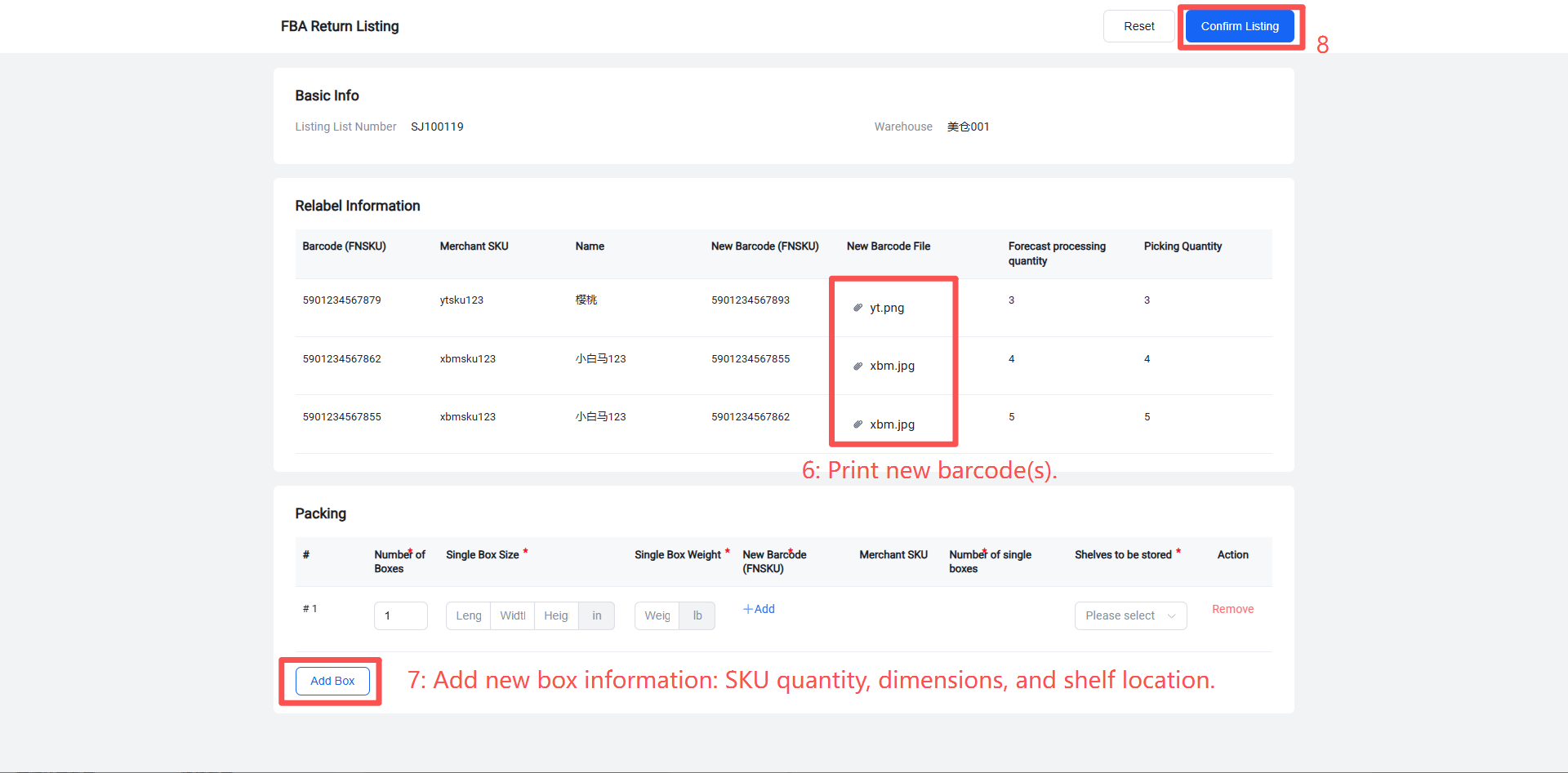
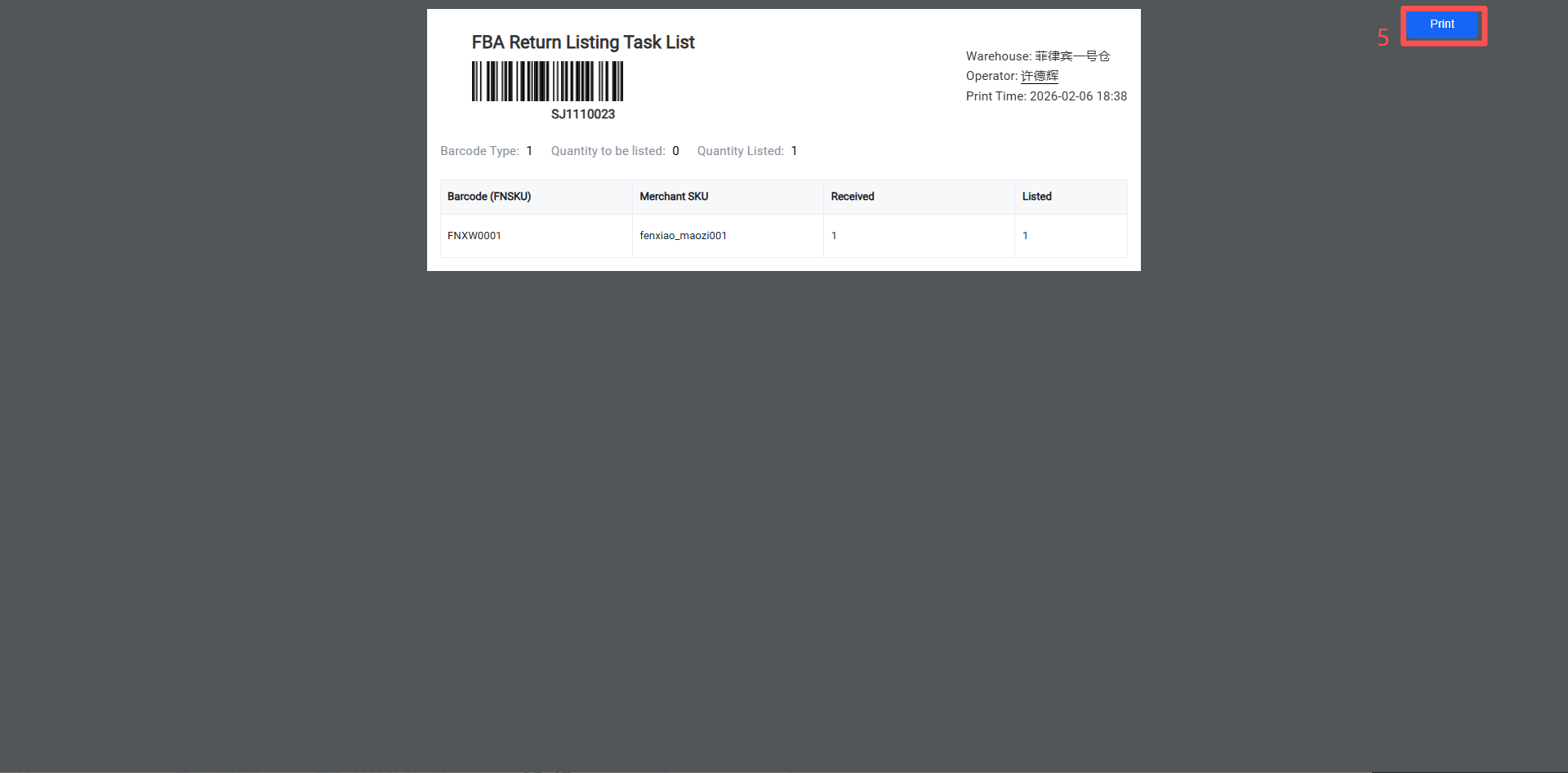
Step 4: Print the put-away/inbound list and proceed with inbound processing.
(3) Seller OMS Modifies the Handling Instruction for the FBA Return Inbound Order
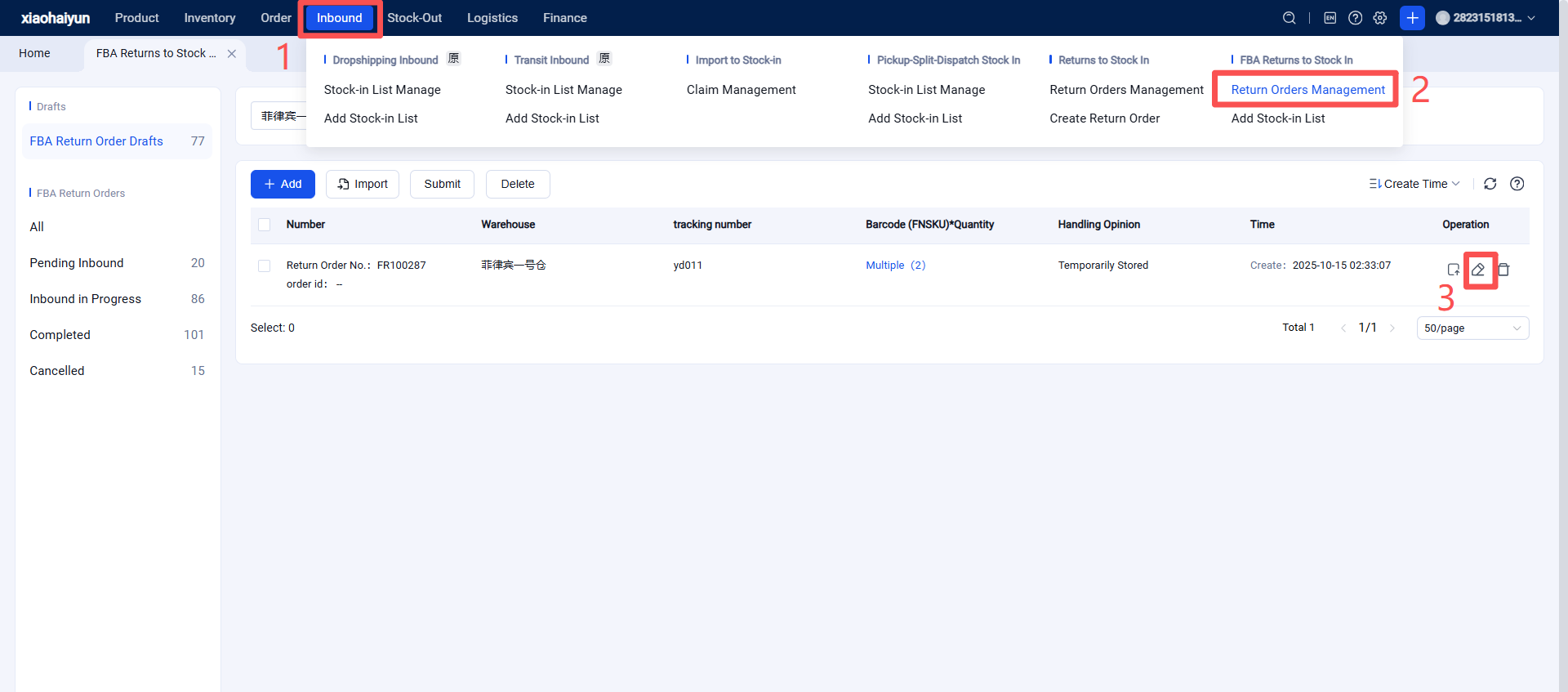
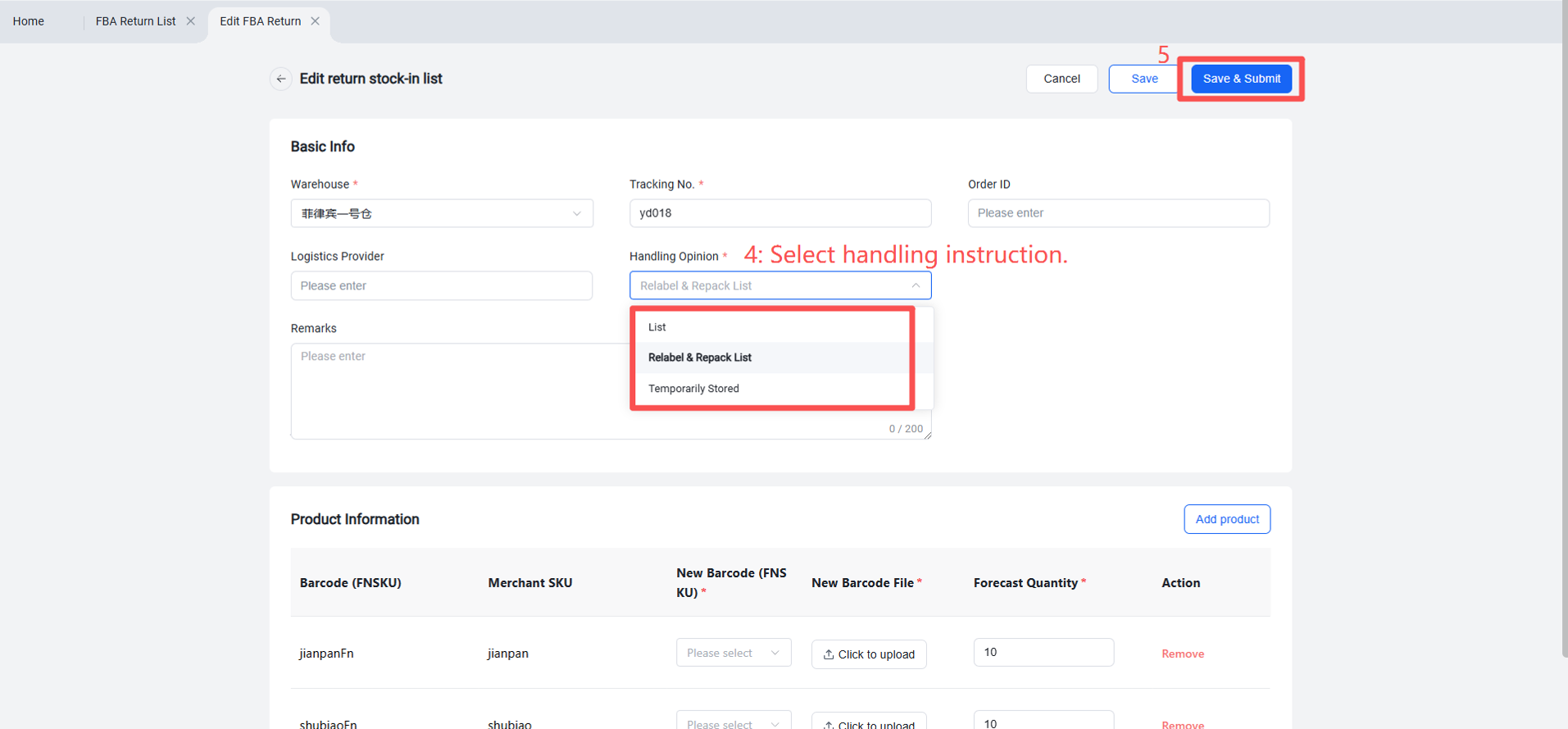
(4) Seller OMS Quickly Creates an FBA Return Outbound Order
Method 1: Directly and quickly create an outbound order from the FBA return inbound order that has already been completed by the overseas warehouse.
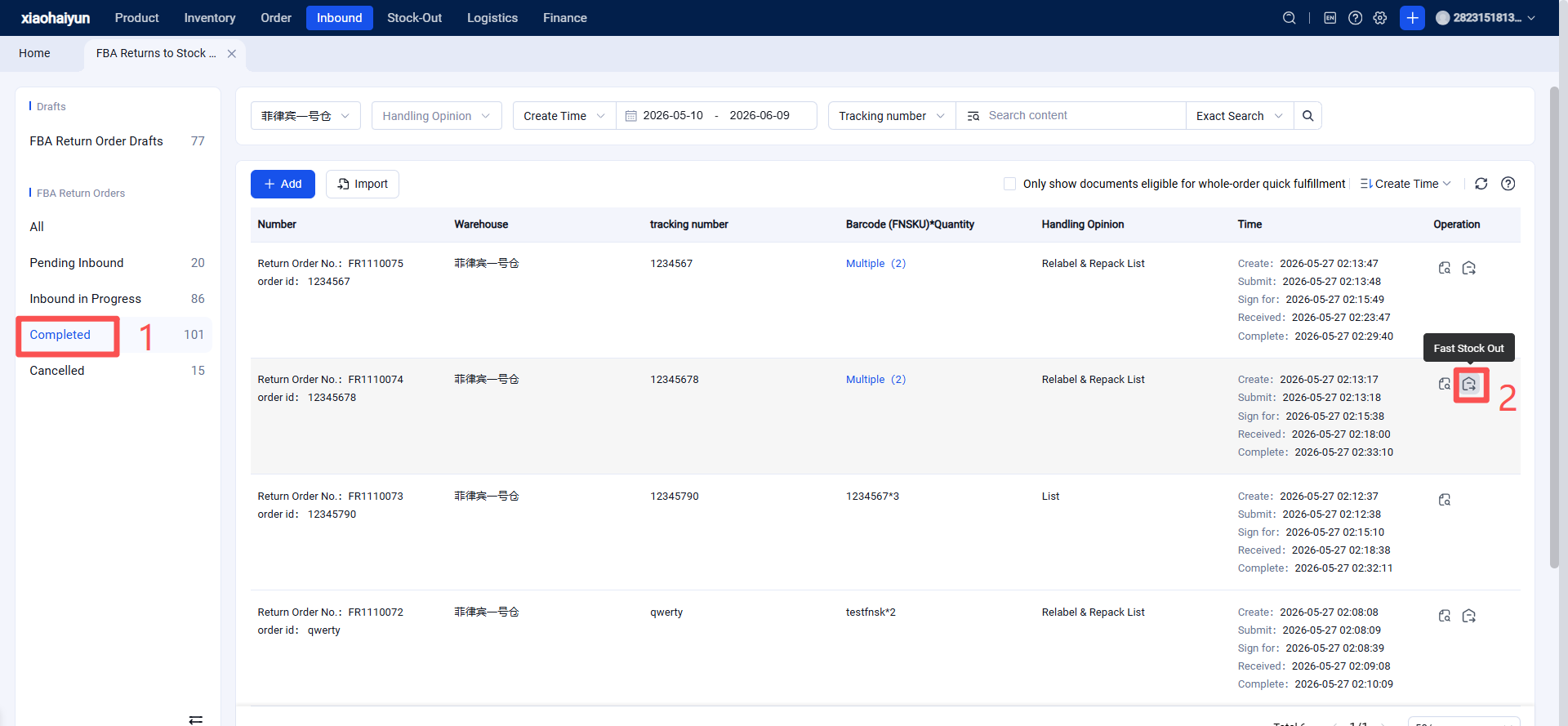
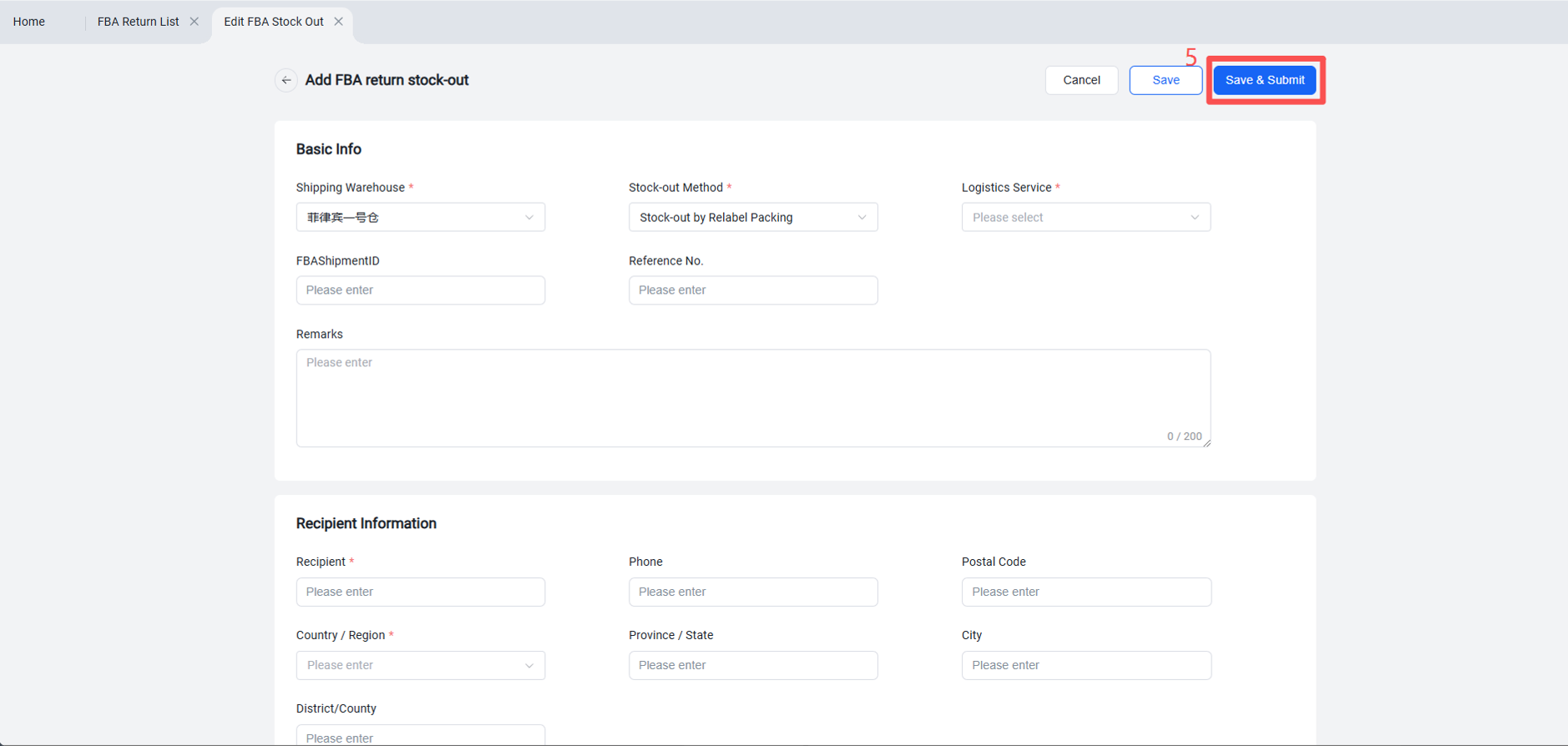
Method 2: Create the FBA outbound order by directly referencing the items from the return inbound order that has already been completed by the overseas warehouse.
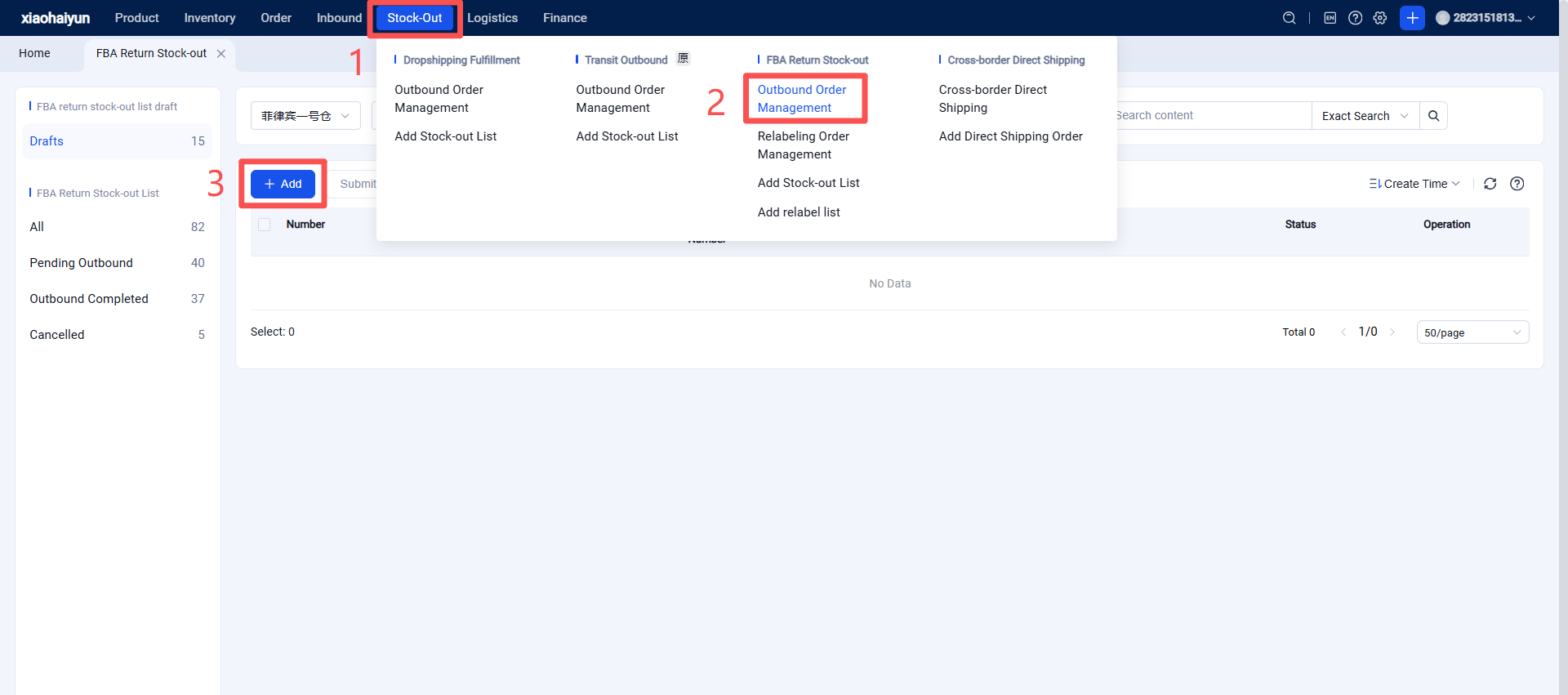
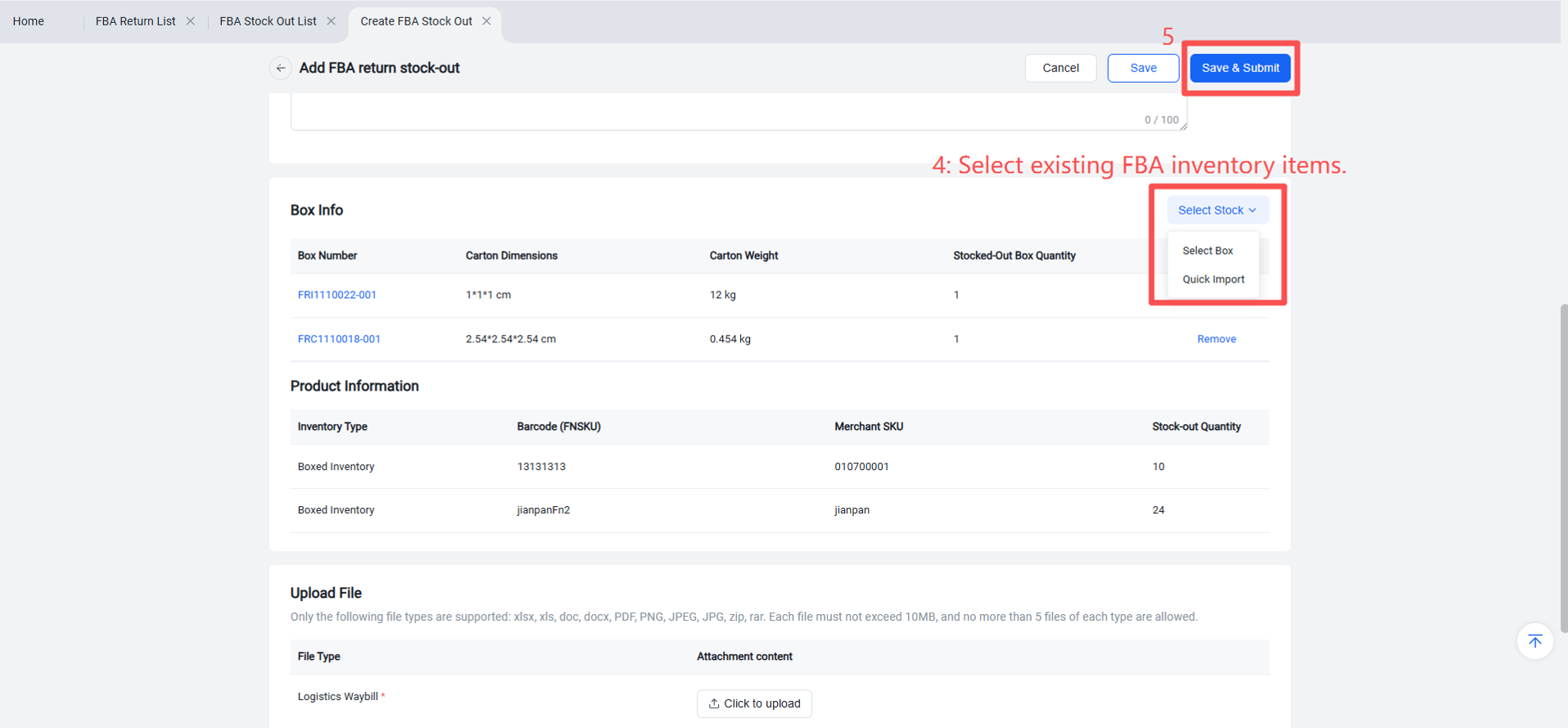
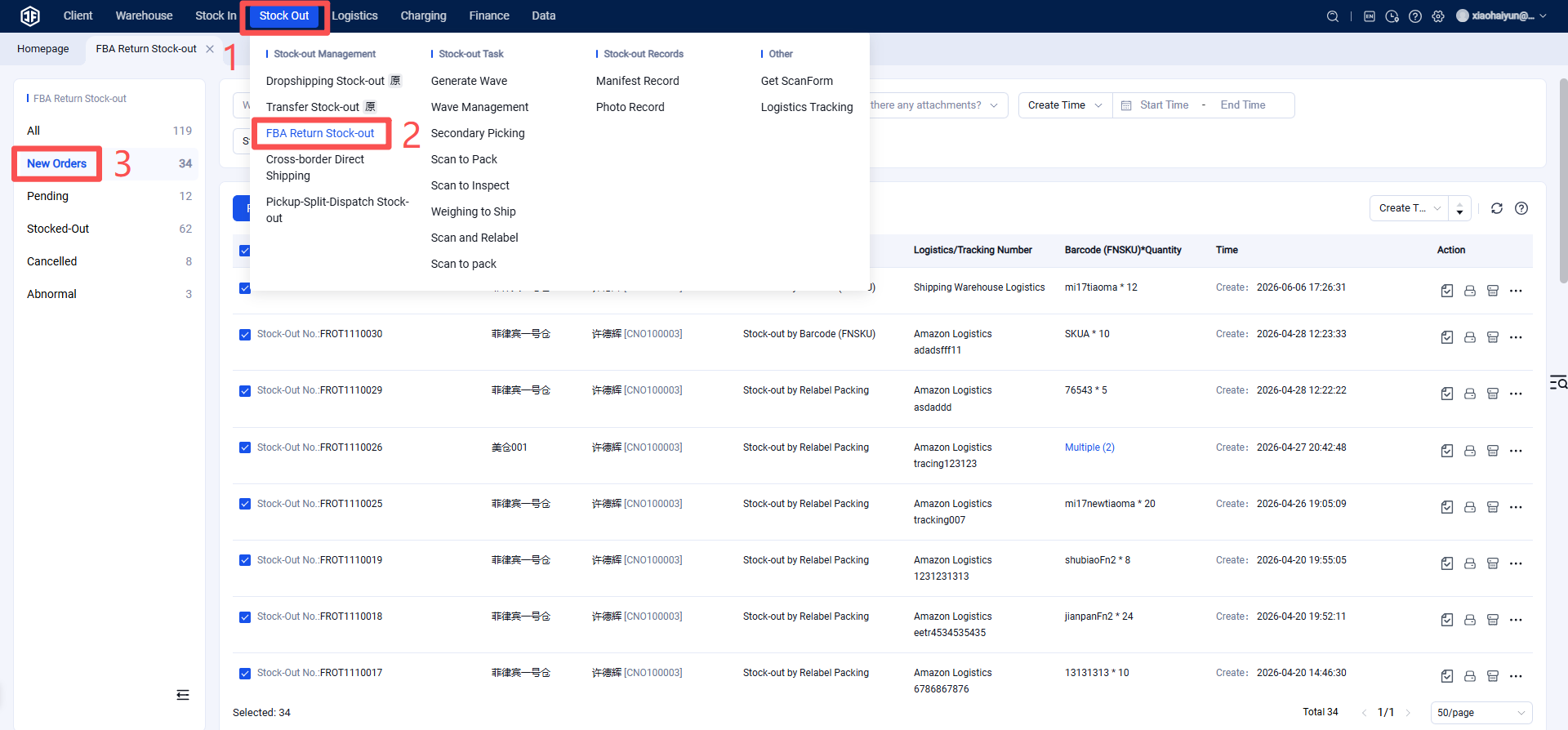
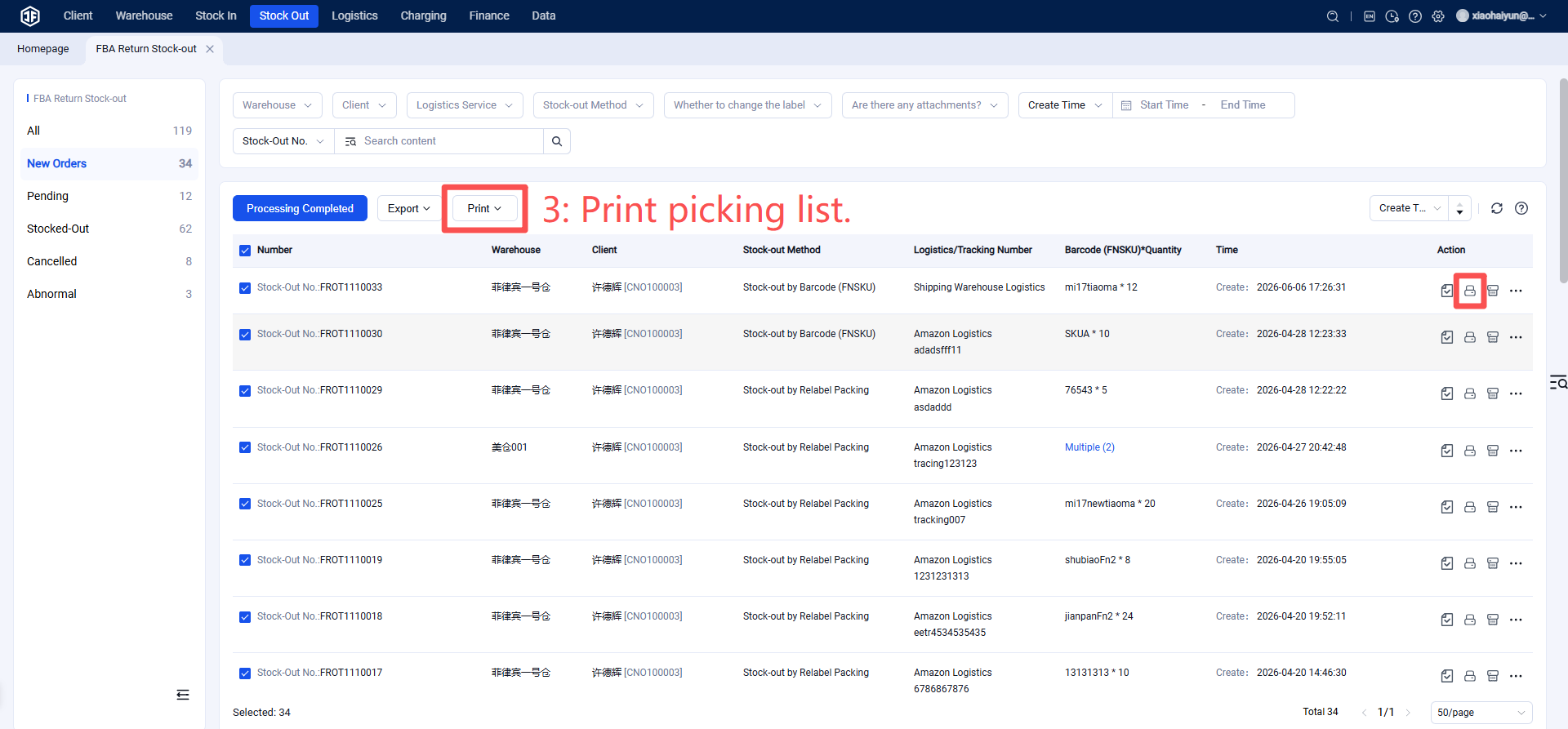
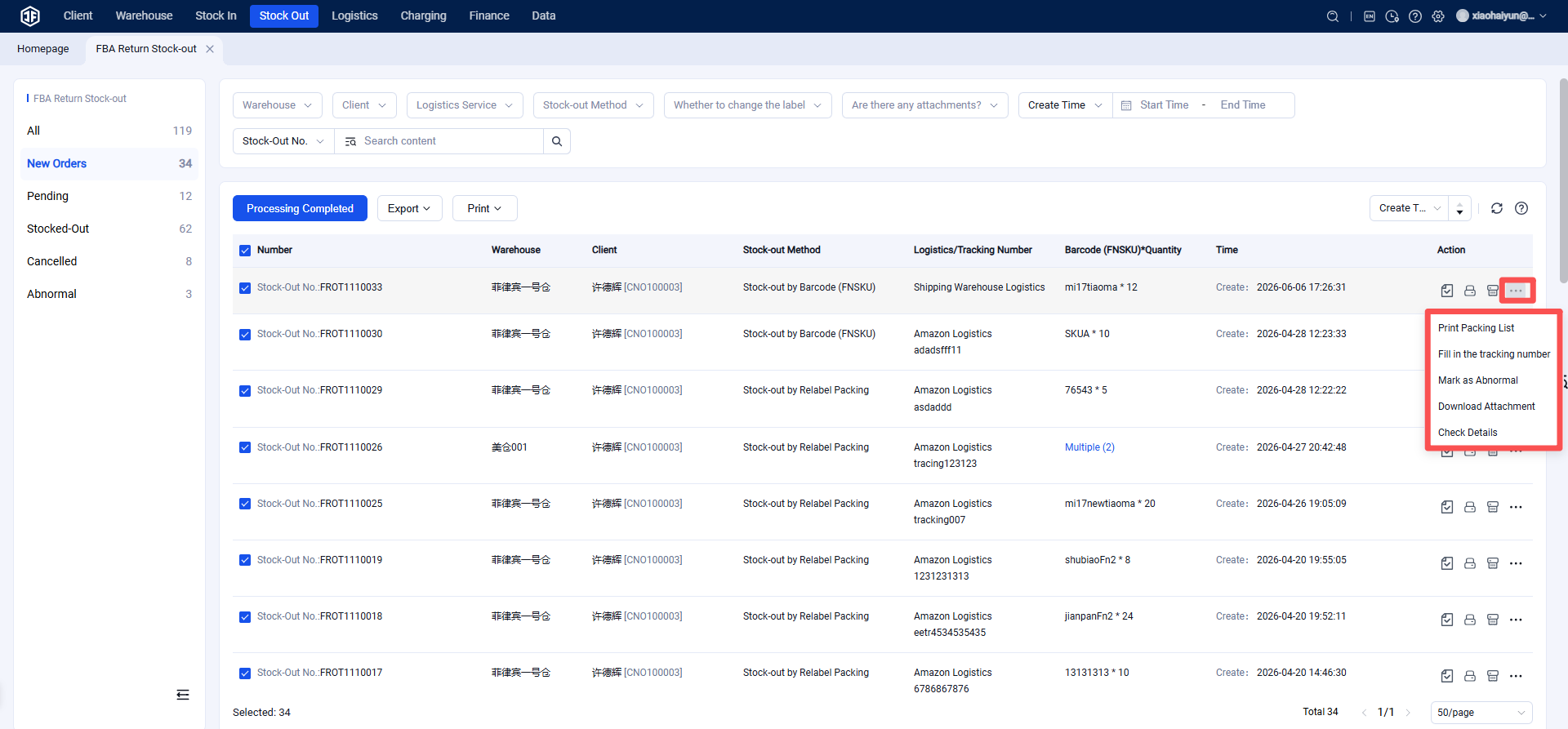
(5) Overseas Warehouse WMS Processes FBA Return Outbound Order and Shipping Label
Step 1: Print the Picking List and Shipping Label
Step 2: Confirm Outbound