FBA Return Outbound
I. Definition
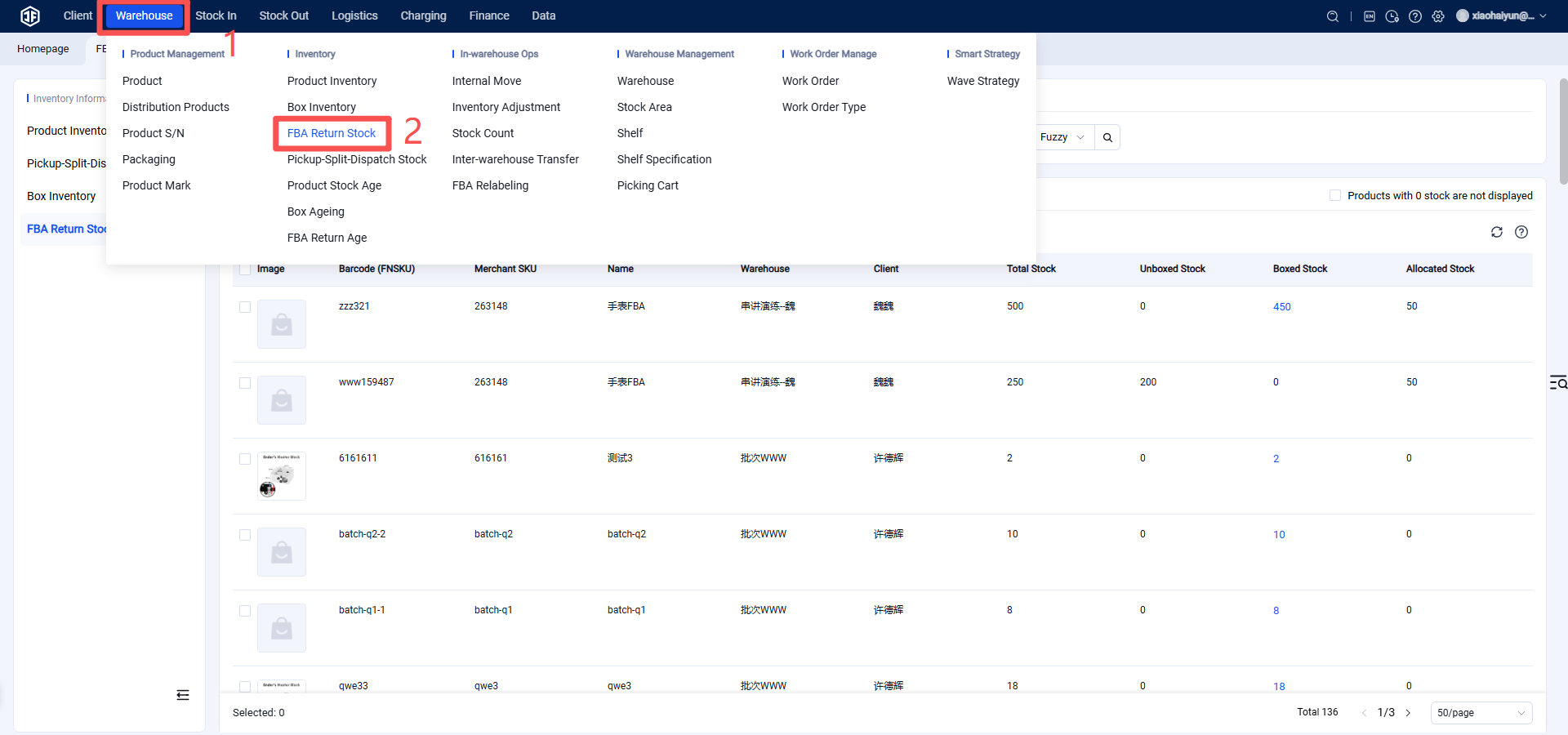
Successfully pushed FBA return outbound orders from the seller client can be processed and completed in the WMS. This will deduct the corresponding FBA return inventory, which can be viewed in the "Inventory Information" module.
II. Operational Path
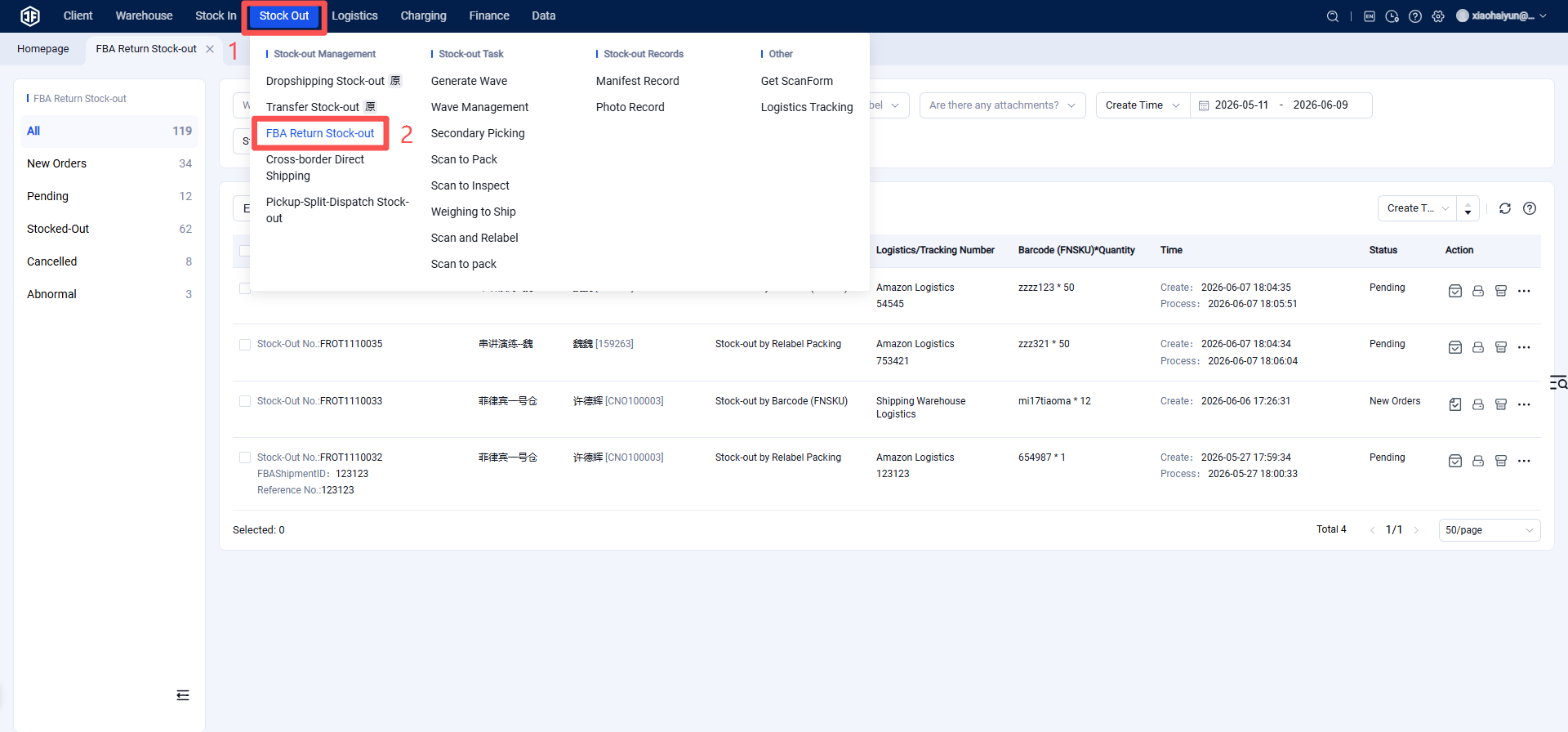
Seller Platform > FBA Returns > Outbound Order Management > Pending Processing List (FBA Returns) >
Step 1: Process Outbound Order
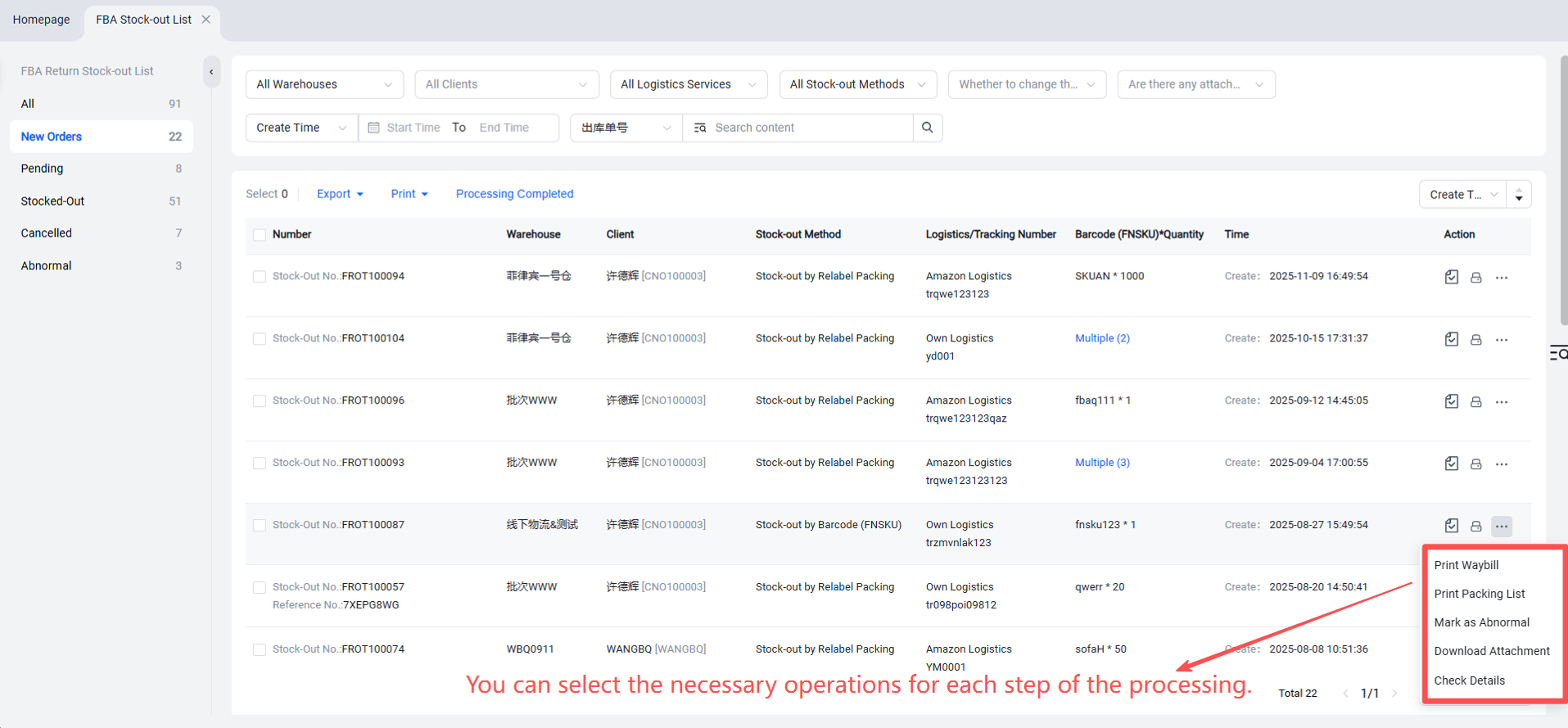
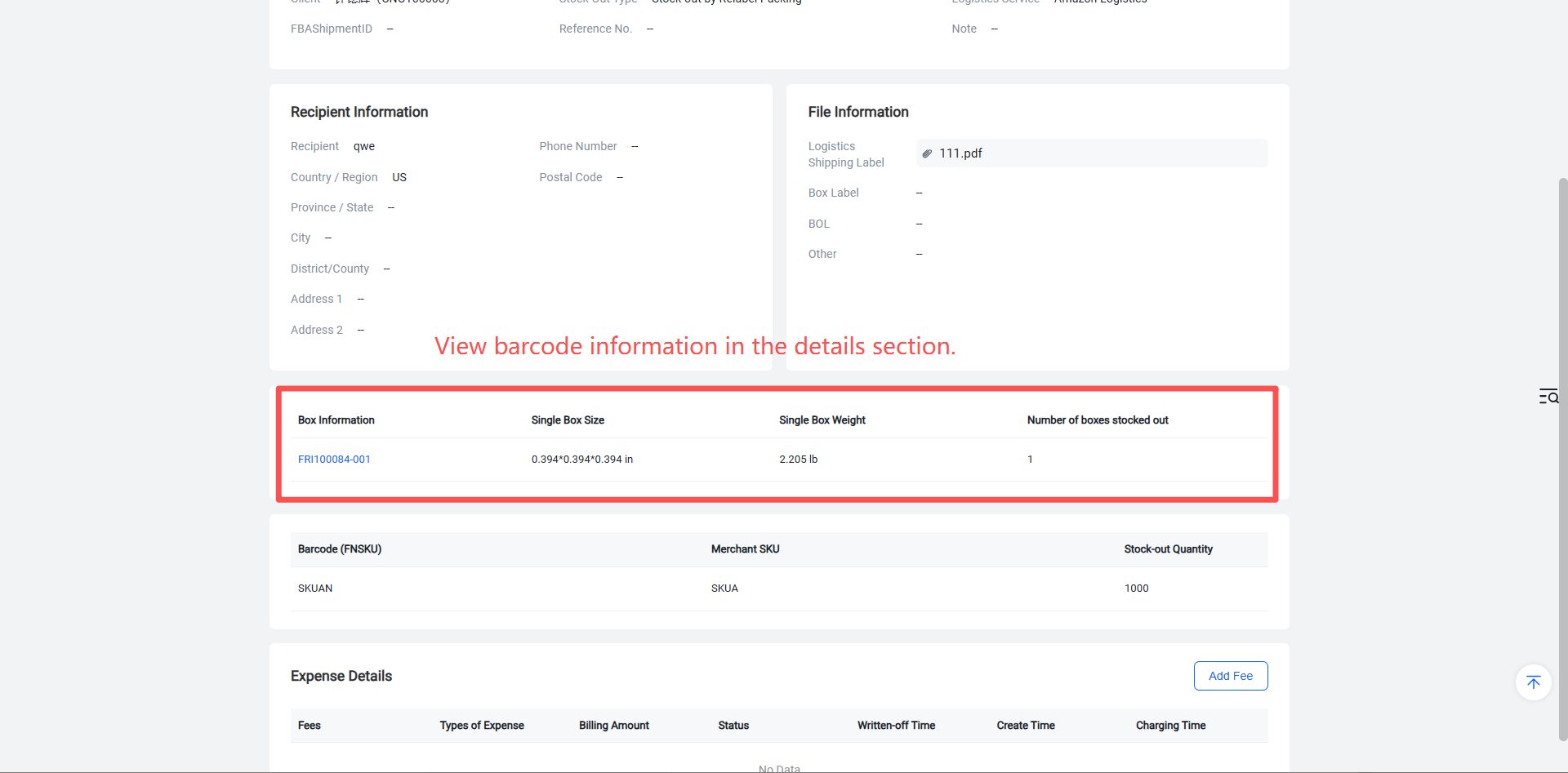
In the Pending Processing section, you can select to print the Picking List, Shipping Label, Relabeling List (print only if relabeling is required), Packing List (required for outbound by barcode/FNSKU), and download related attachments.
Step 2: Mark as "Processing Completed"
When the warehouse has completed the offline processing of the outbound order, it must be marked as "Processing Completed" within the system. The status of the outbound order will then change to "Pending Outbound".
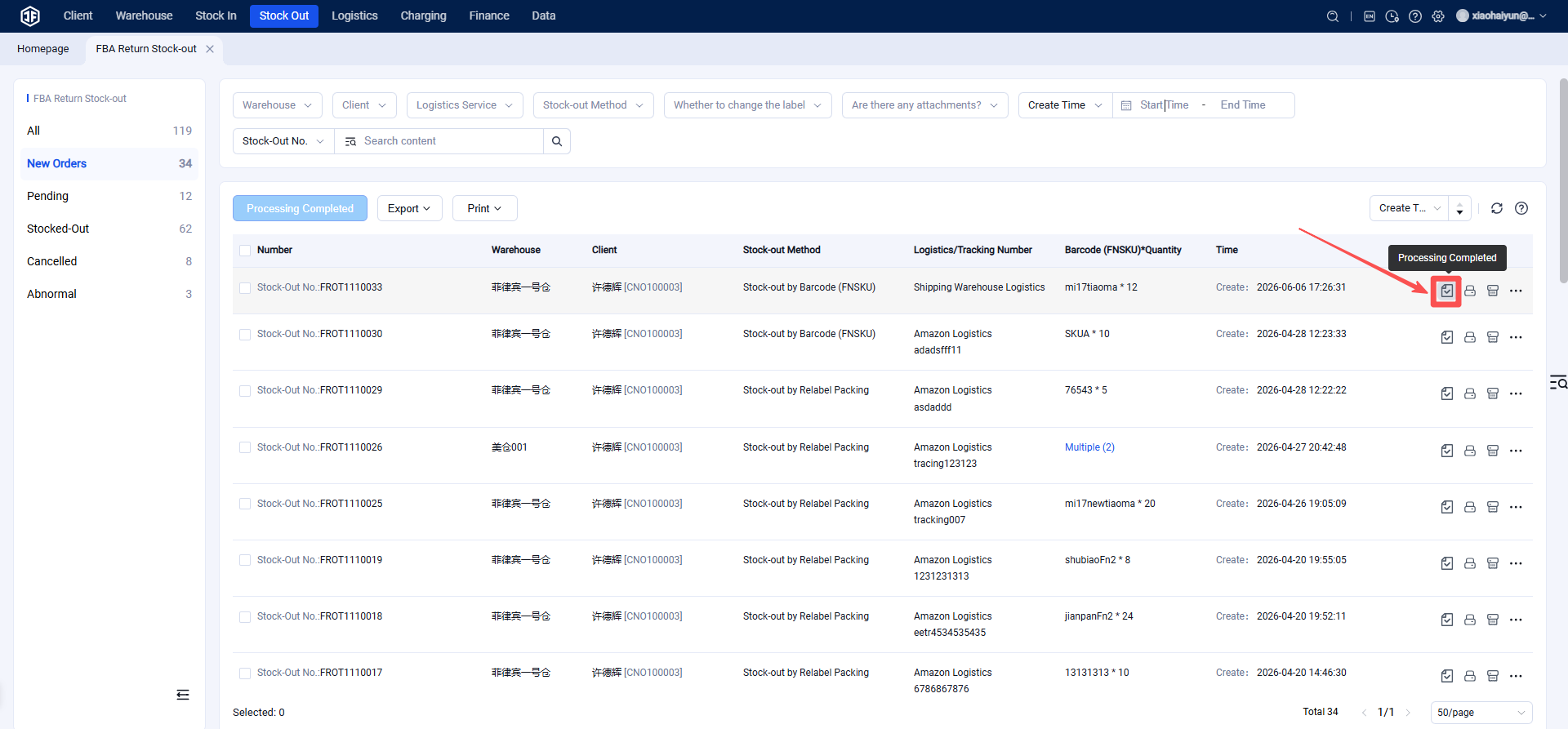
Step 3: Execute "Confirm Outbound"
When the goods are confirmed ready for outbound, navigate to the "Pending Outbound" list and execute the "Confirm Outbound" action.
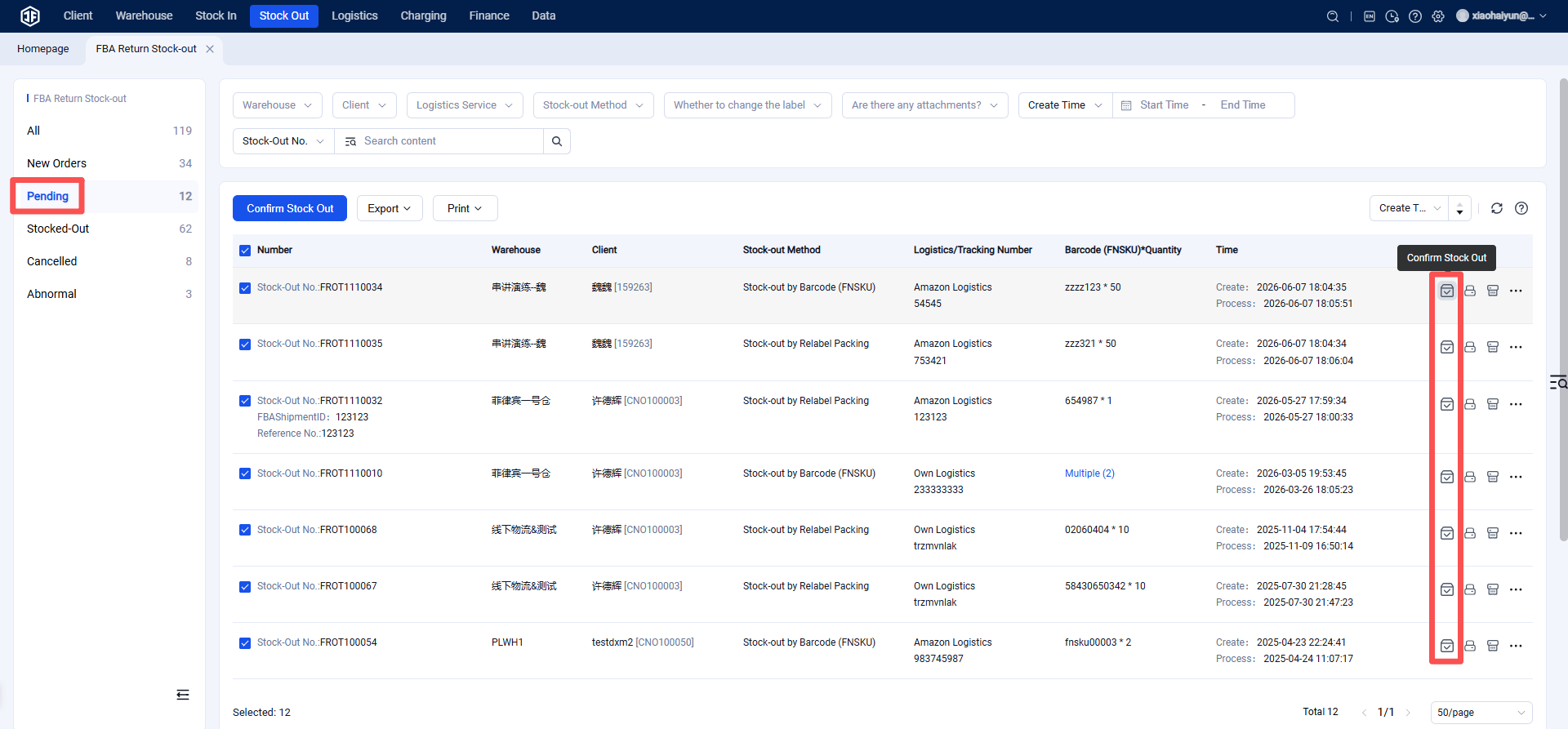
After executing the "Confirm Outbound" action, the outbound order status becomes "Shipped" and can be viewed in the Shipped list.
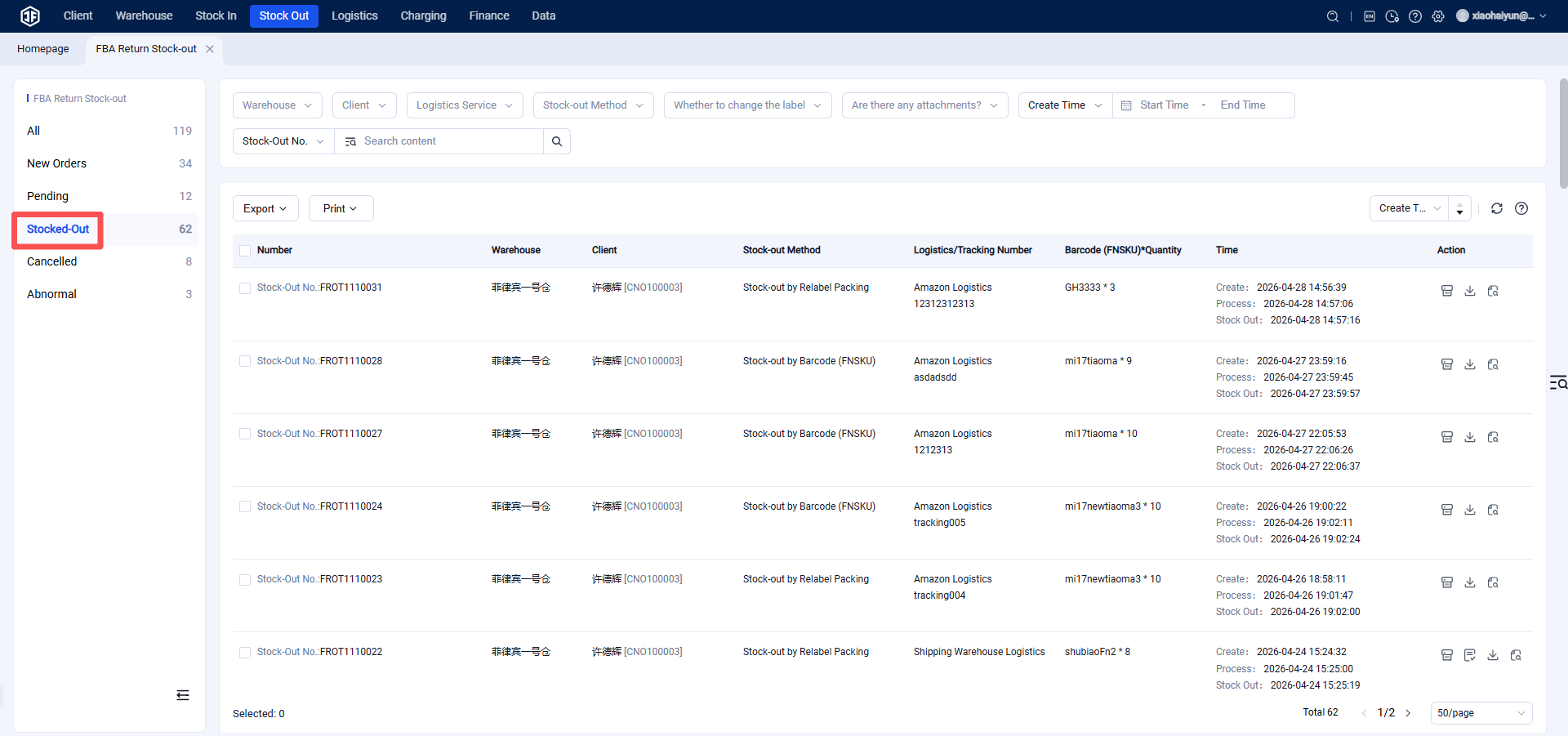
After completing the outbound process, the system will deduct the corresponding inventory. This can be verified in Inventory Information > FBA Return Inventory.