Other ERP Authorizations
I. Definition
This section applies when the warehouse system needs to integrate with other ERP solutions for batch management of multiple platforms and stores.
II. Operational Path
Step 1: Create Developer Information
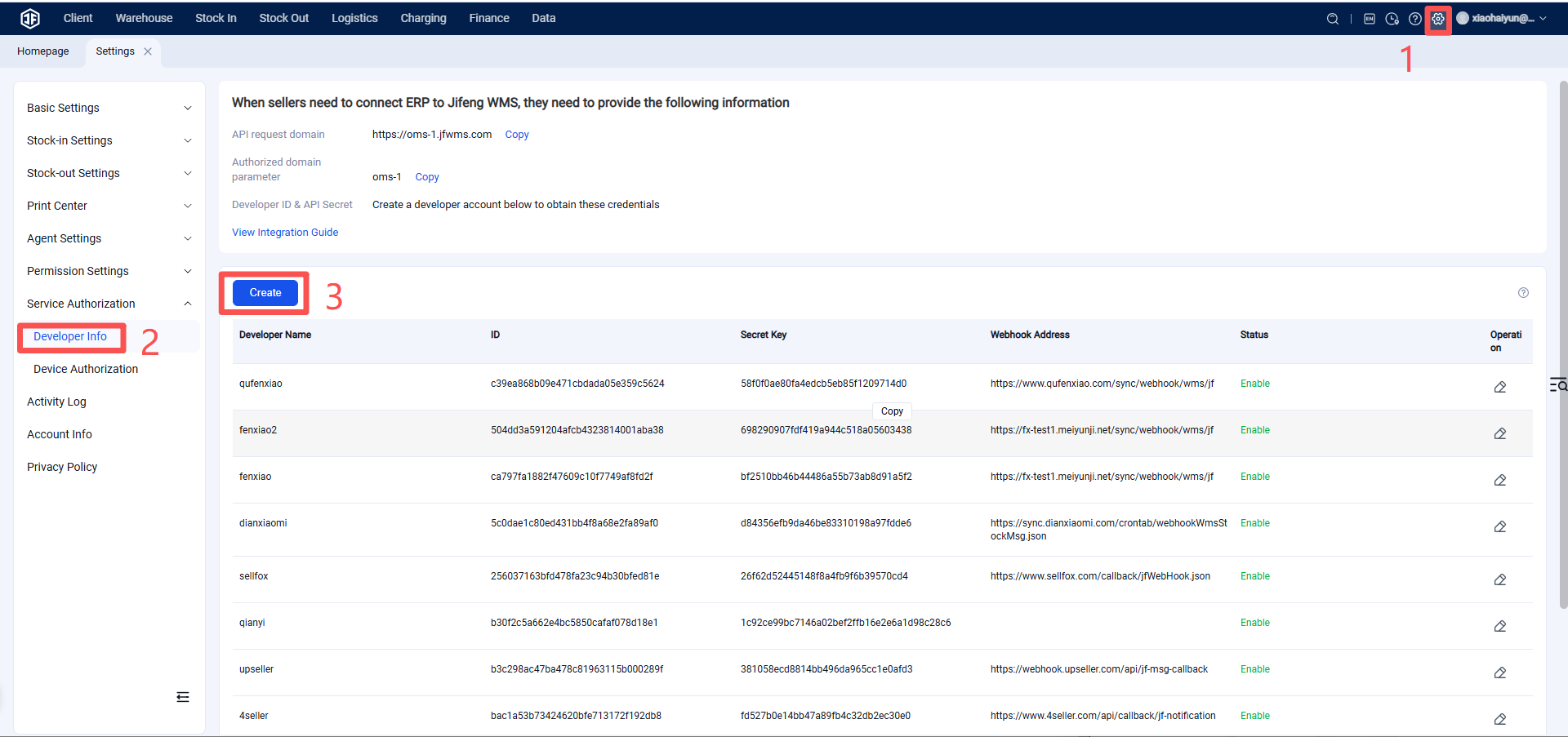
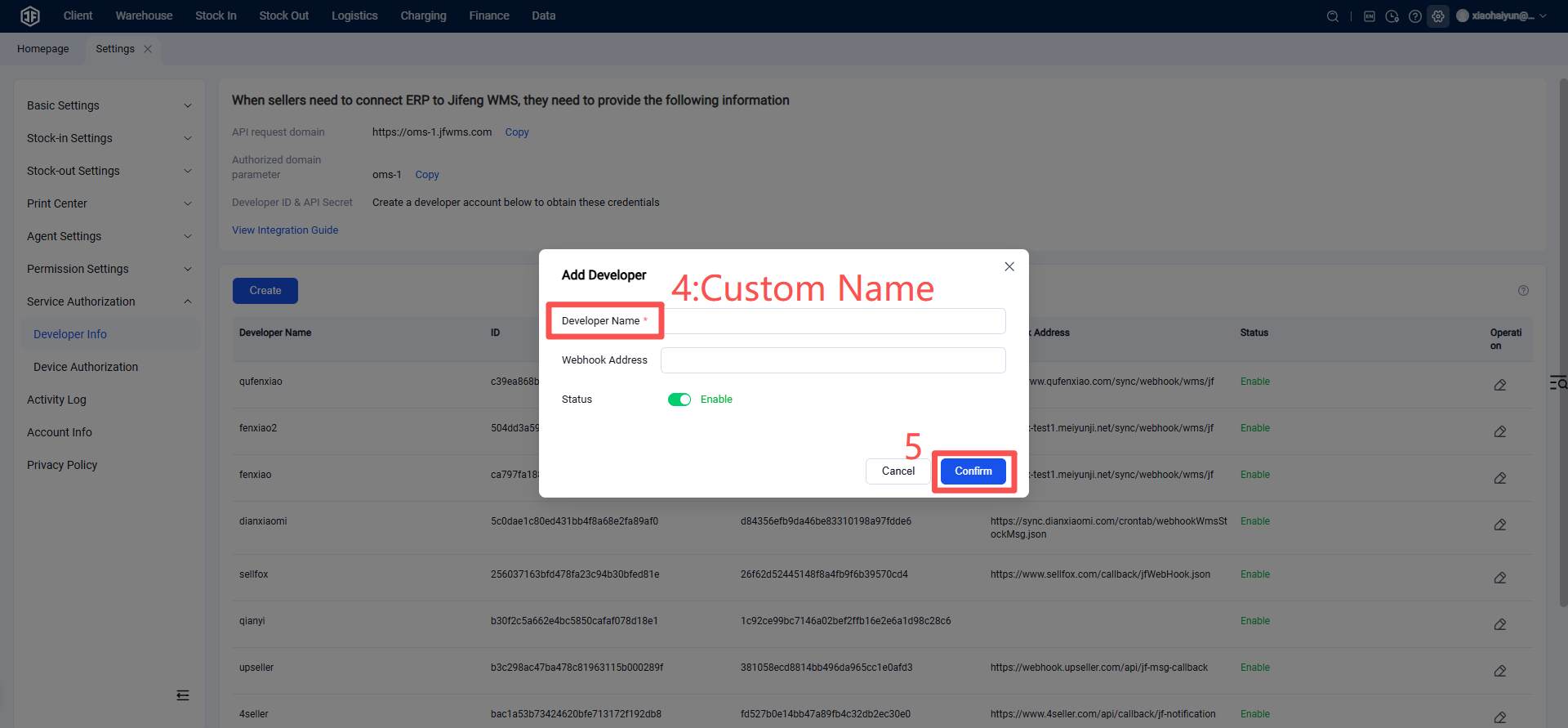
Developer Name: Enter the ERP system name. The webhook address is not required by default and can be left blank. Upon confirmation, a new developer record will be automatically generated.
Step 2: Provide Developer Information to the ERP
Developer Information:
API Request Domain: The WMS system domain, e.g., https://abc.jfwms.com (where "abc" is the subdomain you specified when registering your Jifeng account).
Authorization Domain Parameter: abc (the subdomain you specified when registering your Jifeng account).
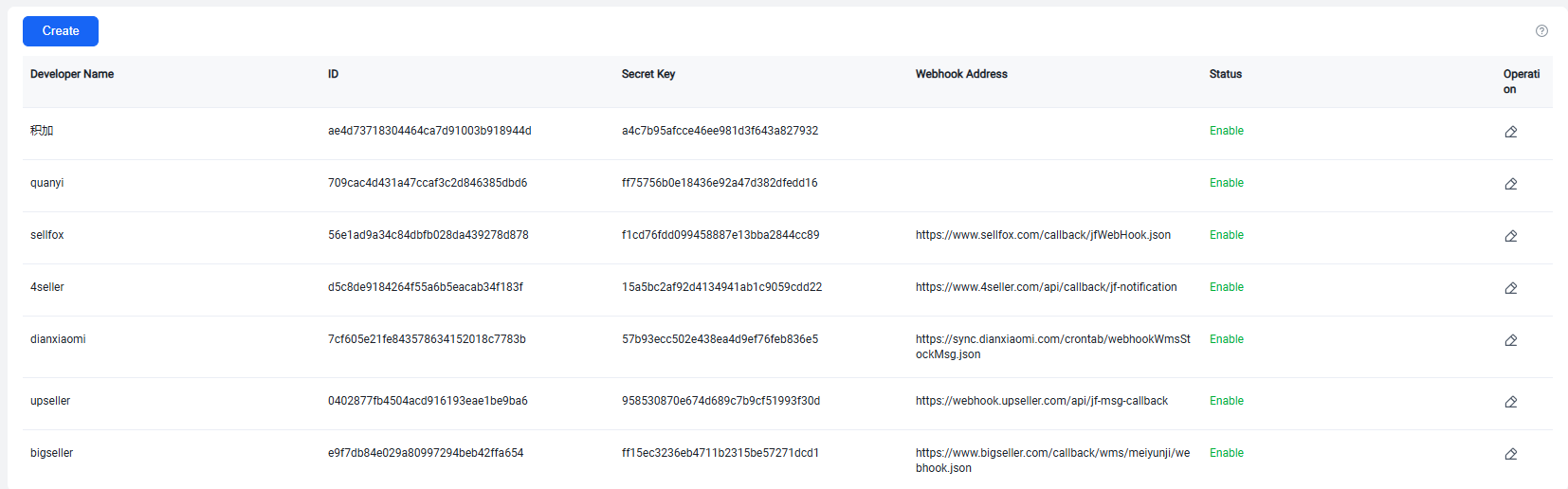
ClientId: Developer Information ID
ClientSecret: Developer Information Secret Key
Provide the above information to the ERP for configuration.
Step 3: Seller Client Authorizes and Binds ERP
The seller client is first onboarded via Jifeng WMS, then authorizes the ERP using their Seller Platform OMS account credentials to complete the overseas warehouse system-ERP integration.
Authorization Email: OMS account email
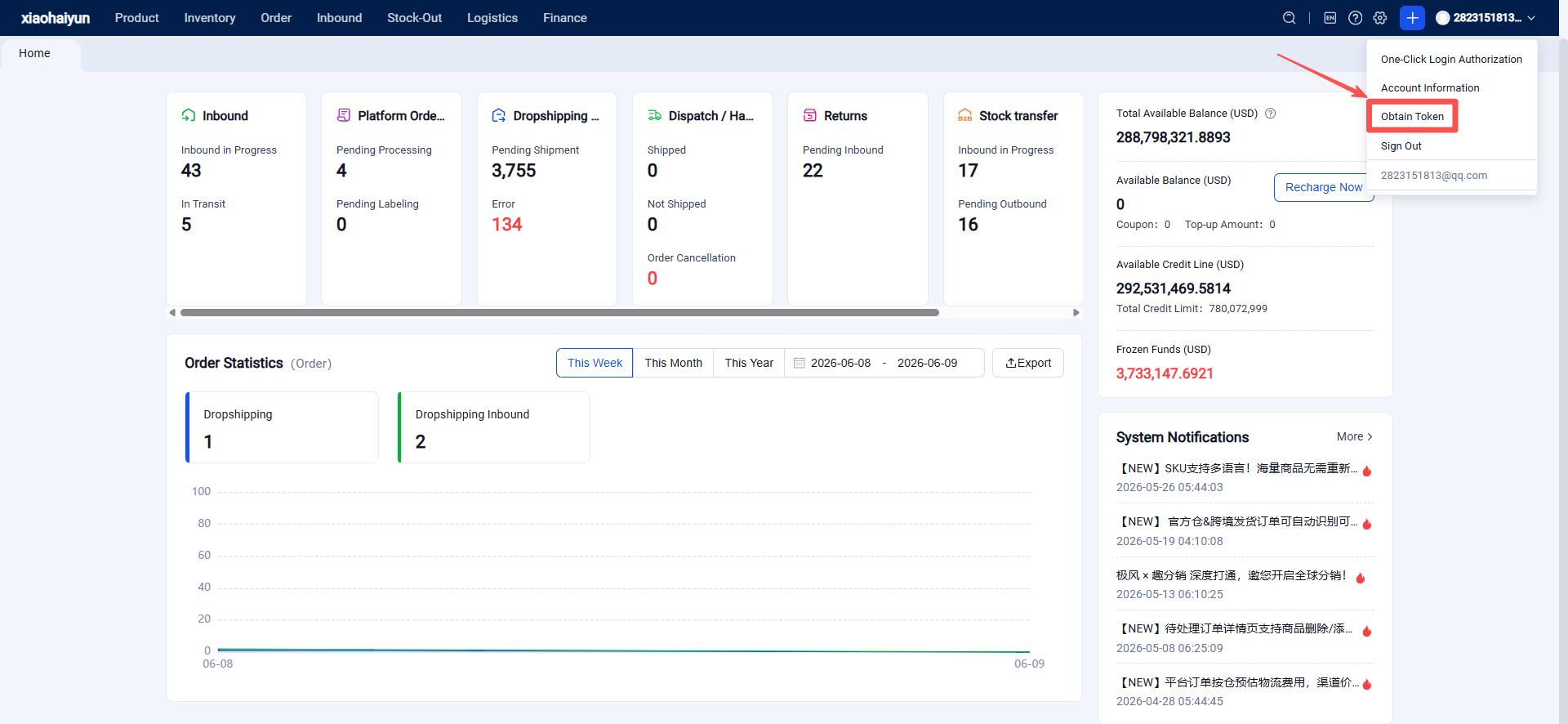
Authorization Token: Log in to the OMS system and obtain it from the upper right corner.