Lingxing ERP Authorization to Jifeng WMS Operating Procedure
I. Definition
If a seller client uses Lingxing ERP to push orders to the free Jifeng Overseas Warehouse Management System, the overseas warehouse will assist the seller with inventory management and shipping.
II. Operational Path
Step 1: Create Developer Information in the Jifeng Overseas Warehouse System
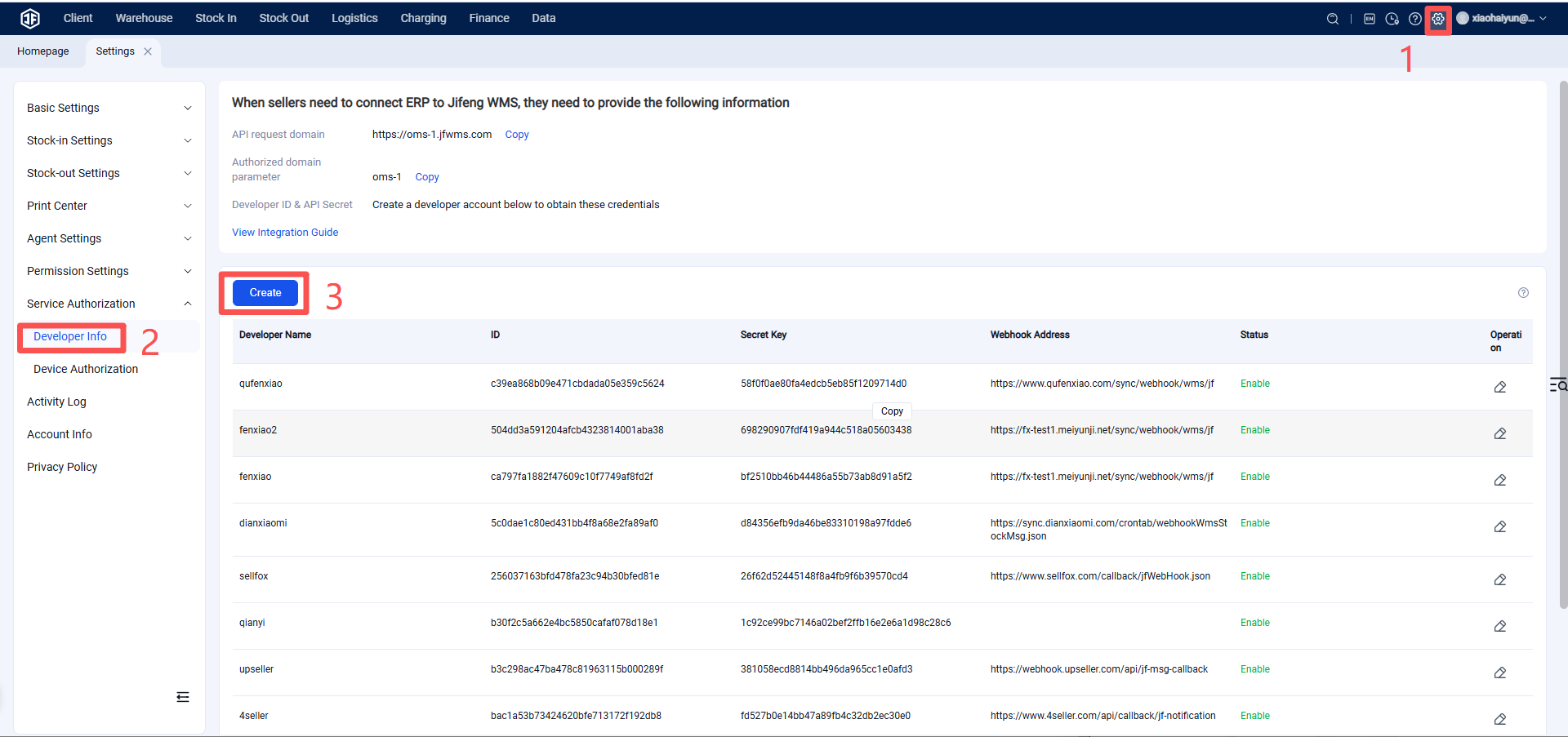
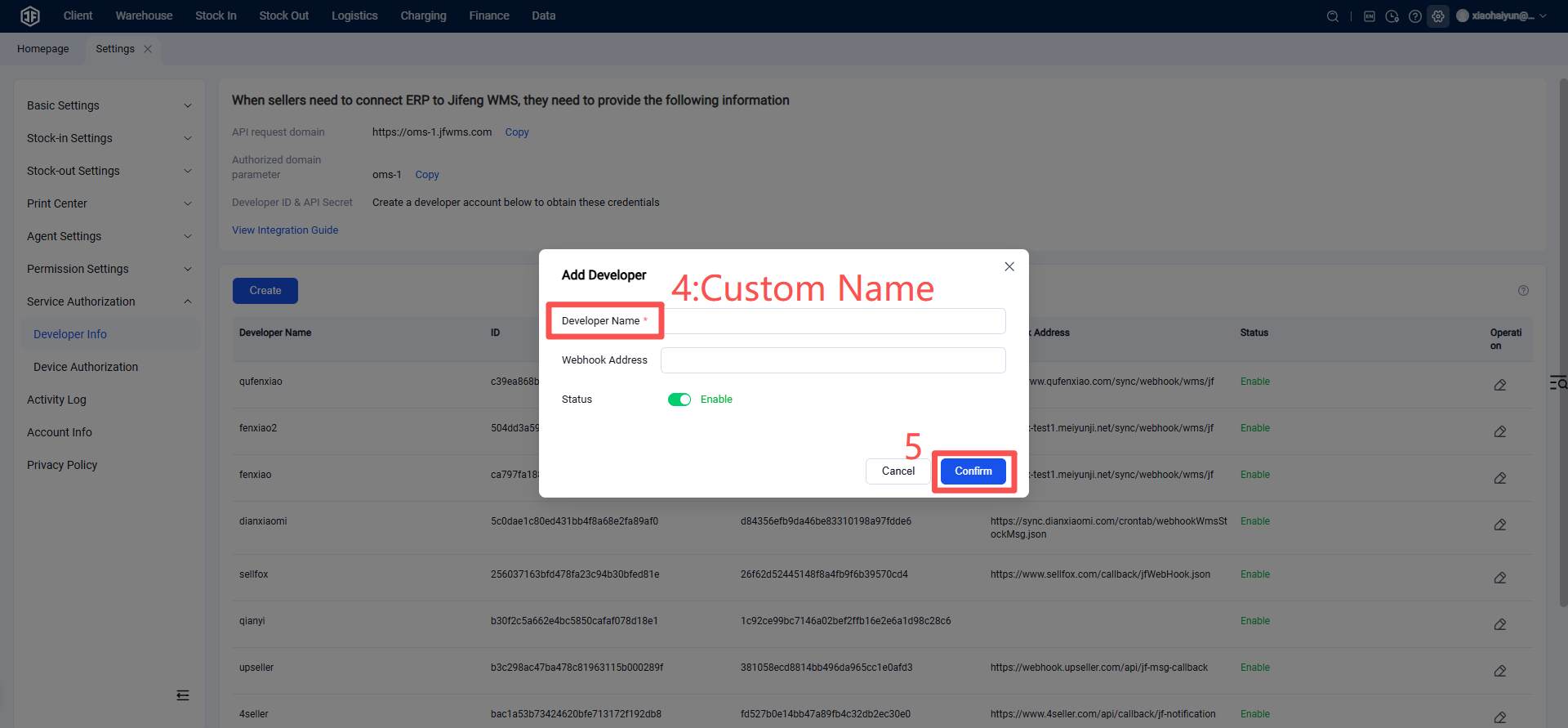
Developer Name: Enter "Lingxing ERP". The webhook address is not required by default and can be left blank. Upon confirmation, a new developer record will be automatically generated.
Step 2: Provide Jifeng Overseas Warehouse Authorization Information to Lingxing ERP
Provide the following information to Lingxing ERP for configuration. (This can be submitted by the overseas warehouse itself, or the warehouse can provide this information to Lingxing ERP sellers to submit. After Lingxing ERP configuration is complete, other Lingxing ERP sellers will be able to see and use your overseas warehouse.)
Overseas Warehouse Name Displayed to Sellers in Lingxing ERP:
API Request Domain:
Authorization Domain Parameter:
Developer ID (Client ID):
Secret Key (Client Secret):
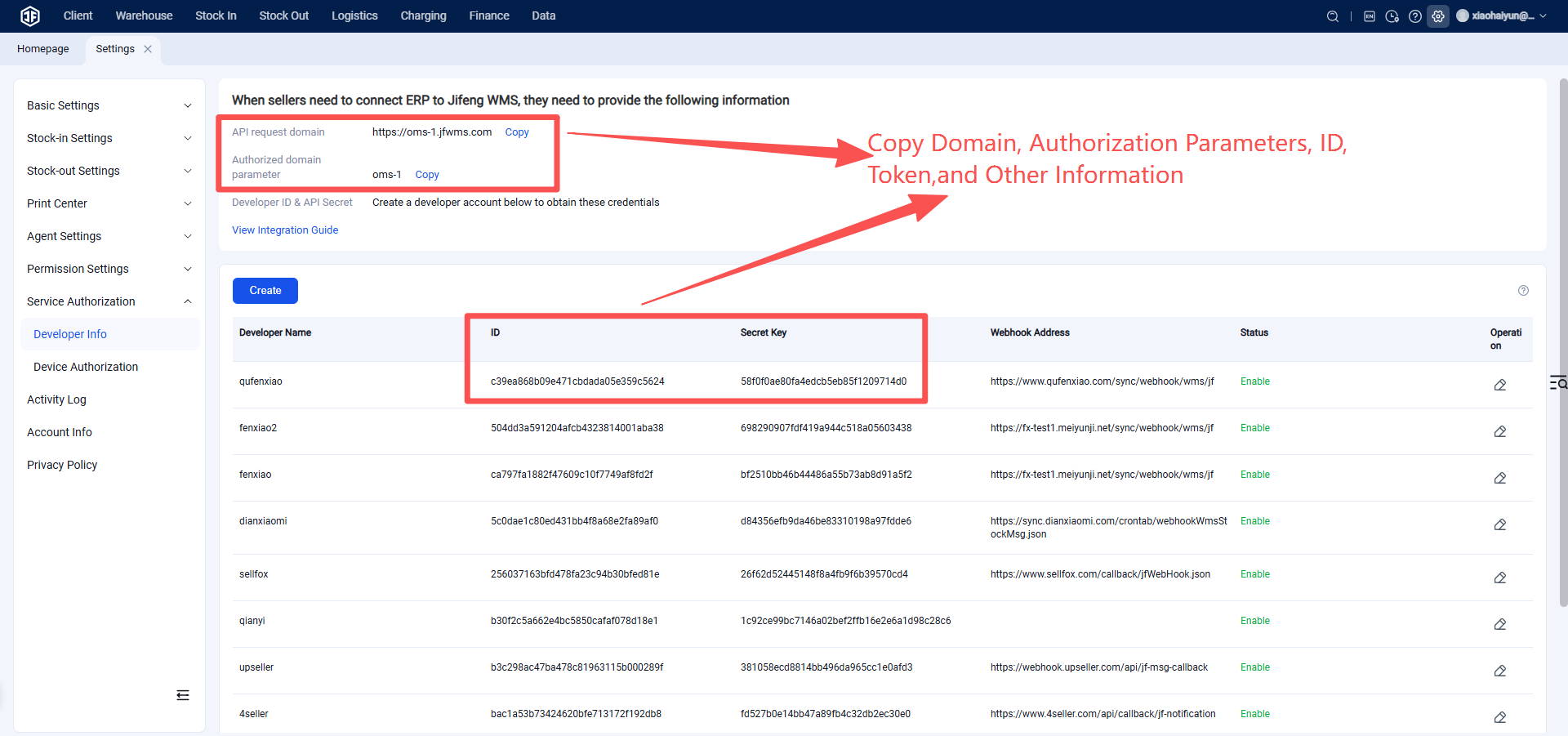
Step 3: Seller Client Authorizes and Binds OMS to Lingxing ERP
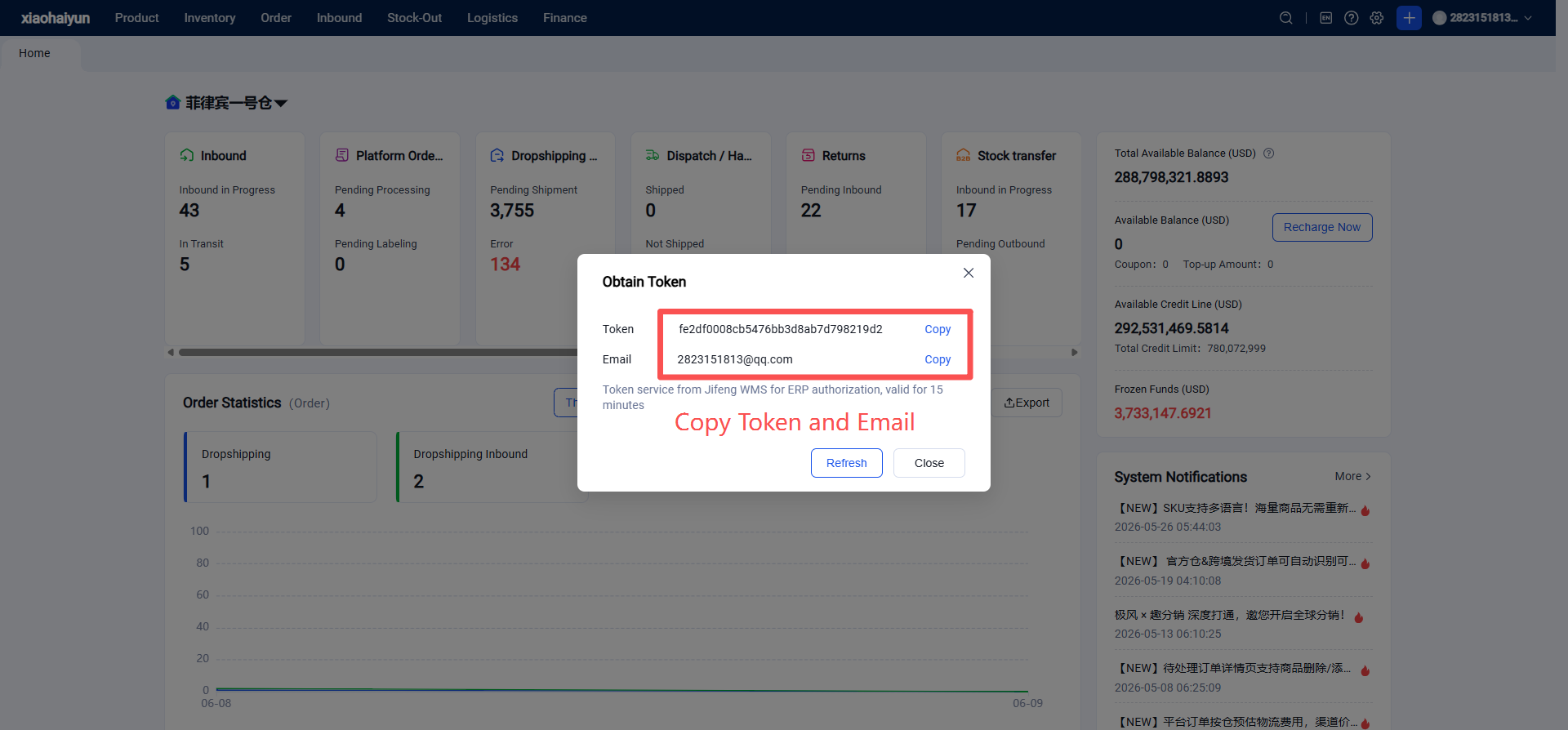
1.Seller Obtains Authorization Token in Jifeng OMS
The seller client is first onboarded via Jifeng WMS. Then, the seller client obtains the authorization token through the Seller Platform OMS.
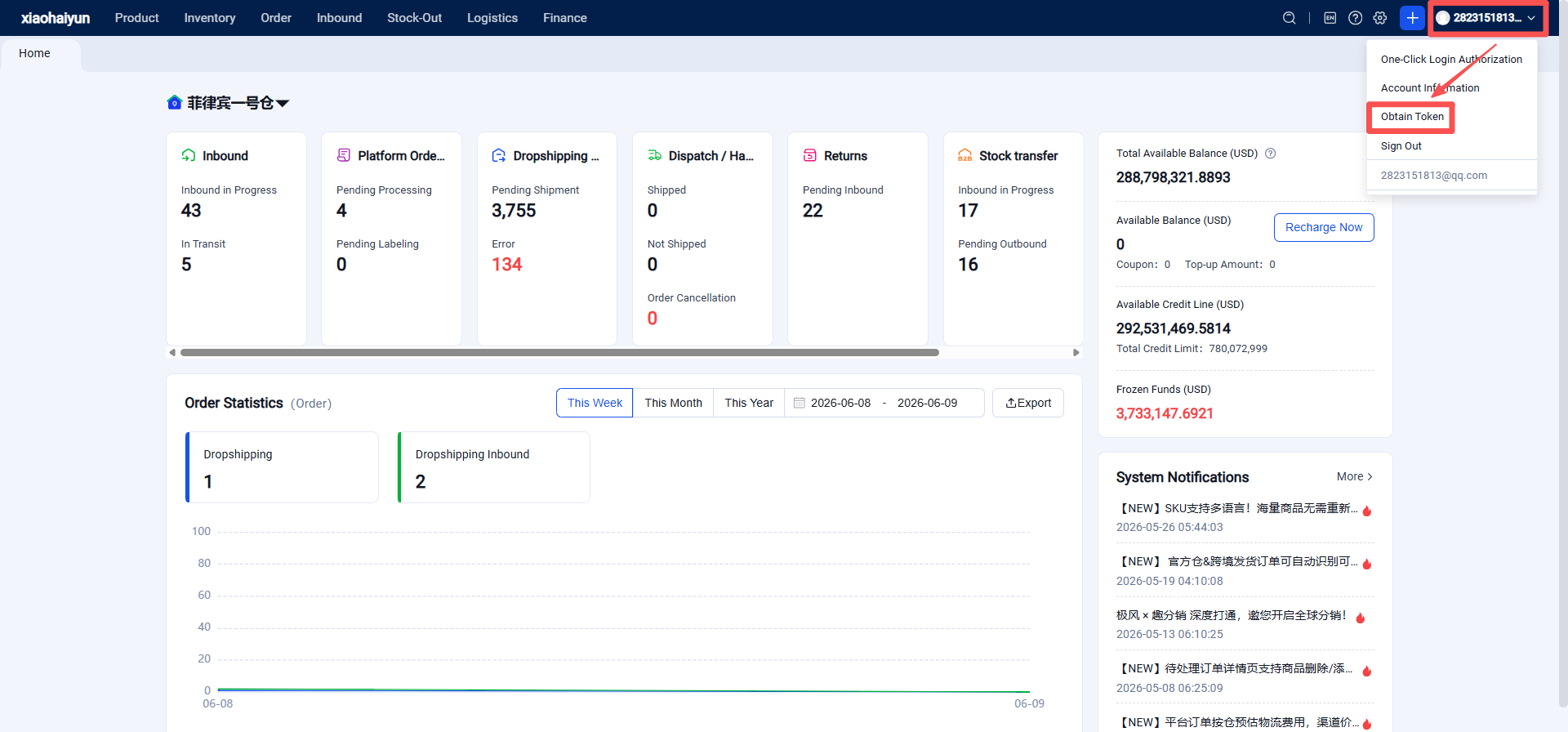
2.Seller Authorizes the Overseas Warehouse in Lingxing ERP
The seller needs to copy and provide the following information:
(1) OMS Email: (2) OMS Token: (3) Your Overseas Warehouse API Request Domain (refer to Step 2):
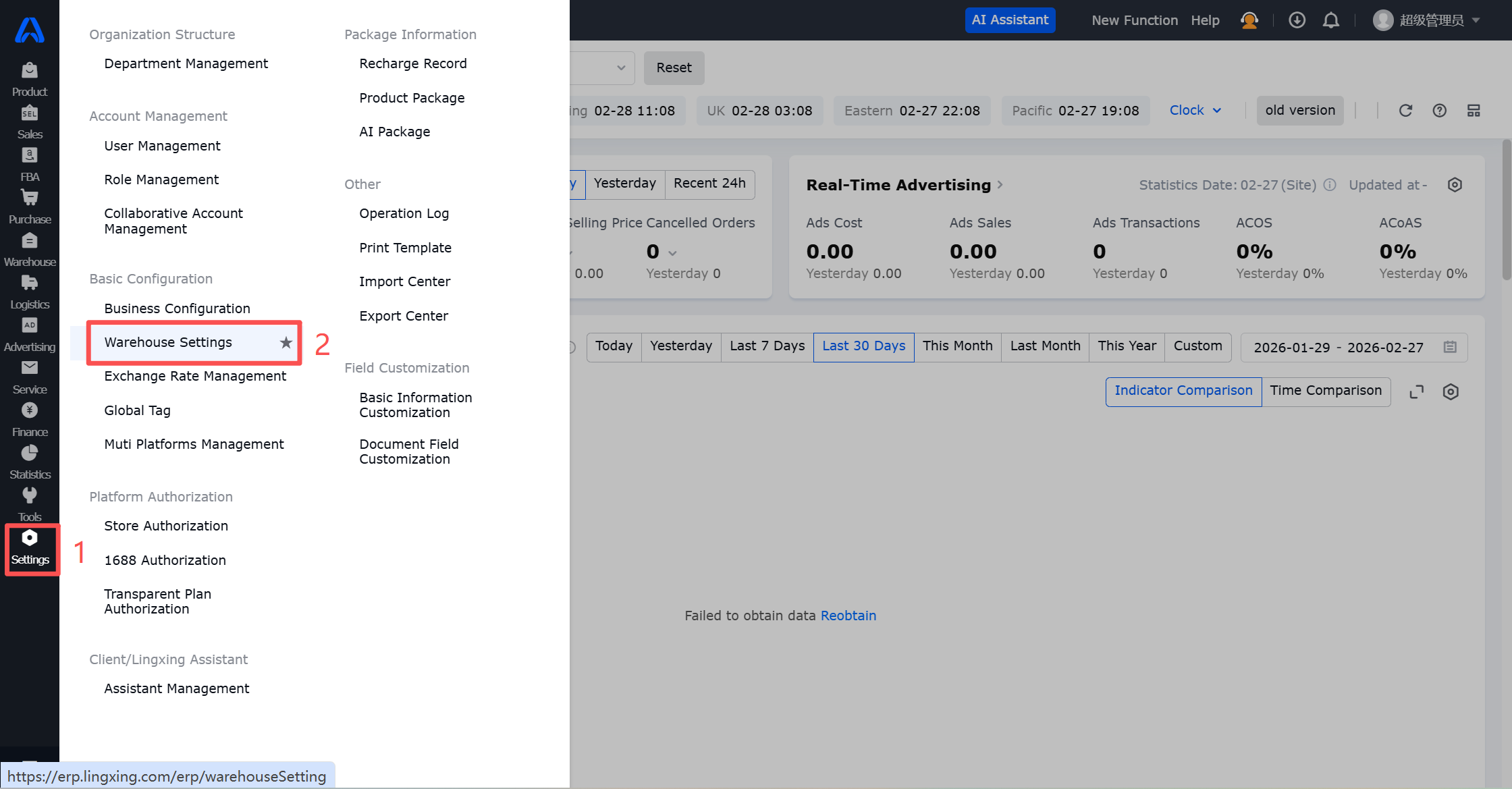
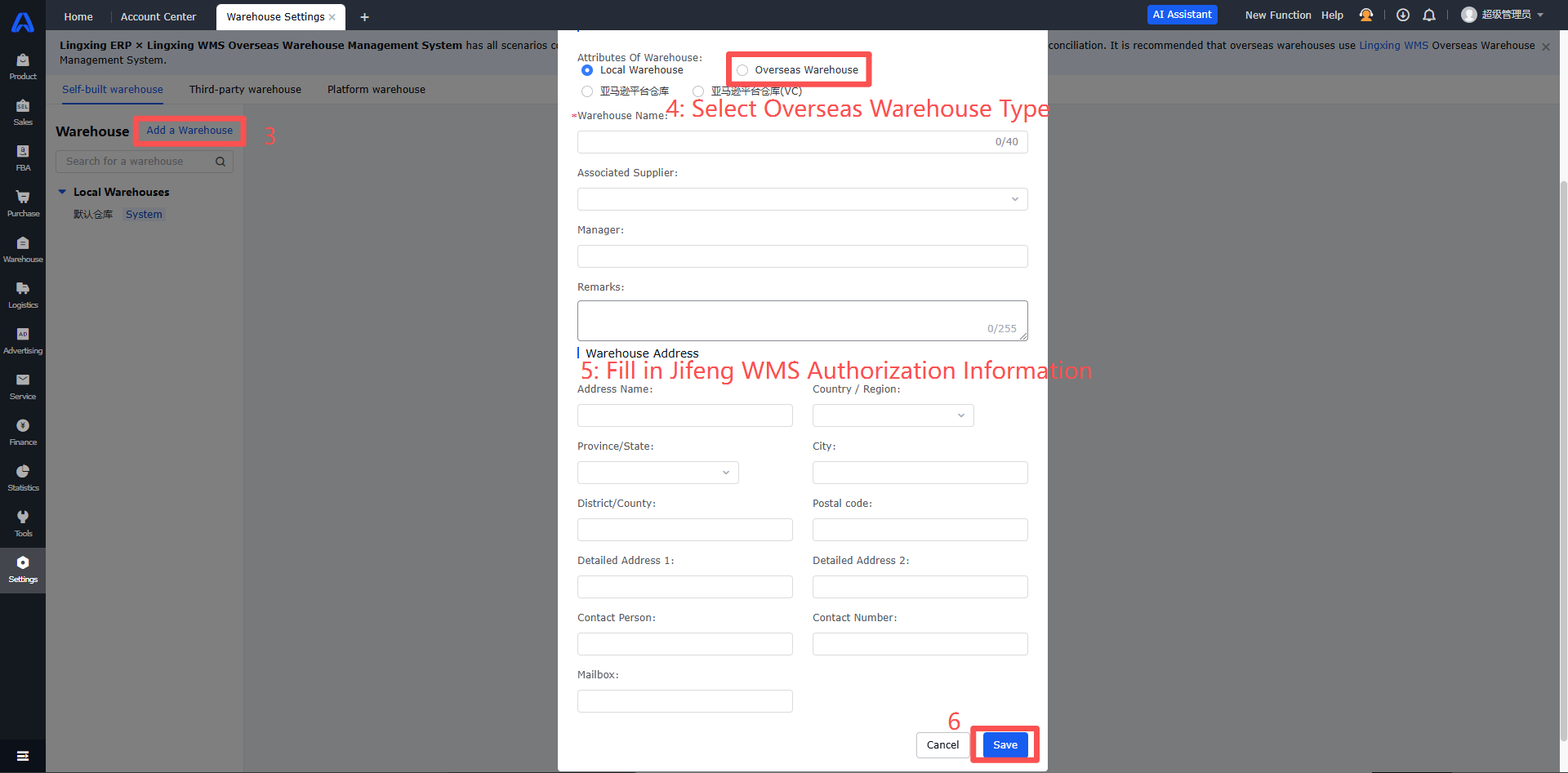
Once authorization is complete, the seller can use Lingxing ERP to push products (pairing overseas warehouse products with the seller's store products), push replenishment inbound orders, and process orders to Jifeng WMS. The Jifeng overseas warehouse can then proceed with order fulfillment.