If the print plugin is not detected, here are the solutions.
The print plugin has already been downloaded but cannot be opened. Clicking "Re-detect" also yields no response, and it remains unable to open. In this case, try changing the Chrome browser settings first.
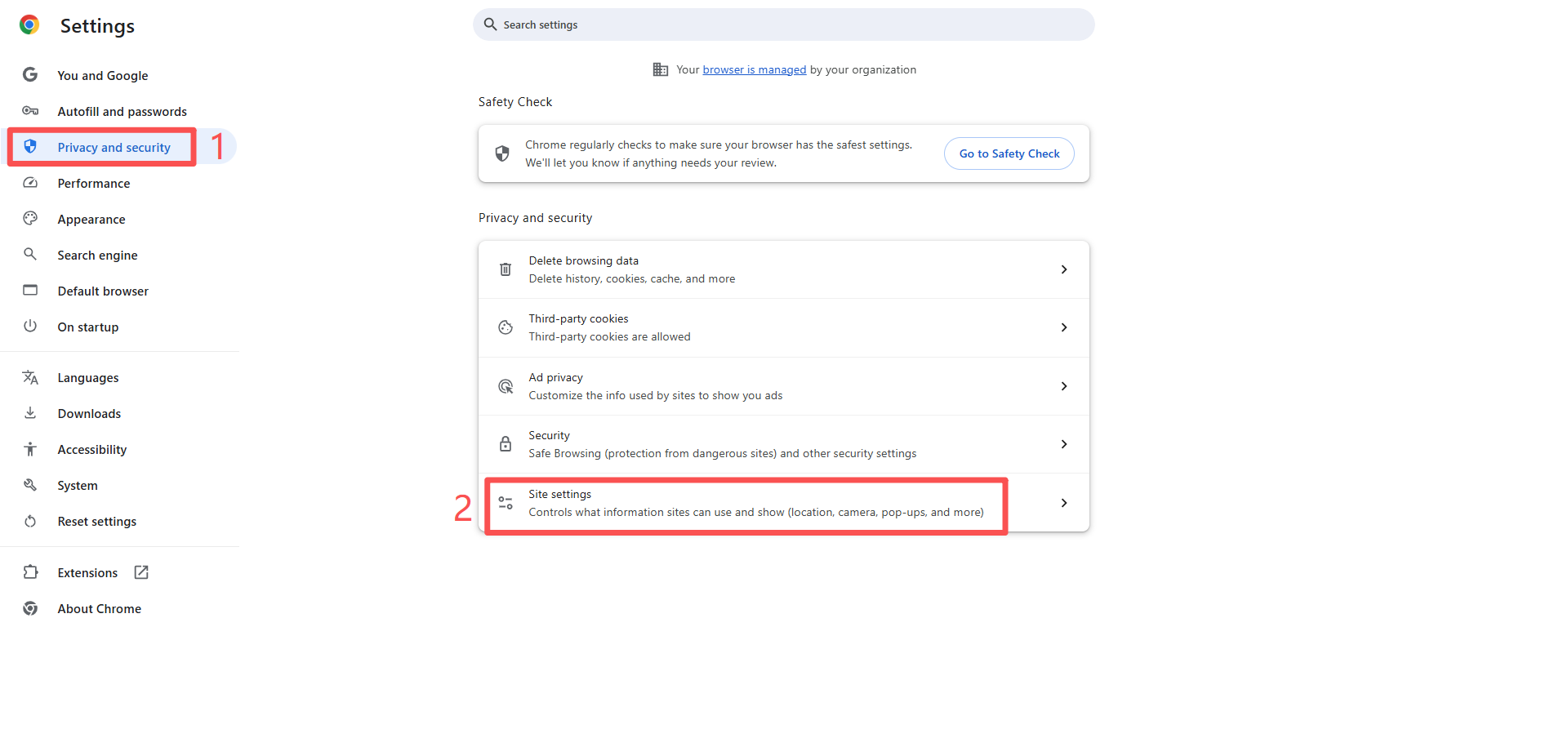
● Step 1: Go to the Chrome browser settings page: chrome://settings/ (copy this link and open it in your browser)
● Step 2: Click "Privacy and Security" → "Site Settings"
● Step 3: In "Recent Activity", find the link to the Jifeng WMS webpage that you have visited.
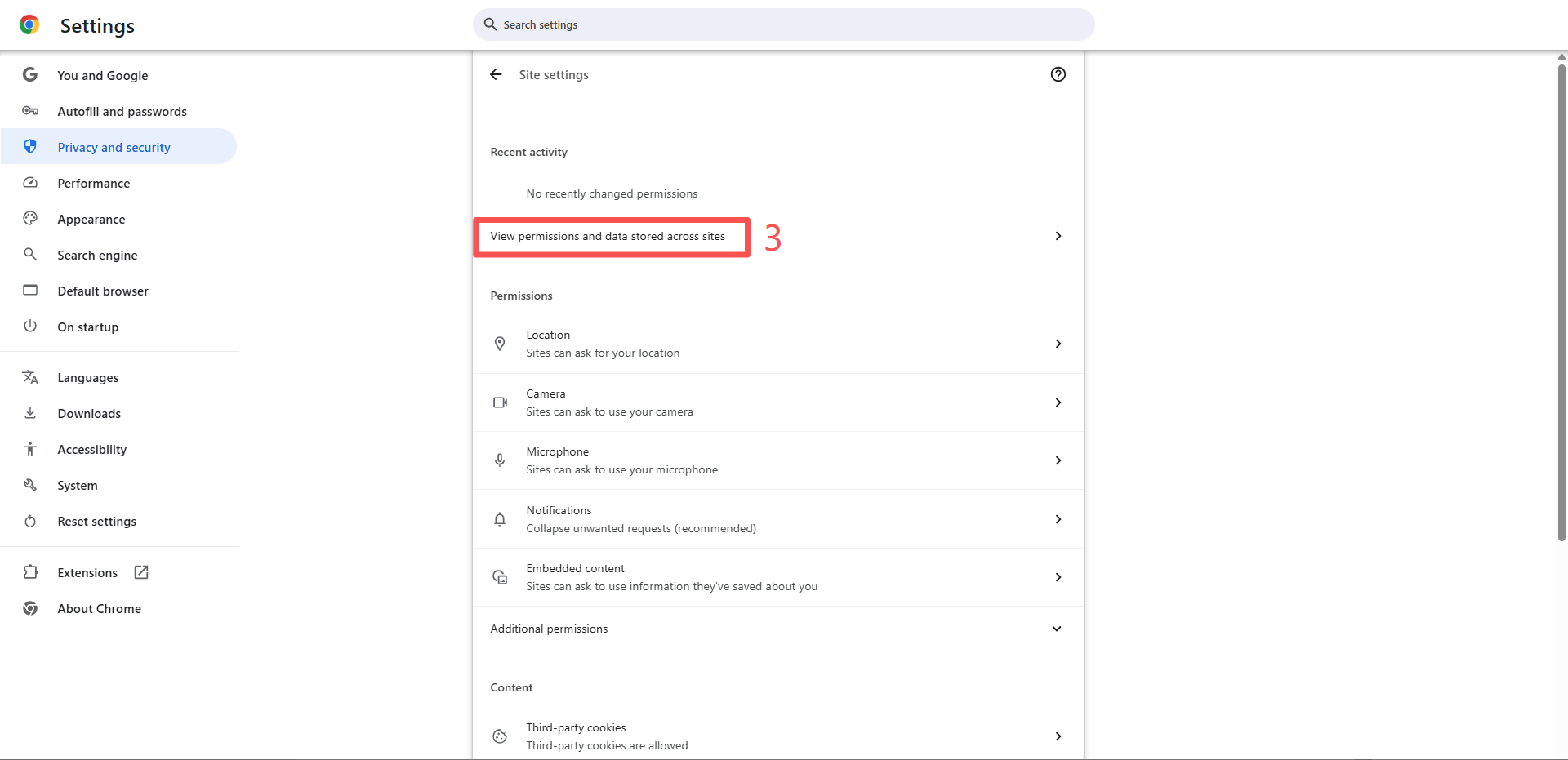
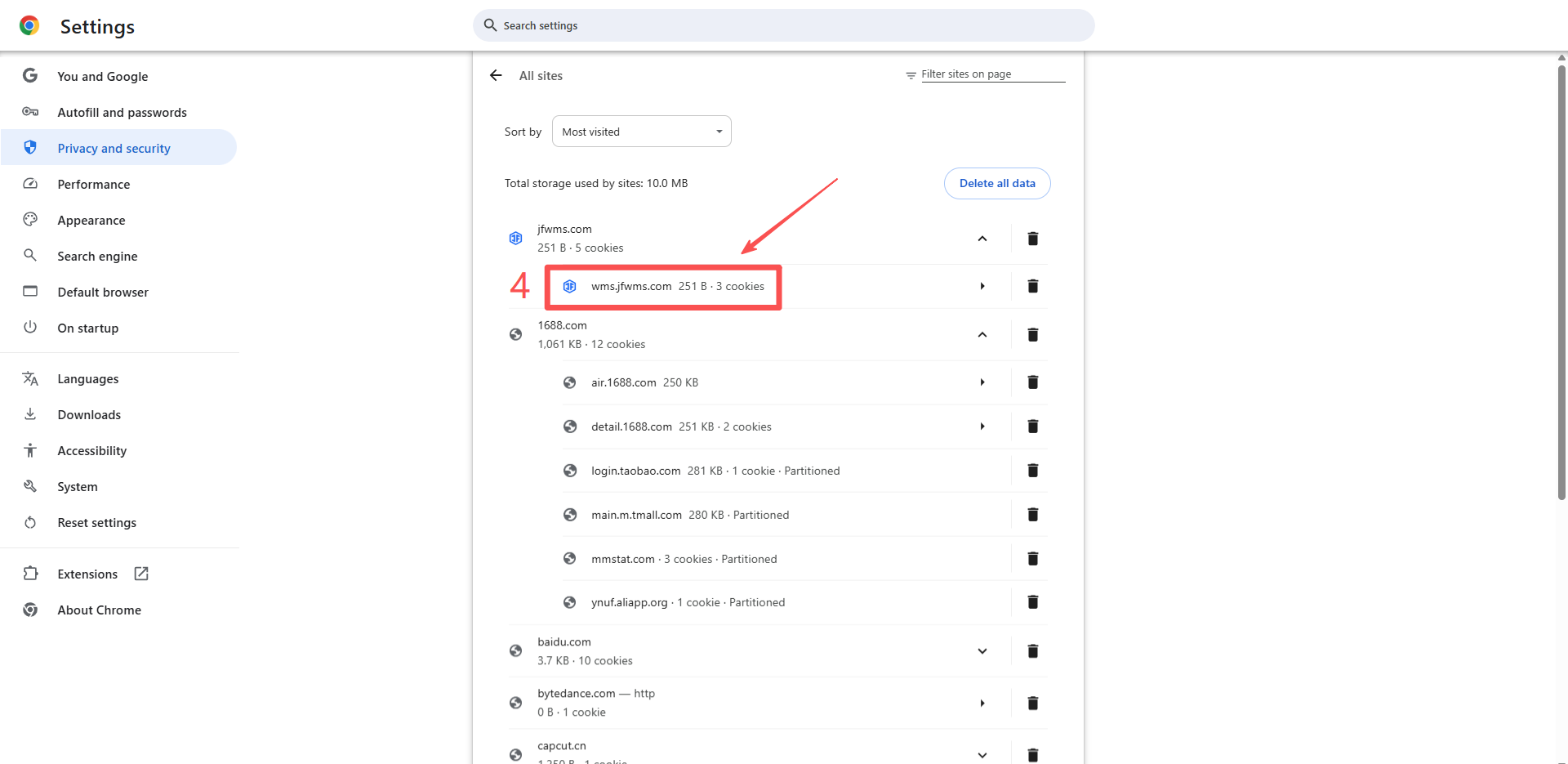
Note: Be sure to click the link to the Jifeng WMS homepage (links to OMS or help documentation will not work).
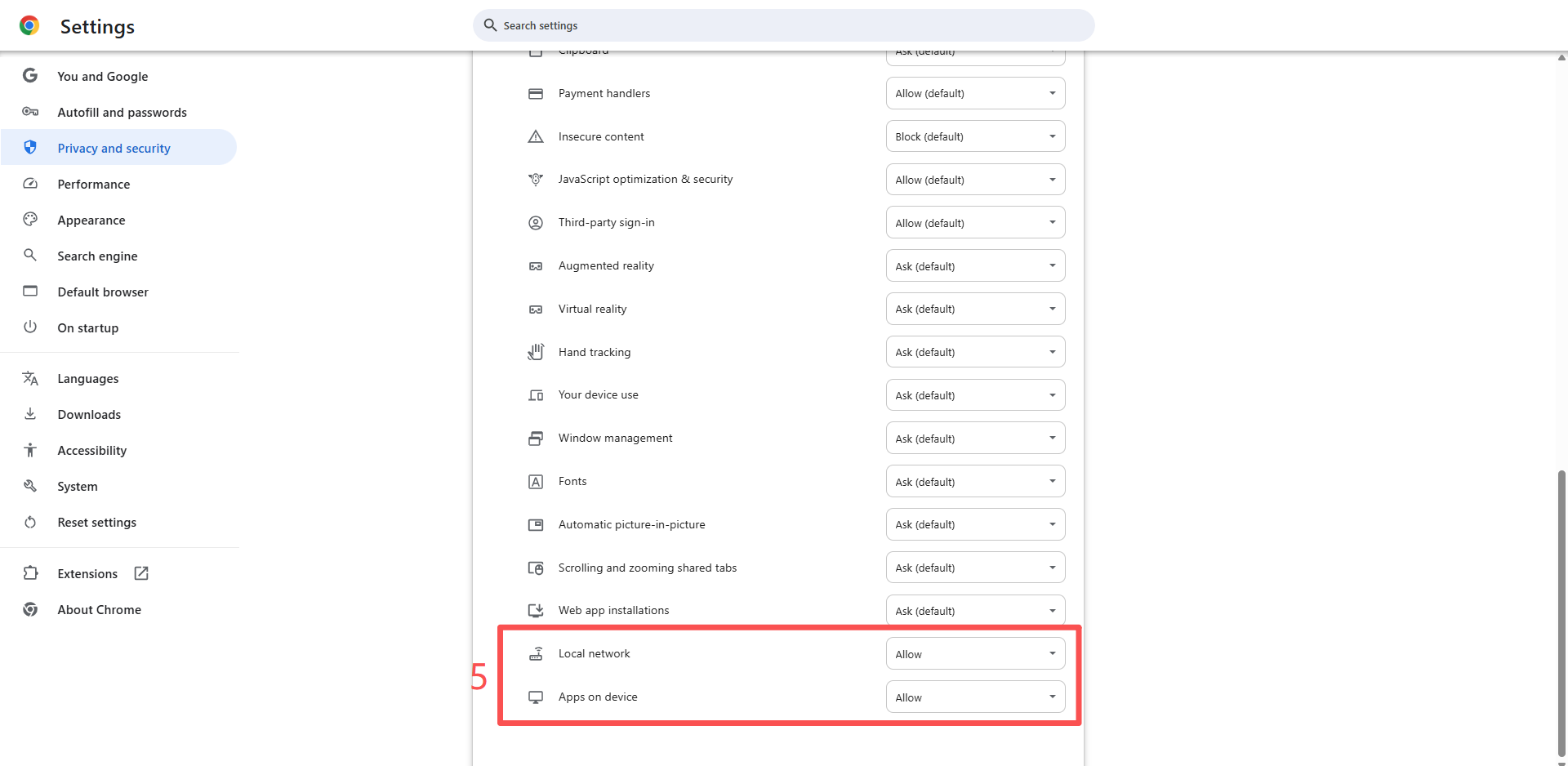
● Step 4: Click on the WMS address to enter the permissions page. Scroll to the bottom and set "Local Network Access" and "Applications on Device" to "Allow".
PS:
① If these two options are not available in your Chrome browser, it may be due to the browser version. You will need to re-download Chrome.
② If the issue persists after following the above steps, you will need to switch to a different browser.