Agent Warehouse Logistics Channel Pairing
I. Definition
When the main warehouse you represent handles packing and shipping for your clients, you need to create logistics channels and pair them with the agent warehouse's logistics channels.
II. Operational Path
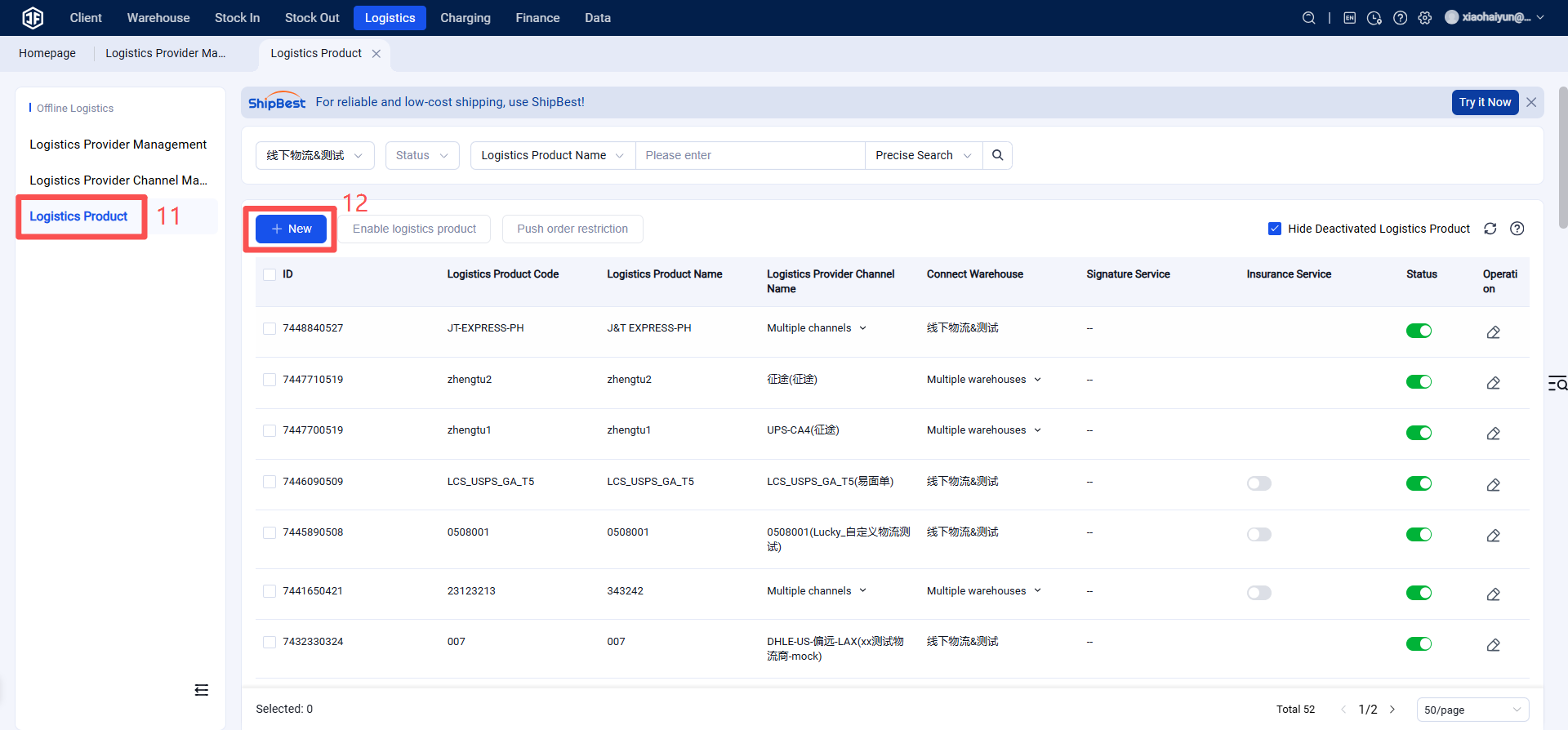
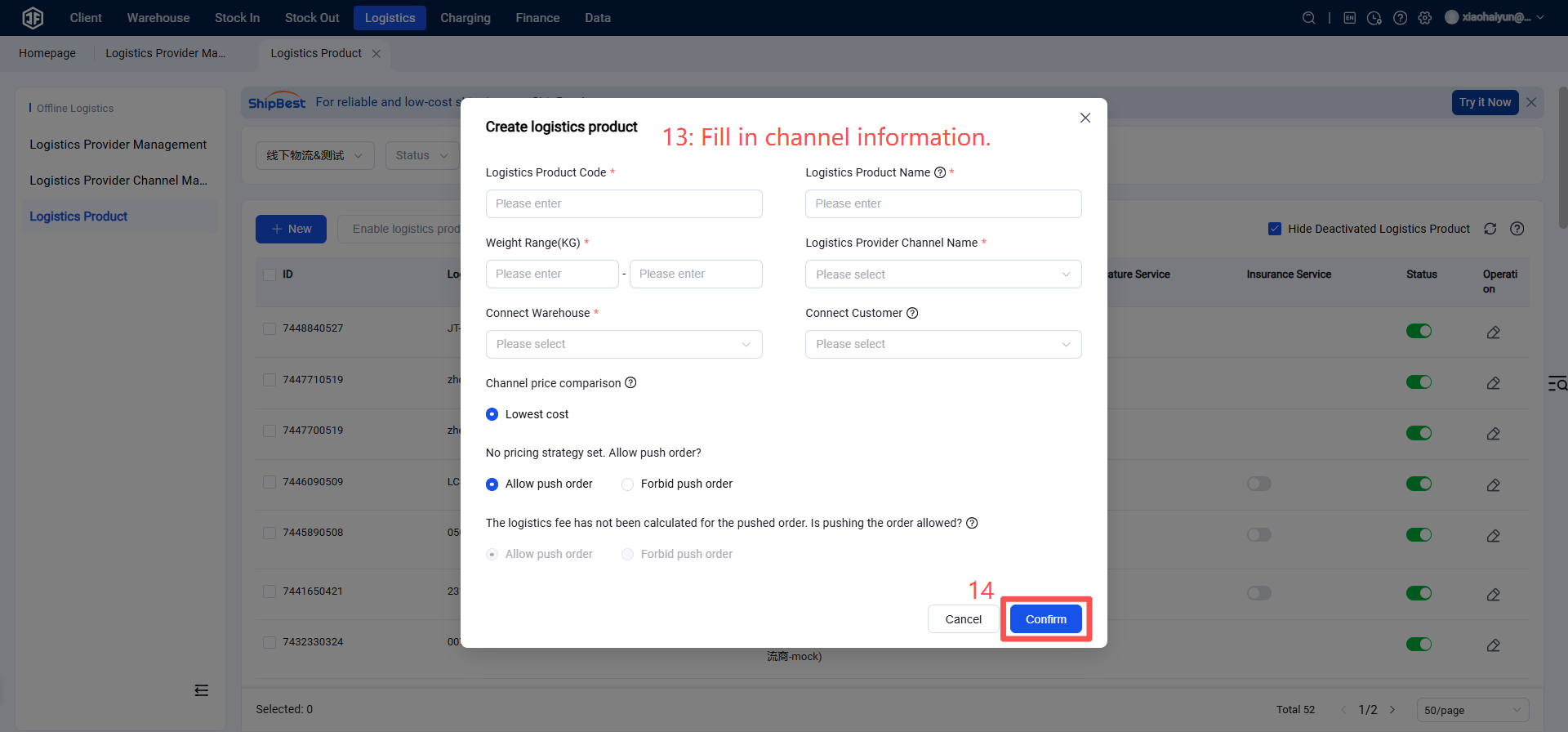
Step 1: Create a Custom Logistics Channel
Warehouse WMS > Logistics > Logistics Provider Management > Select Custom Logistics Provider > Add Logistics Provider.
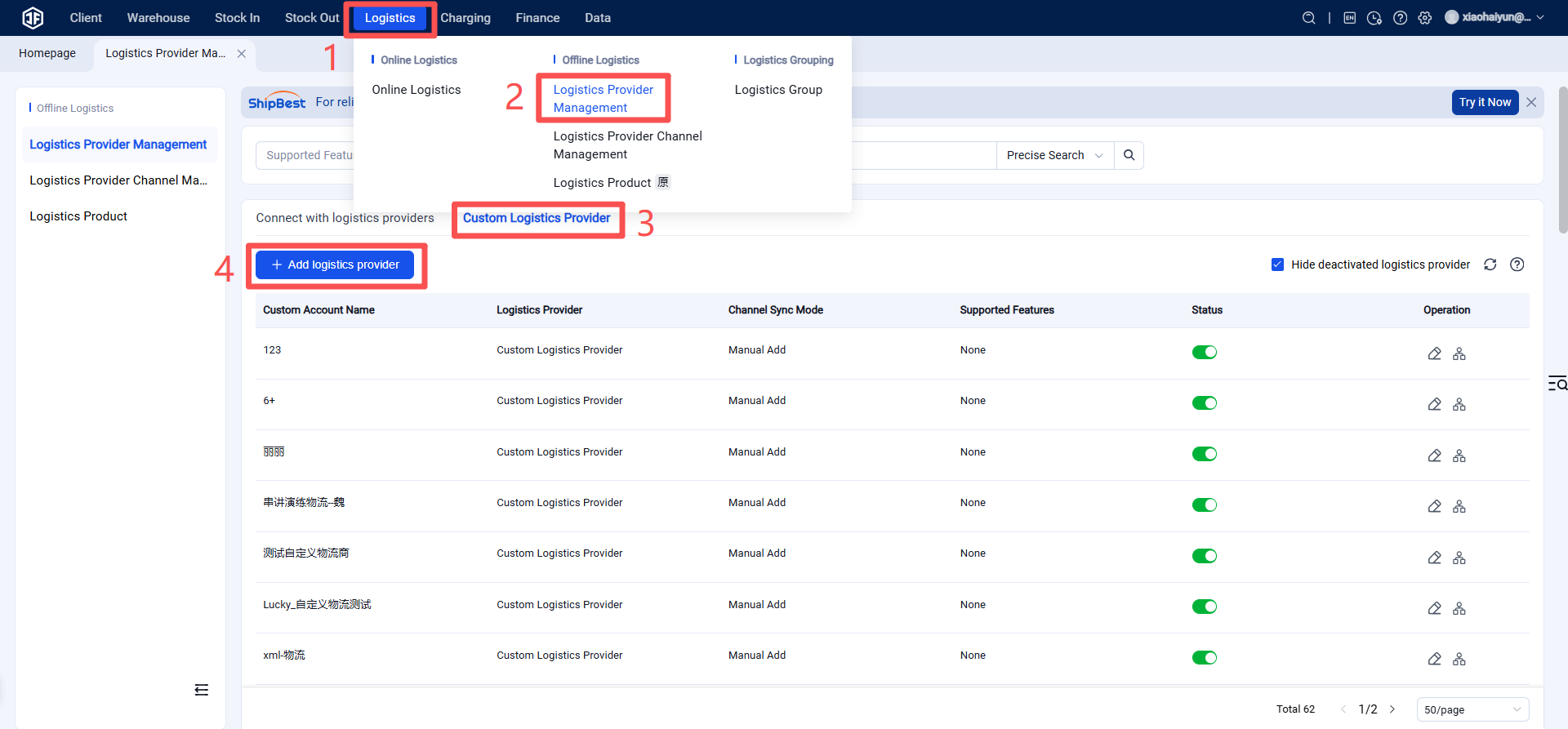
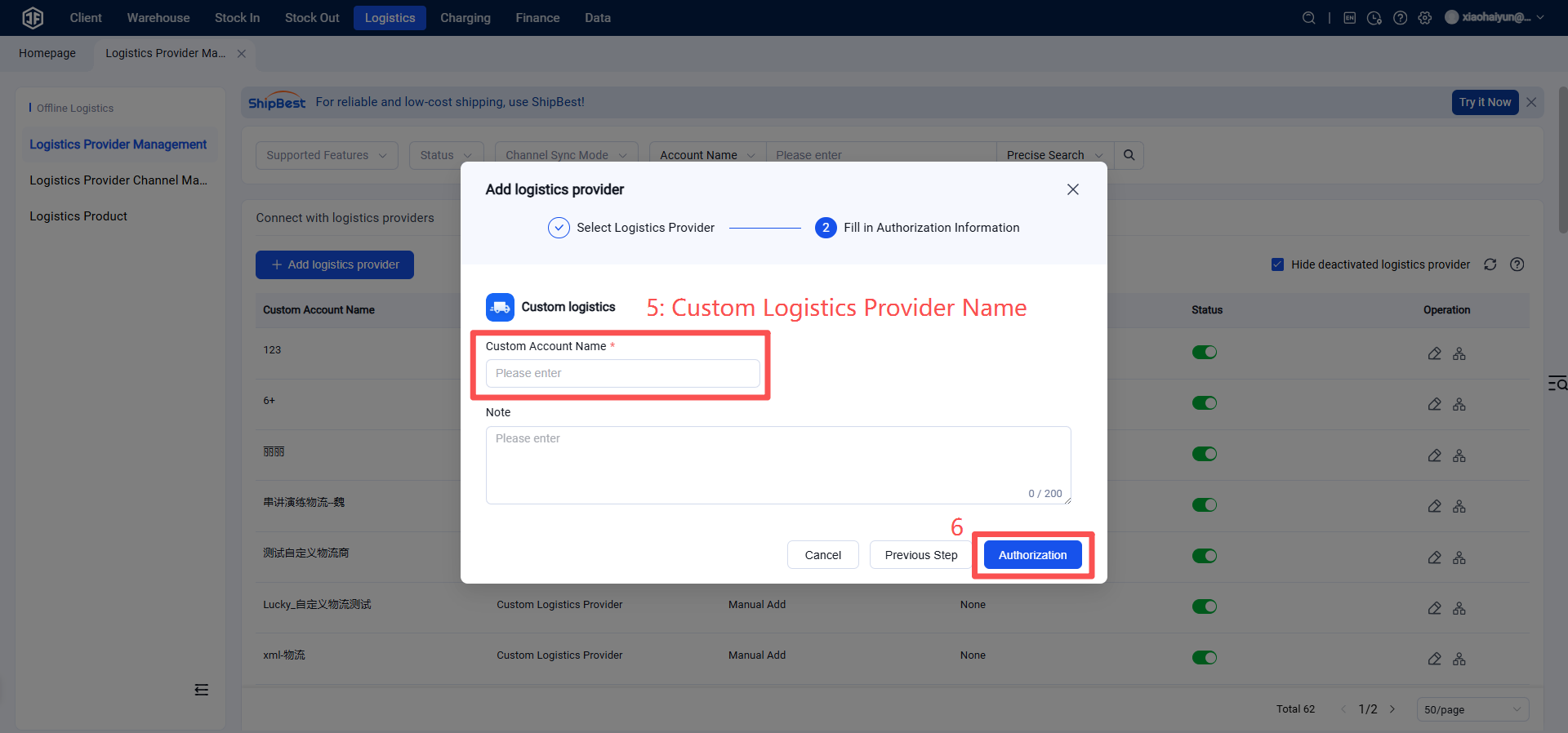
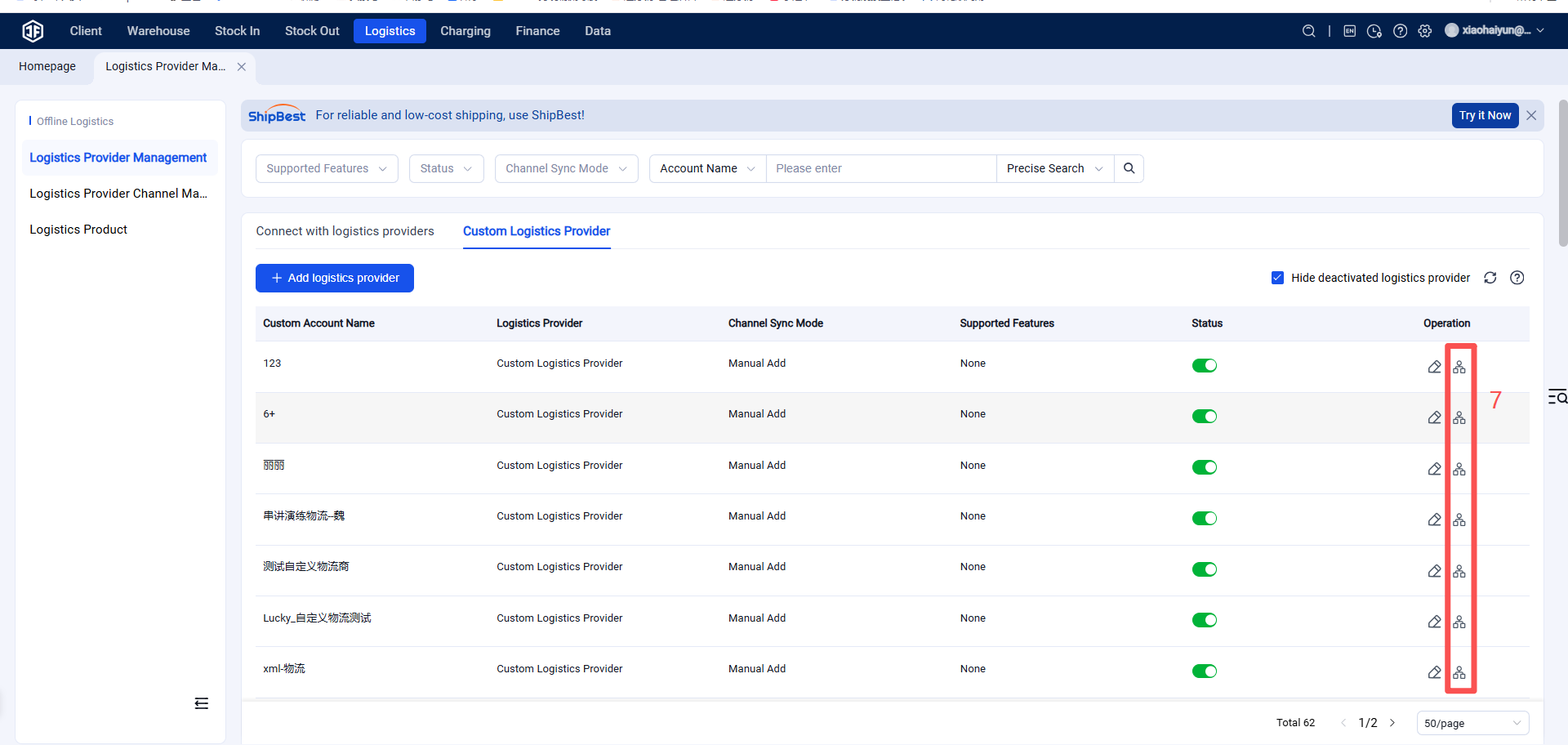
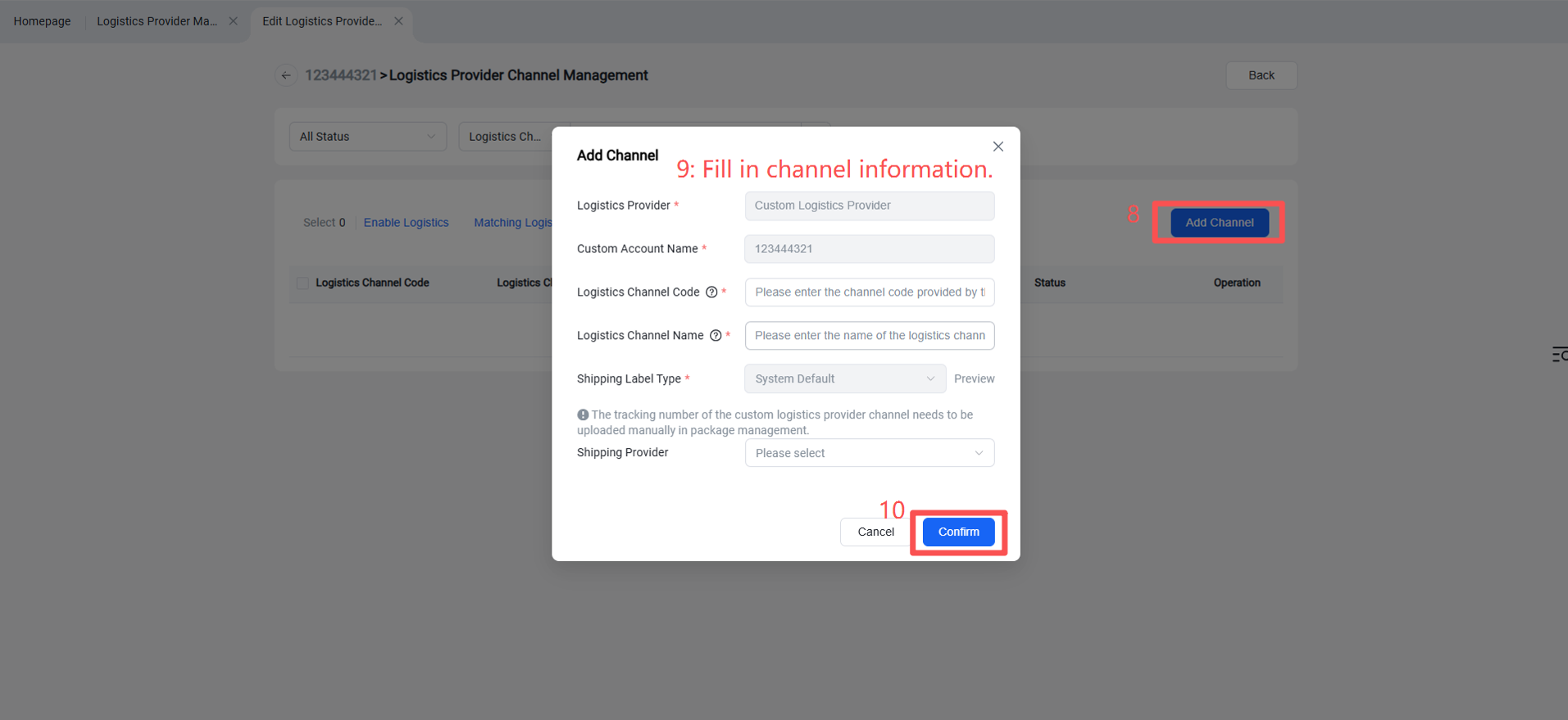
After adding, configure the logistics channel for your clients.
Step 2: Pair Agent Logistics Channels
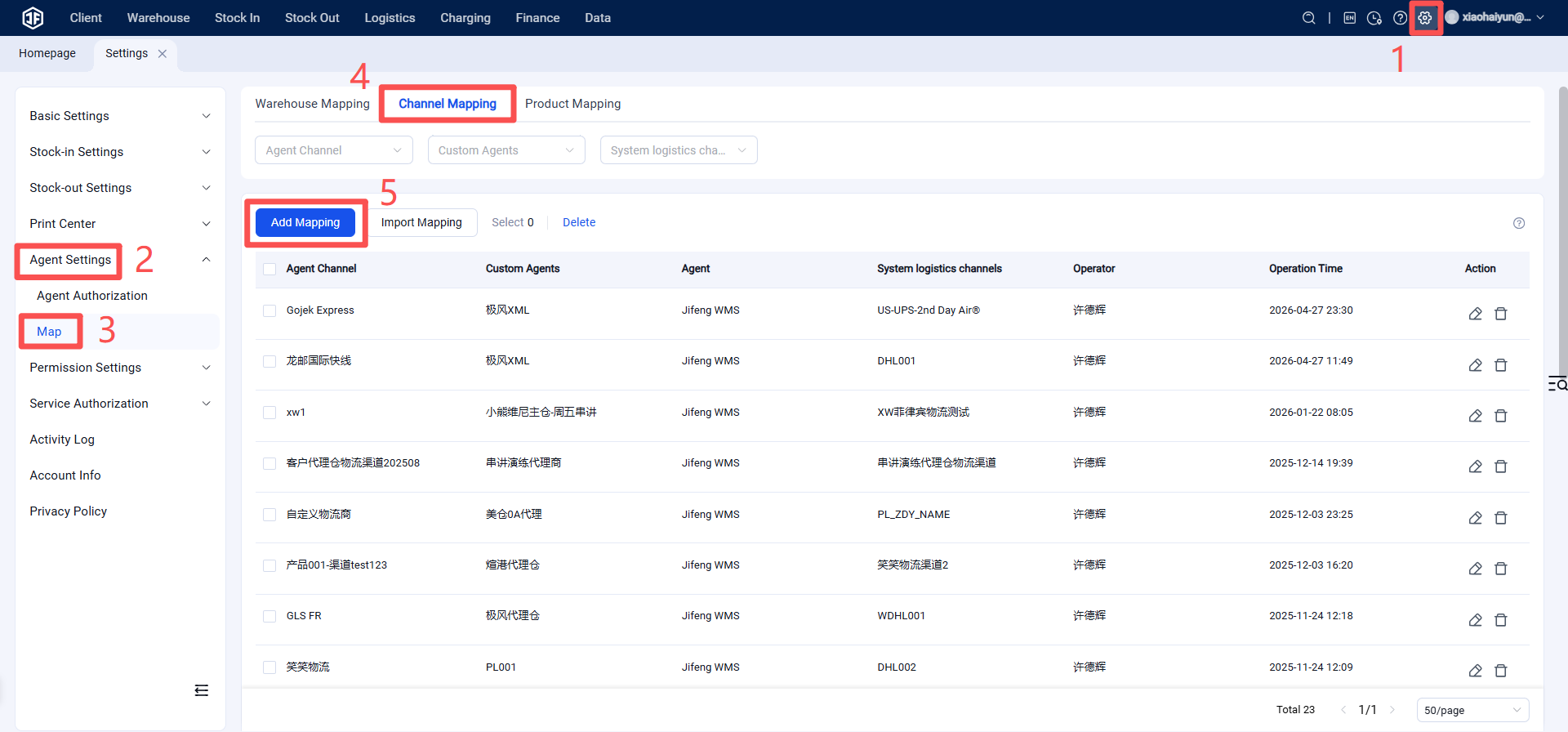
Pair the logistics channels you enabled for your clients in your agent WMS with the corresponding channels in the main warehouse's system.
Warehouse WMS > Settings > Agent Settings > Pairing > Click "Channel Pairing" > Click "Add New"
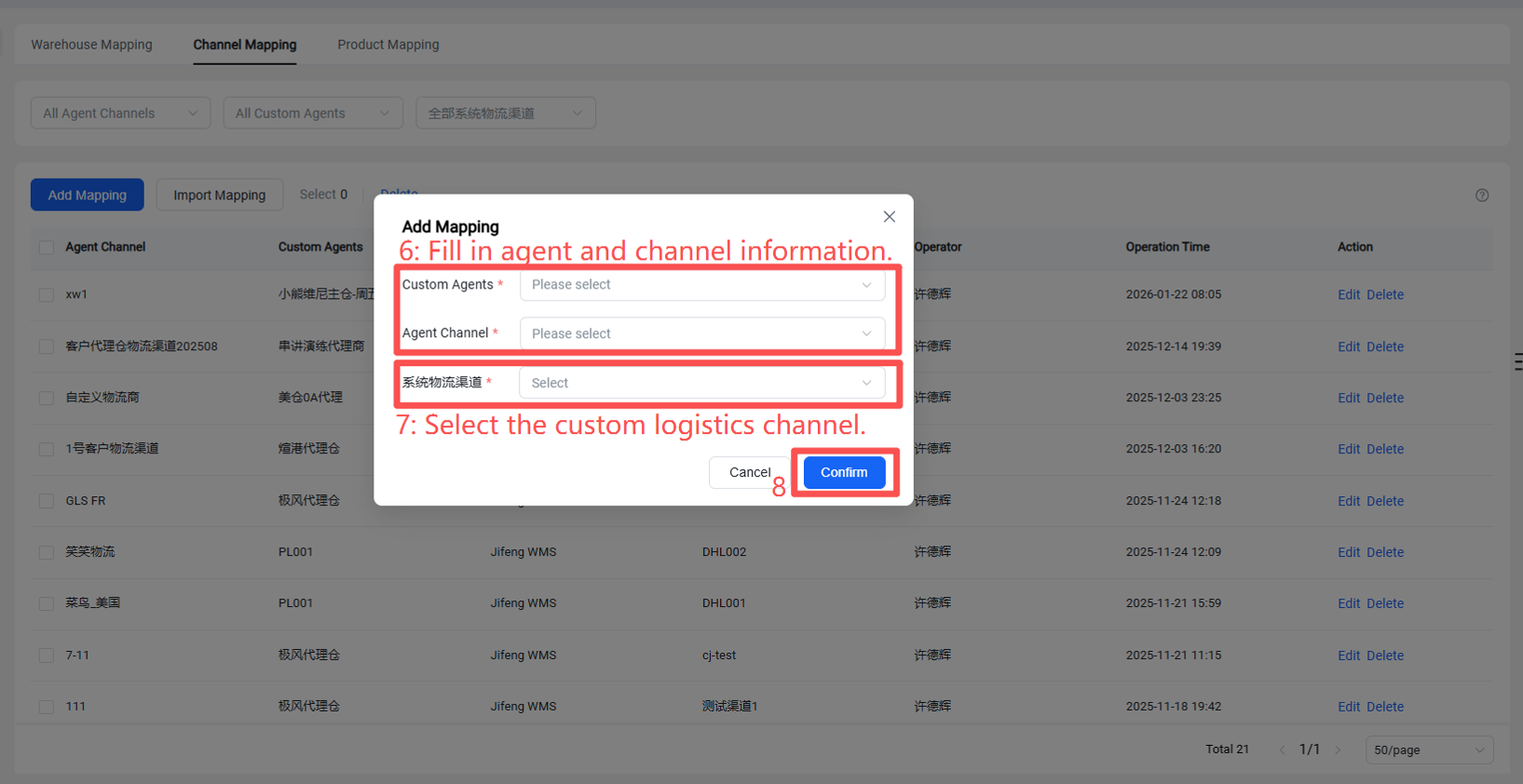
This completes the channel pairing, and it can now be edited.