Push Products to Overseas Warehouse via Bigseller
I. Definition
Push products to overseas warehouses via Bigseller.
II. Operational Process
Step 1: Add Warehouse Products in Bigseller – Four Product Creation Methods
Method 1: One-Click Generation Based on Store SKU via SKU Matching Page
Important Notes:
1.If the store SKU matches an existing product SKU, a matching relationship will be created; if it does not match, a new product SKU will be created and then matched. 2.SKU characters must be between 2 and 50 in length and may only include numbers, letters, and the following special symbols: space, ( ), _, ., -, *, +, #.
Operational Steps: [Match Product SKU > Generate Product SKU]
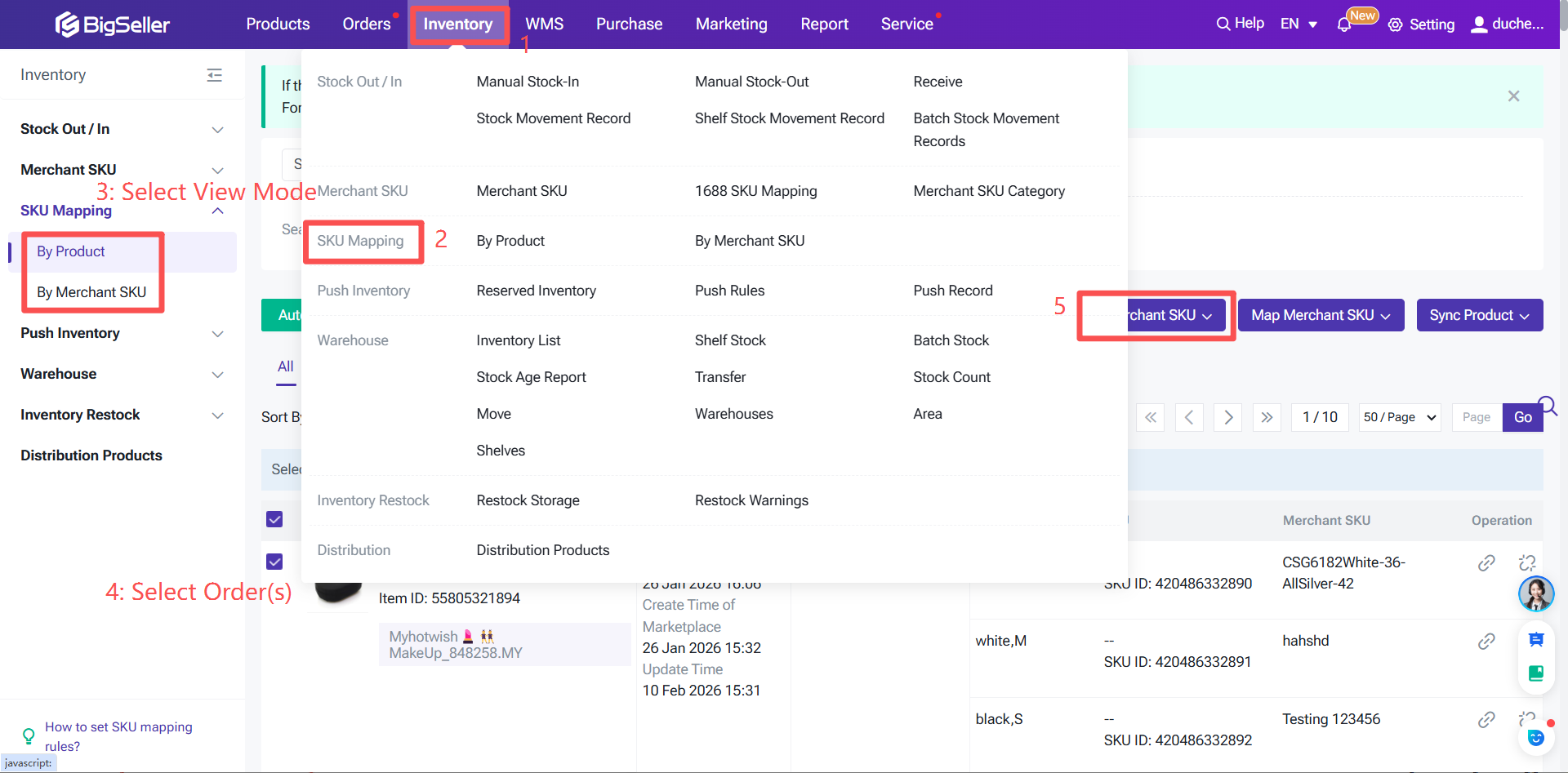
Navigate to SKU Matching Relationship > Click Unmatched > Click Match Product SKU > Click Generate Product SKU.
Method 2: Manual Creation via Product SKU List
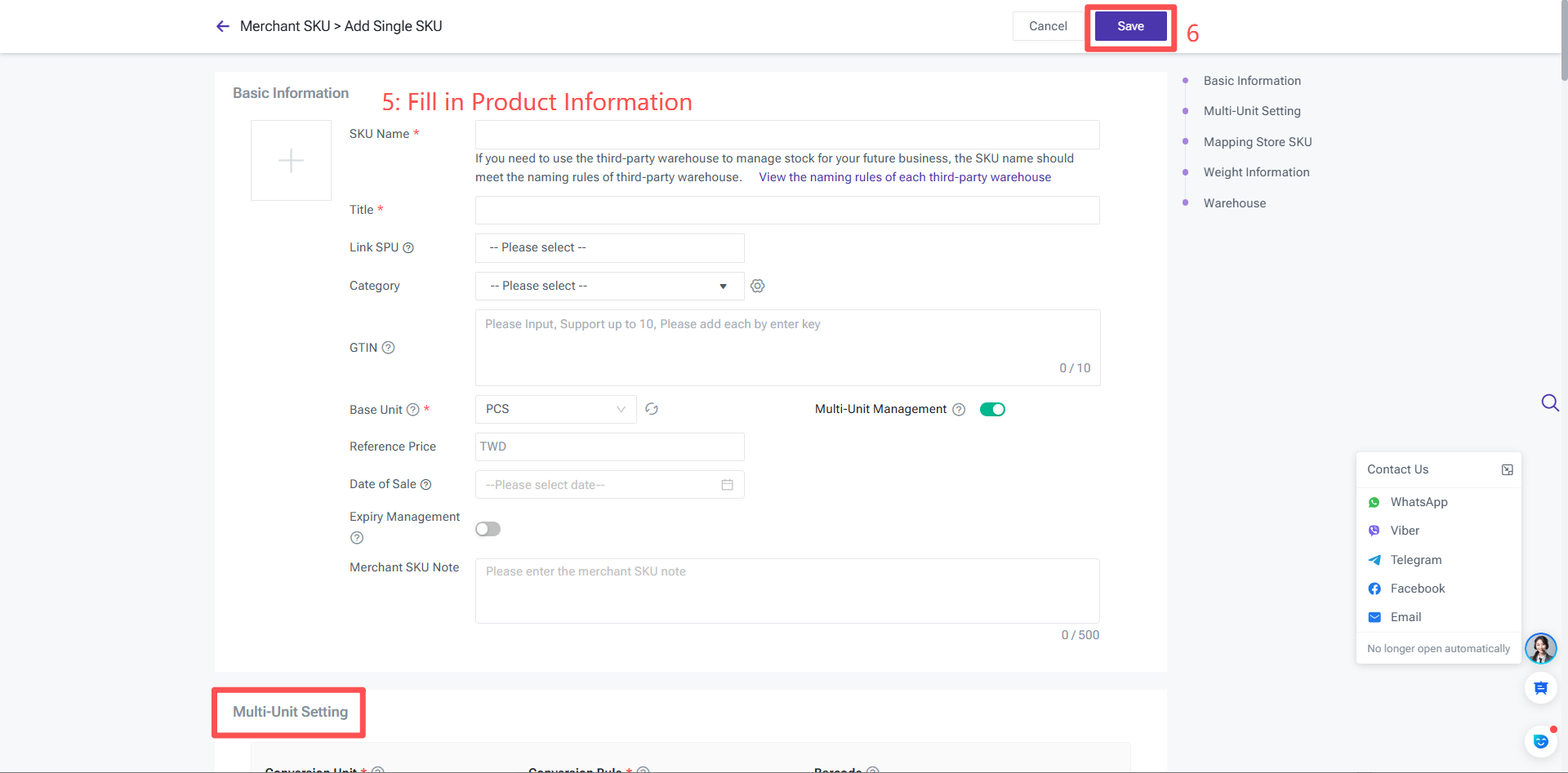
Navigate: Inventory > Product SKU > Click "+ Add Product SKU" > Select "Add Single SKU" > Fill in product SKU information and basic details > Set Store SKU Matching Relationship > Enter weight information > Select warehouse and input initial inventory value.
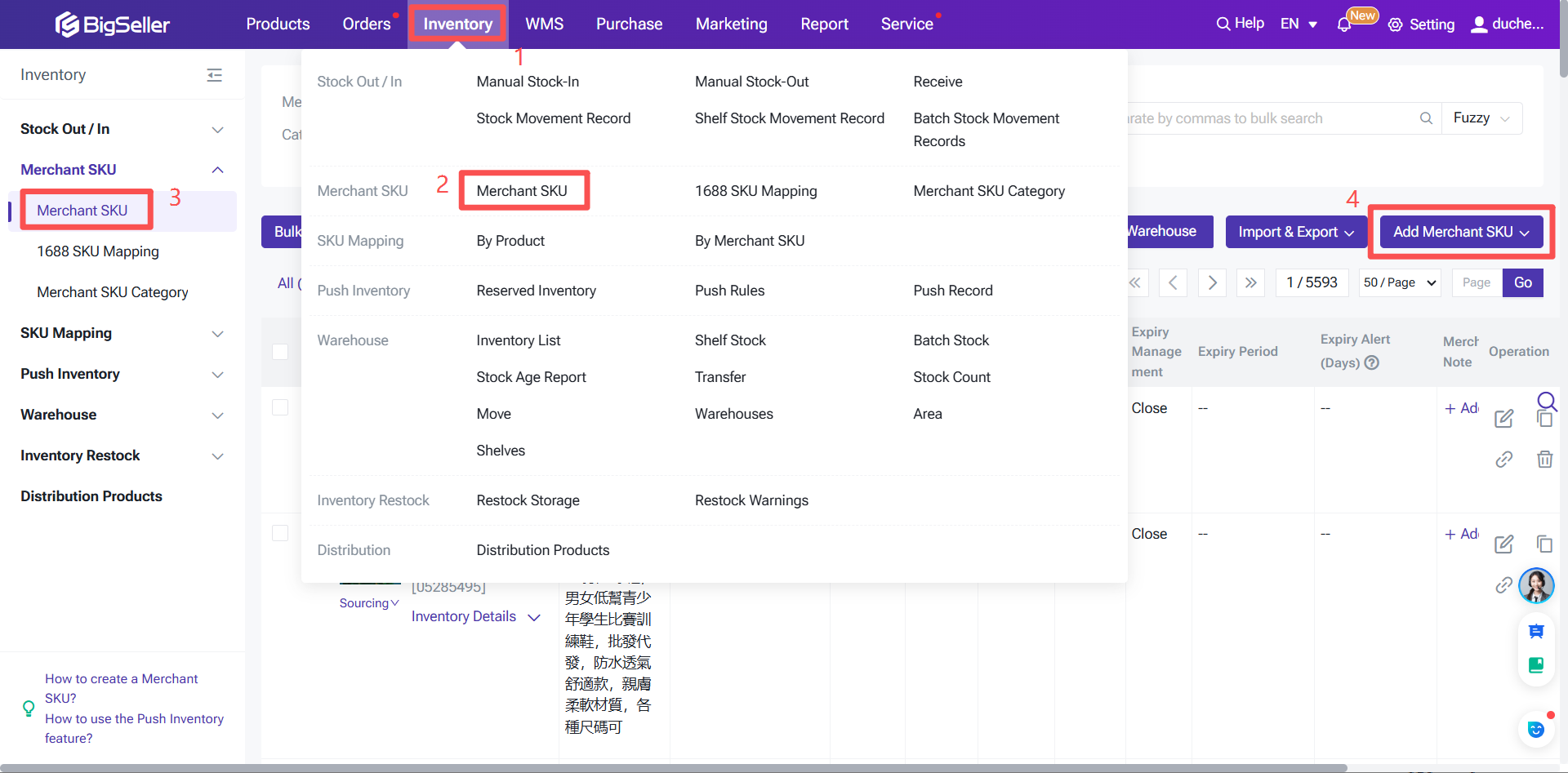
Note: Under the same product SKU, the SKU code and GITN can be identical.
Method 3: Batch Creation via Spreadsheet Import
If you managed inventory using spreadsheets before using BigSeller, this method is recommended.
Navigate: Inventory > Import & Export > Import Product SKU > Click Create Product SKU and download the template spreadsheet > Edit the spreadsheet as required > Return to the BigSeller Product SKU page > Upload the file > Click Confirm to complete the creation.
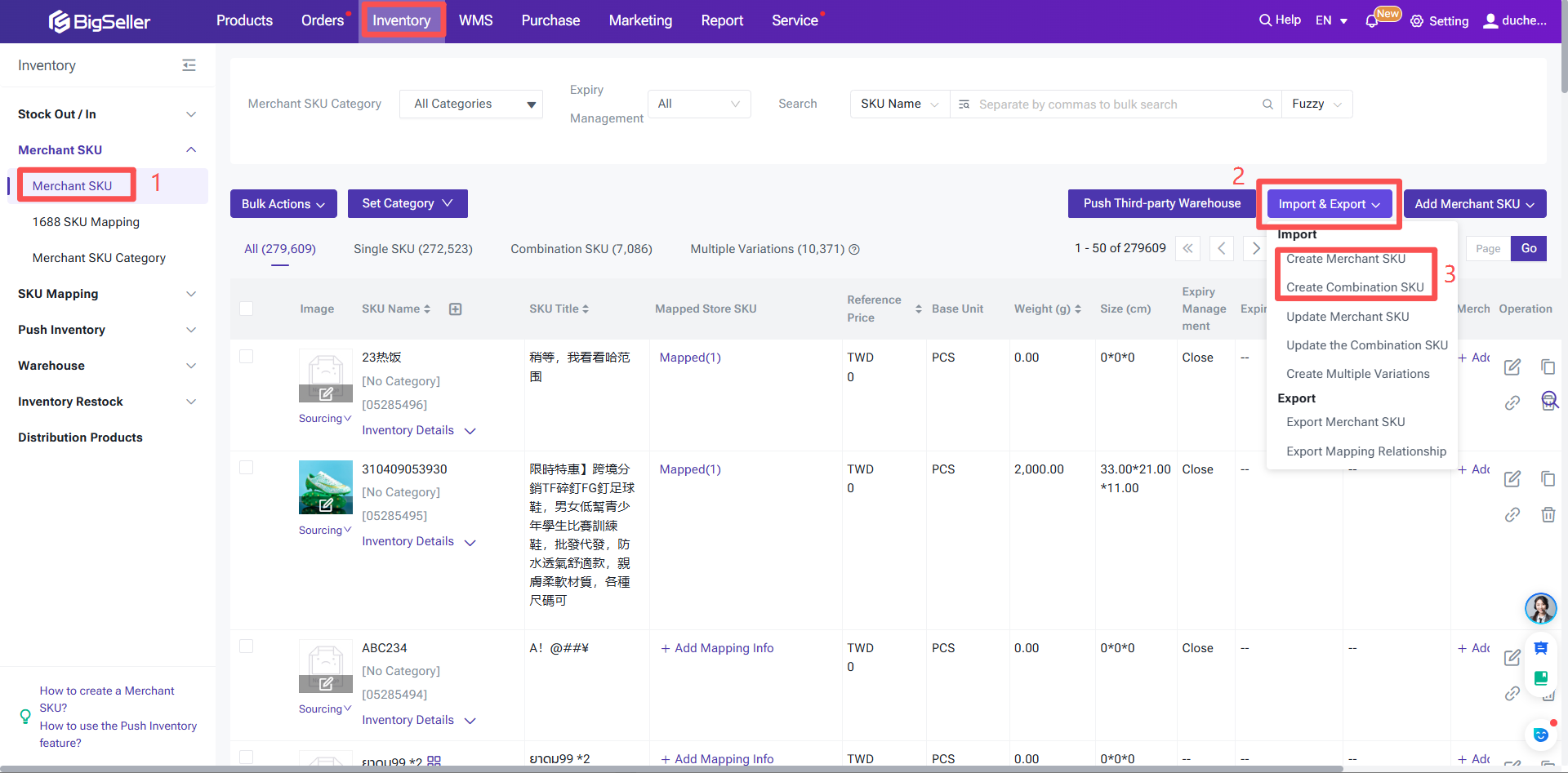
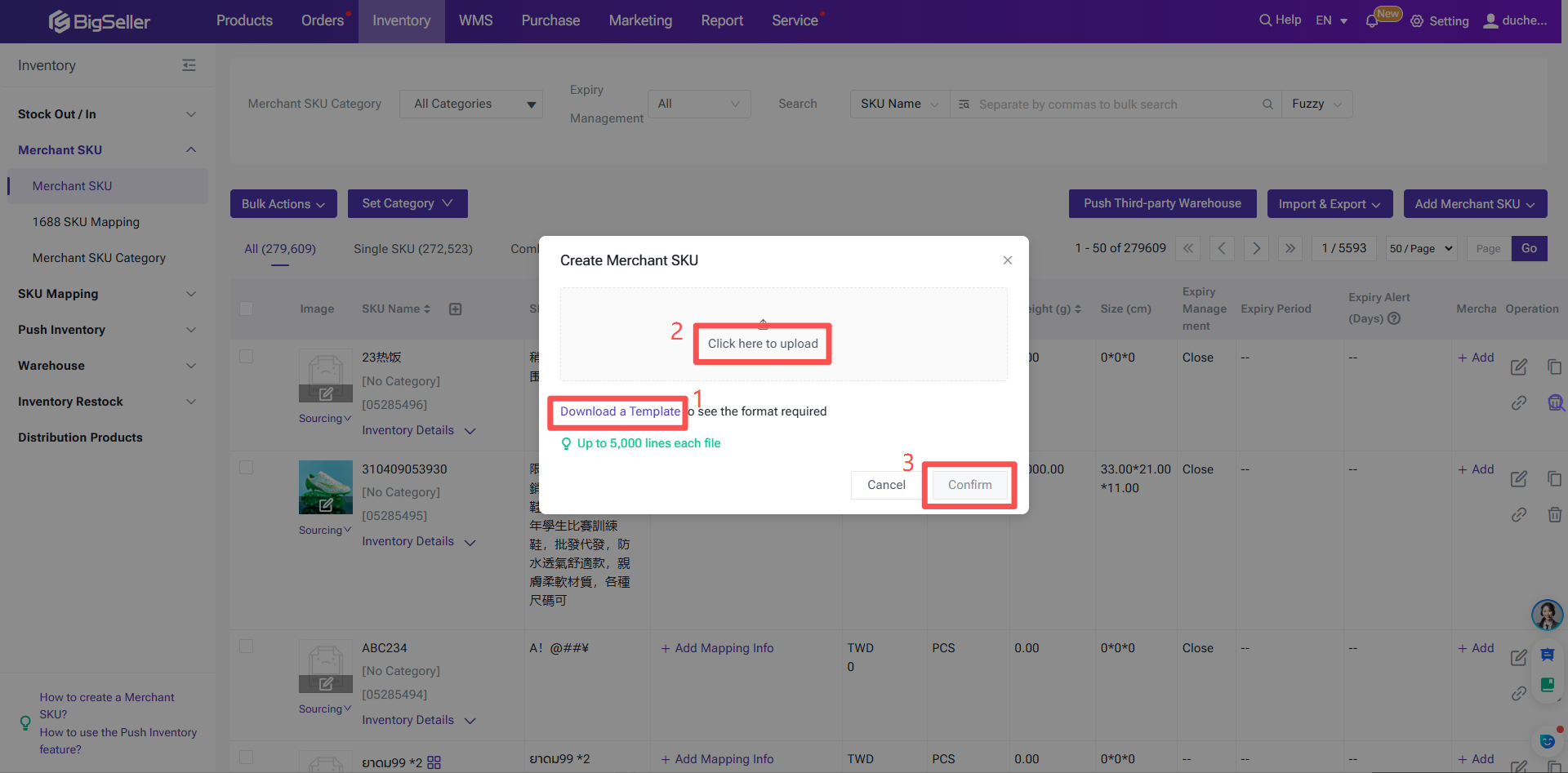
Note! If you fill in the warehouse in the spreadsheet, the product SKU will be automatically added to the inventory list of that specified warehouse when you import and create it.
Step 2: Push Product SKUs to the Third-Party Warehouse
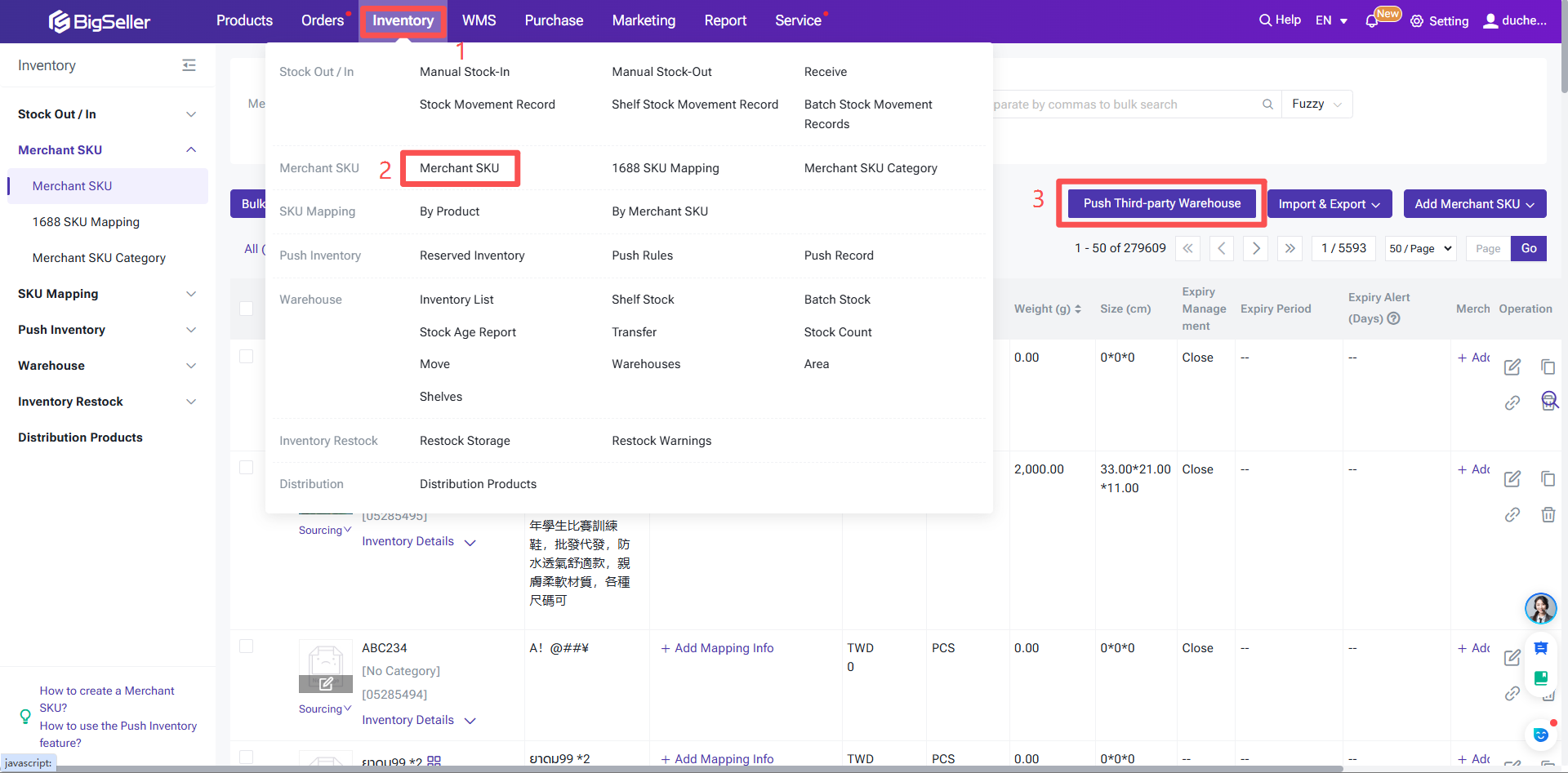
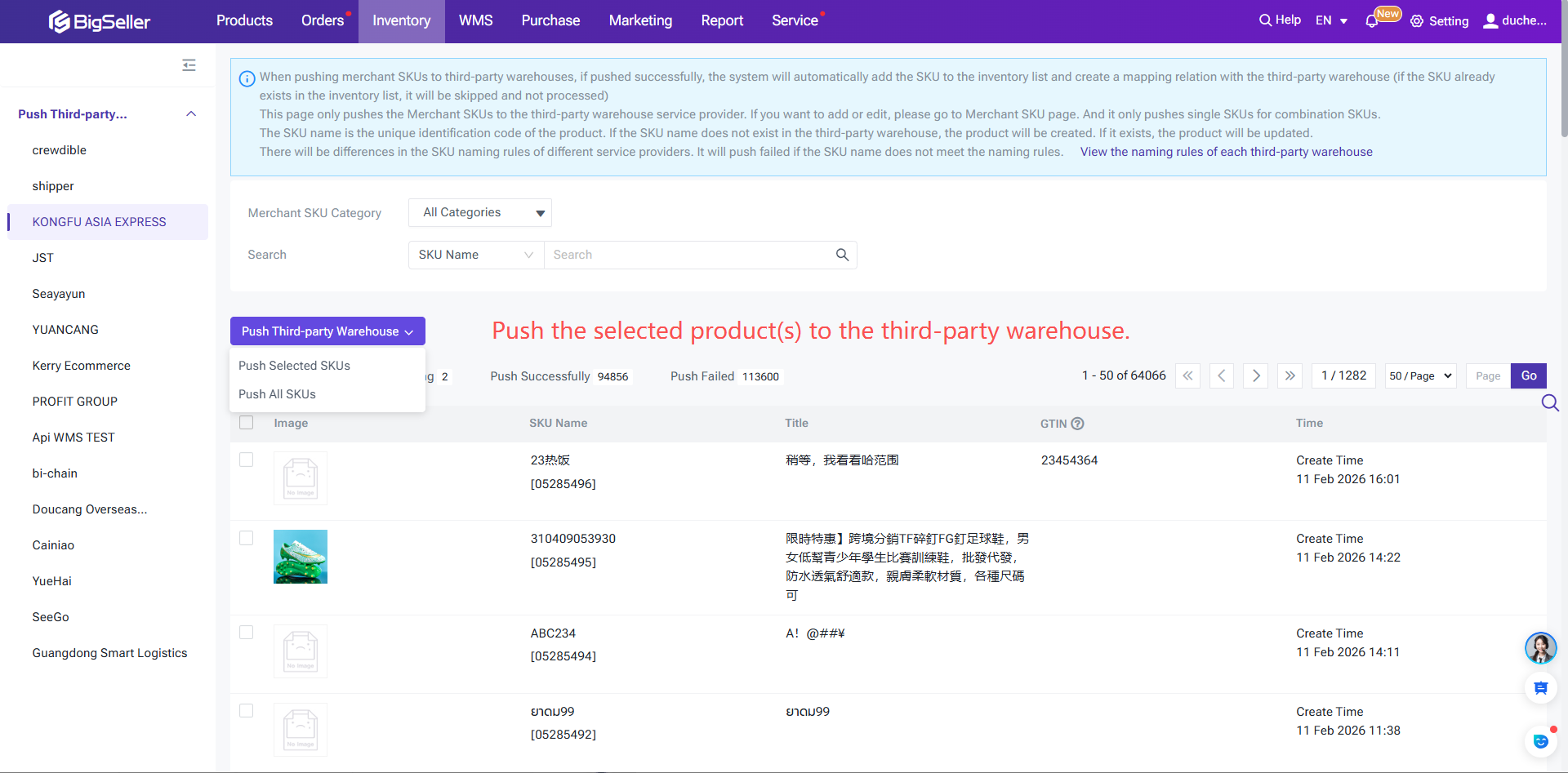
Go to the Product SKU page (Inventory > Product SKU) > Click "Push to Third-Party Warehouse" > Select the product SKUs to be pushed > Click "Push to Third-Party Warehouse" > Choose to push selected products or all products to the third-party warehouse.
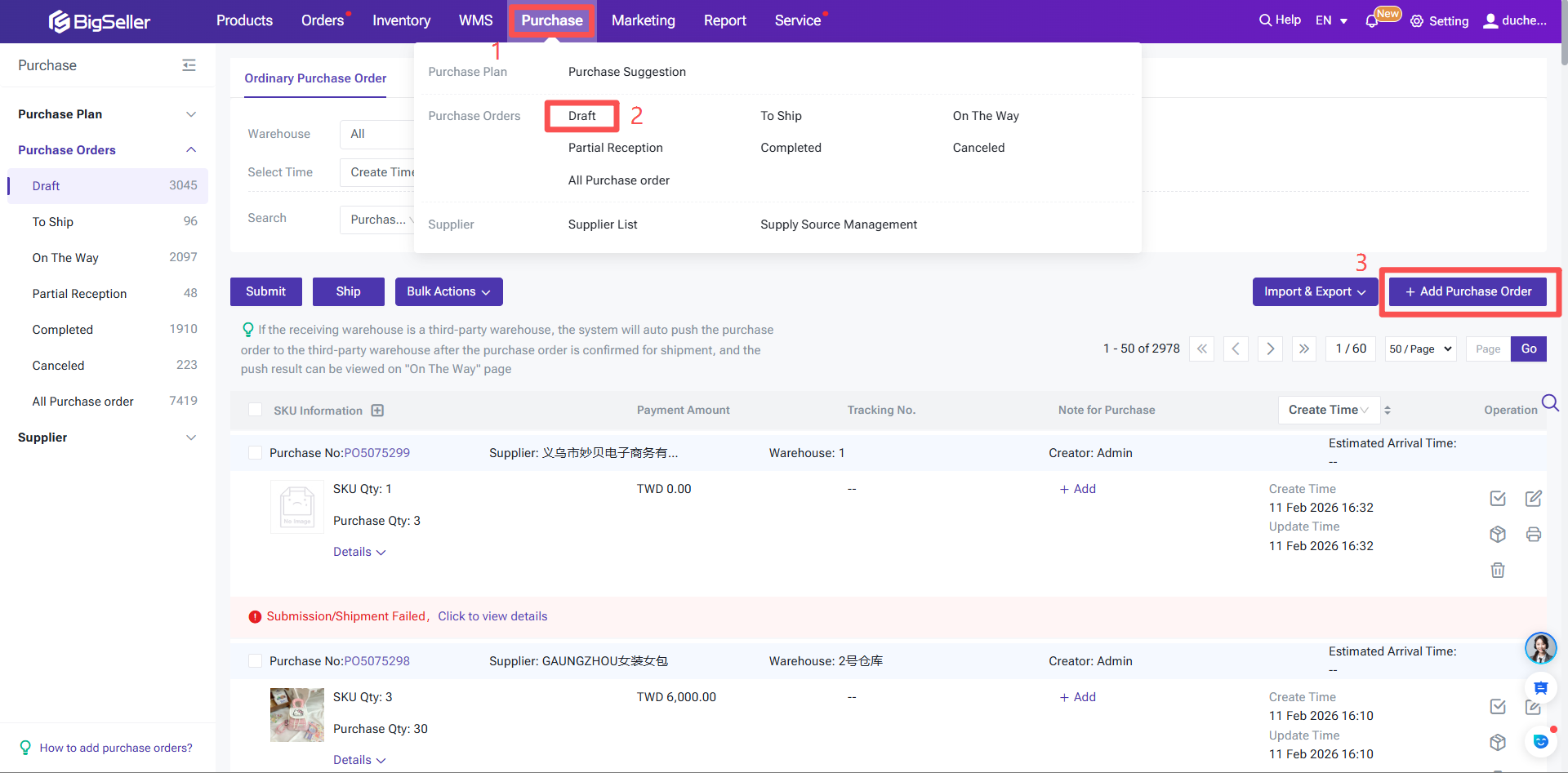
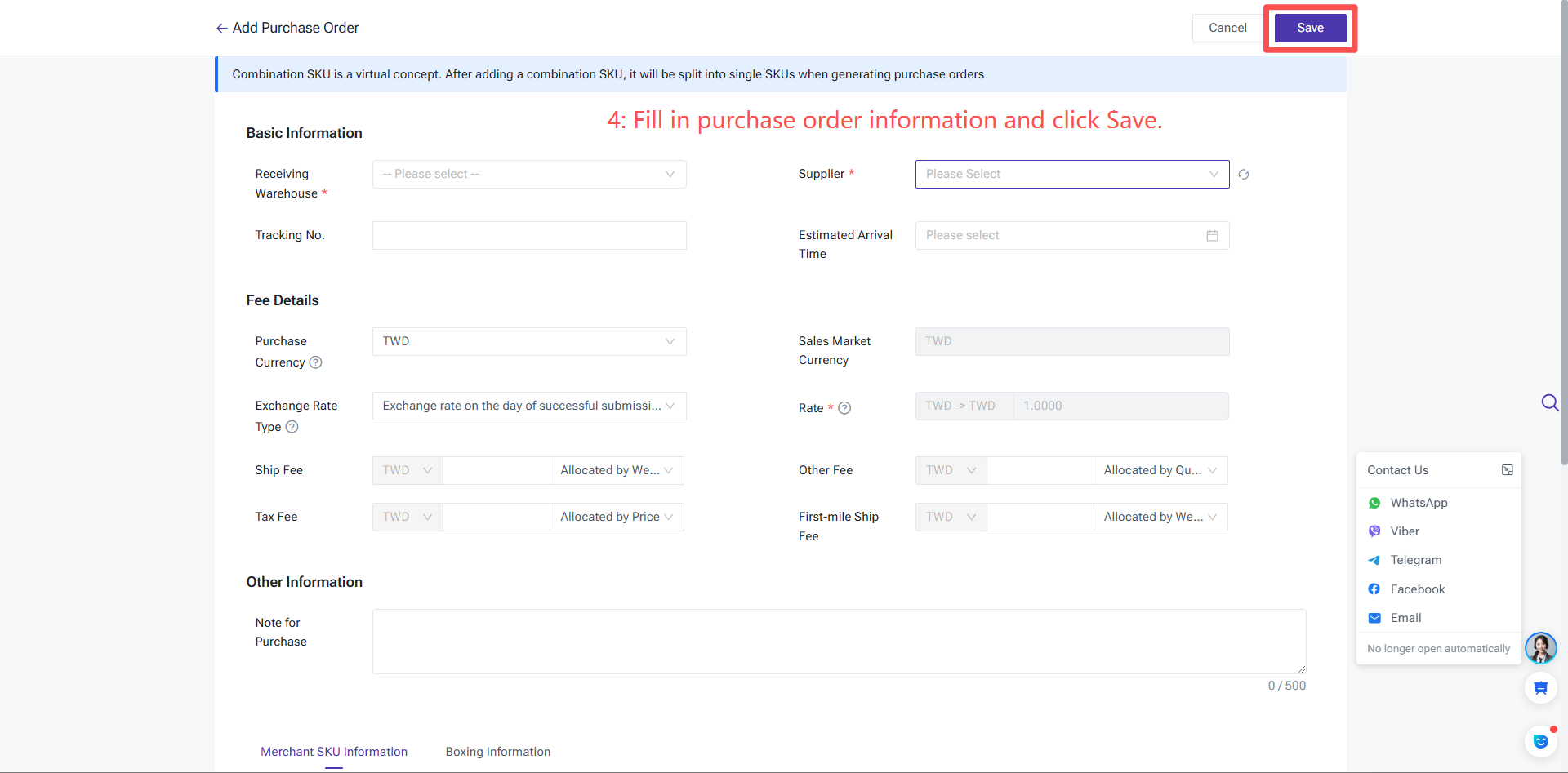
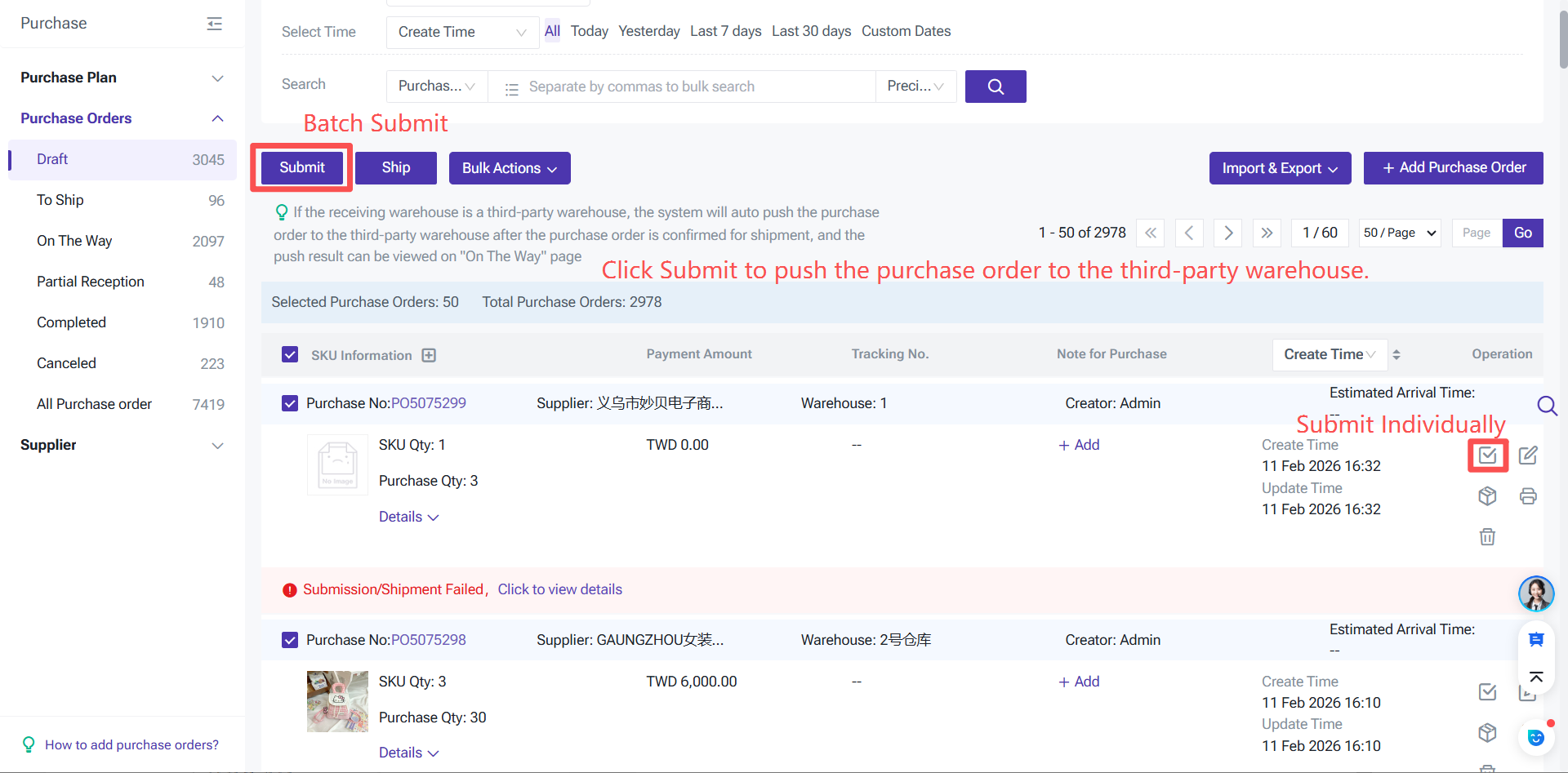
3.Push Purchase Orders to Overseas Warehouse via BigSeller