Seller Creates PBD Documents in OMS
I. Definition
The Pick, Break-bulk, and Delivery (PBD) service involves clients consolidating multiple shipments (e.g., by container or pallet) for transport to an overseas warehouse. Upon arrival, the warehouse, based on consignee requirements or logistics arrangements, unpacks the consolidated shipment and splits it into individual or smaller batches for separate delivery.
Use Cases:
For Logistics Companies / Overseas Warehouses: (1) Utilize the Jifeng WMS system to meet the needs of different consignees, improve warehouse and logistics efficiency, and ensure accurate and timely delivery to order destinations. (2) Manage billing and financial cost statistics for PBD services. (3) Manage domestic agents (or sub-warehouses) and the PBD service orders they push to the overseas warehouse.
For Cross-border E-commerce Sellers: (Such as FBA sellers, Mercado Libre FULL warehouse sellers, or B2B bulk transshipment and wholesale sellers) After goods arrive in the destination country and are picked up by the overseas warehouse or logistics provider: (1) Some shipments require direct deconsolidation and delivery to platform warehouses. (2) Some shipments need deconsolidation, palletization by destination, and delivery to final destinations. (3) Independently manage PBD service documents, track warehouse PBD inbound/outbound status, and logistics information.
This guide explains how sellers create PBD inbound orders in the OMS.
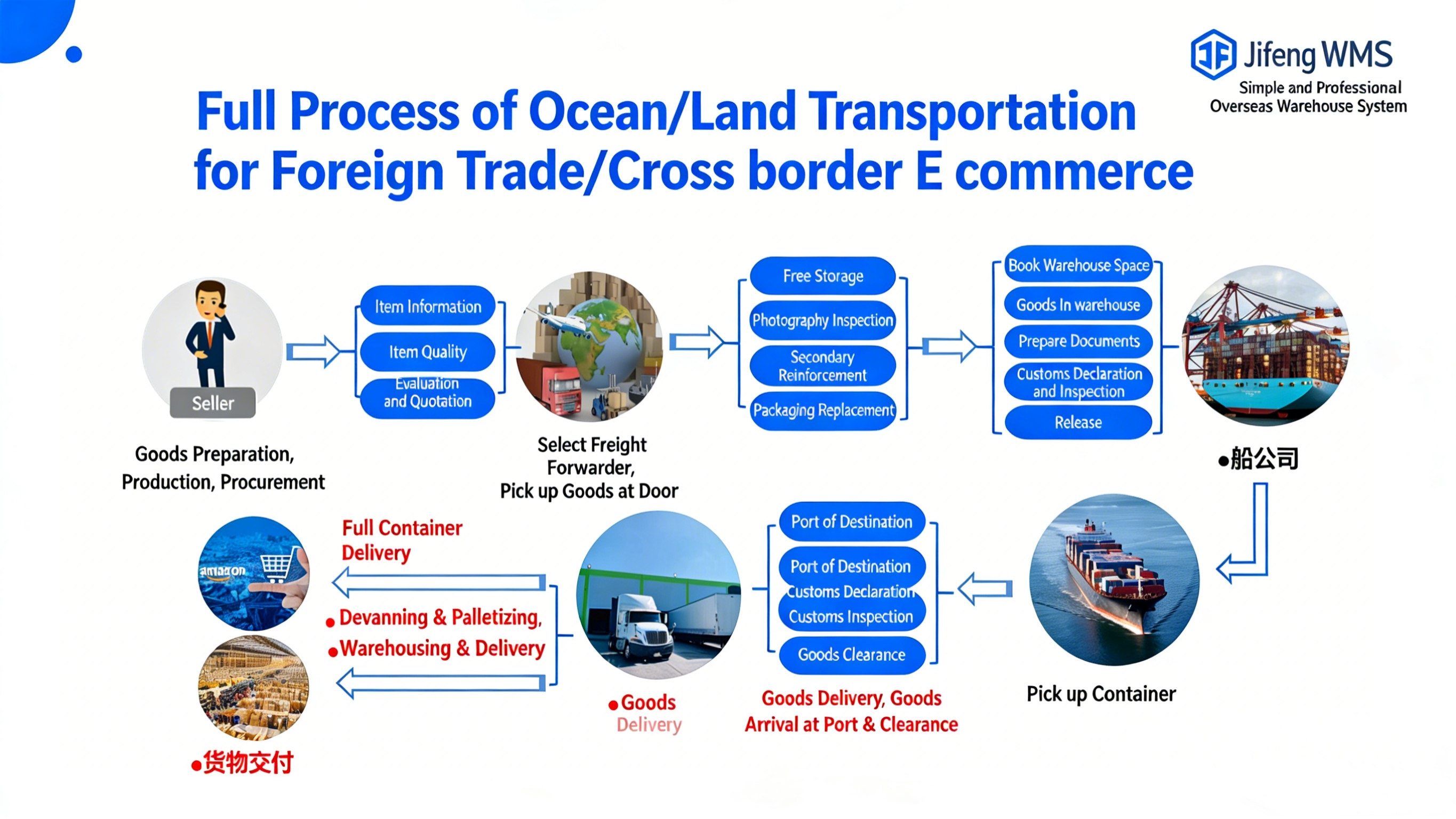
II. Operational Path
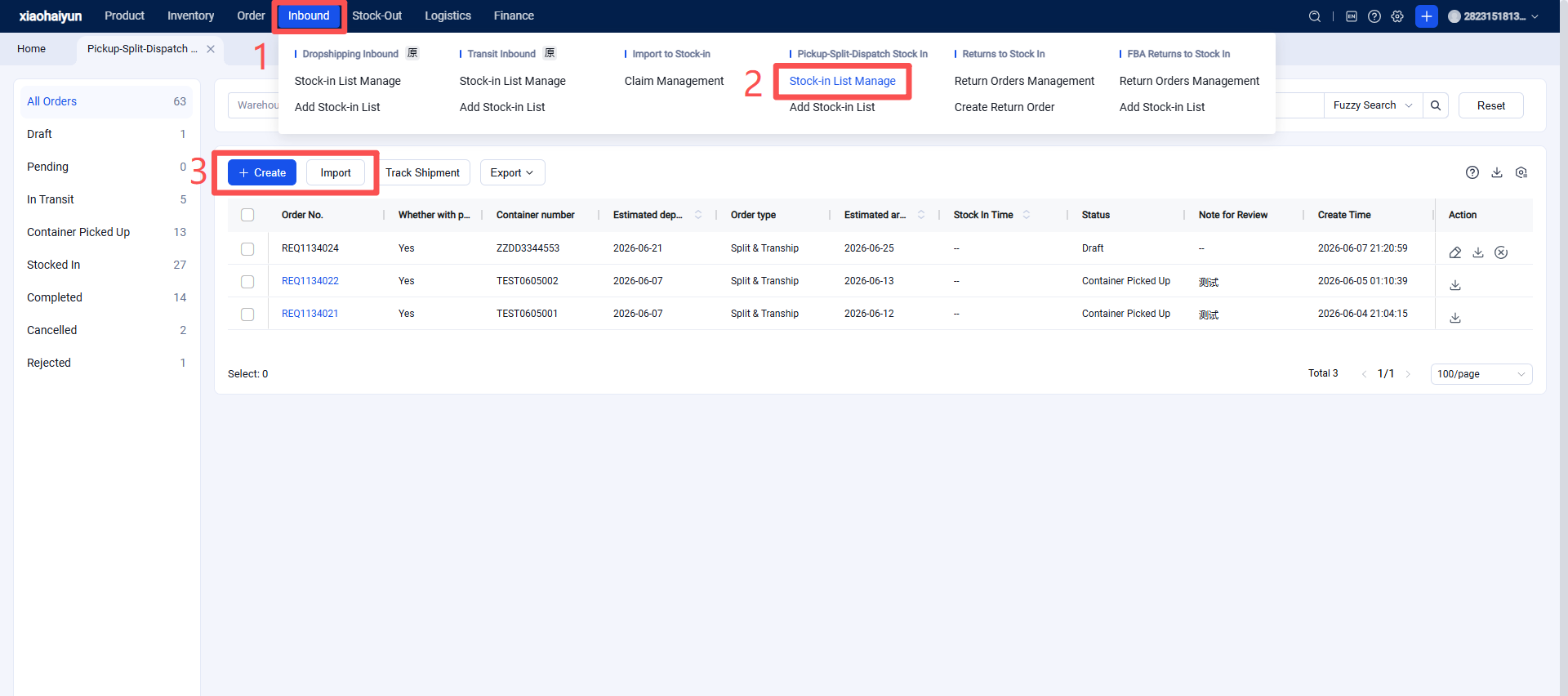
Step 1: Seller Creates a PBD Order in the OMS
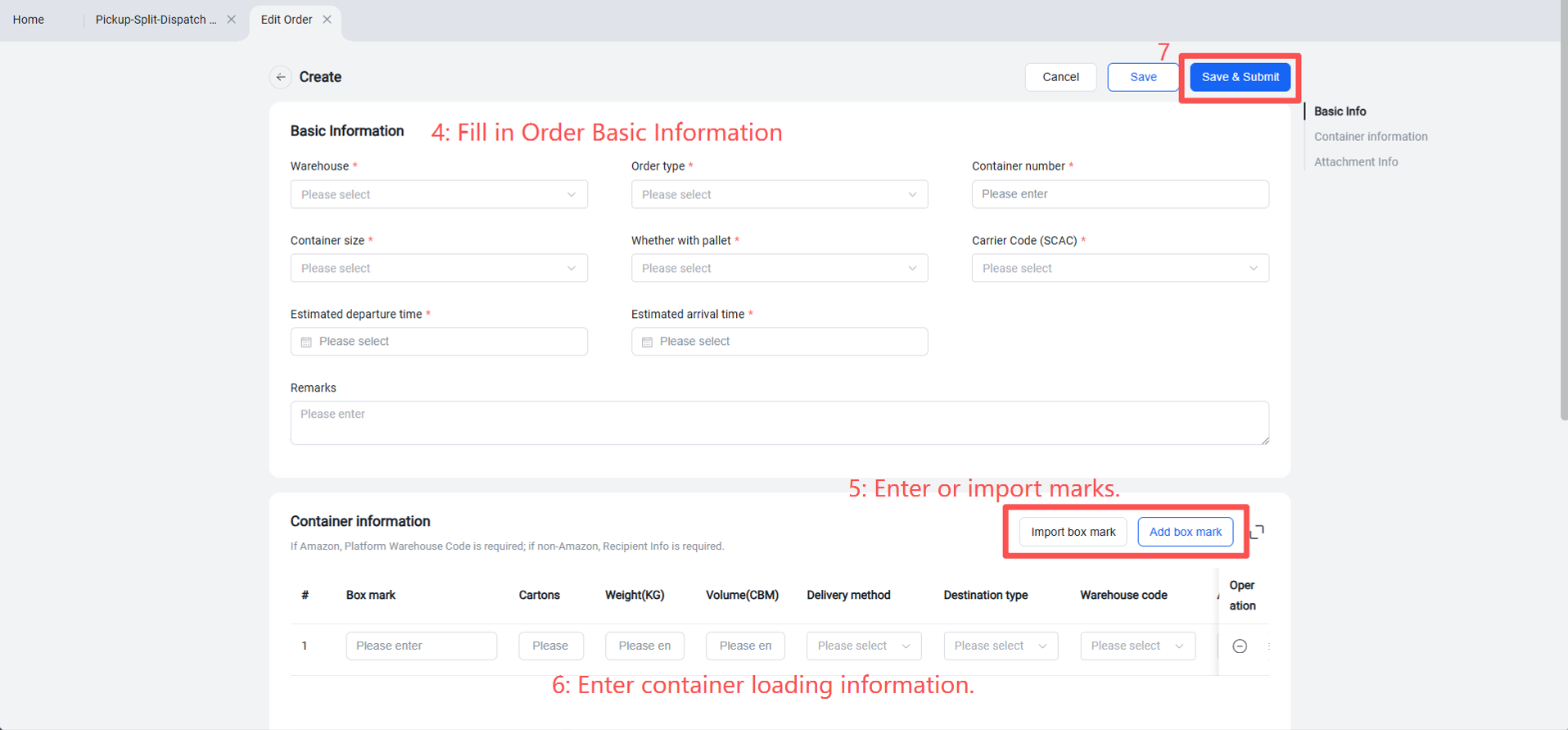
Step 2: Fill in the PBD document information.
Step 3: Check the status of the PBD order.
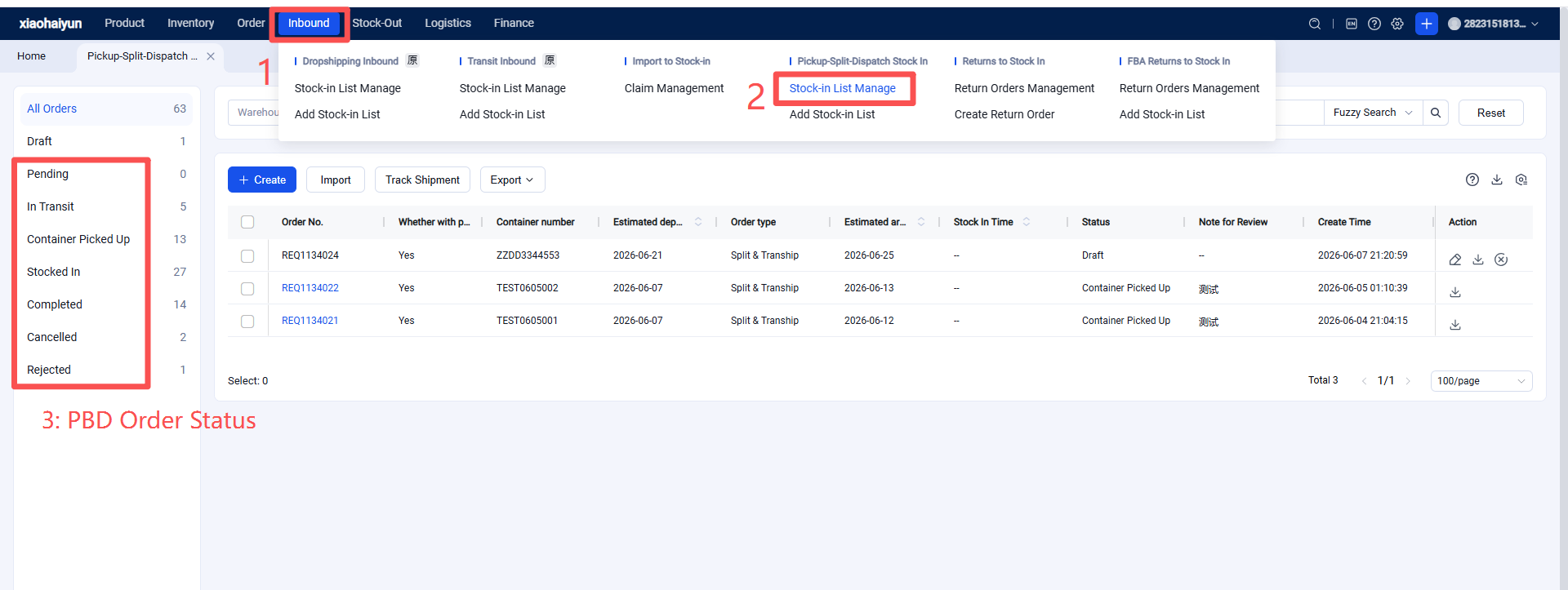
◎ All Orders: Displays PBD orders in all statuses.
◎ Draft: When creating a new PBD inbound order, clicking "Save as Draft" saves it in this status. Draft orders have not been submitted to the warehouse and can be modified or canceled.
◎ Pending Review: Submitted PBD orders sent to the warehouse. After approval by Jifeng WMS, they enter the "In Transit" status.
◎ In Transit: Indicates the warehouse has not yet received the goods. Orders in both "In Transit" and "Pending Review" statuses can still be modified or canceled by the seller.
◎ Container Picked Up: Indicates the warehouse has collected the goods from the port.
◎ Inbound Completed: Indicates the picked-up goods have been received into warehouse inventory.
◎ Completed: Indicates the warehouse has finished delivering all received goods.
◎ Canceled: PBD orders that were canceled or voided by the seller.
◎ Rejected: PBD orders that were not approved by the overseas warehouse or logistics provider during review.