OMS Permission Management: OMS Roles and Sub-accounts
I. Definition
To prevent management confusion when multiple employees use the Jifeng OMS Seller Platform, you can set up roles and permissions based on company positions and create sub-accounts for employees by name.
OMS roles and sub-accounts are used to standardize and log the operations of personnel in different positions within the system. They assign appropriate permissions according to each employee's role, preventing misoperation by staff from other departments, enhancing security and data confidentiality, and ensuring the company's safe operation.
II. Operational Path
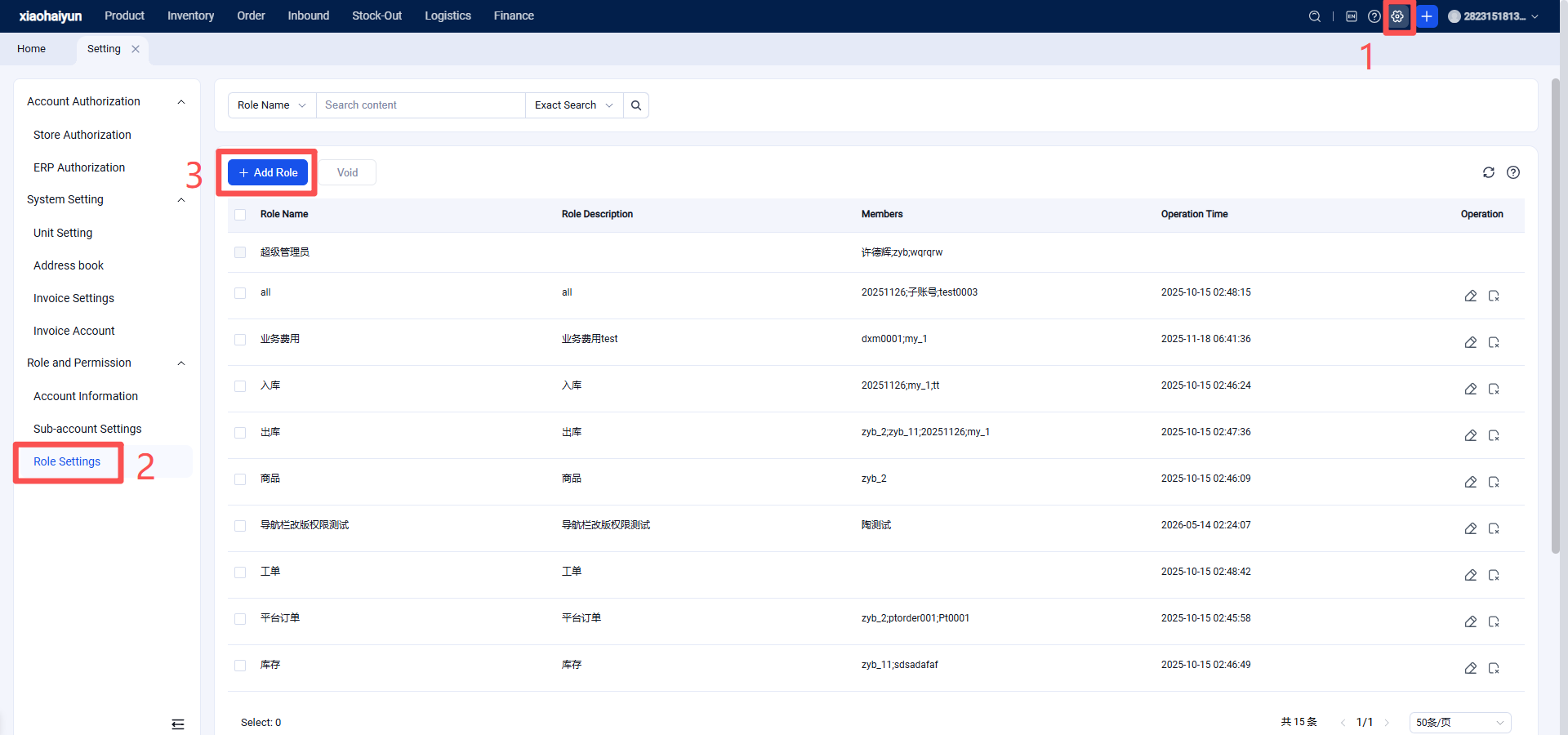
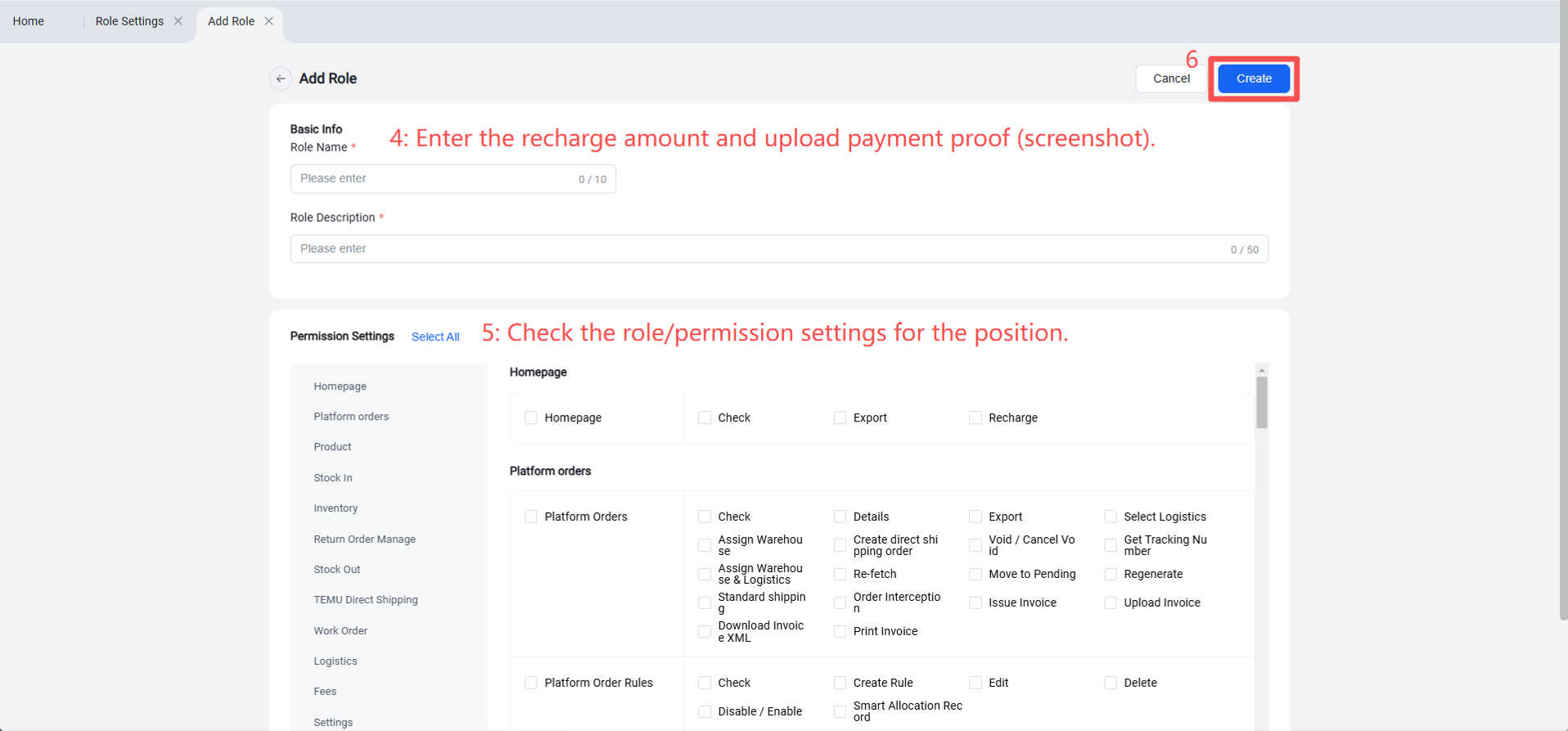
Step 1: Role Configuration (Set up roles according to company positions)
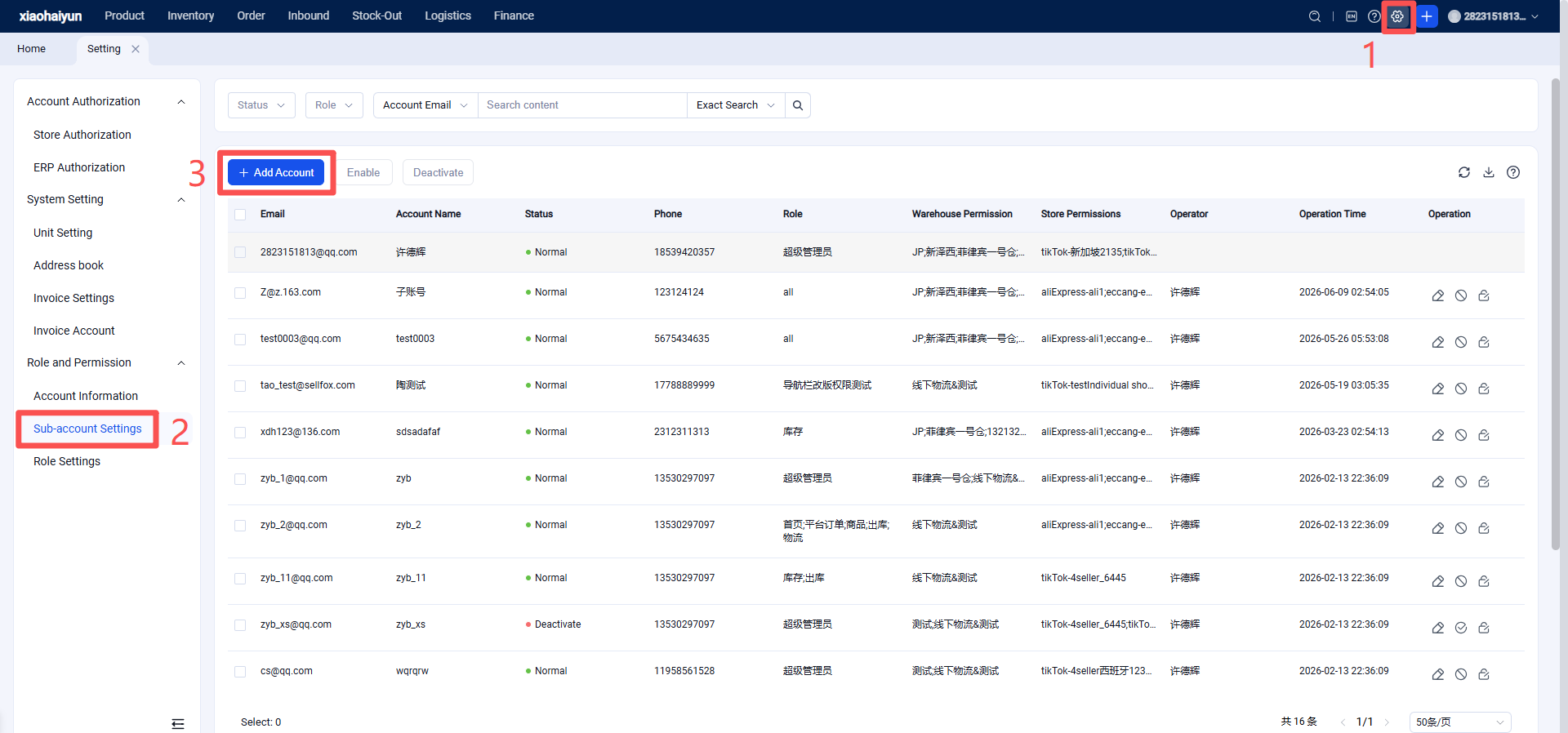
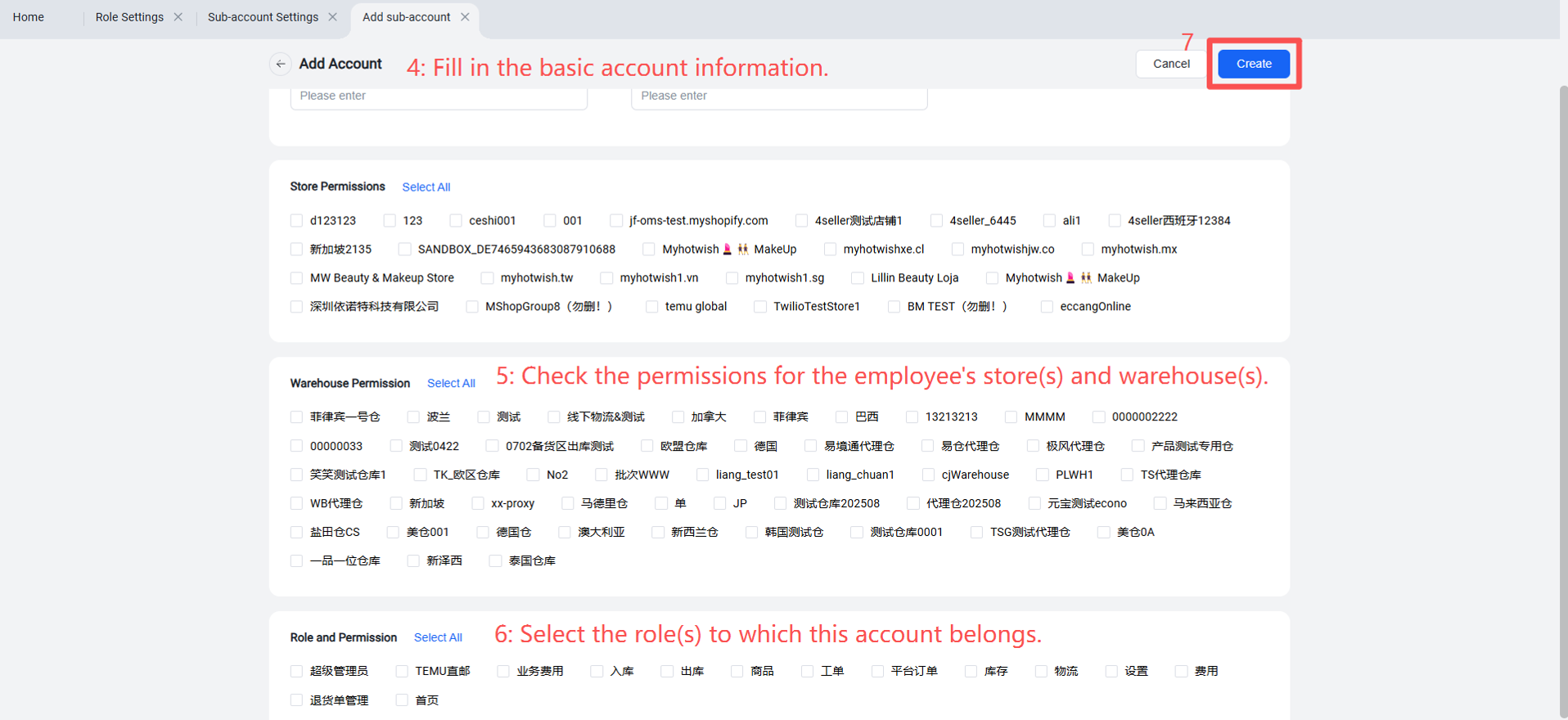
Step 2: Create Sub-accounts Based on Employees
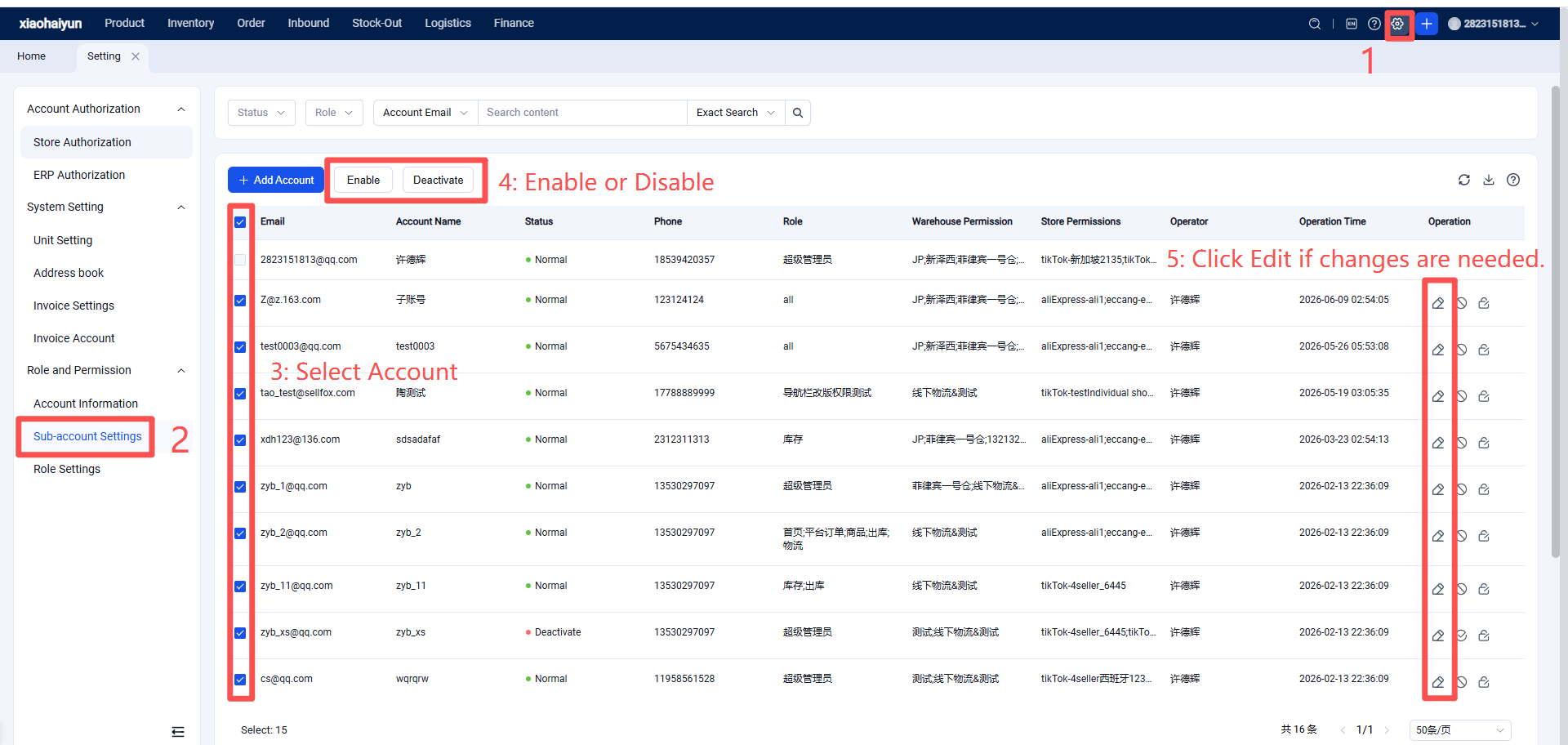
Step 3: Enable, Edit, or Deactivate a Sub-account
If necessary due to role changes or employee departure, you can enable, edit, or deactivate the corresponding sub-account.