Manually Create Inbound Order
Updated on 12 Jun,2026
Copy Link
I. Definition
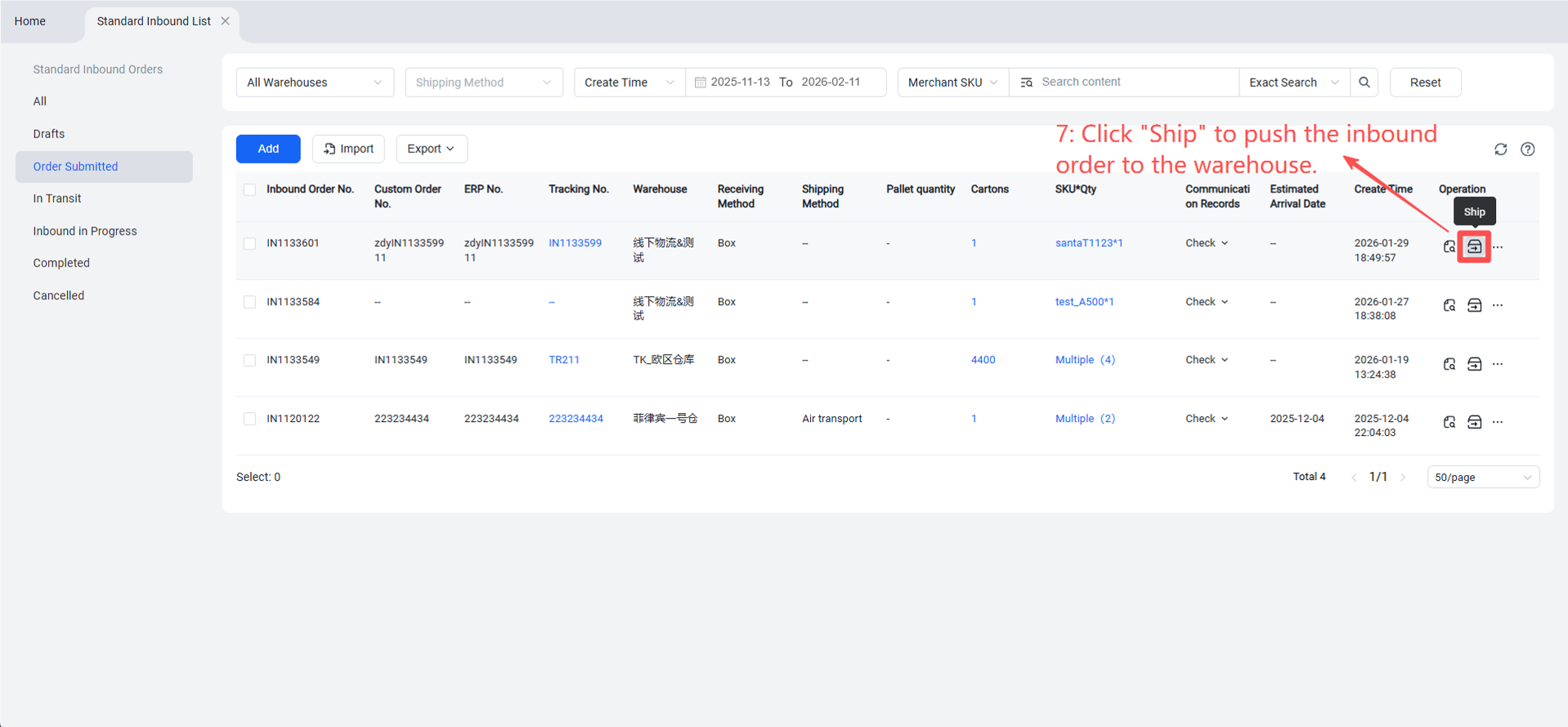
To avoid time-consuming and error-prone manual communication with the warehouse or the risk of the warehouse forgetting instructions, sellers can create an Inbound Order in the [Seller Platform] (OMS). Once the goods are shipped, a shipping notification is automatically pushed to the warehouse. This allows warehouse staff to clearly identify the owner and contents of the goods upon receipt, facilitating quick receiving, quality inspection, and shelving.
II. Operational Path
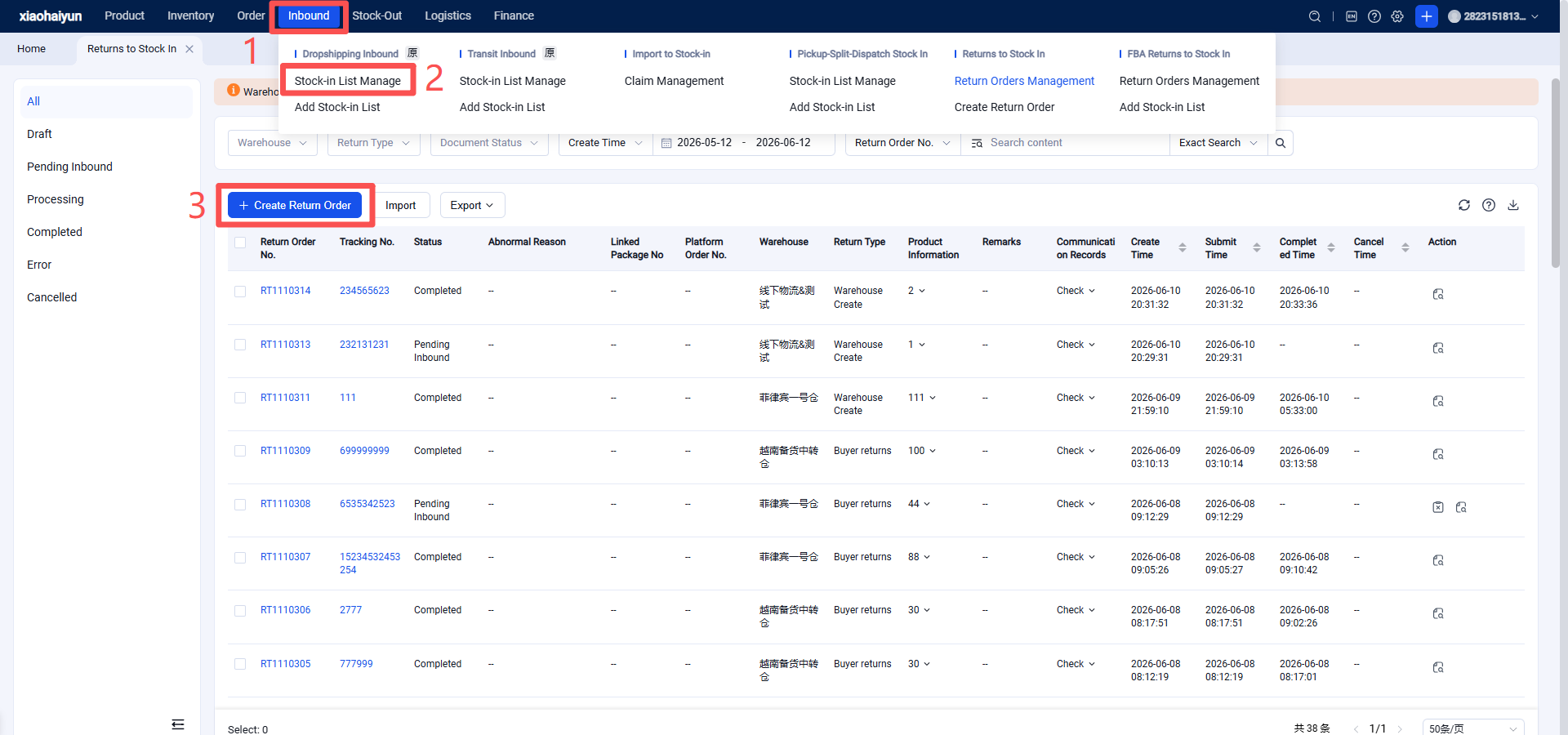
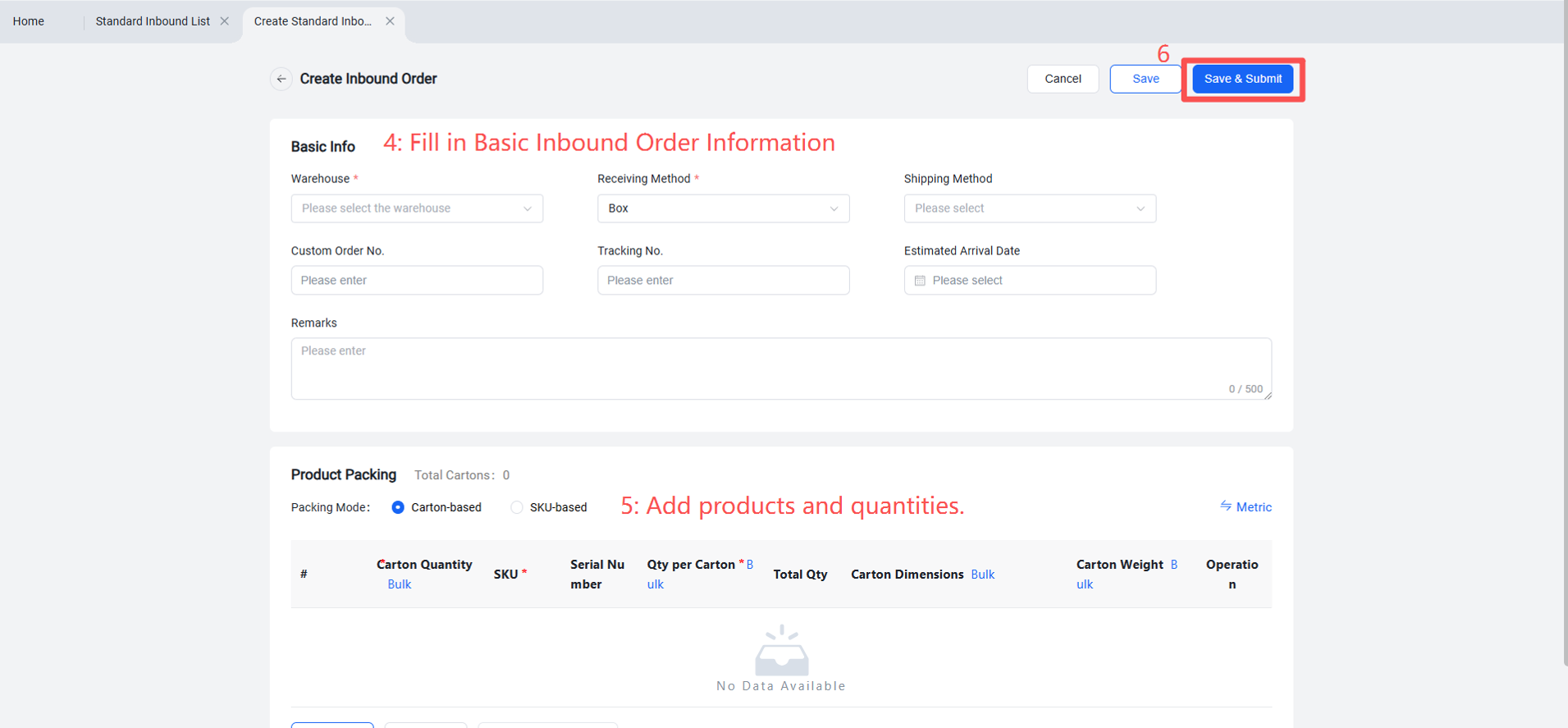
Log in to the Seller Platform (OMS) > Inbound > Inbound Order Management > Create New > Select receiving warehouse, arrival method, tracking number, estimated arrival date, shipped goods > Save and Submit.