Return Inbound Process
I. Definition
When goods already shipped by the warehouse have been signed for by the buyer, or when orders are returned to the warehouse for reasons not handled by the warehouse (e.g., customer returns), new inbound orders are created for subsequent repacking and shipping.
Note: For goods originally shipped by the warehouse that are refused by the buyer and returned in the original package, a separate return order may not be necessary. Scanning the package's tracking number can identify the seller, product, and correct restocking location. A new inbound order can be created when needed for future shipment.
However, if the buyer signs for the goods, then repackages and ships them back via their own logistics, or if the return is for an order shipped from a different warehouse, a Return Inbound Order must be created. This is because the warehouse cannot identify the owner or contents of such packages.
II. Operational Path
Process for Creating a Return Inbound Order:
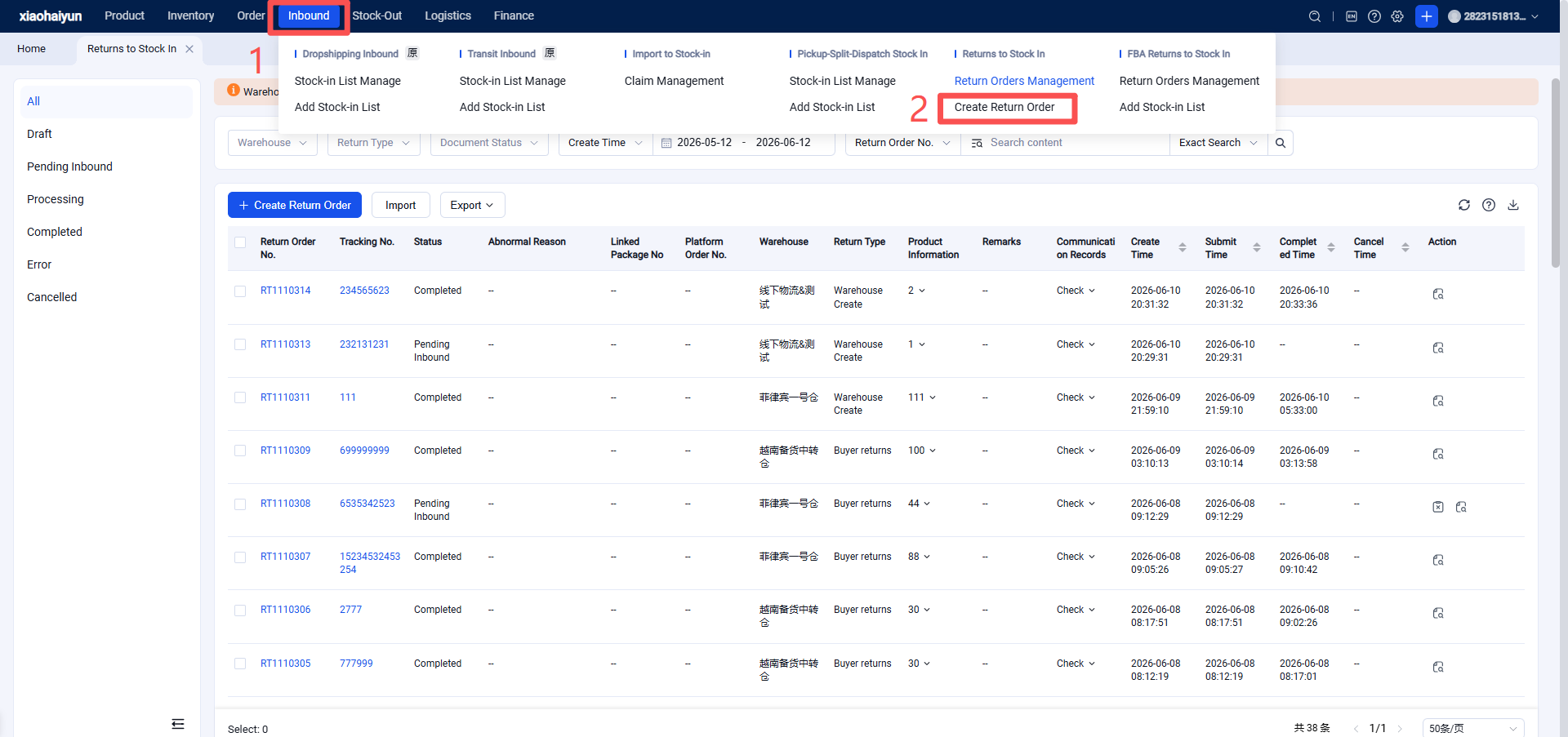
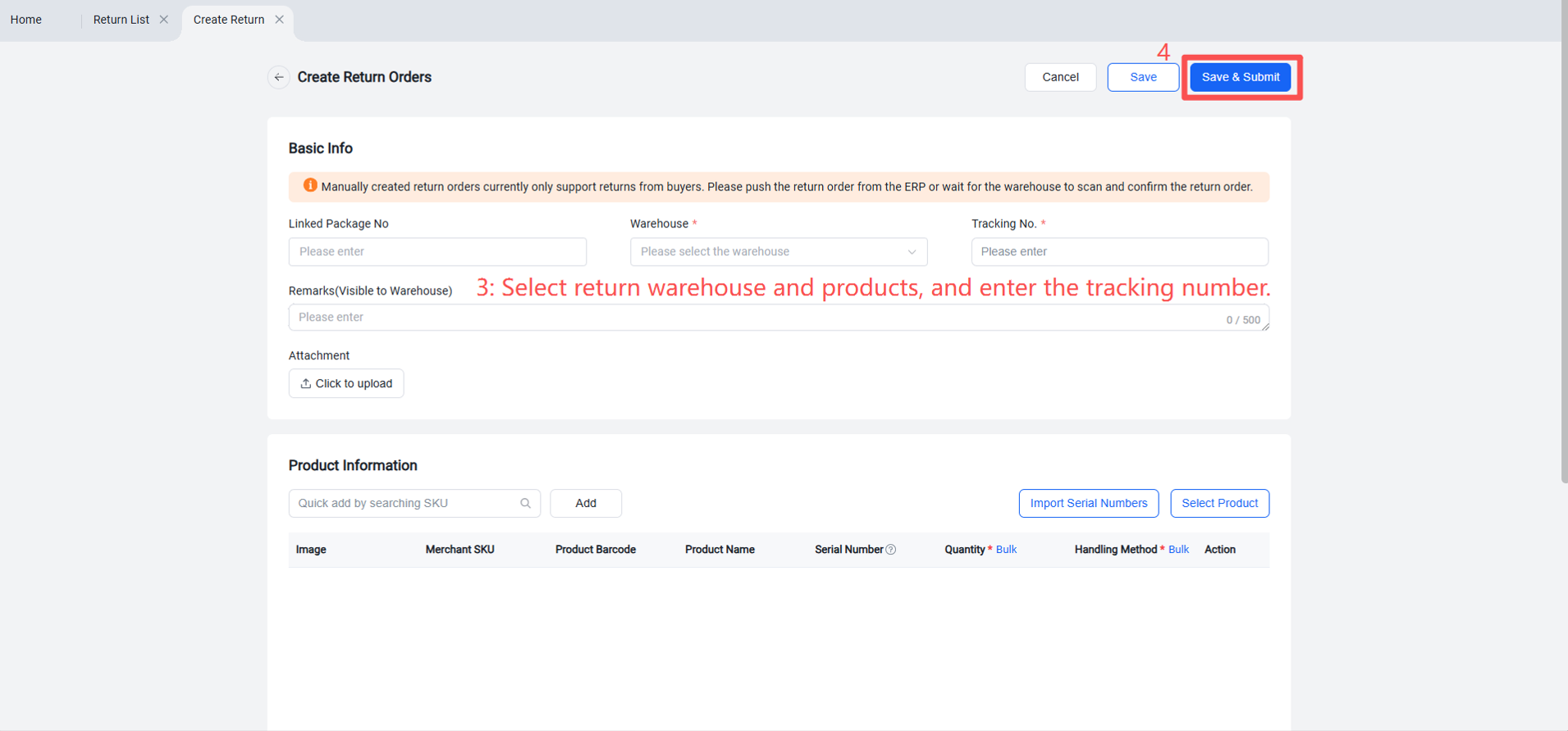
Seller Platform > Returns > Create Return Order > Select return warehouse, enter the buyer's return tracking number, select the returned product(s) > Save and Submit.