Create Single FBA Return Inbound Order
I. Definition
FBA returns to warehouse occur primarily because aging FBA inventory needs cost-saving storage in an overseas warehouse, or because the seller needs to change sales channels (e.g., switch stores or listings), requiring the shipment to be returned to the overseas warehouse. The process involves creating an FBA Return Inbound Order. The warehouse receives the goods based on this order. Once the seller creates an FBA Outbound Order, the warehouse then performs relabeling, applies new labels, stores the goods temporarily, and finally ships them to the FBA warehouse.
II. Operational Path
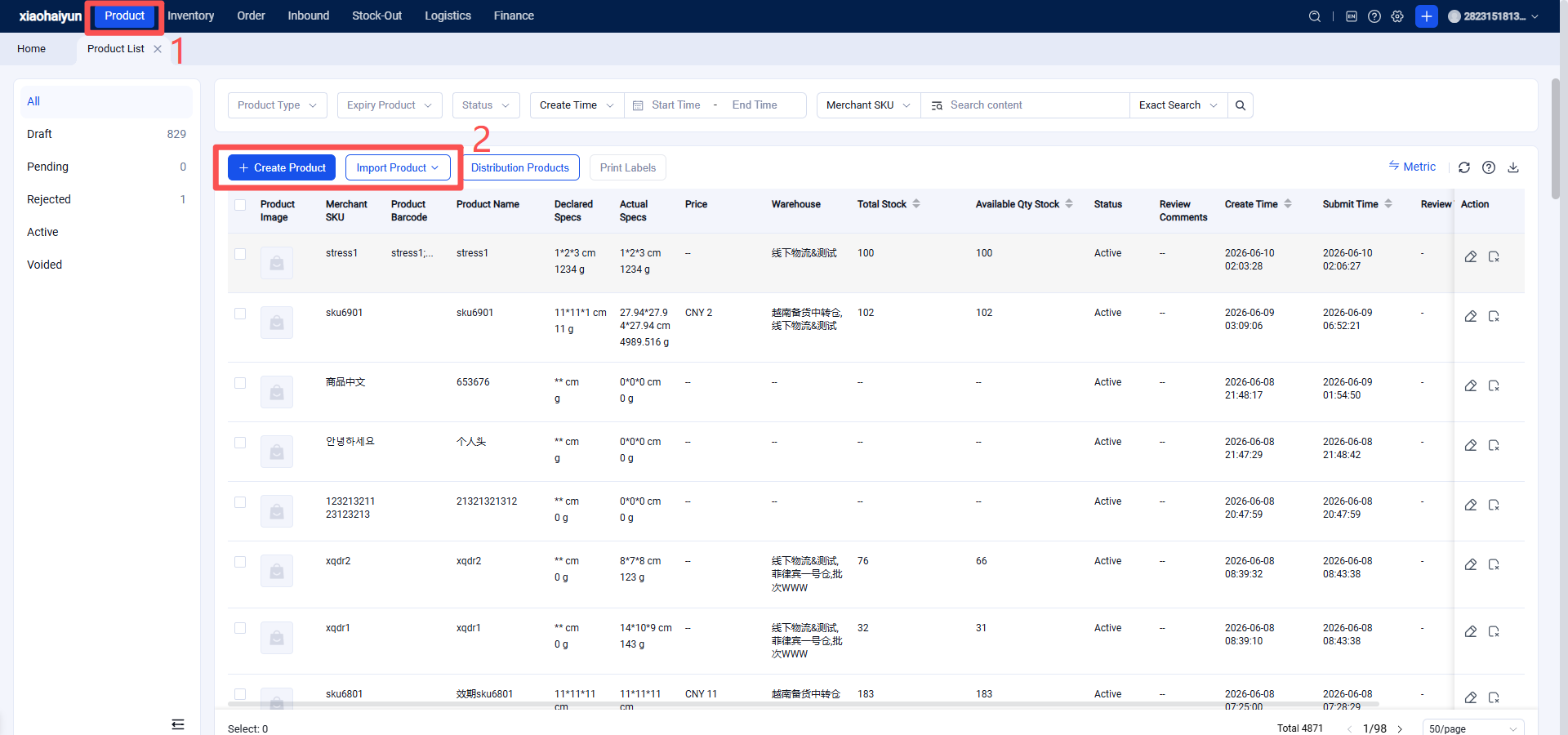
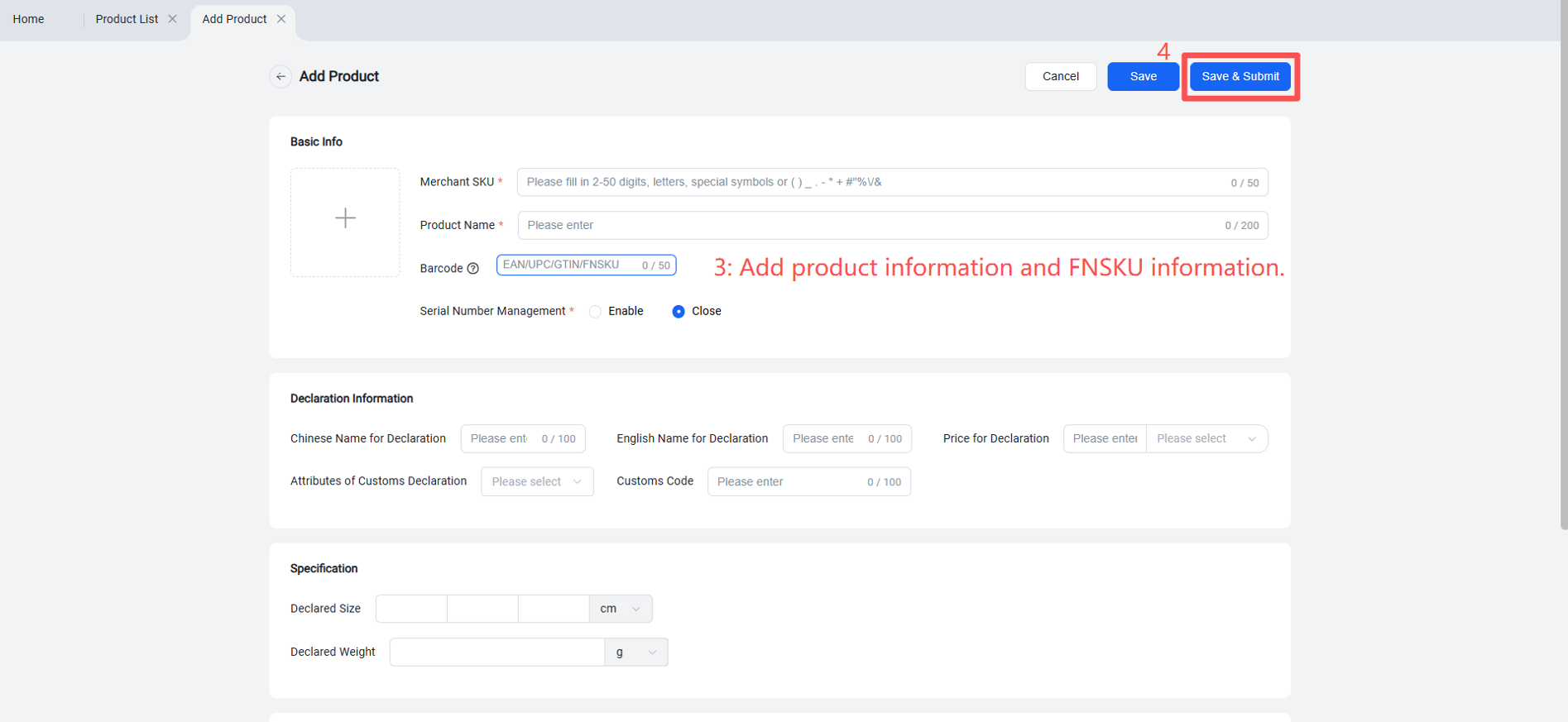
Step 1: Maintain FNSKU Product Information
Log in to the Seller OMS > Products > Create product information by adding individually or importing in batch > Add FNSKU information.
Step 2: Create FBA Return Order
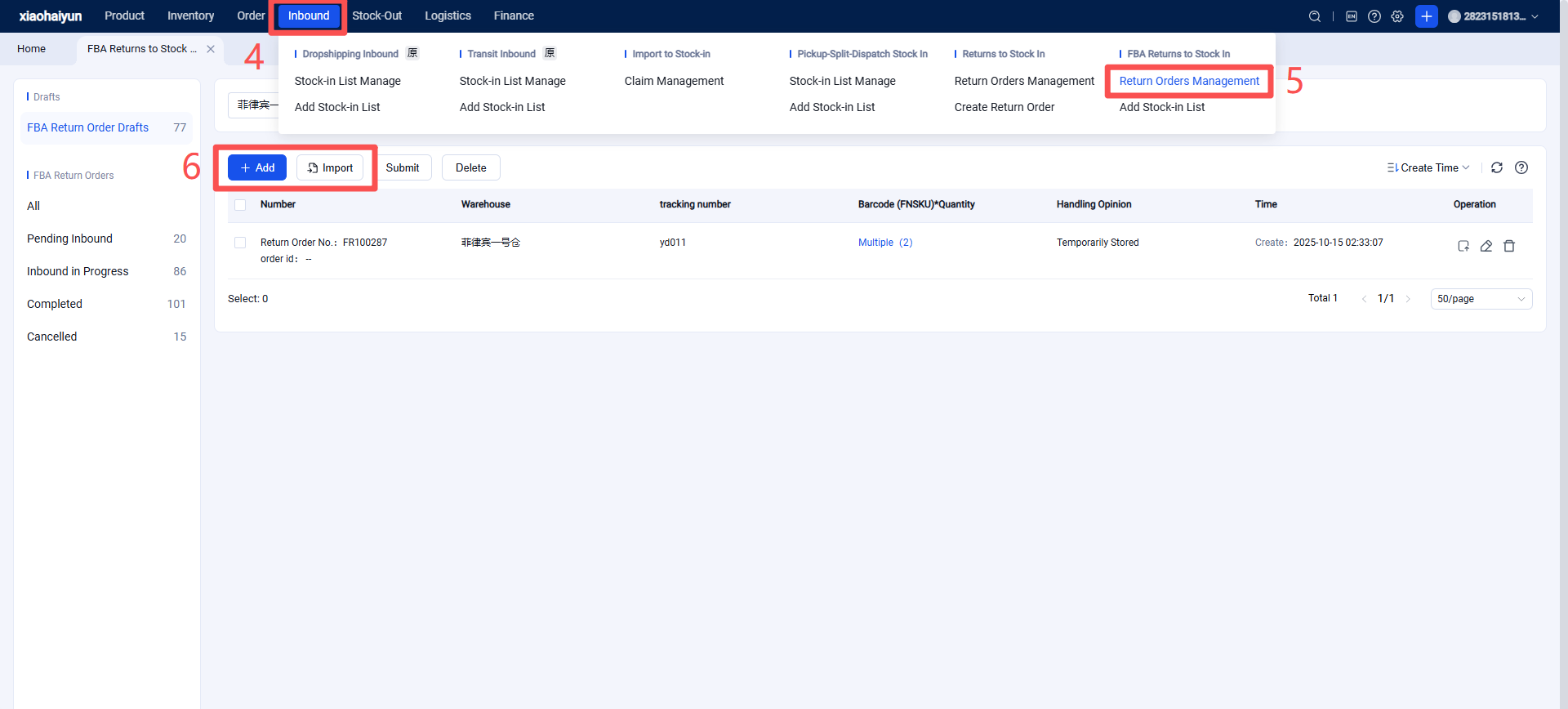
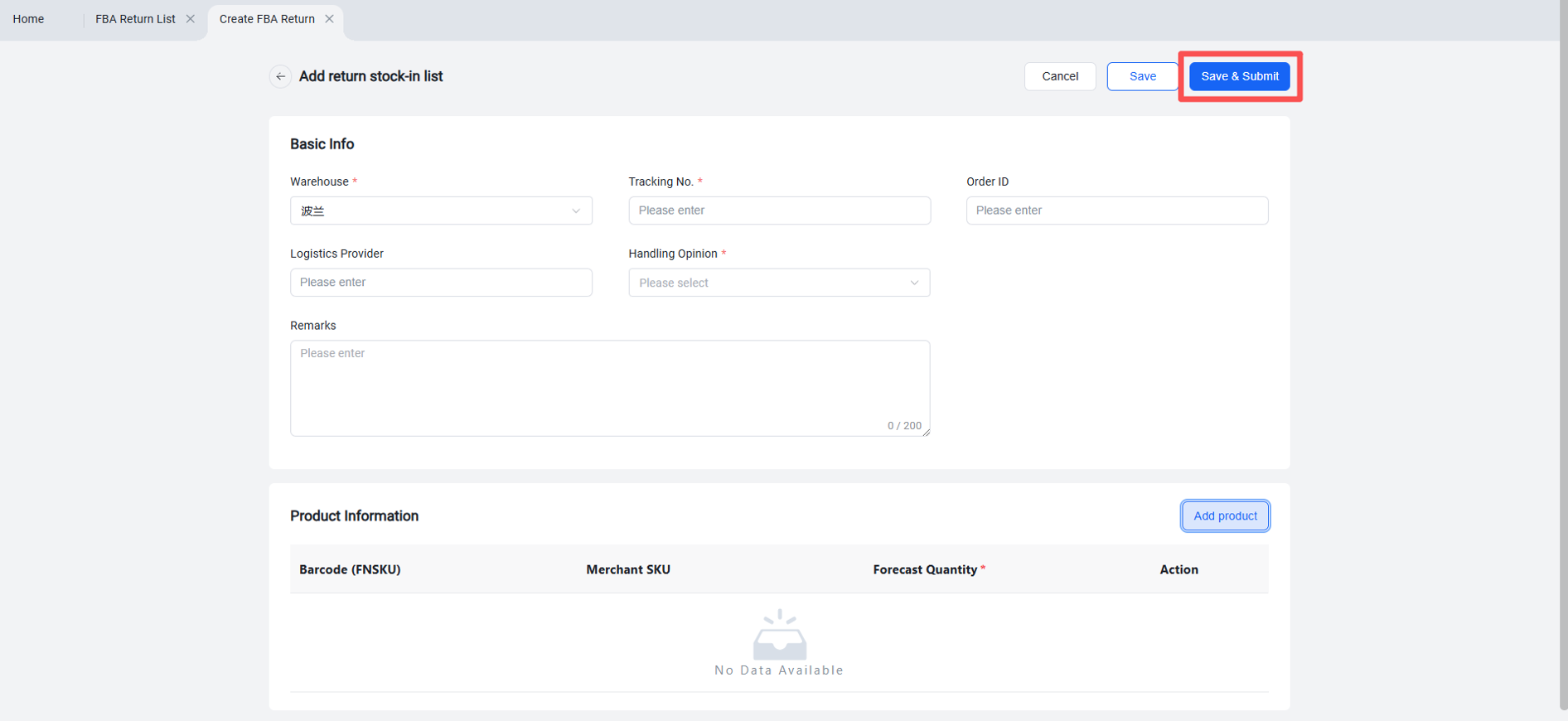
Log in to the Seller OMS > Returns > FBA Returns > Return Order Management > Create New or Import > Fill in the FBA Return Order information, Save and Submit > The order enters FBA Pending Inbound, and the warehouse will then receive the FBA inbound information.
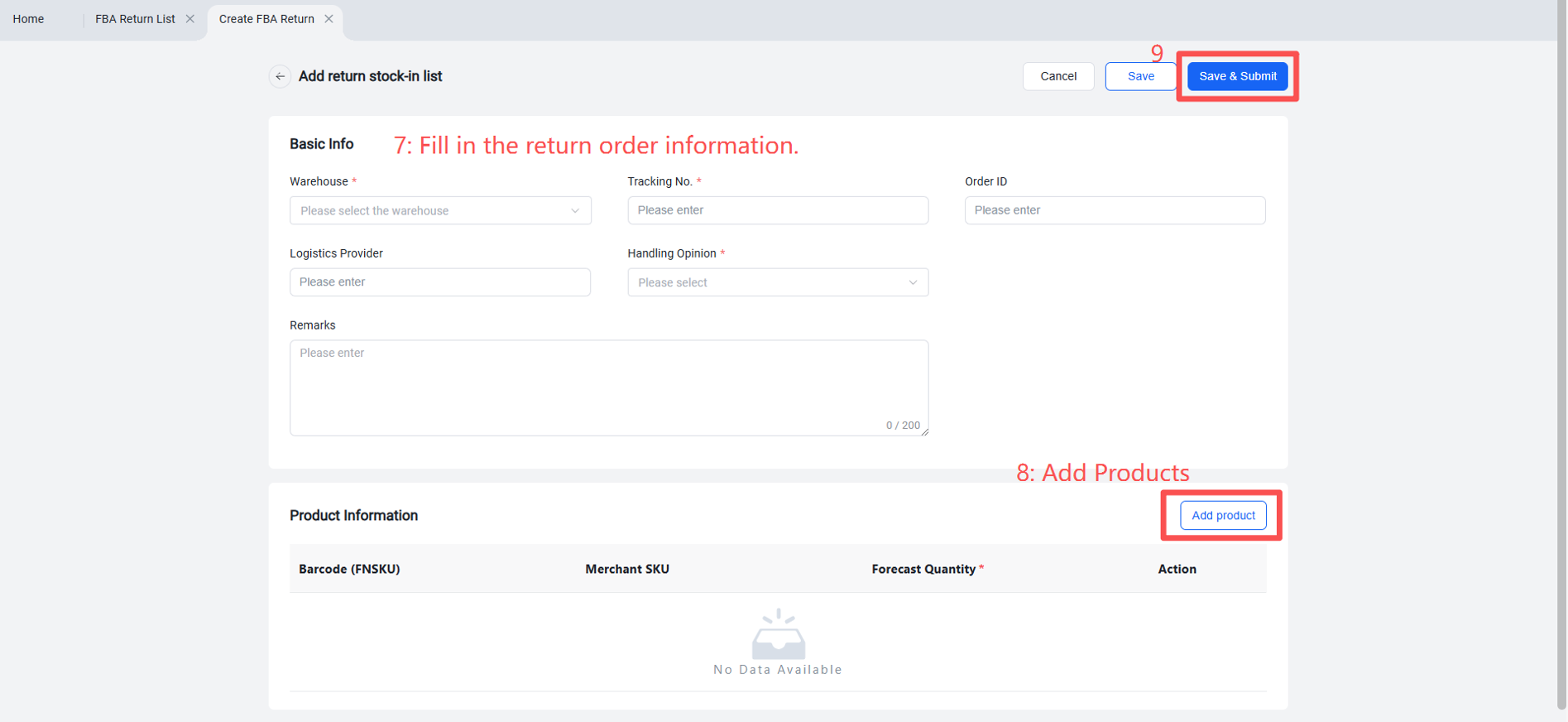
Special Note: Create one return inbound order per tracking number. If there are many tracking numbers, it is recommended to use the Import feature.
Then, select the products: First, organize the FNSKUs and their quantities contained within each tracking number in an Excel spreadsheet.
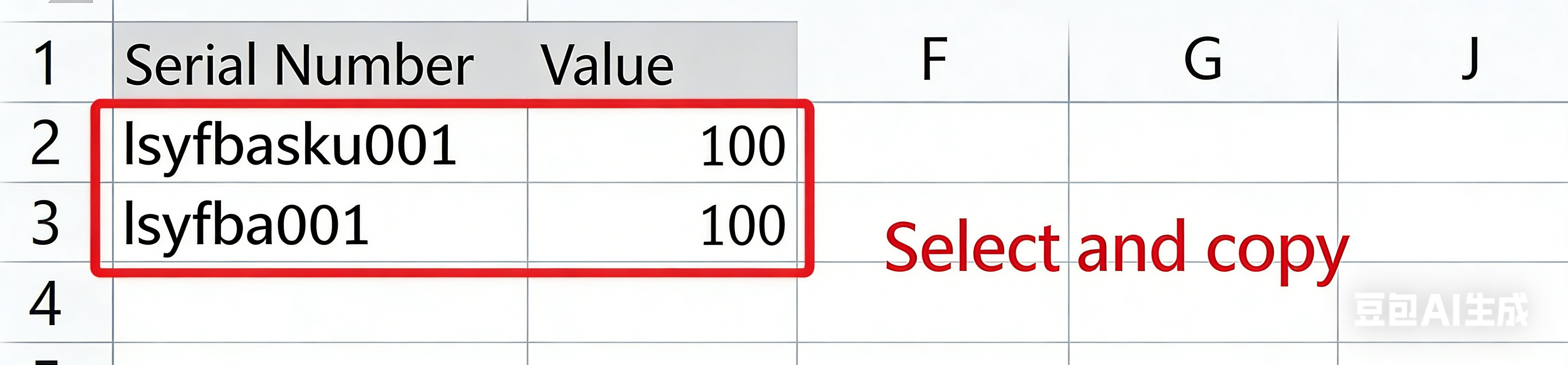
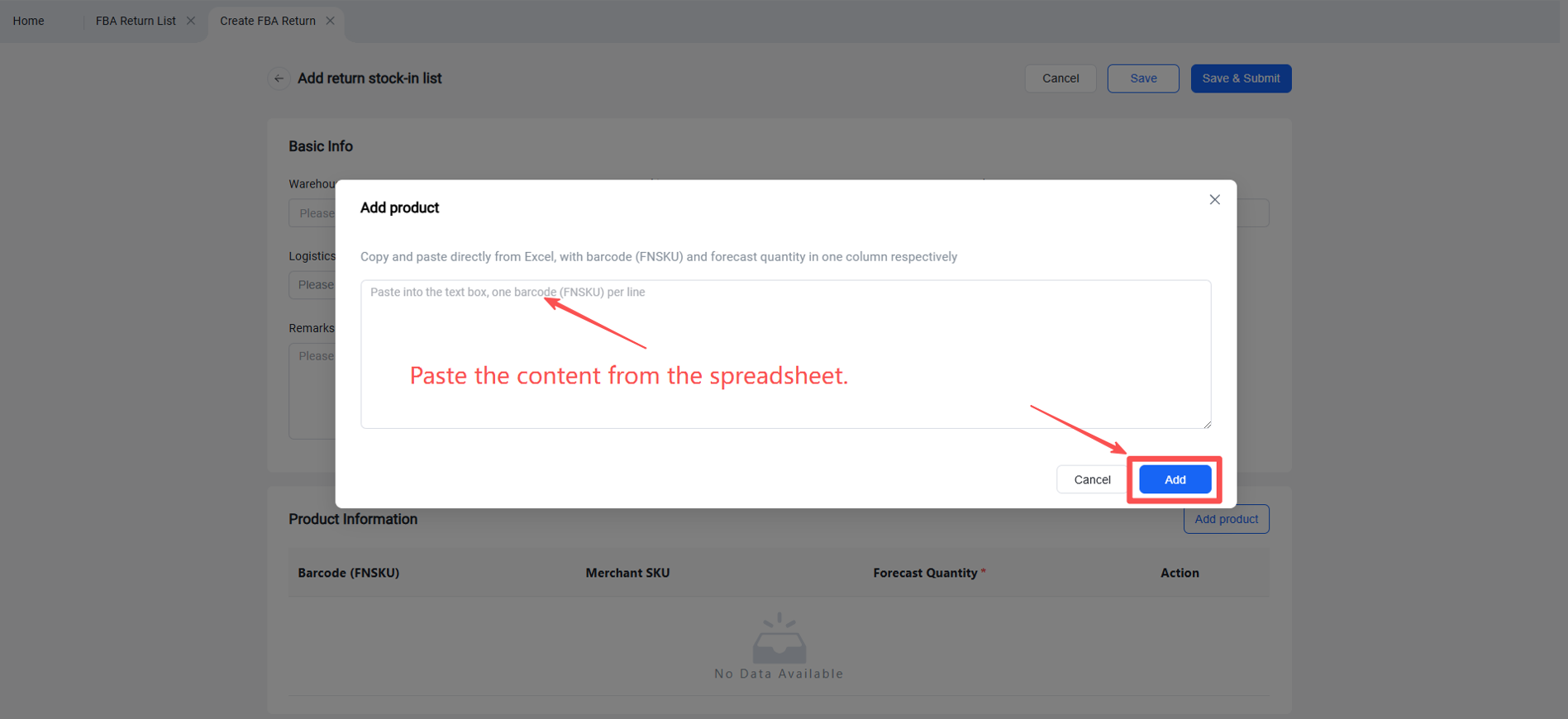
Paste the copied FNSKUs and quantities into the "Add Products" pop-up window.
Once completed, you can click "Save" or "Save and Submit."
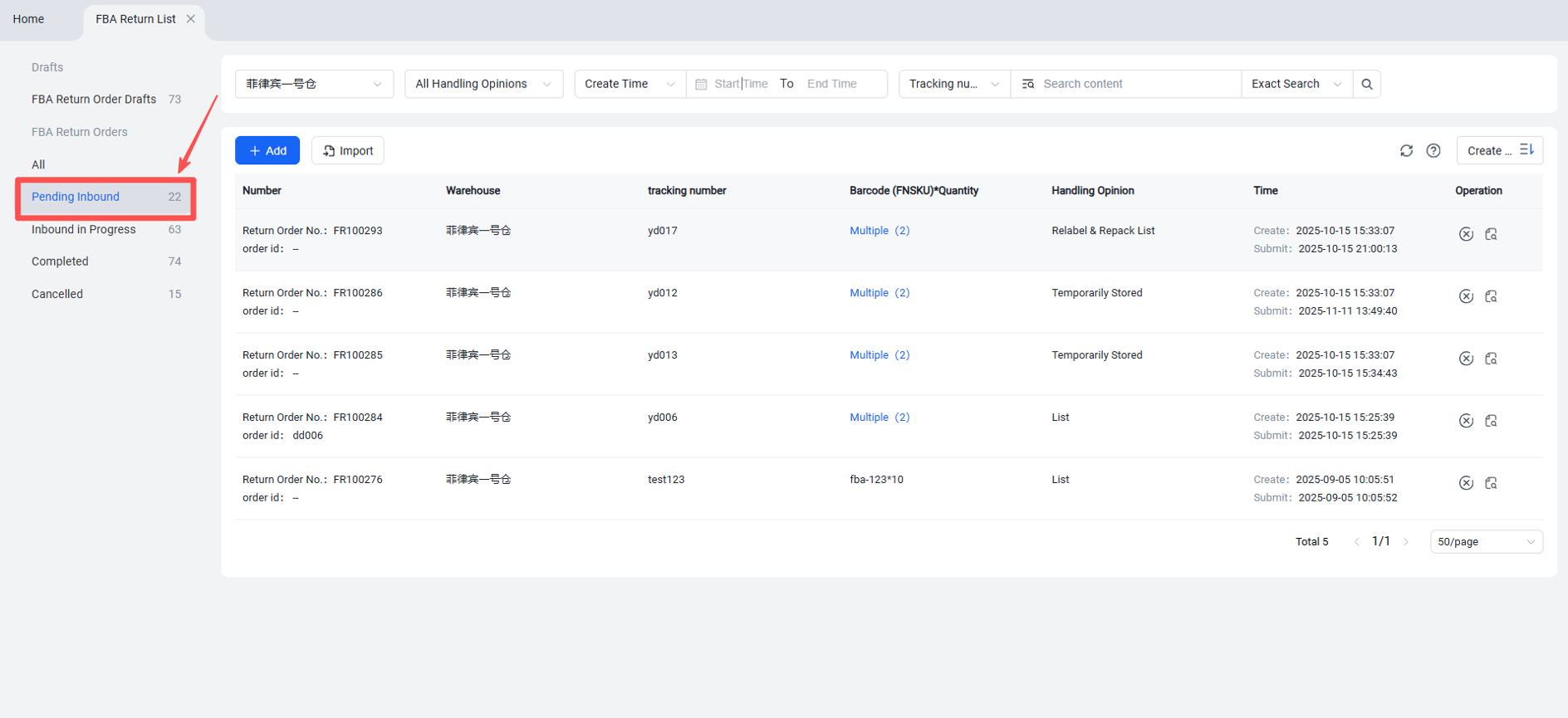
Successfully submitted return inbound orders can be viewed in the "Pending Inbound" list.
Successfully submitted orders will be received as document information by the WMS. Once the shipment arrives at the warehouse, it will undergo receiving, inspection, and put-away.
Return orders that have completed the receiving step will enter the "Inbound in Progress" list.
Return orders that have completed both inspection and put-away will enter the "Completed" list.