Batch Inventory Management
I. Definition
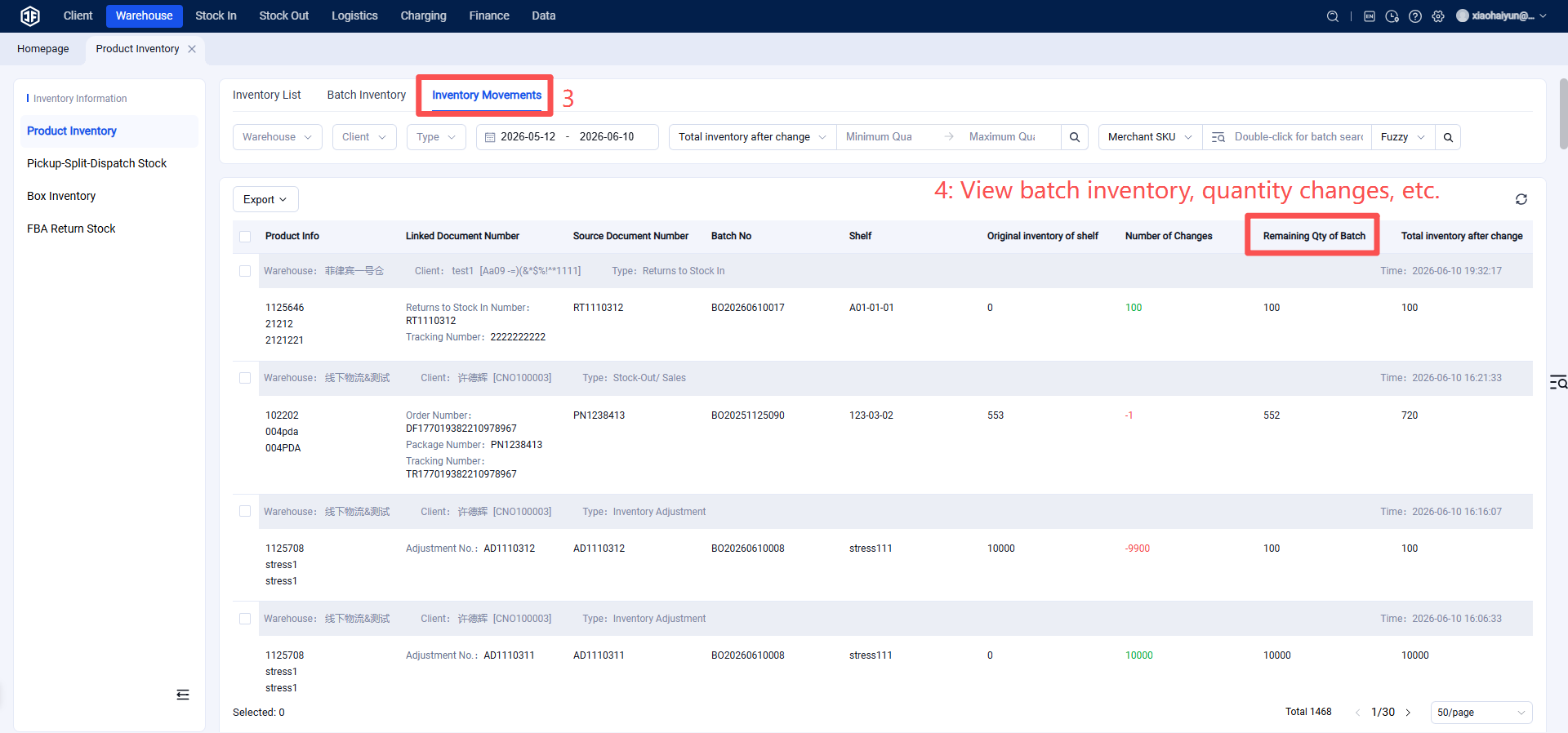
Each put‑away operation constitutes a batch. You can view the inventory of each batch and track changes in batch stock quantities.
Batch inventory management in a warehouse involves organizing goods based on their batch numbers. When a batch of goods arrives, it is assigned a batch label, recording details such as arrival time, quantity, quality status, etc. In storage, goods are grouped and placed according to their batch. During outbound operations, goods are shipped in the order of batch arrival—first‑in, first‑out (FIFO). The advantages of this approach include clear visibility into the status of each batch, streamlined management, ensured product quality, and prevention of excessive aging. Additionally, if issues arise with a specific batch, affected goods can be quickly identified and addressed promptly.
II. Operation Path
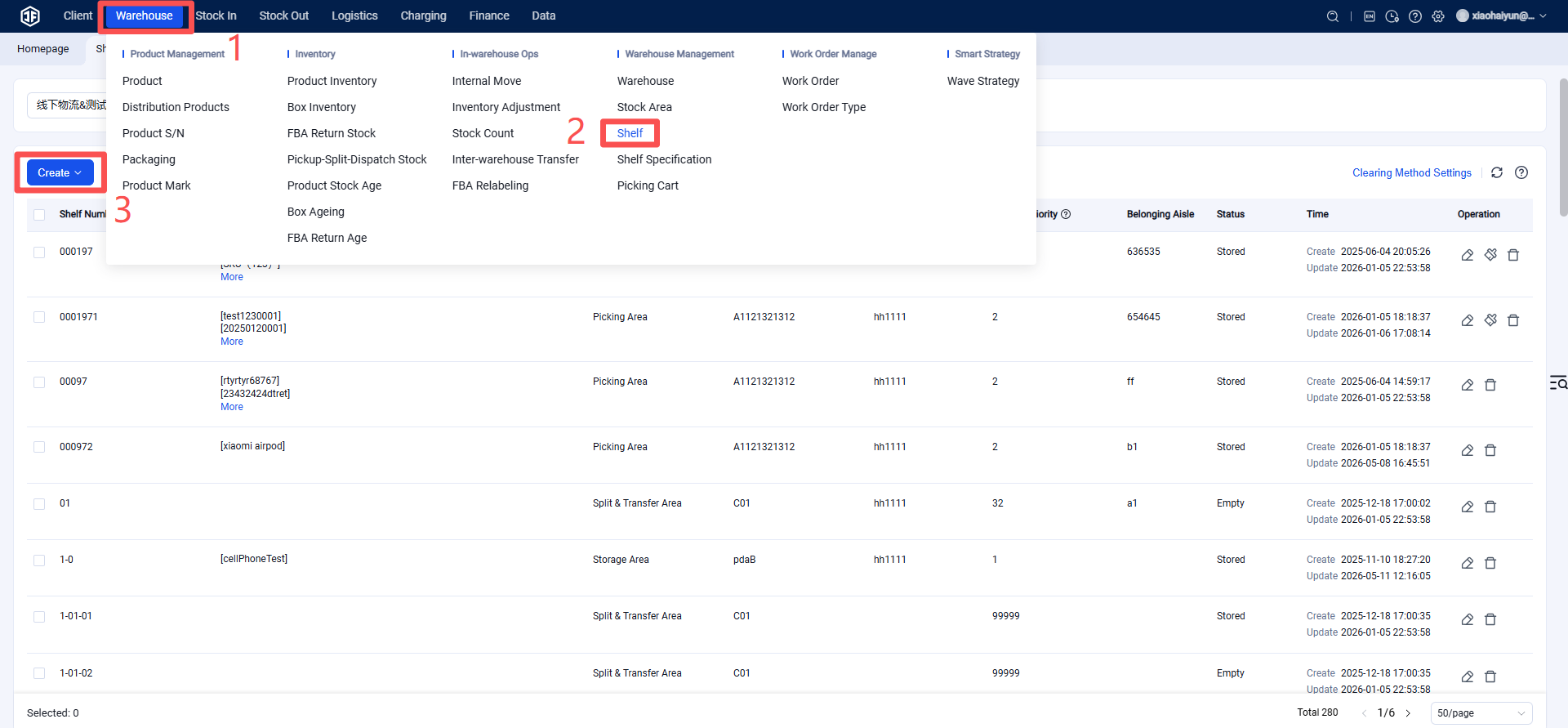
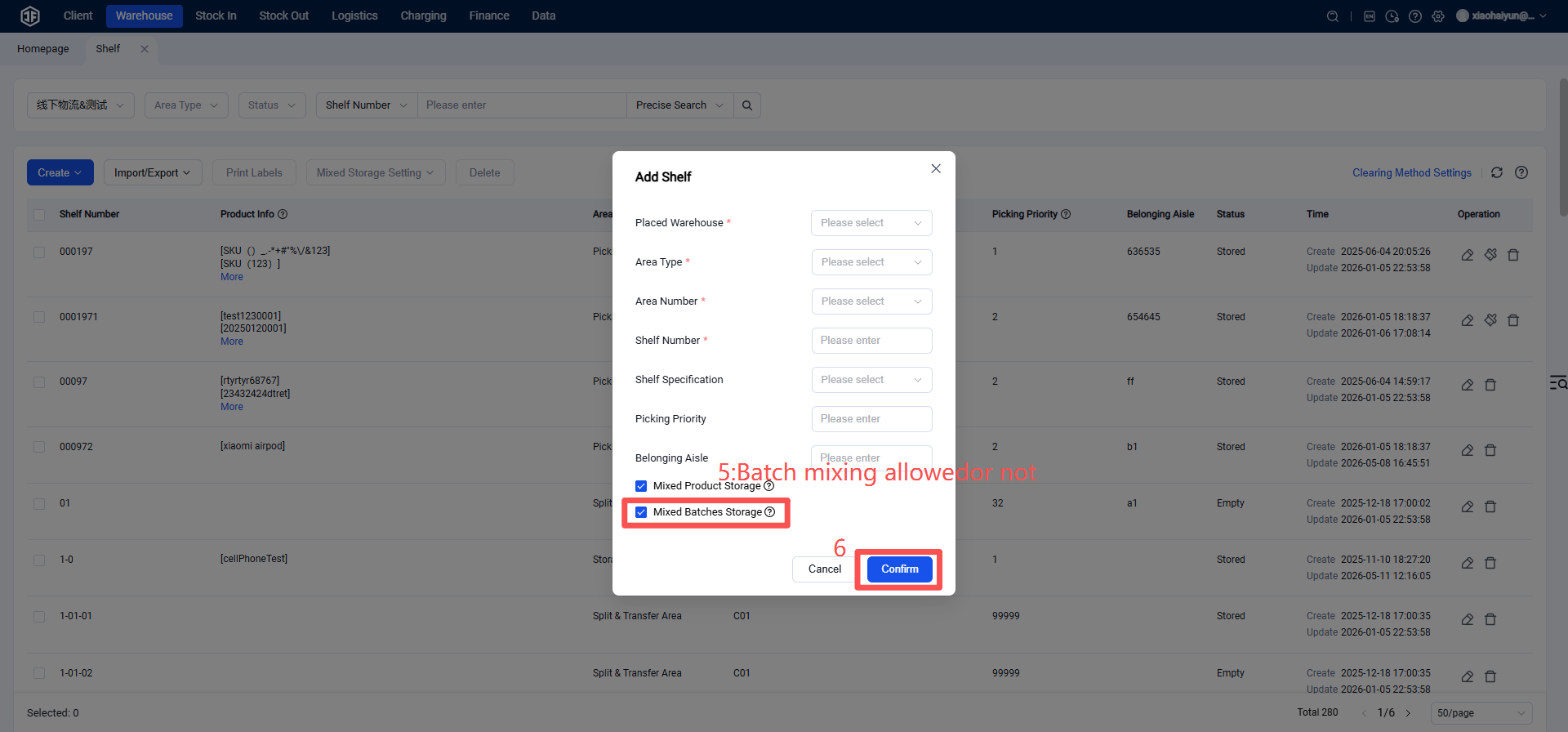
Step 1: Configure whether batch mixing is allowed in warehouse rack locations.
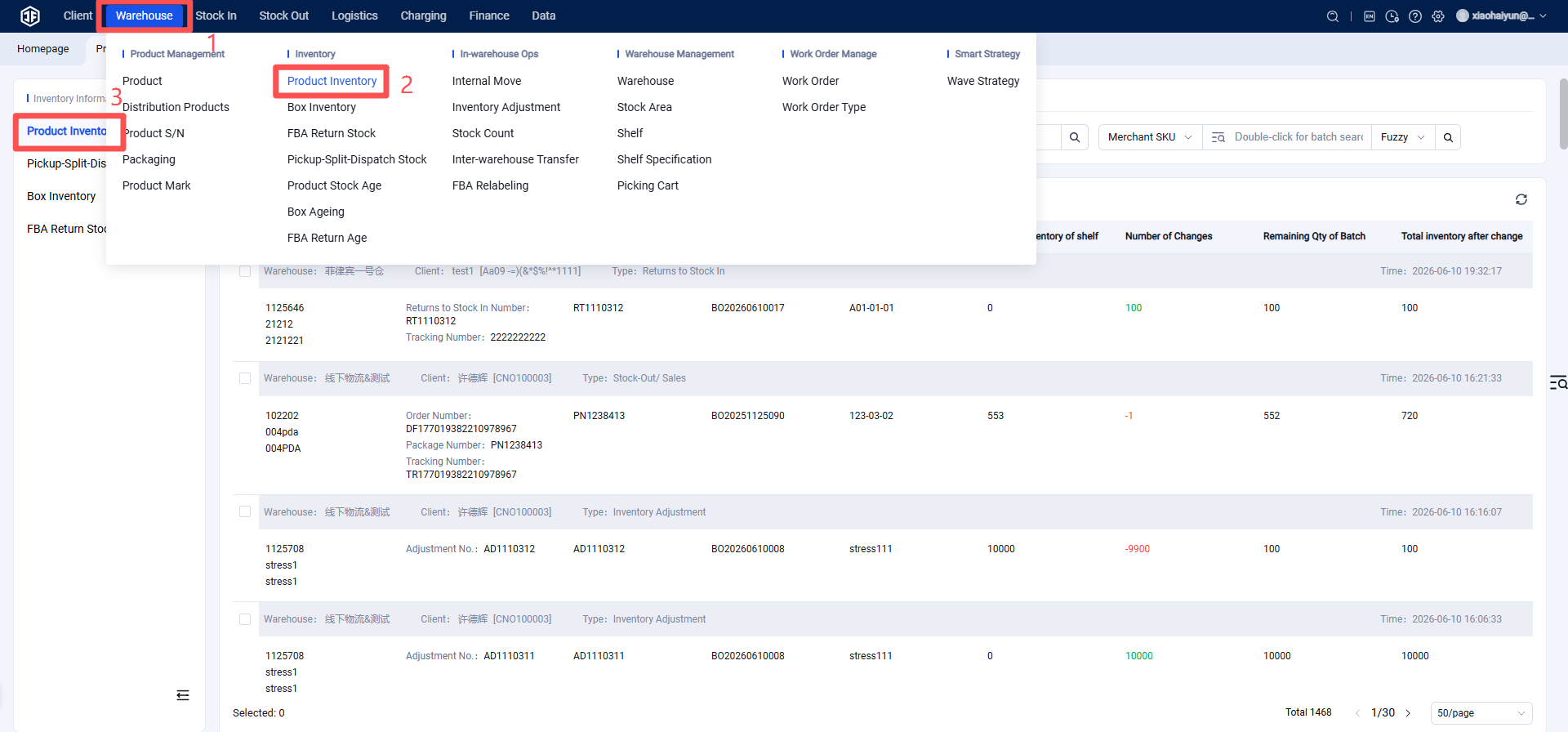
Step 2: View the inventory flow for each batch of goods (Products follow the first‑in‑first‑out (FIFO) rule; outbound operations will consume the earlier inventory batches first.)
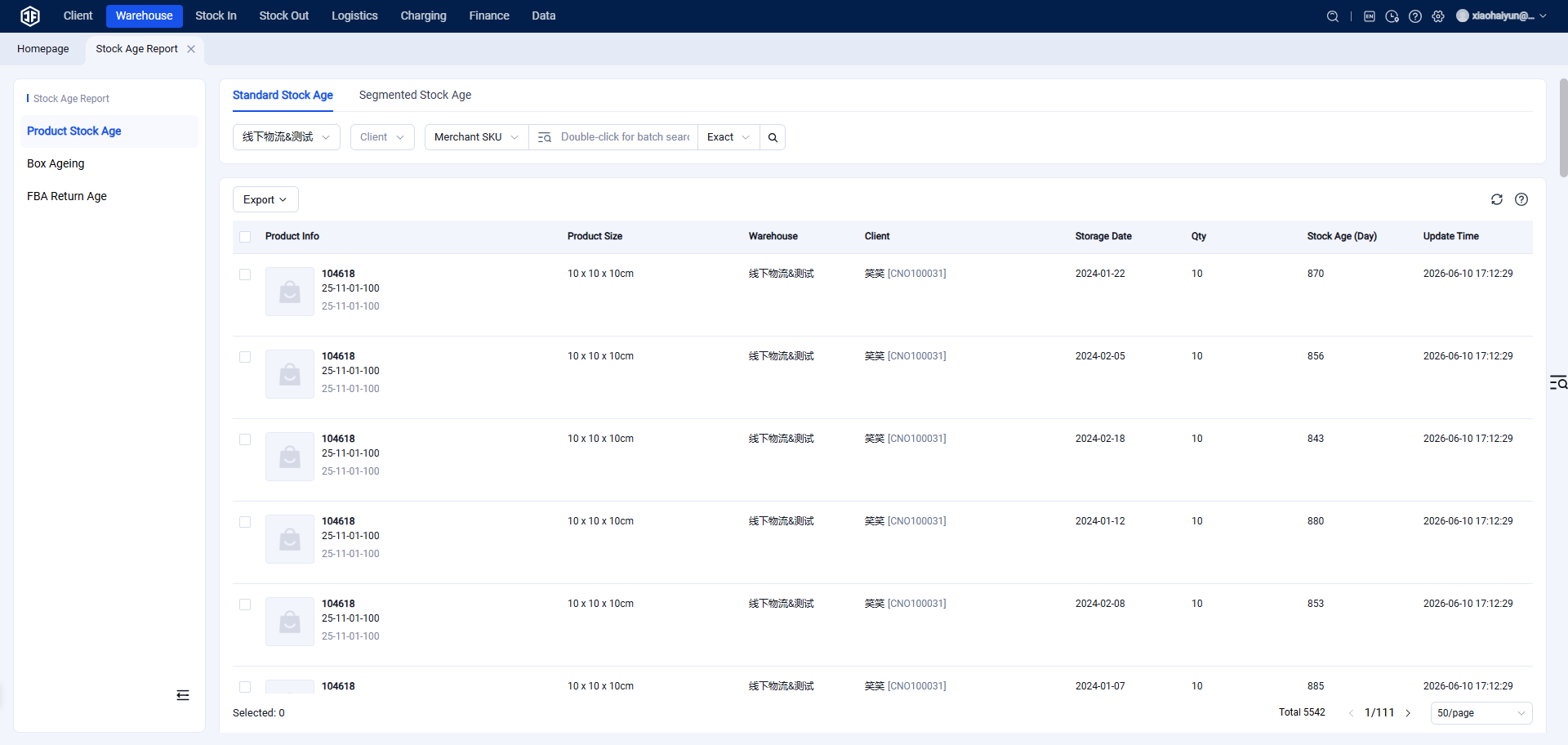
You can also view FBA inventory and B2B inventory aging reports, which support users in checking the age of all inventory in the system. The reports include both standard aging and segmented aging, allowing multi‑dimensional analysis of warehouse stock age.
Operation: Inventory → Aging Reports → FBA Inventory & B2B Inventory Aging Reports.