How to Apply Charges When Processing Work Orders
Updated on 09 Jun,2026
Copy Link
I. Definition
When a seller creates a work order and the warehouse provides value-added services, fees can be directly charged on the work order.
II. Operational Path
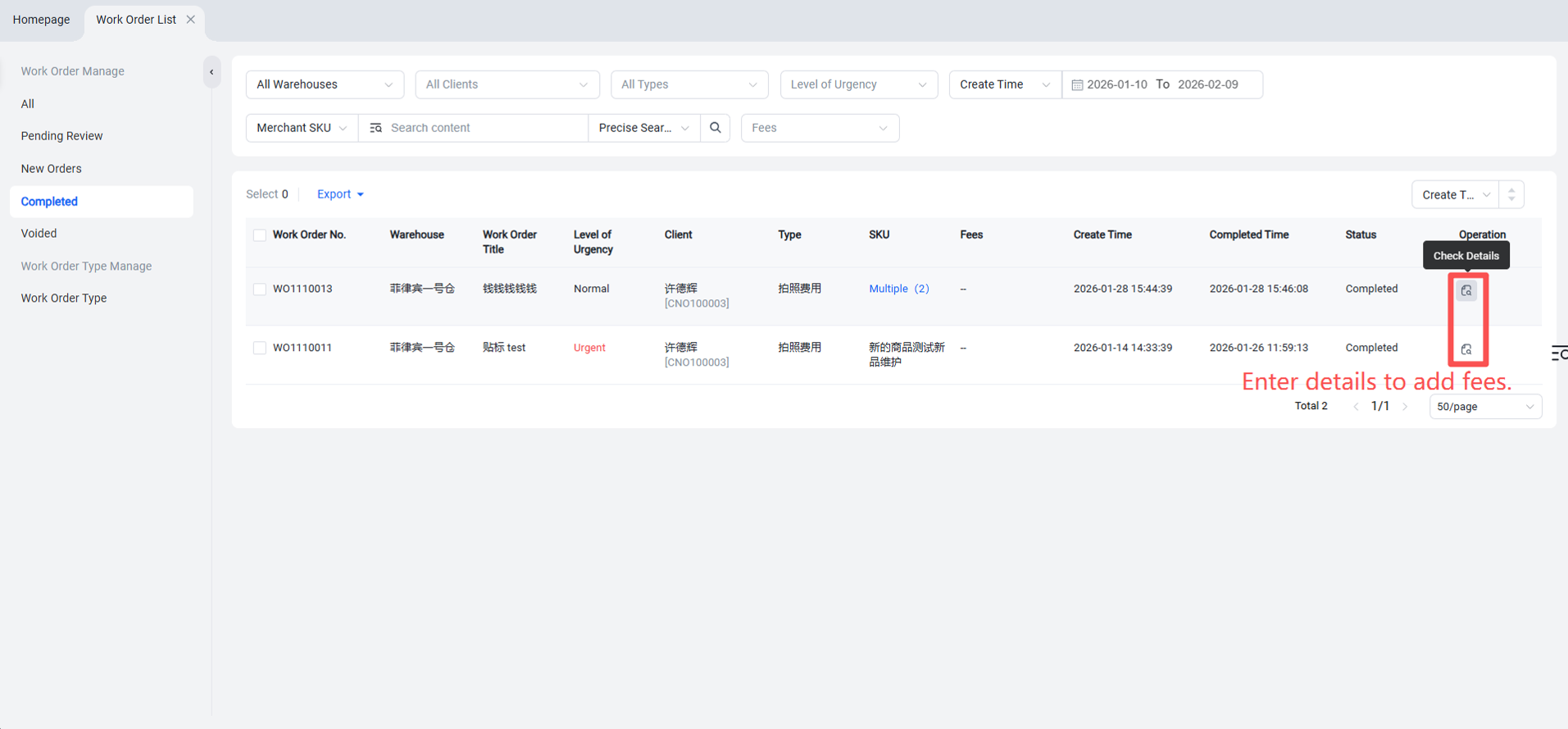
Warehouse WMS > Work Orders > Pending or Completed status > Work Order Details > Add Fee > Save.
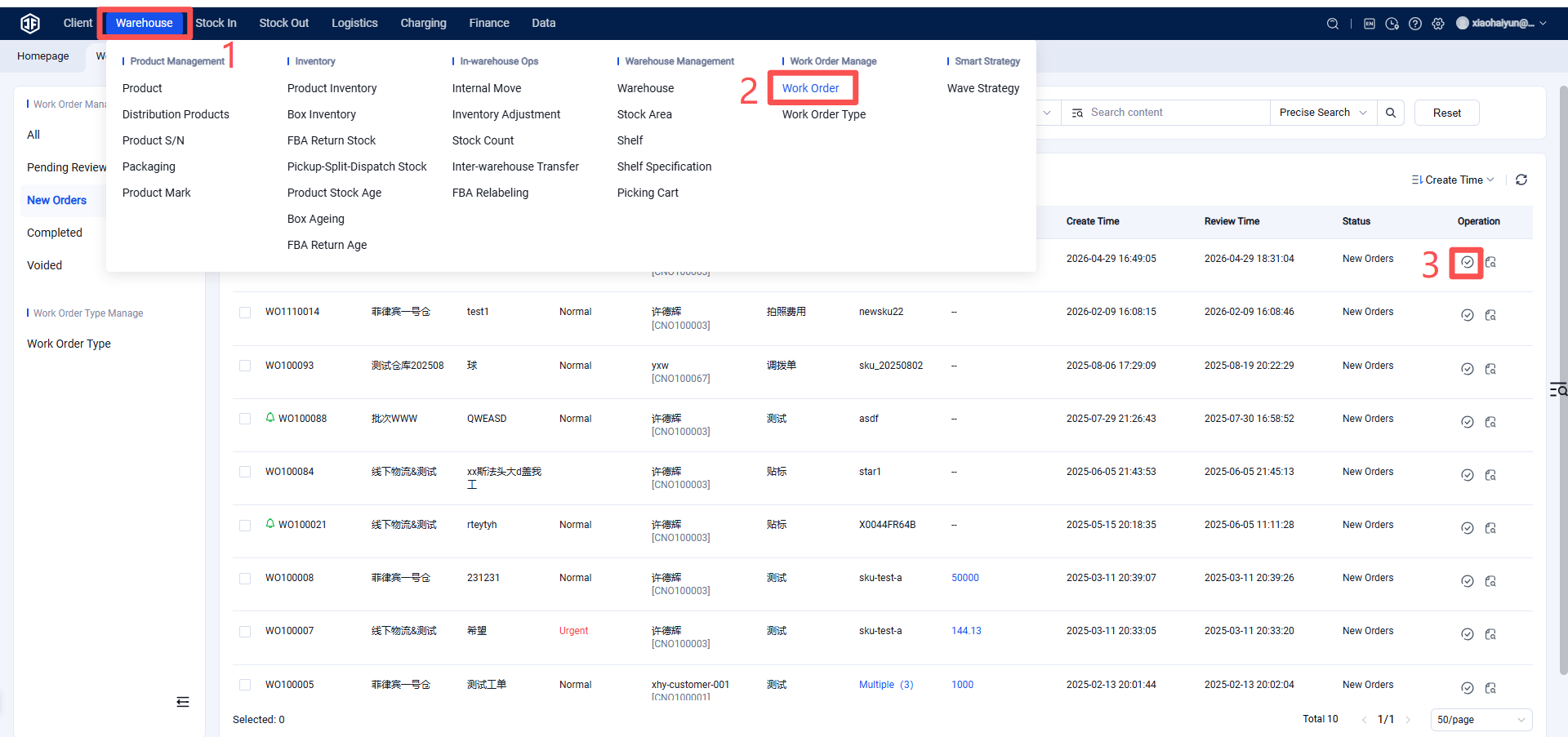
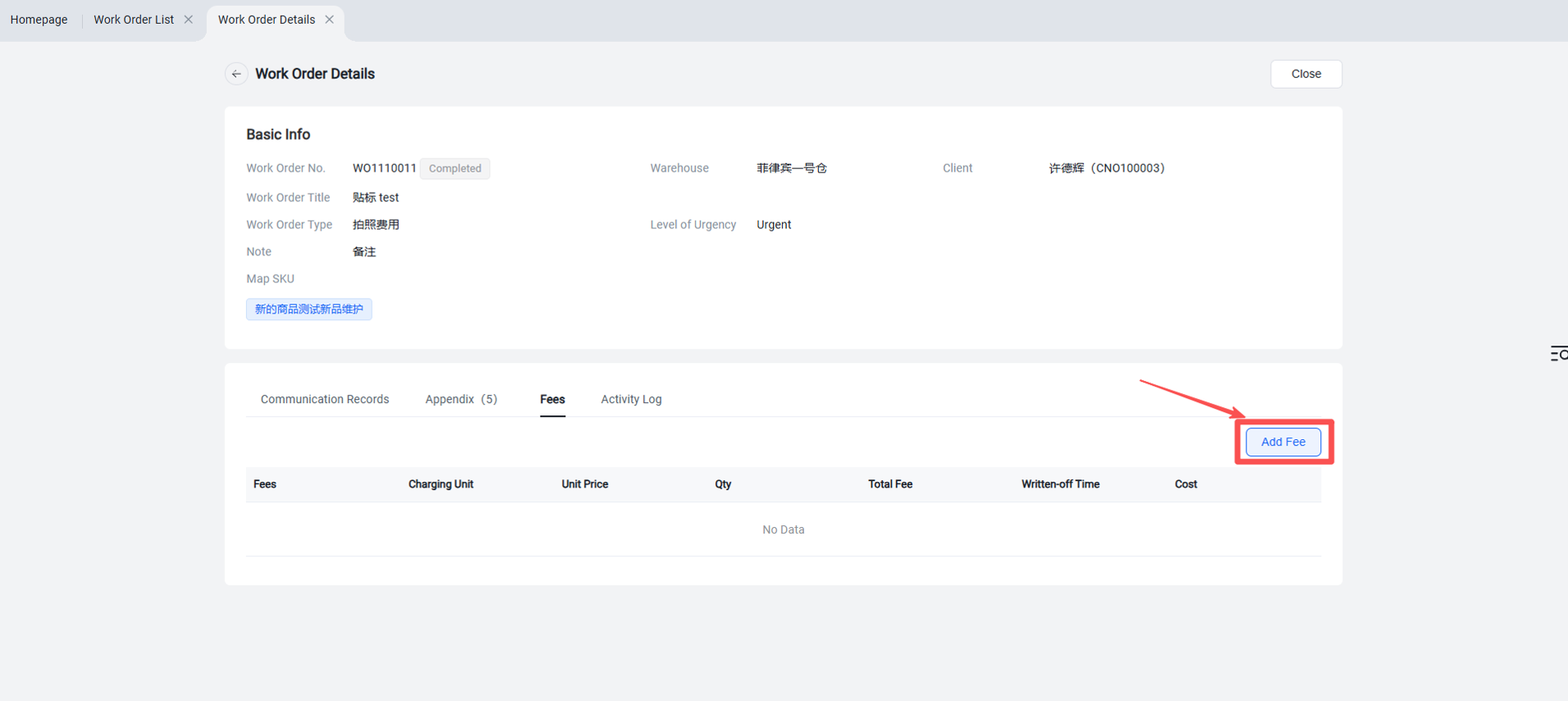
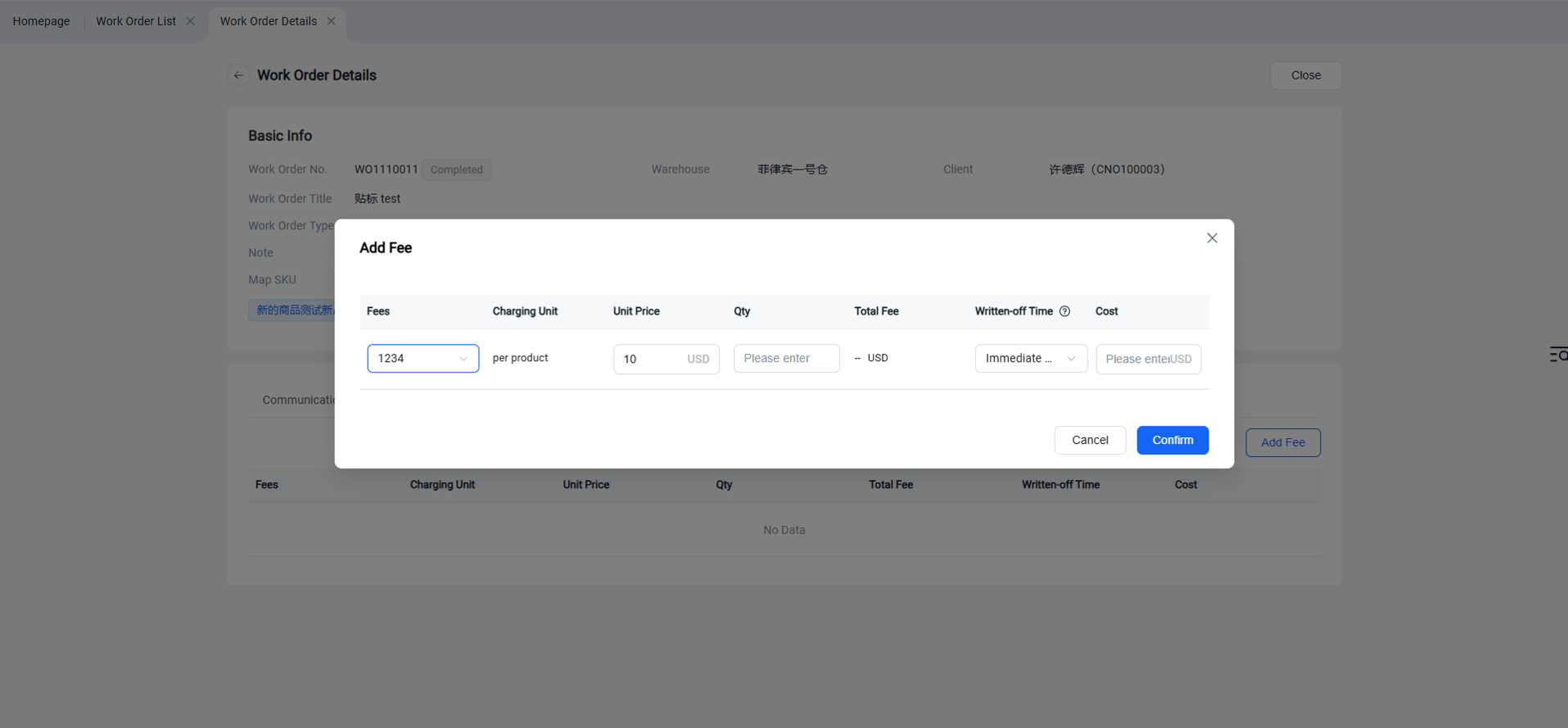
After clicking "Mark as Processed", it enters the "Completed" status. If fees were not added during the previous status, they can still be added in the "Completed" status.