FBA Return Inbound
I. Definition
FBA returns primarily occur when FBA inventory ages and needs cost-saving storage in an overseas warehouse, or when a seller needs to switch sales channels (e.g., change stores or listings) due to store or product link issues, requiring the shipment to be returned to the overseas warehouse.
When a seller has created an FBA return inbound order in the seller platform (OMS), the warehouse can view the pending FBA inbound information in the FBA Inbound Order Management. Once the warehouse receives the FBA return, it can proceed with inbound processing.
II. Operational Path
Step 1: View FBA Inbound Order Information
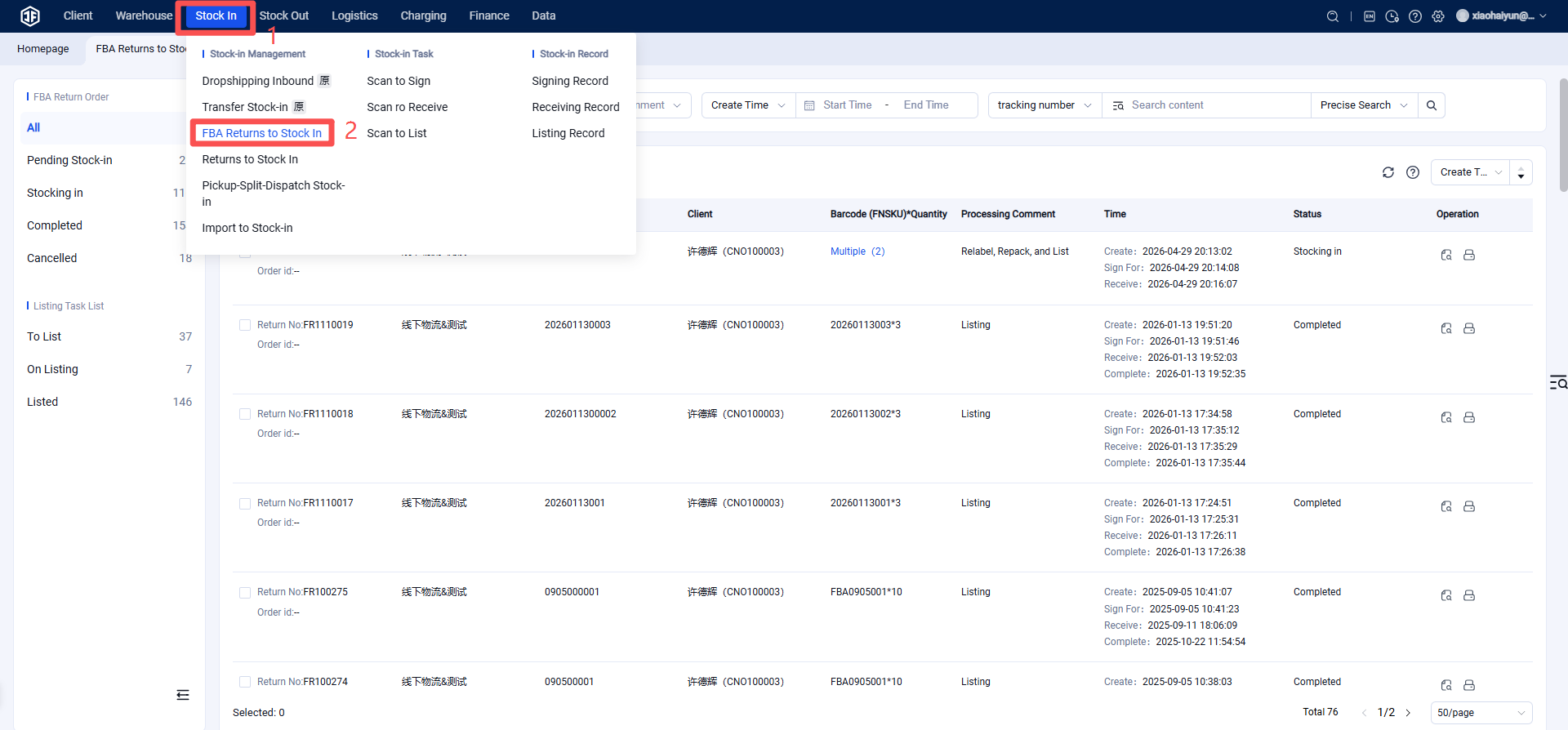
Warehouse WMS > FBA Returns > Inbound Order Management > View FBA inbound orders created by the seller.
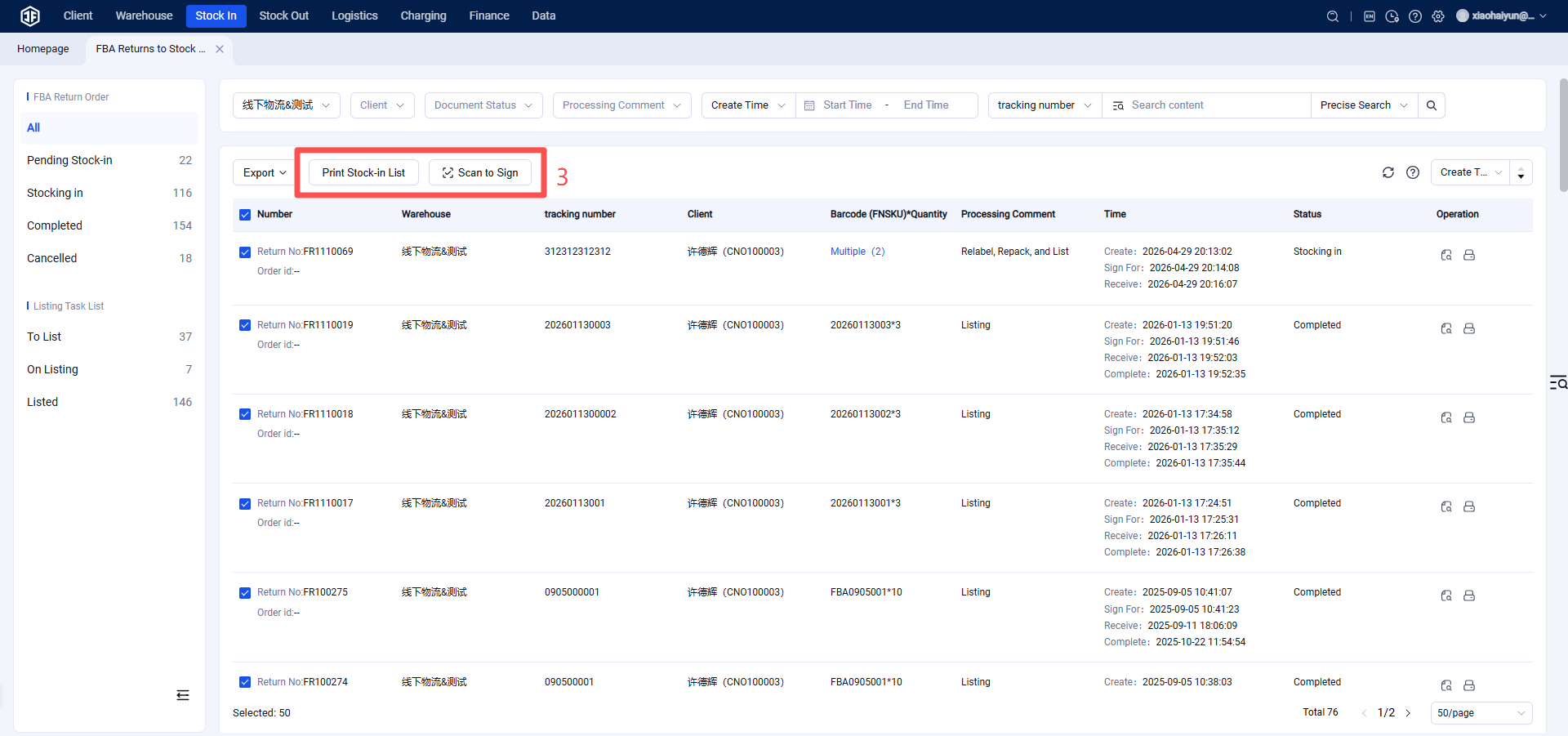
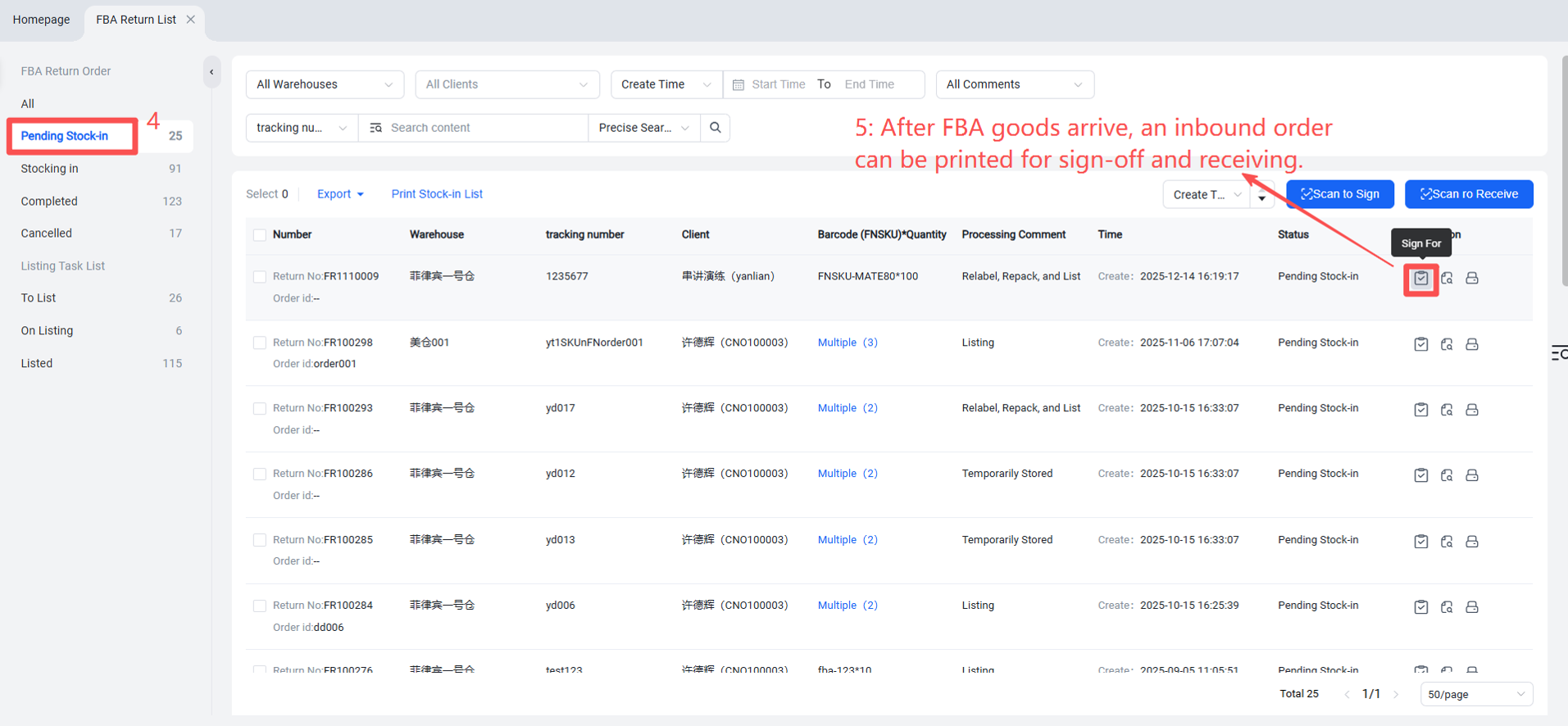
Step 2: Scan, Sign, and Receive FBA Returns Upon Arrival at Warehouse
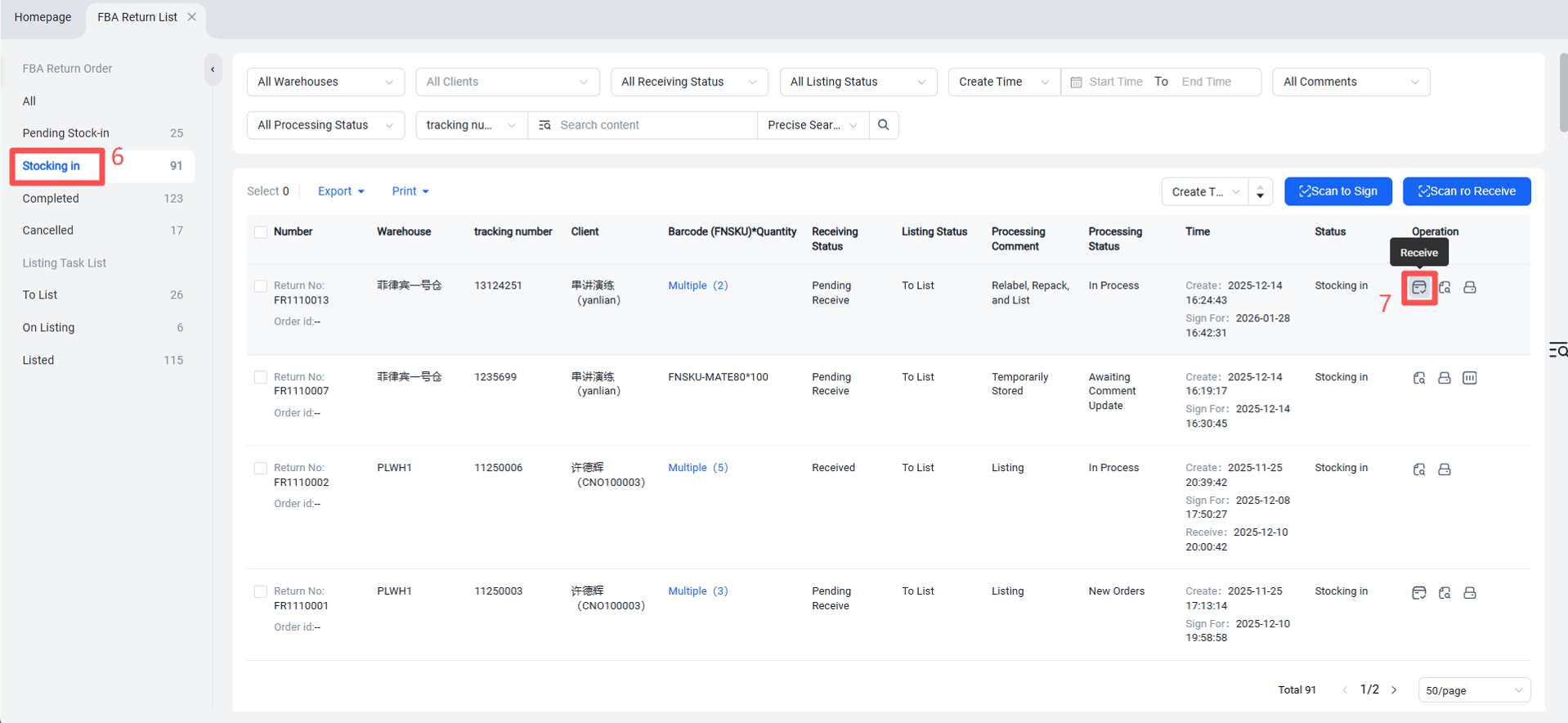
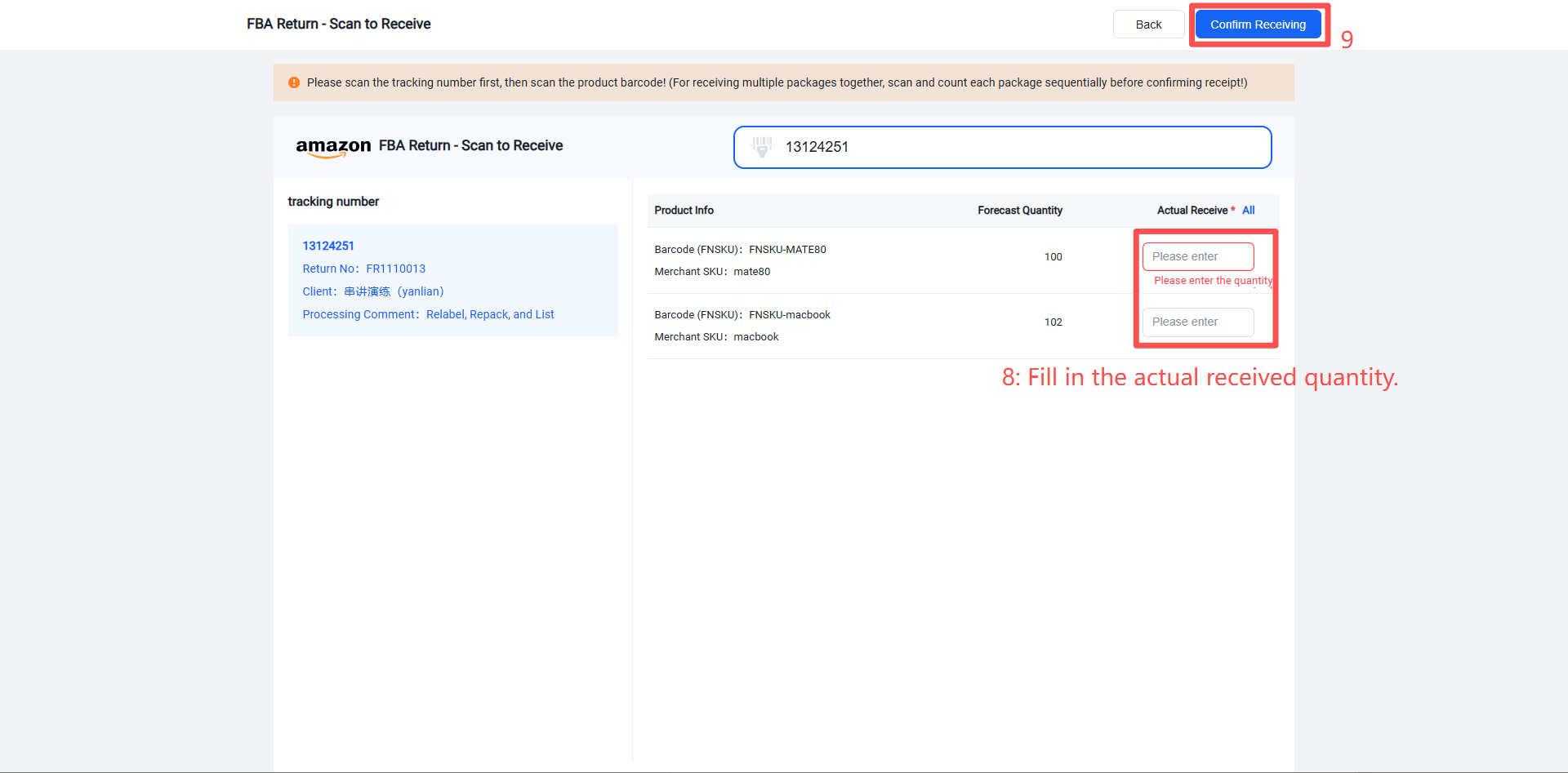
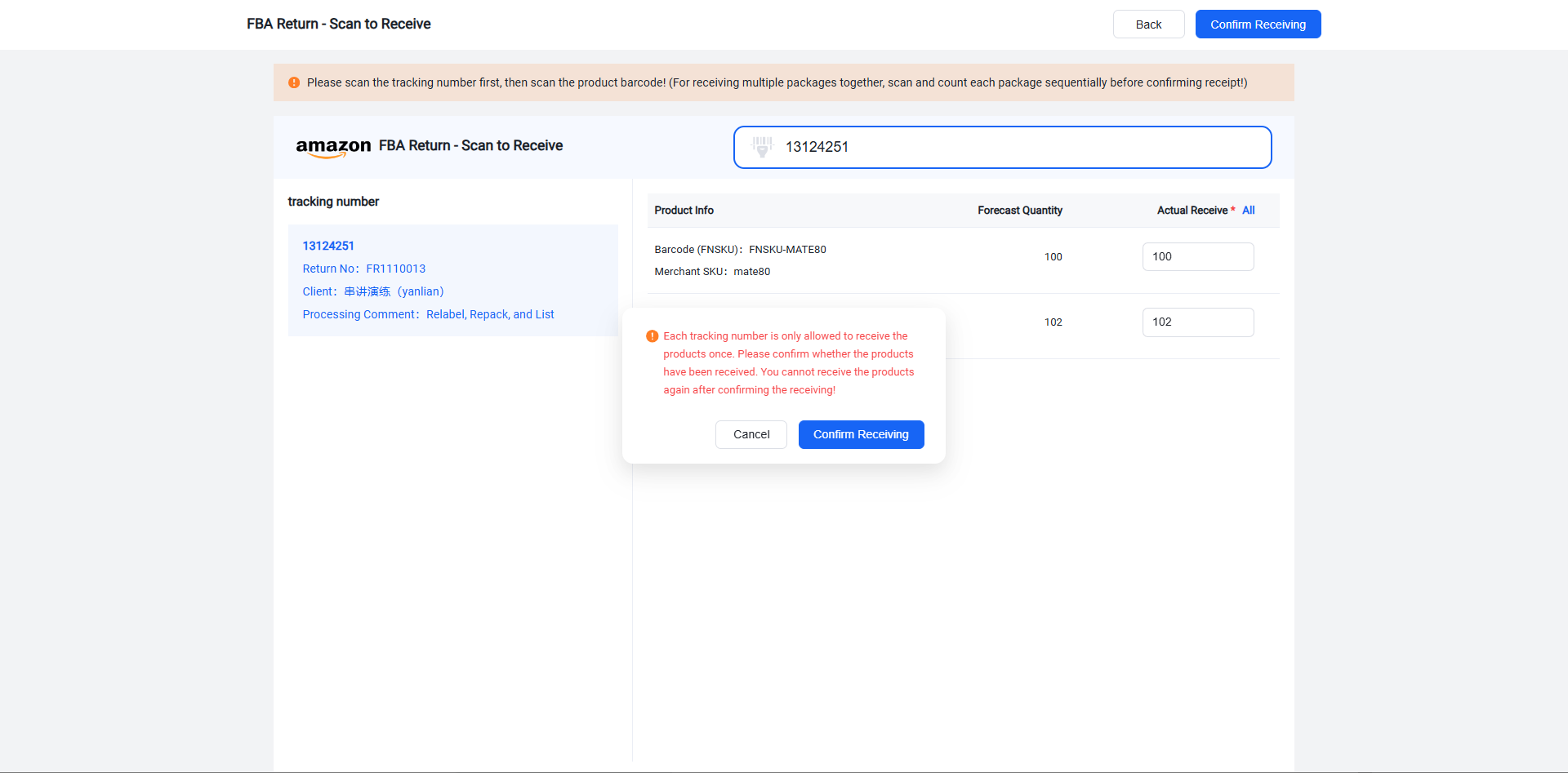
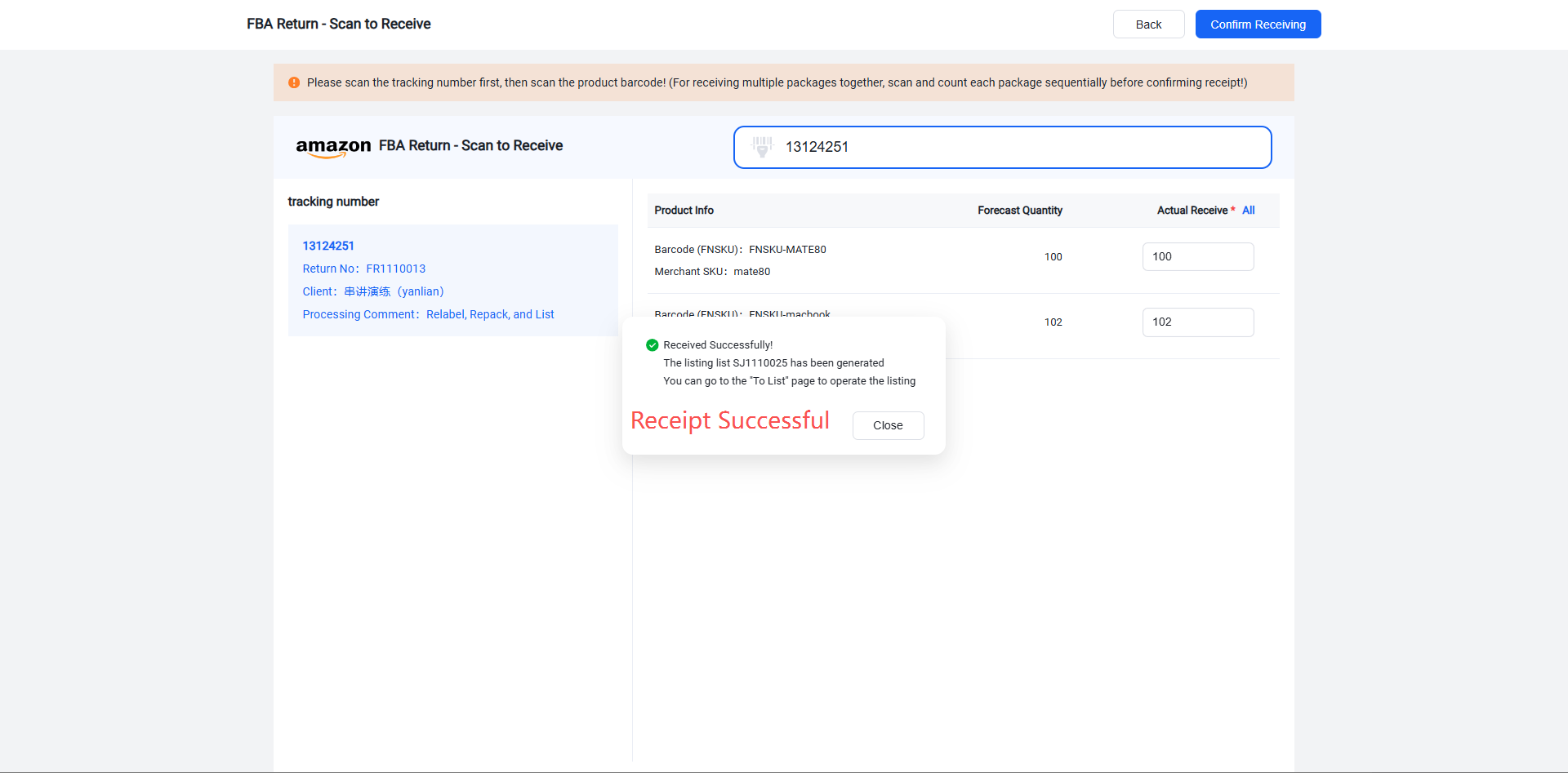
FBA Returns > Inbound Order Management > Pending Inbound > Sign/Receive > Print Inbound Order > Receive Goods > Enter Received Item Quantity > Enter Received Item Dimensions and Weight > Confirm Receipt > Receipt Successful
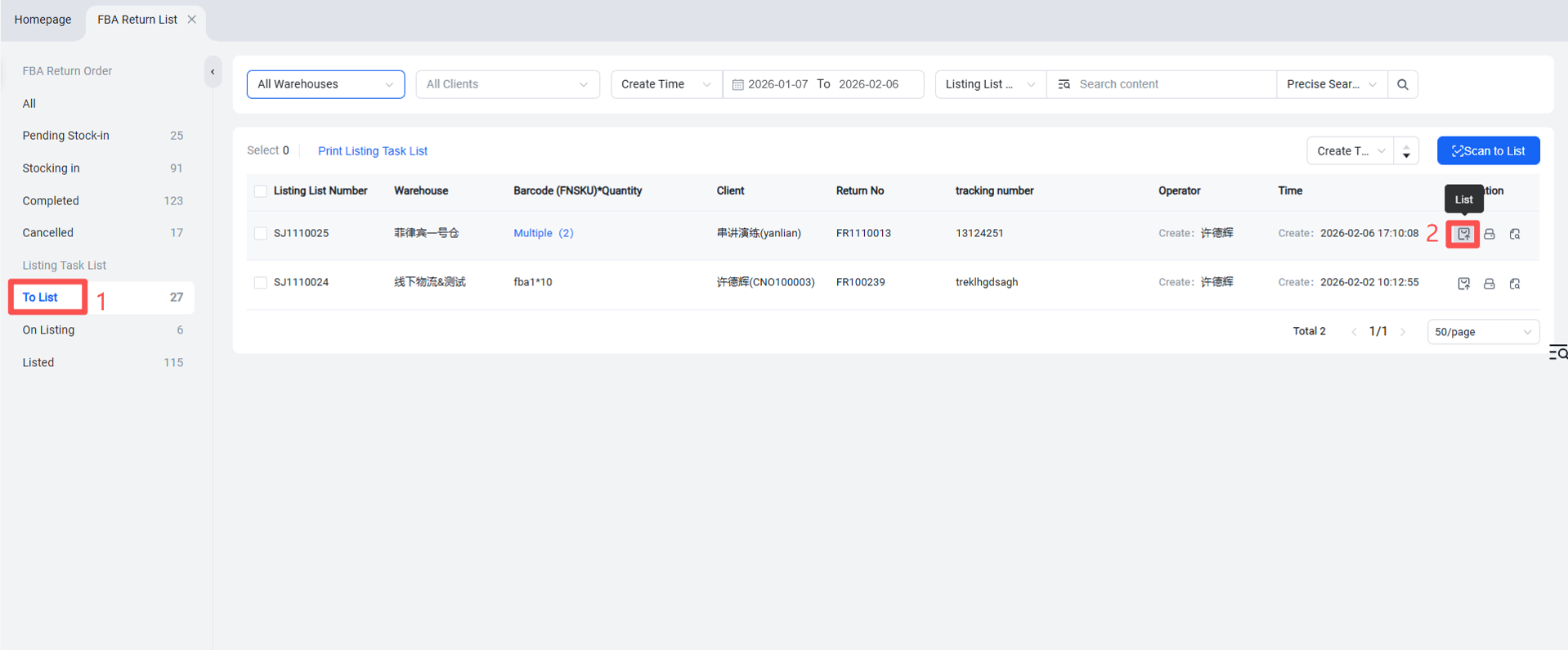
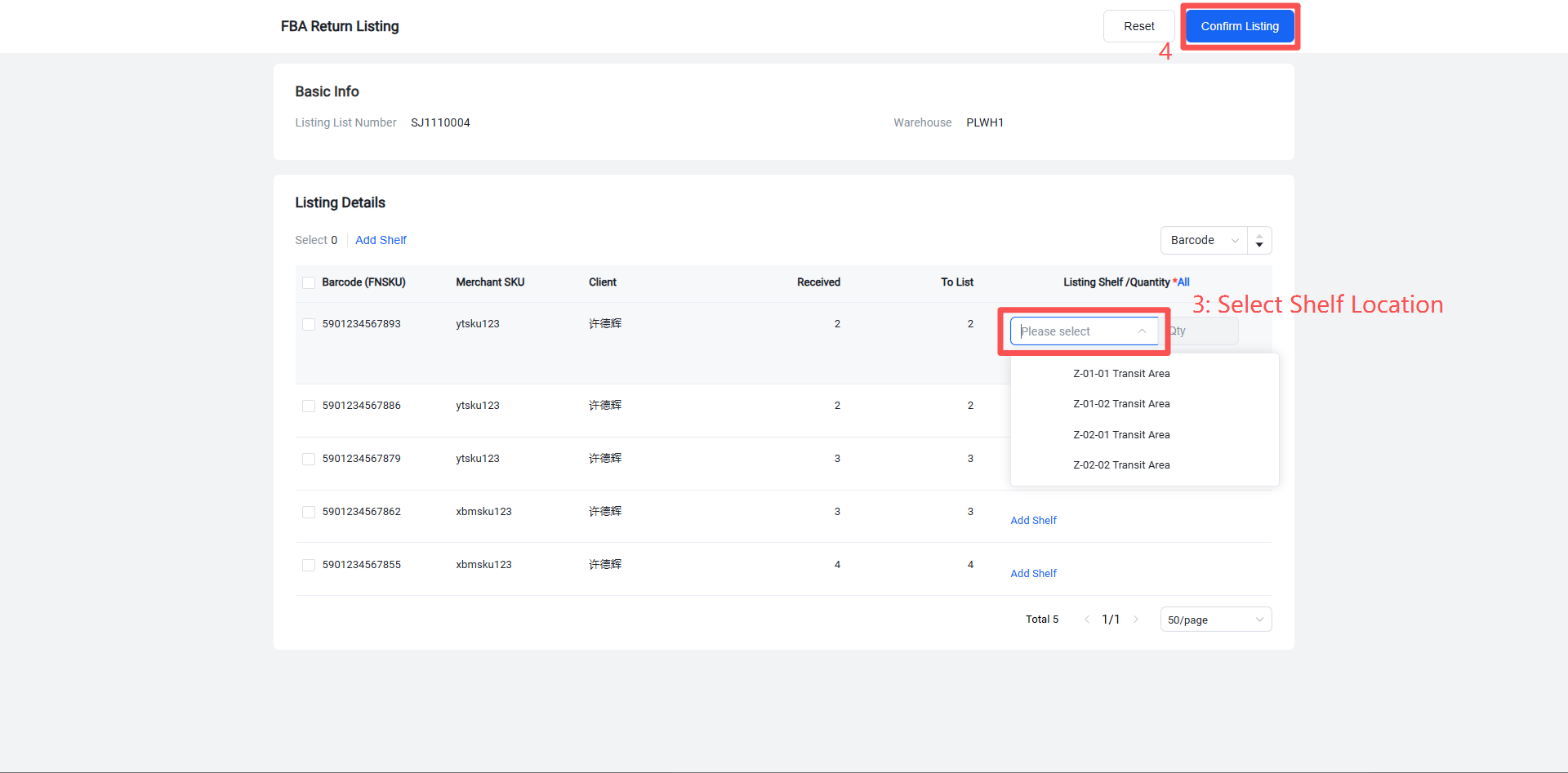
Step 3: Put Away According to Put-away Task List
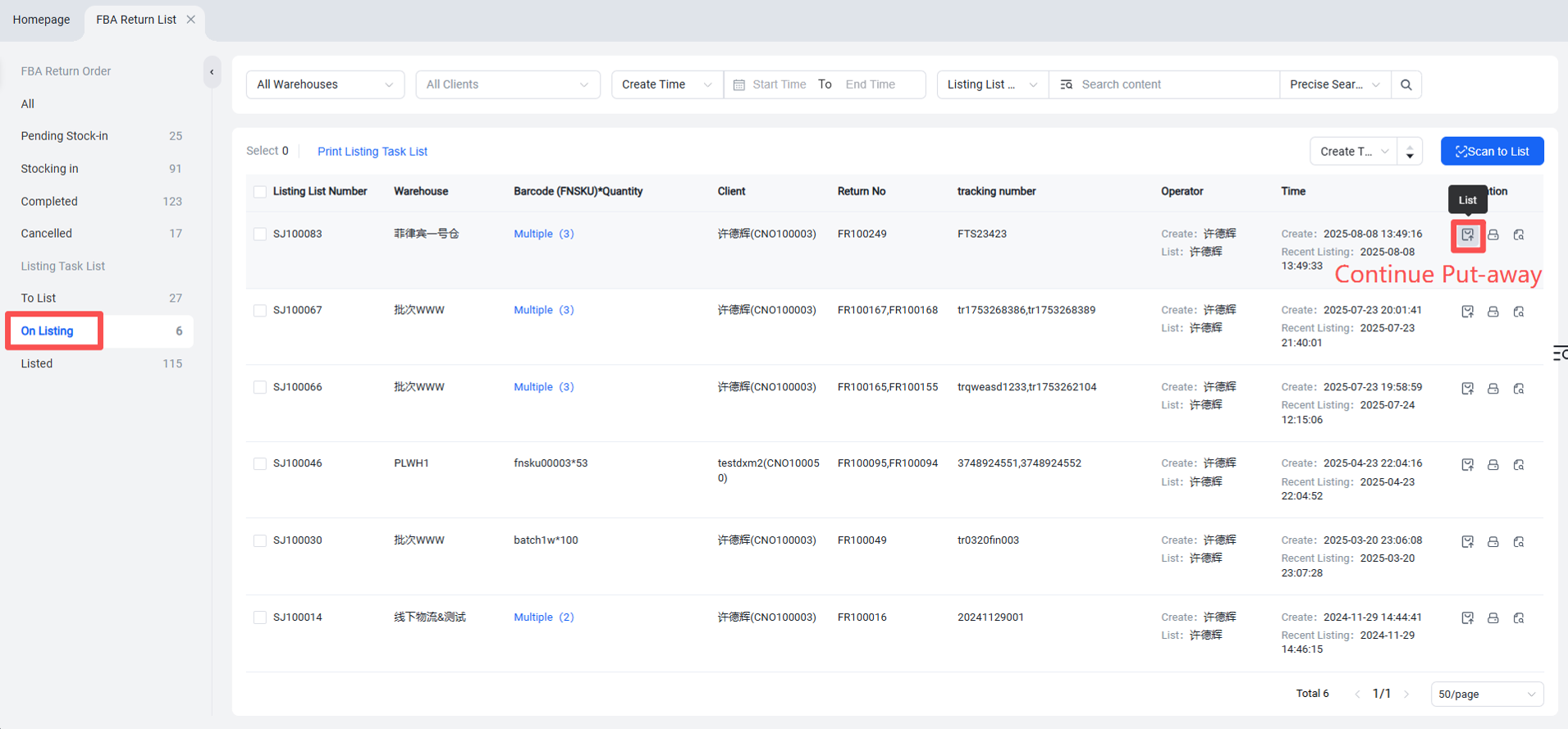
Put-away Task List > Pending Put-away > Put Away > Select Shelf Location > Confirm Put-away
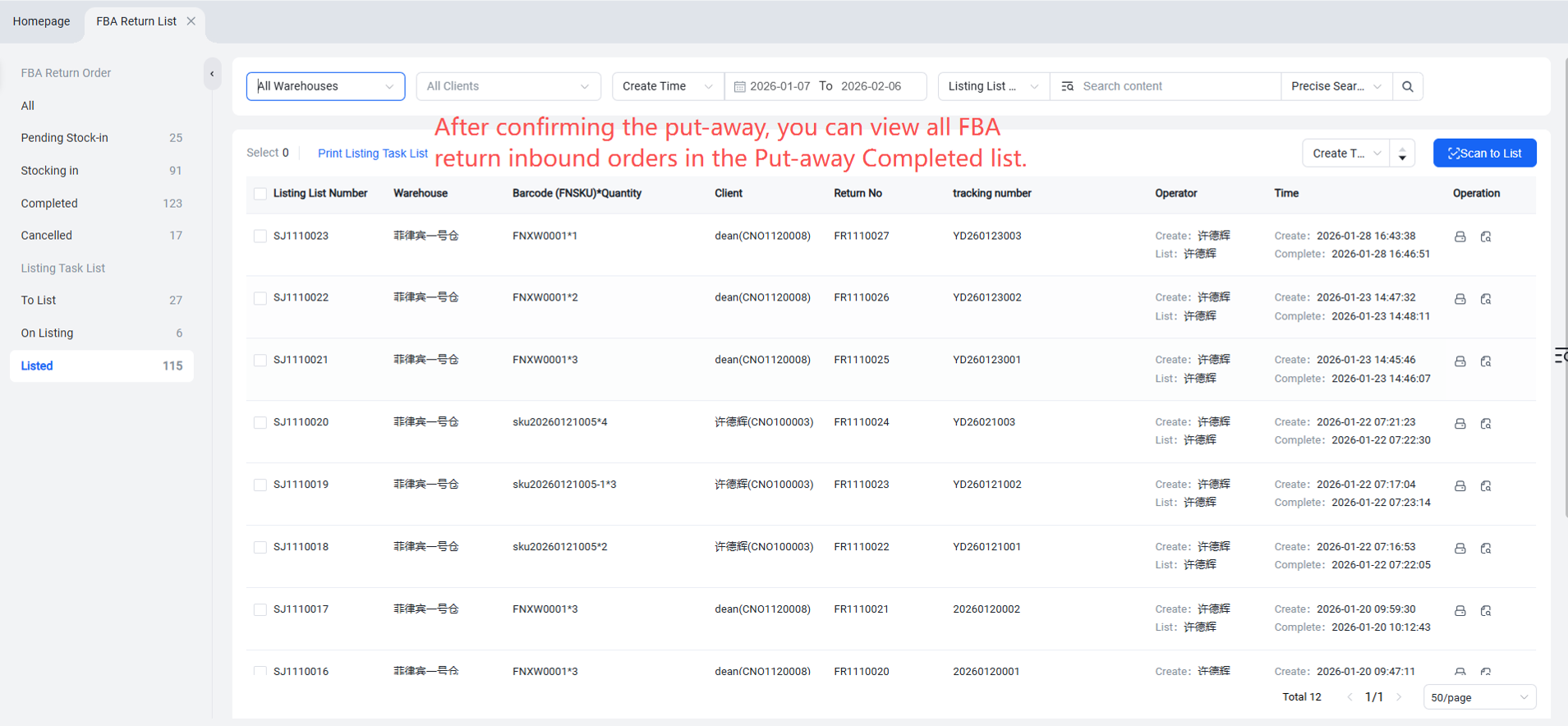
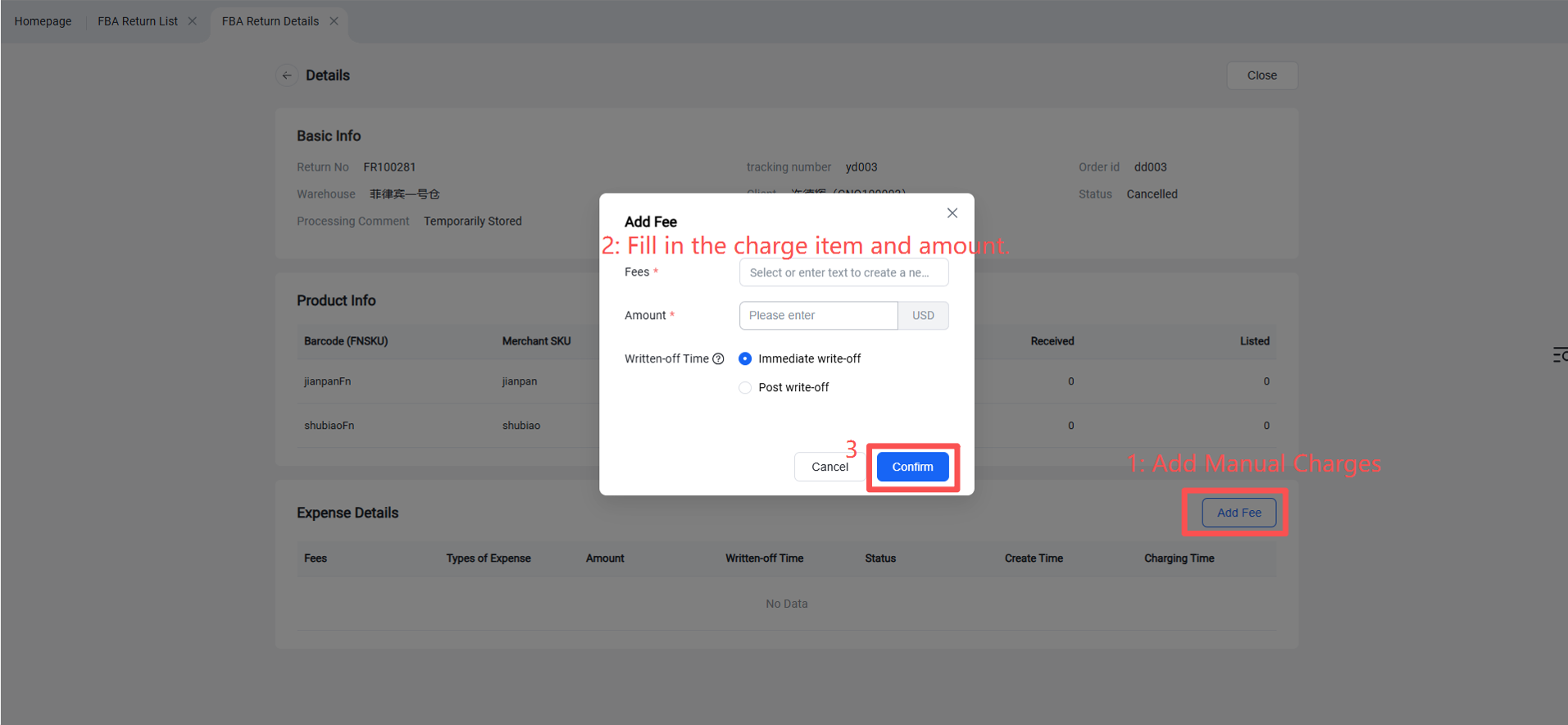
Completed inbound orders will appear in the Completed status, where you can view the fulfillment details or manually apply charges.
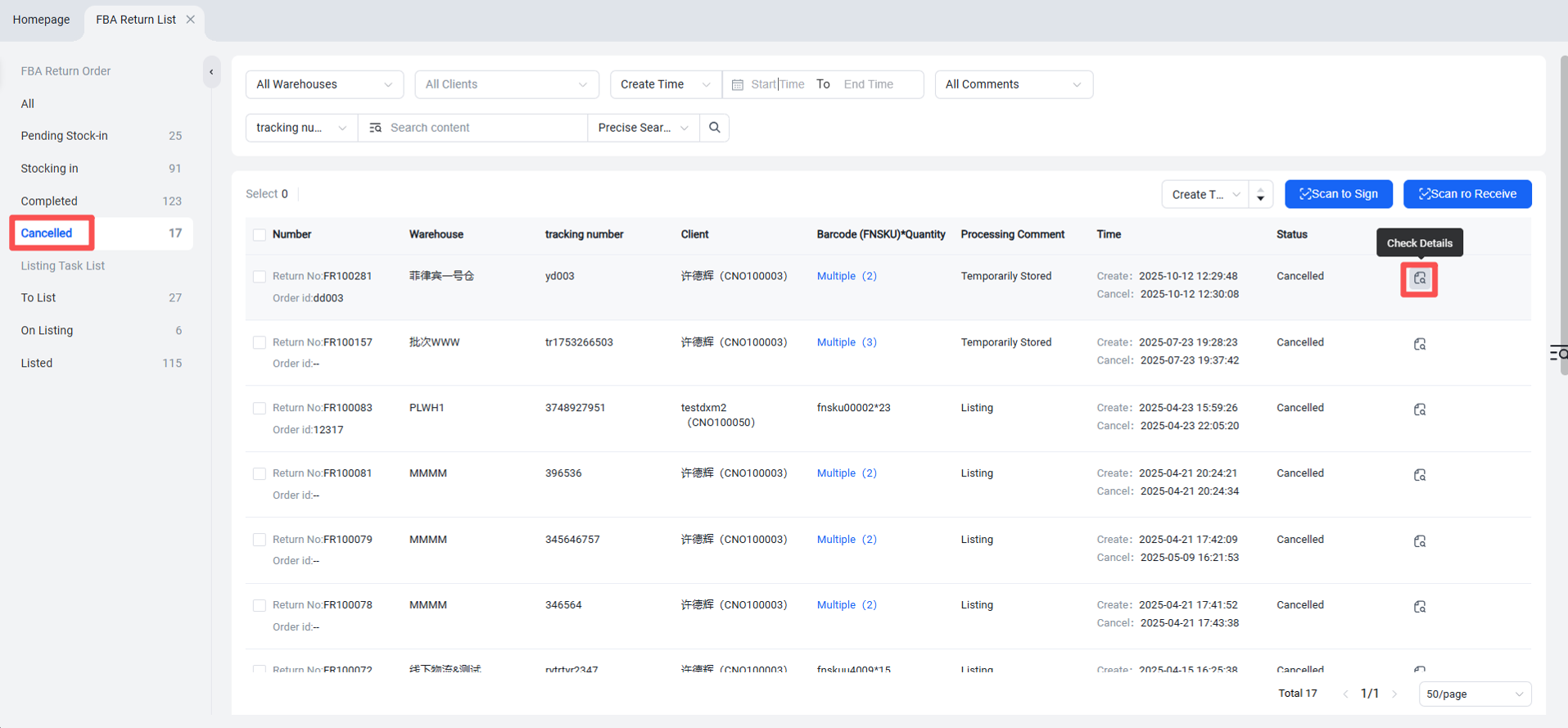
Note: If only partial goods are put away during the process, the inbound order will remain in the "Put-away in Progress" status. You can continue the put-away operation from this status.