Activate Client Account
I. Definition
Open an account for seller clients to enable them to log in and operate in the Seller Portal (OMS).
II. Operation Path
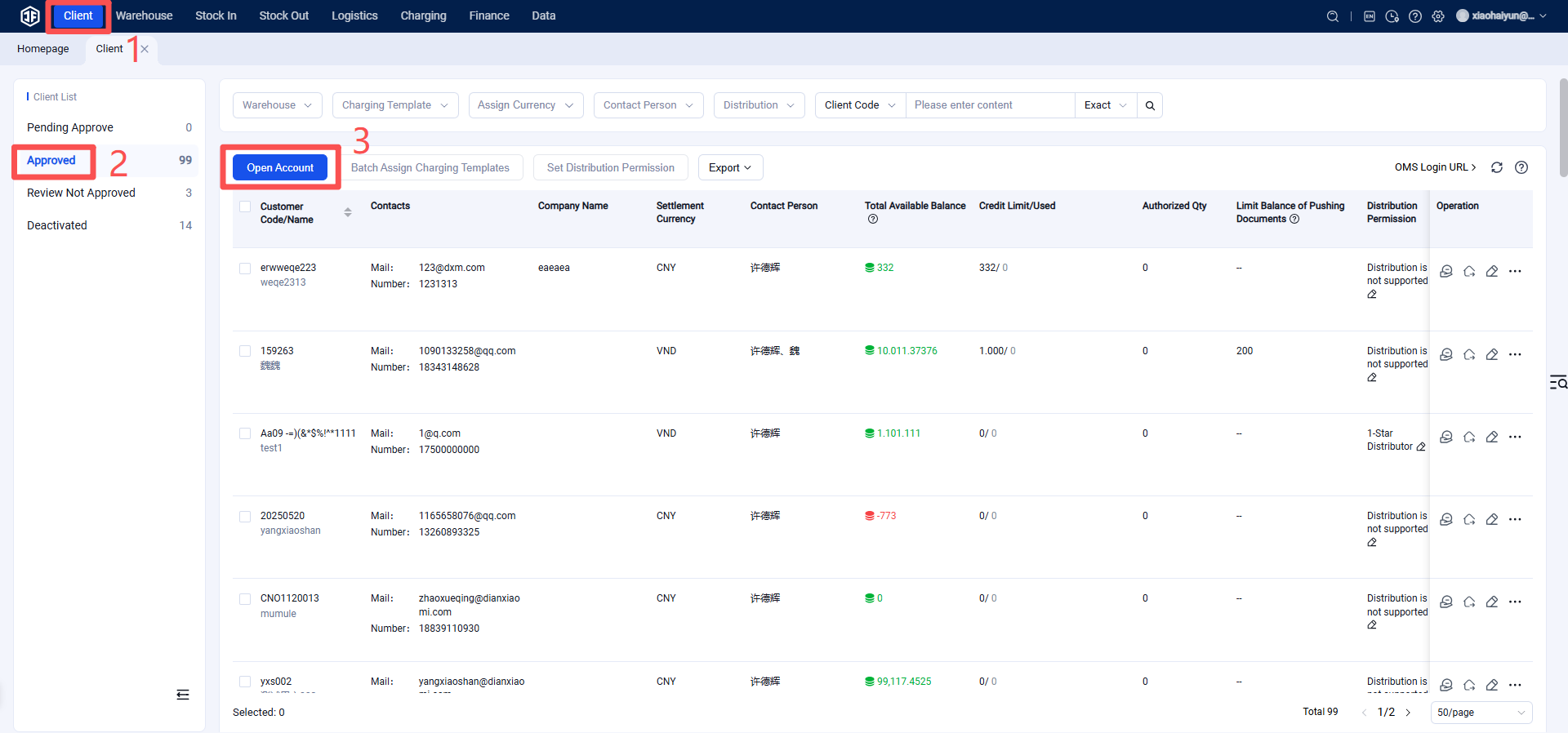
Clients > Opened Accounts > Open Account
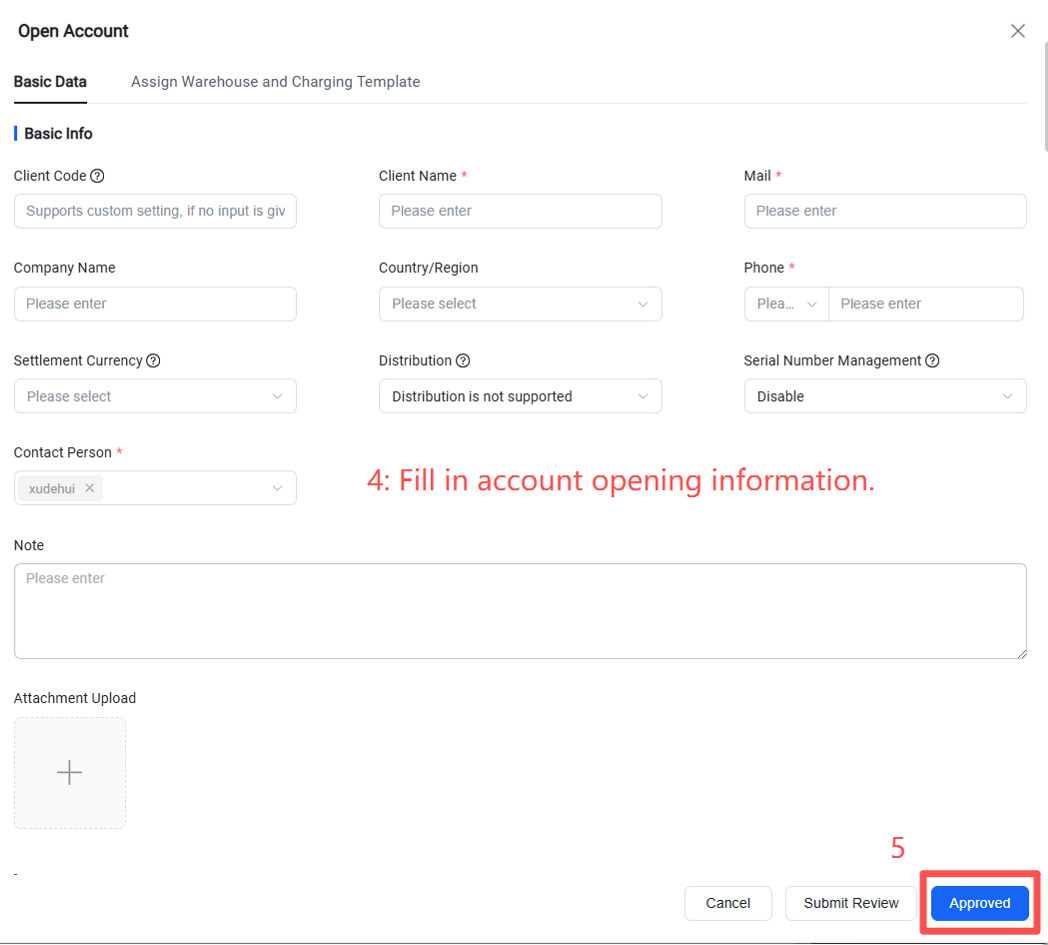
Required Information for Account Opening
(1) Customer Name: Required. Enter the customer's name.
(2) Email: Required. Please use the customer’s real email address. This email will receive the account opening confirmation and will be used to log in to the OMS client.
(3) Phone Number: Required. Please enter the customer’s valid phone number.
(4) Settlement Currency: Required. The settlement currency cannot be changed after the account is successfully opened.
(5) Contact Person: Required.
(6) Assigned Warehouse(s): Required. Select the warehouse(s) to be enabled for the customer and choose the billing template to be used for the customer in each warehouse.
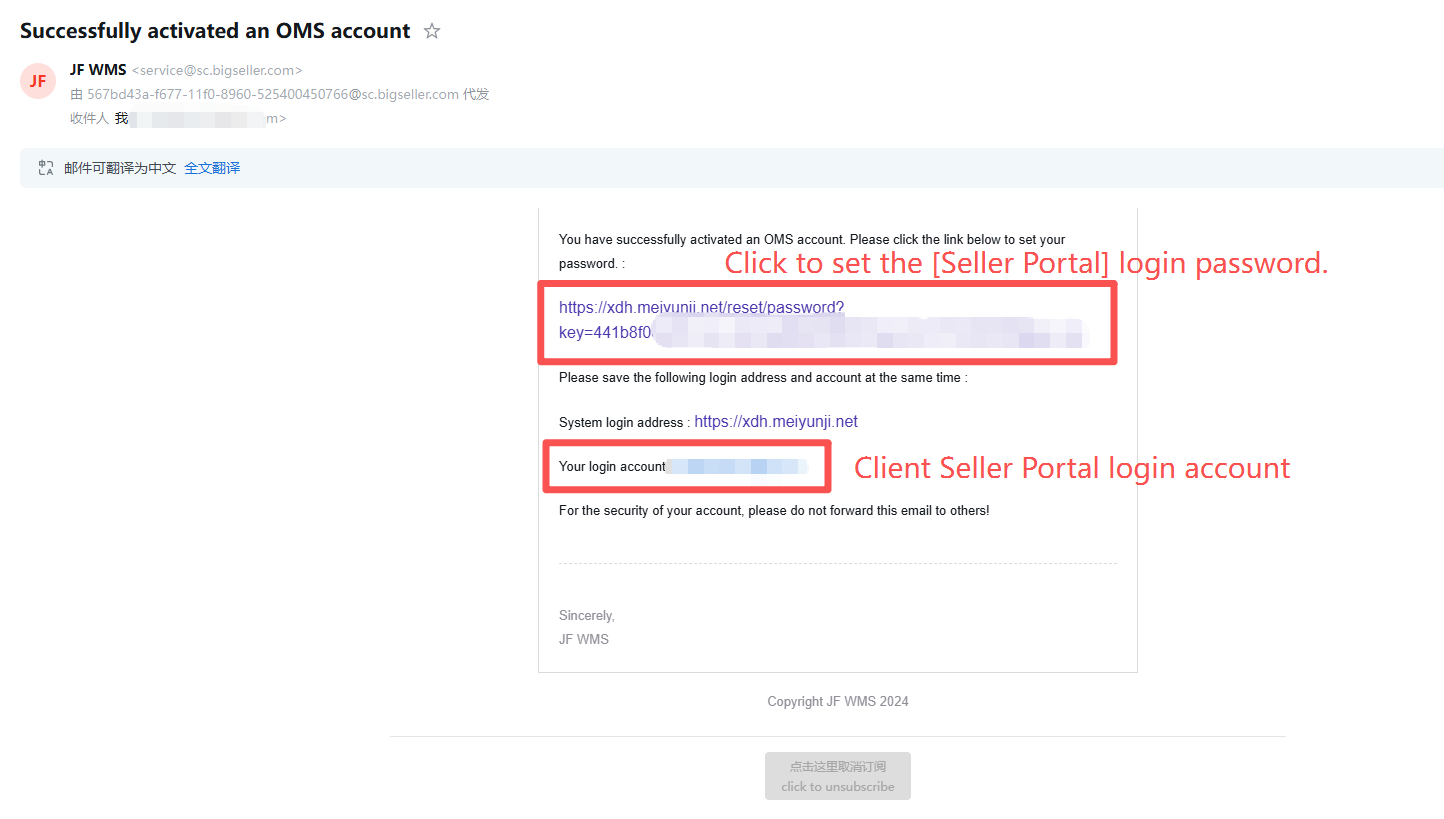
After the account is successfully opened, the customer's email will receive a confirmation message. The seller's email will also receive the Seller Portal (OMS) login URL and login account. The seller will need to click the link in the email to set the Seller Portal (OMS) login password and log in to their own account.
You can query the relevant information of successfully created clients in the opened account list.
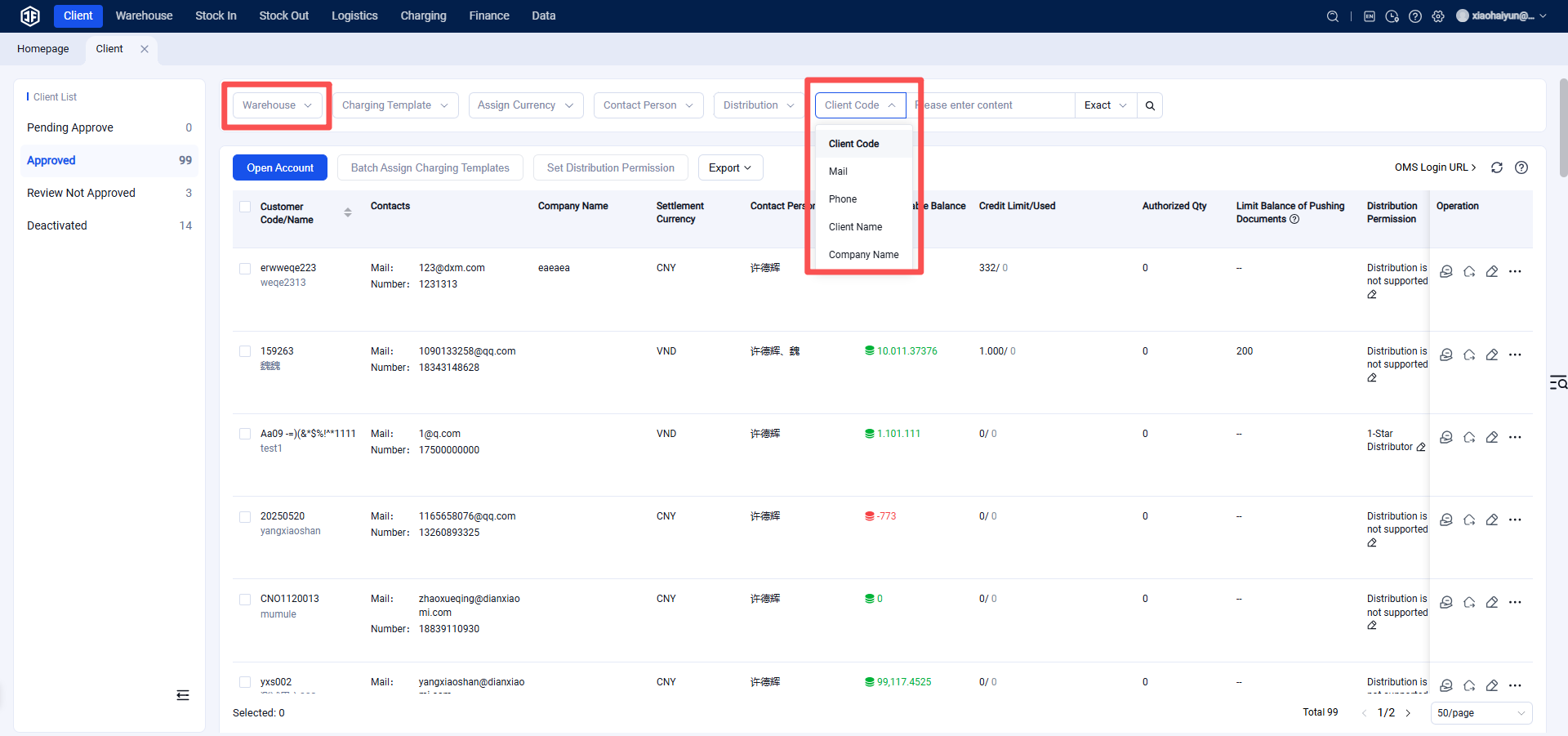
(1) Can filter by warehouse dimension.
(2) Can search for clients by client code, email, phone number, name, or company name.