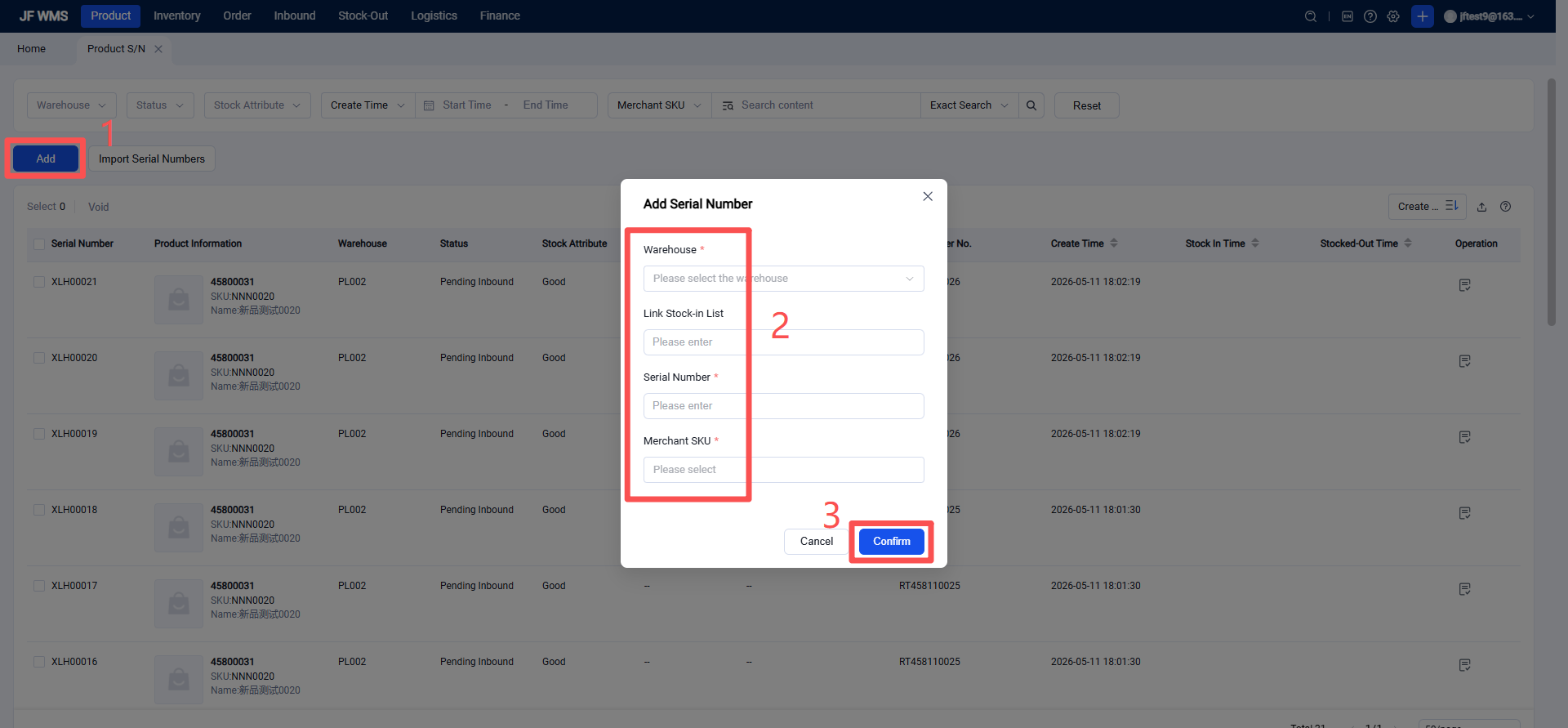
Serial Number Management
I. Definition
An SN code (Serial Number) is a unique identifier assigned to a product, also known as a serial number or machine code. Product management uses this unique serial number as a key identifier to track inventory, inbound, and outbound activities for each item.
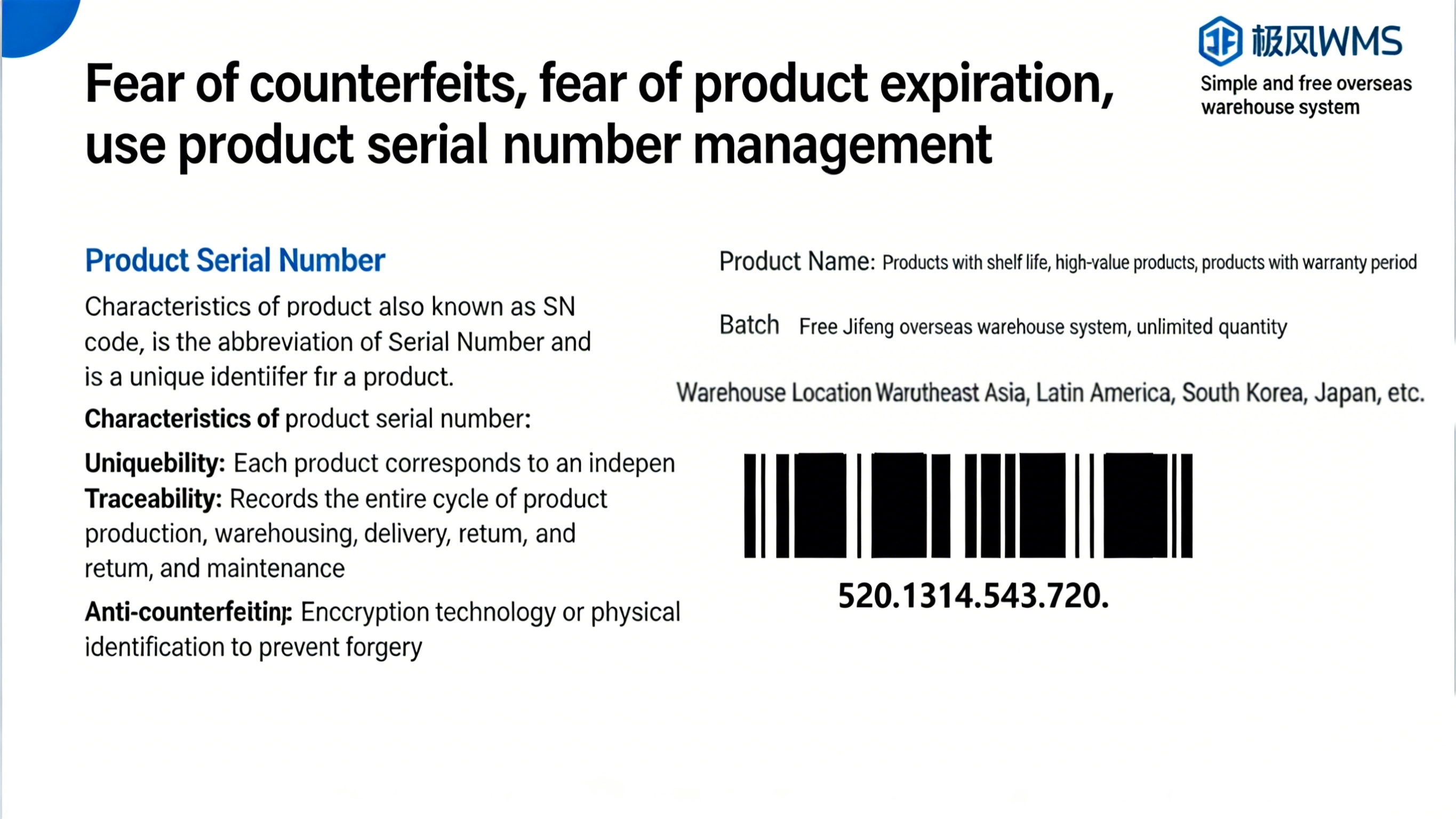
Significance of Product Serial Numbers:
Ensuring Product Authenticity On the one hand, consumers can verify the authenticity of a product by entering its serial number on the brand's official website. On the other hand, overseas warehouses and sellers can also use the serial number to confirm whether the product belongs to their inventory, avoiding confusion with goods from other sellers.
Recording Product Batch and Date (Production Traceability) If products are categorized by production time and batch, the serial number serves as a key basis for warranty, quality assurance, and service tracking. It allows quick access to information such as production date and batch details.
Supply Chain Inventory Management Enables inventory control at the individual product level, reducing losses and improving accuracy.
Warranty Service Verification Quickly verify whether a product is within the warranty period by its serial number, enhancing after‑sales service efficiency.
Data‑Driven Decision Making Through tracking sales and shipments via serial numbers, analyze the circulation path of individual items and identify slow‑moving regions. Statistics on batches with high return rates can also help improve production processes.
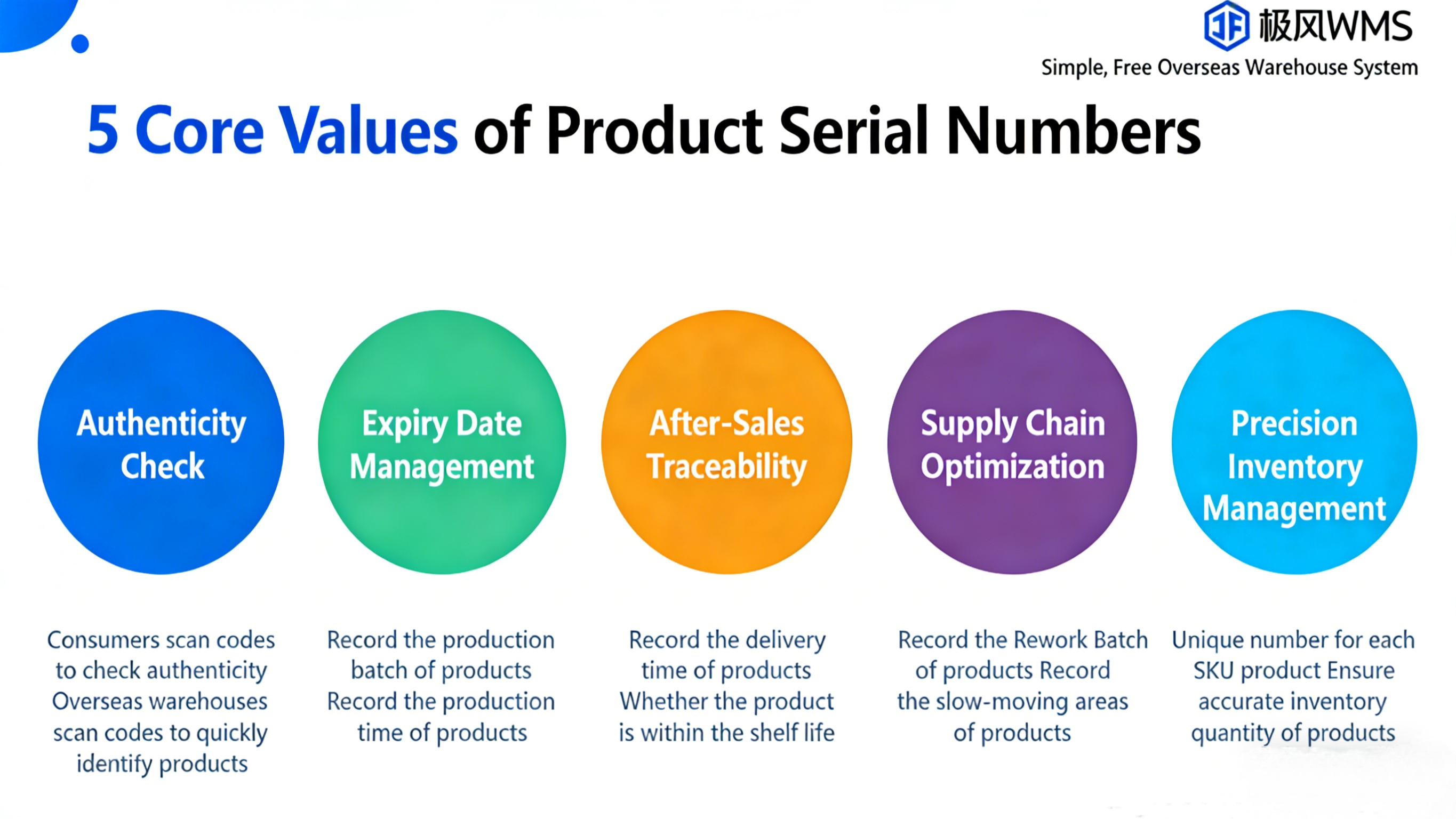
II. Operational Path
First, Product Serial Number Usage Process:
Enable Product Serial Number Management
Manage Product Serial Numbers
Inbound with Serial Numbers
Outbound with Serial Numbers
Returns with Serial Numbers
Next, Specific Operations:
Overseas Warehouse Designates Serial Number Management for Sellers During client onboarding, the warehouse can choose whether the [Seller] should use [Product Serial Number Management], and select the method to provide to the seller:
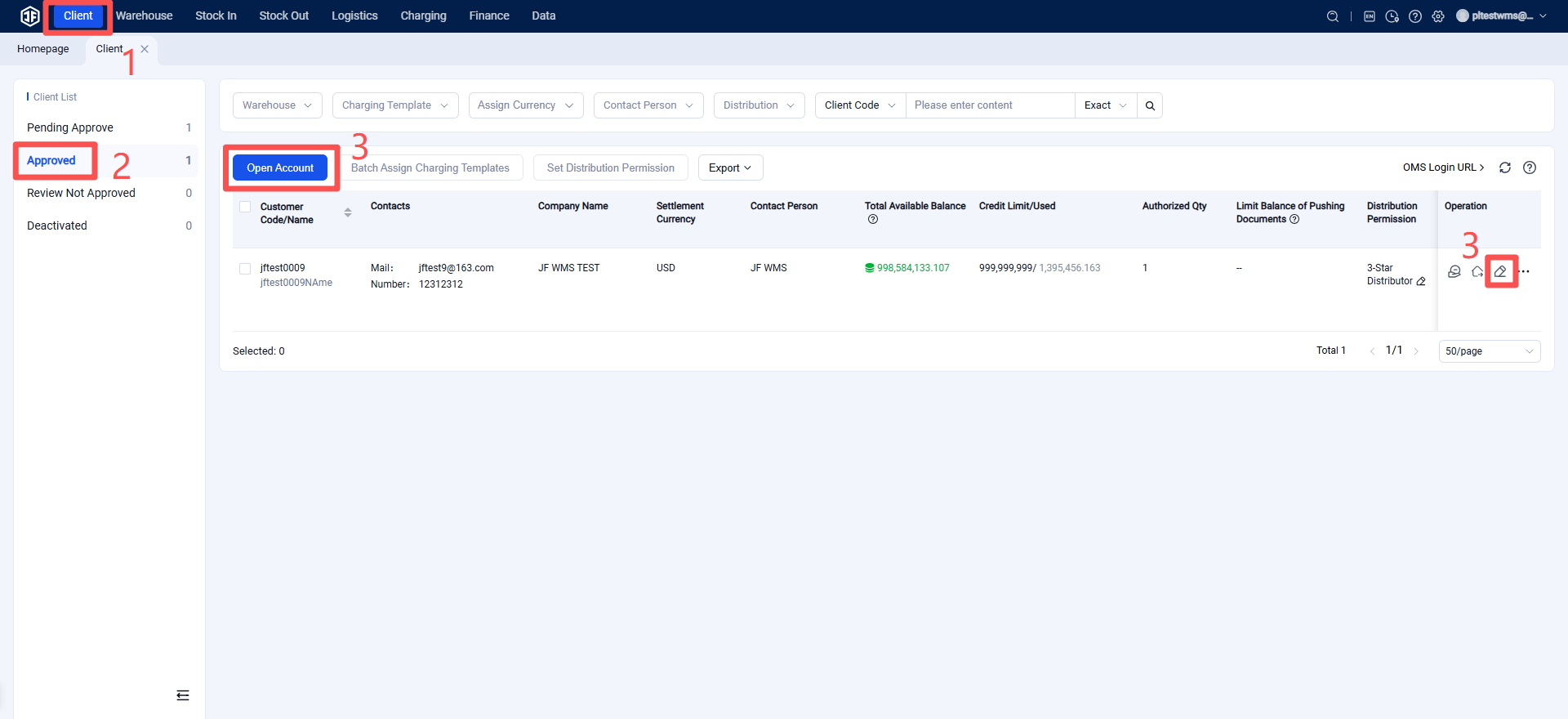
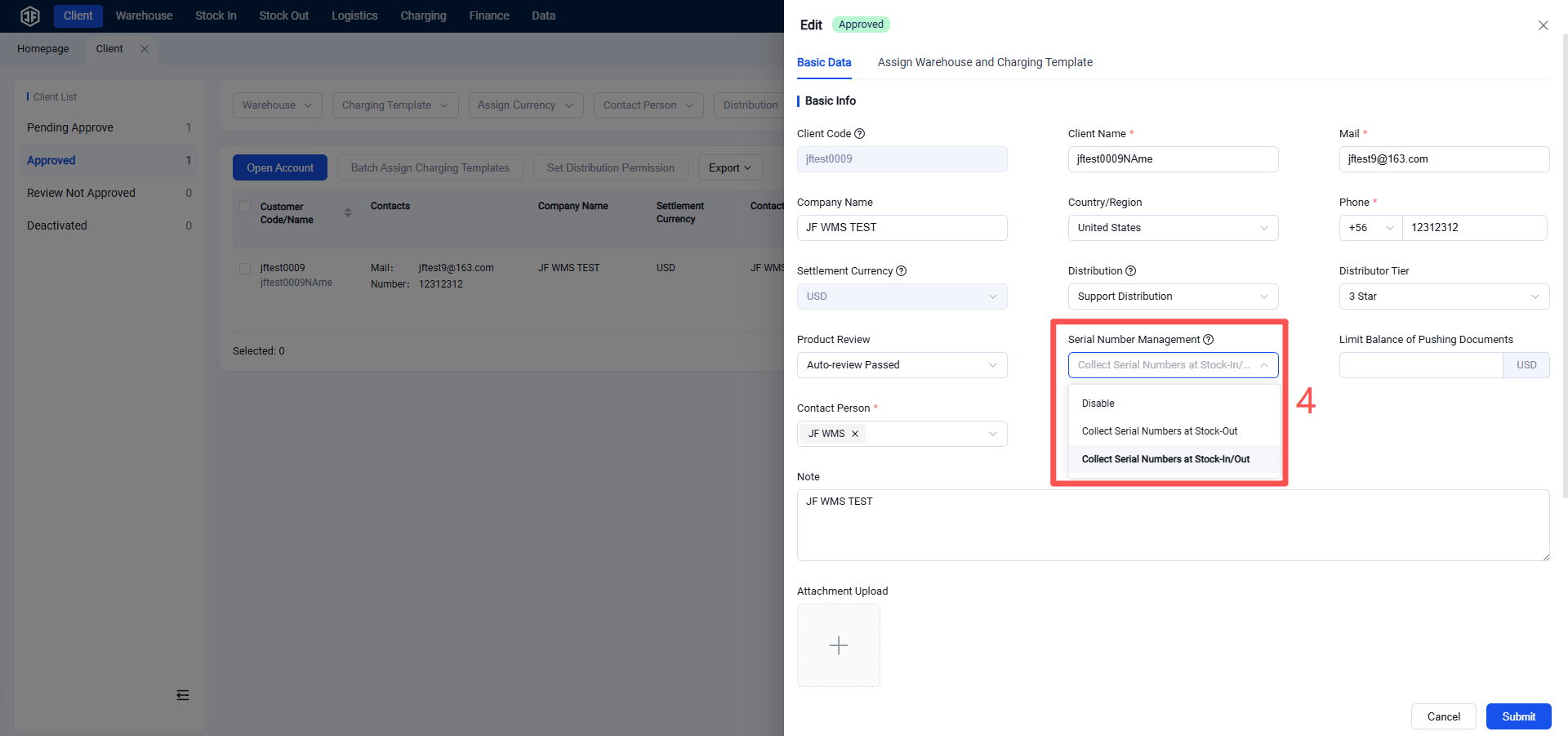
Outbound Serial Number Collection:
Only controls outbound operations. Serial numbers are scanned and recorded during shipping to track outbound serial numbers, but no binding relationship between serial numbers and rack locations is recorded.
This method is suitable for sellers dealing with items such as food and general-value products, as it offers a simpler operational workflow.
Inbound & Outbound Serial Number Collection:
Controls both inbound and outbound operations. Product serial numbers are scanned and collected during both receiving and shipping.
Seller Selects Suitable Products for Serial Number Management
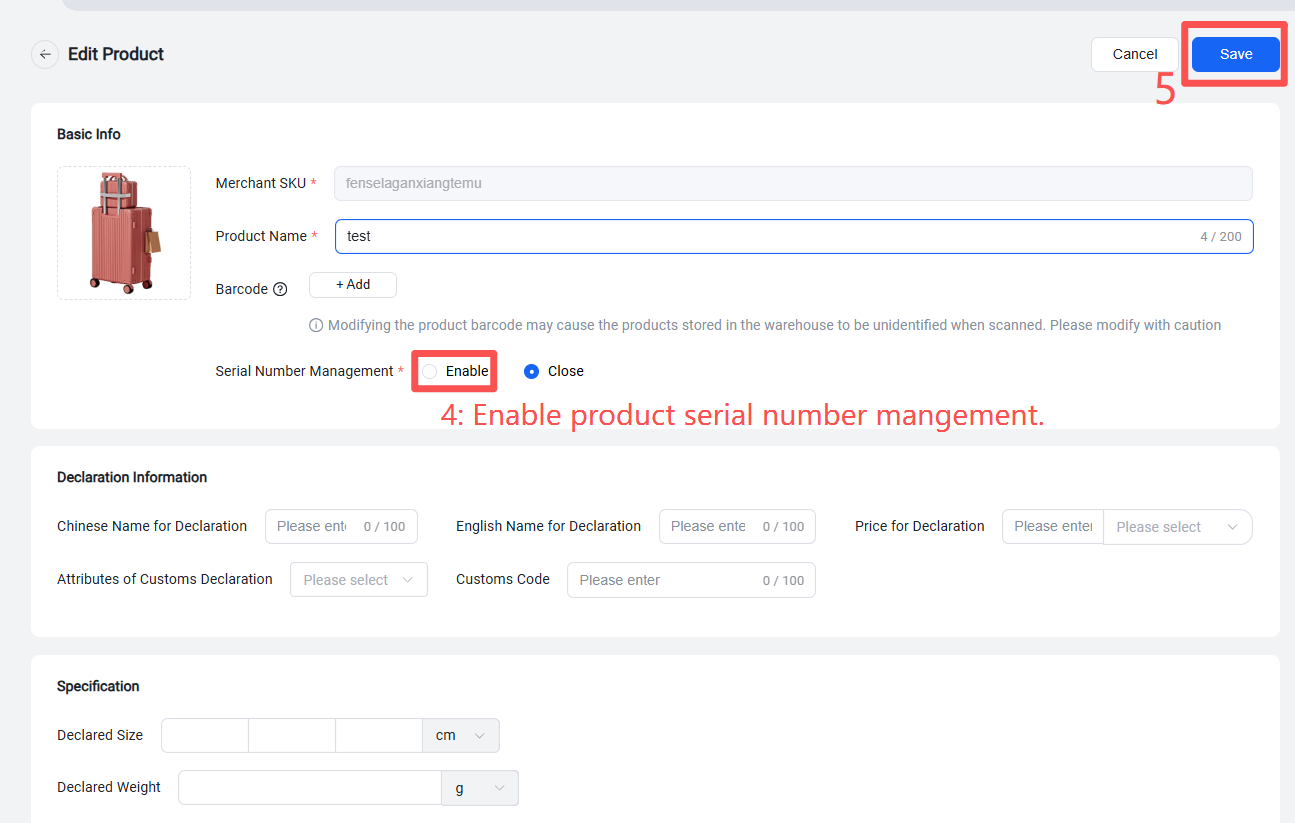
After the overseas warehouse enables product serial number management for a seller, the seller can create or edit products in the Seller Portal (OMS) under Product Management and choose whether to apply serial number management to each product.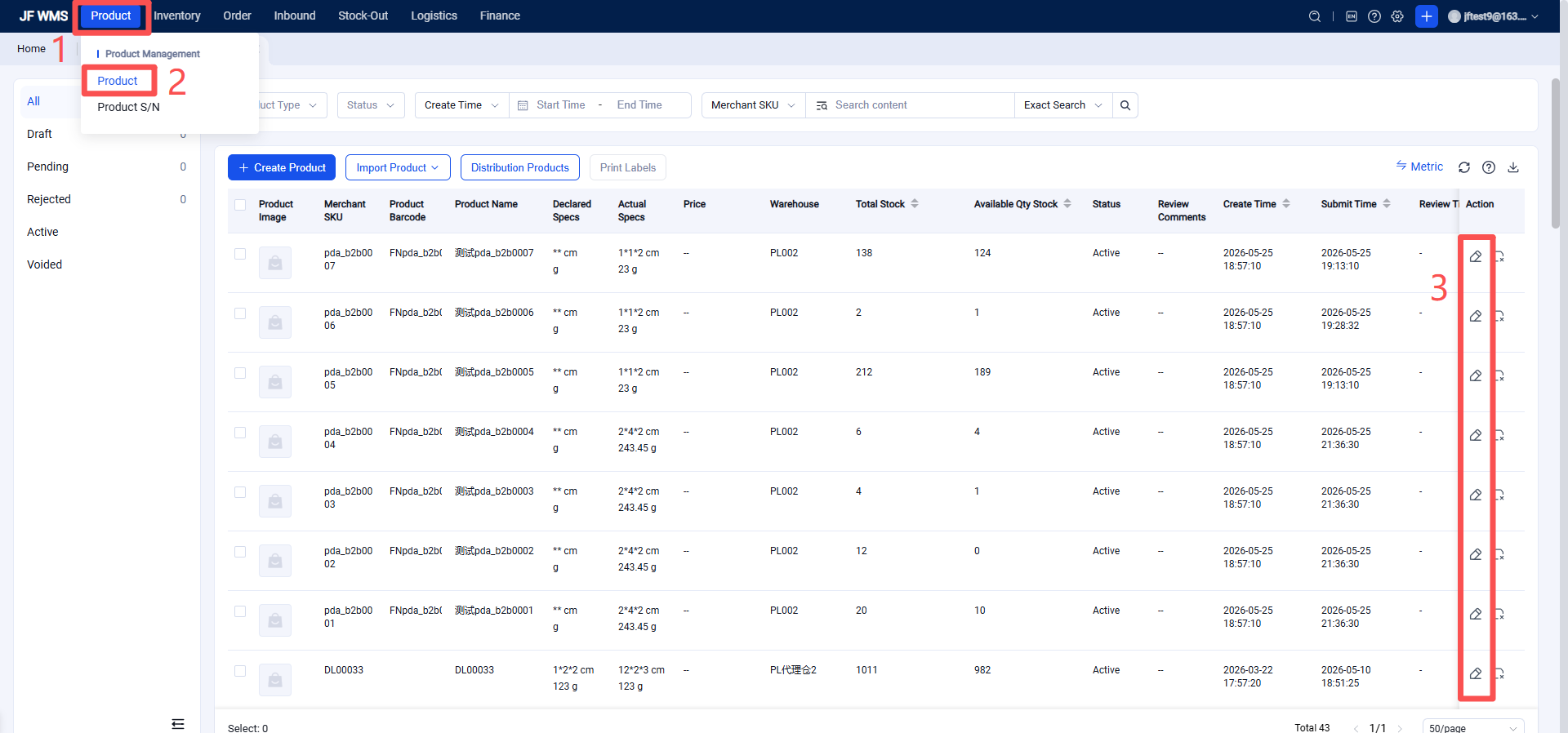
Seller Creates Serial Number-Based Inbound Orders
The seller creates an inbound order in the Seller Portal (OMS). In the product list section, they can select serial-numbered products, and also supports creating serial-numbered products by carton or via import.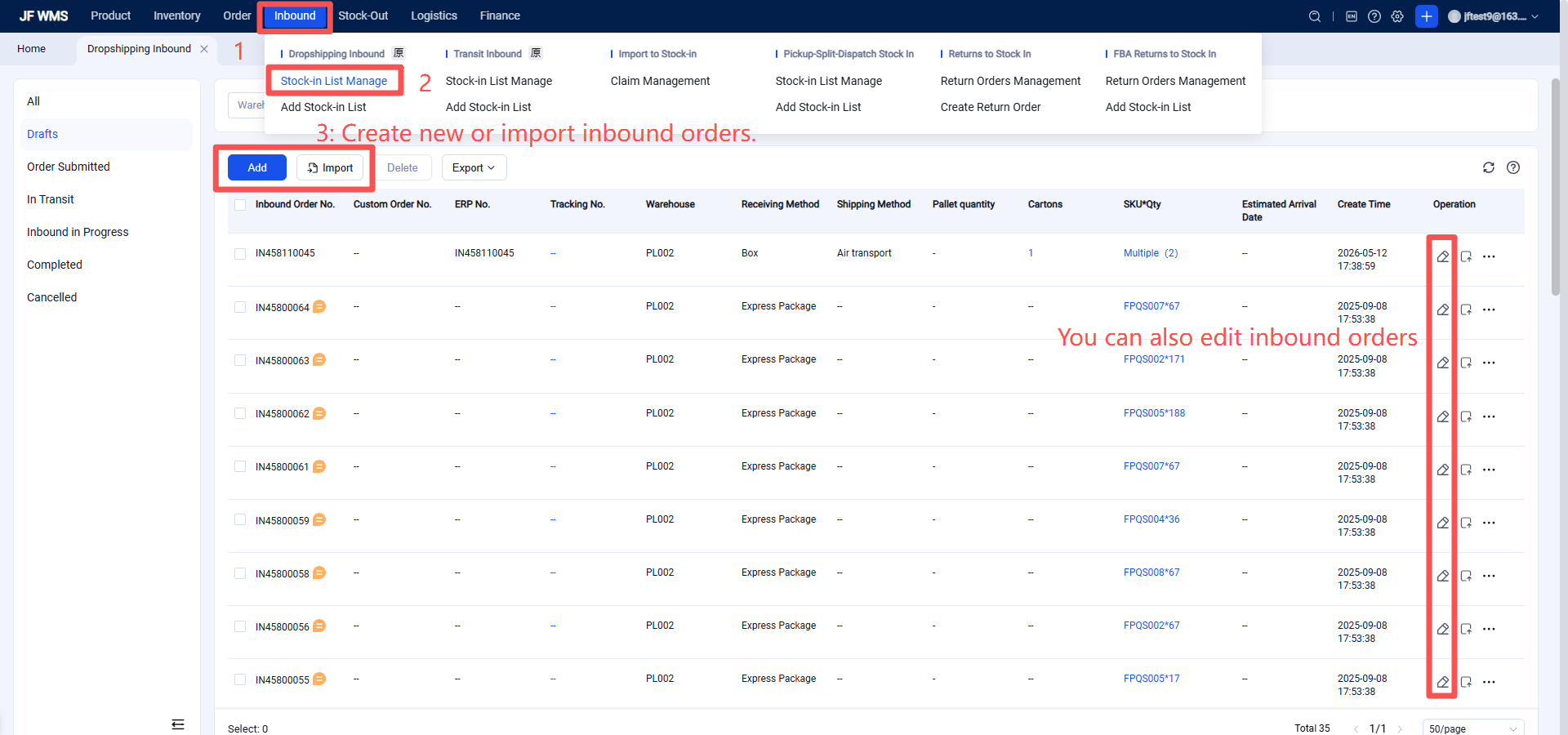
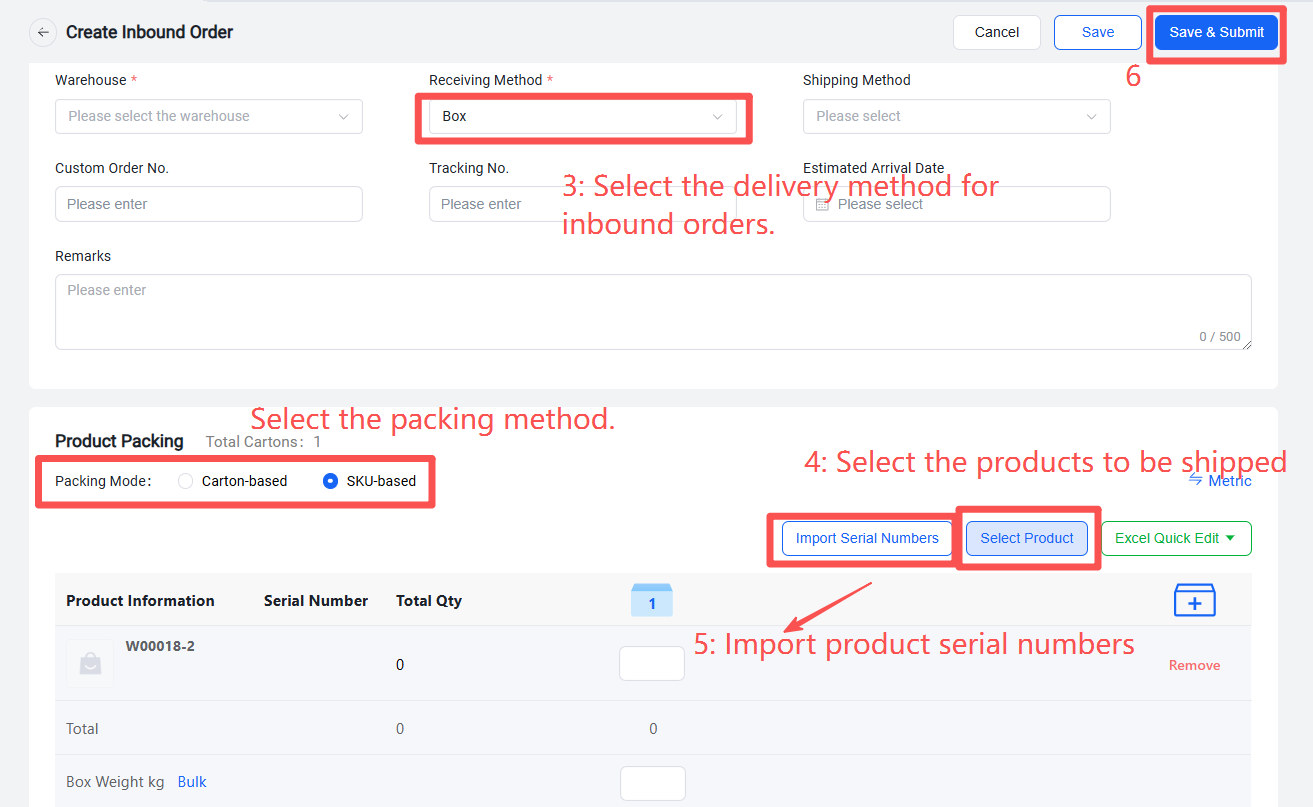
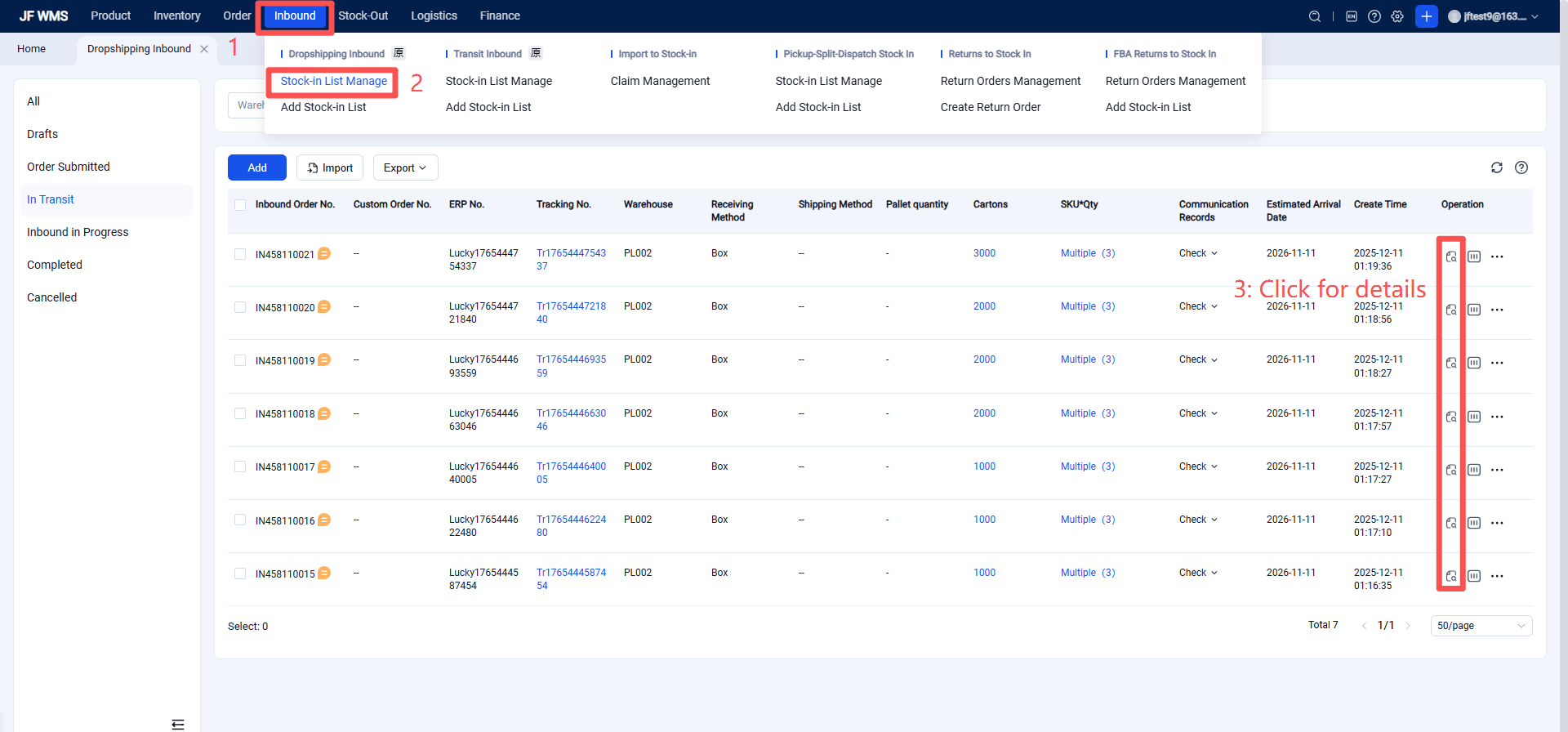
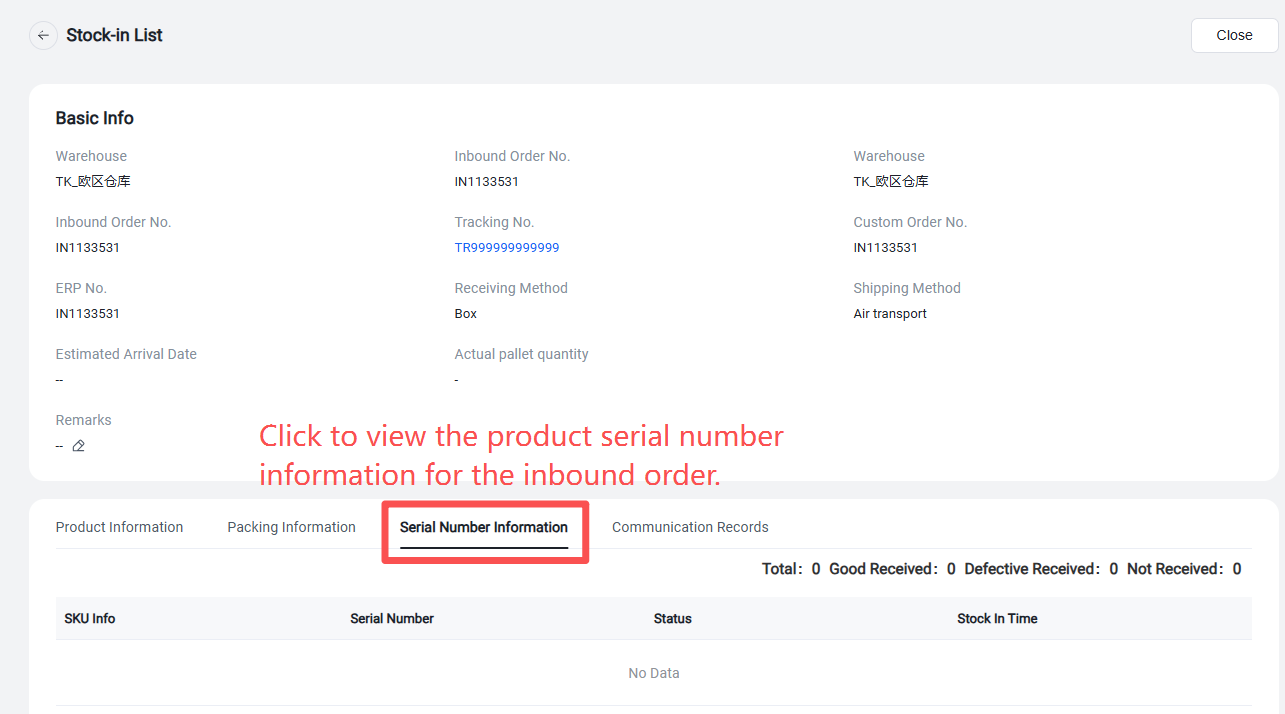
Reminder: For already created inbound orders, you can view the serial-numbered products in the inbound order details section.
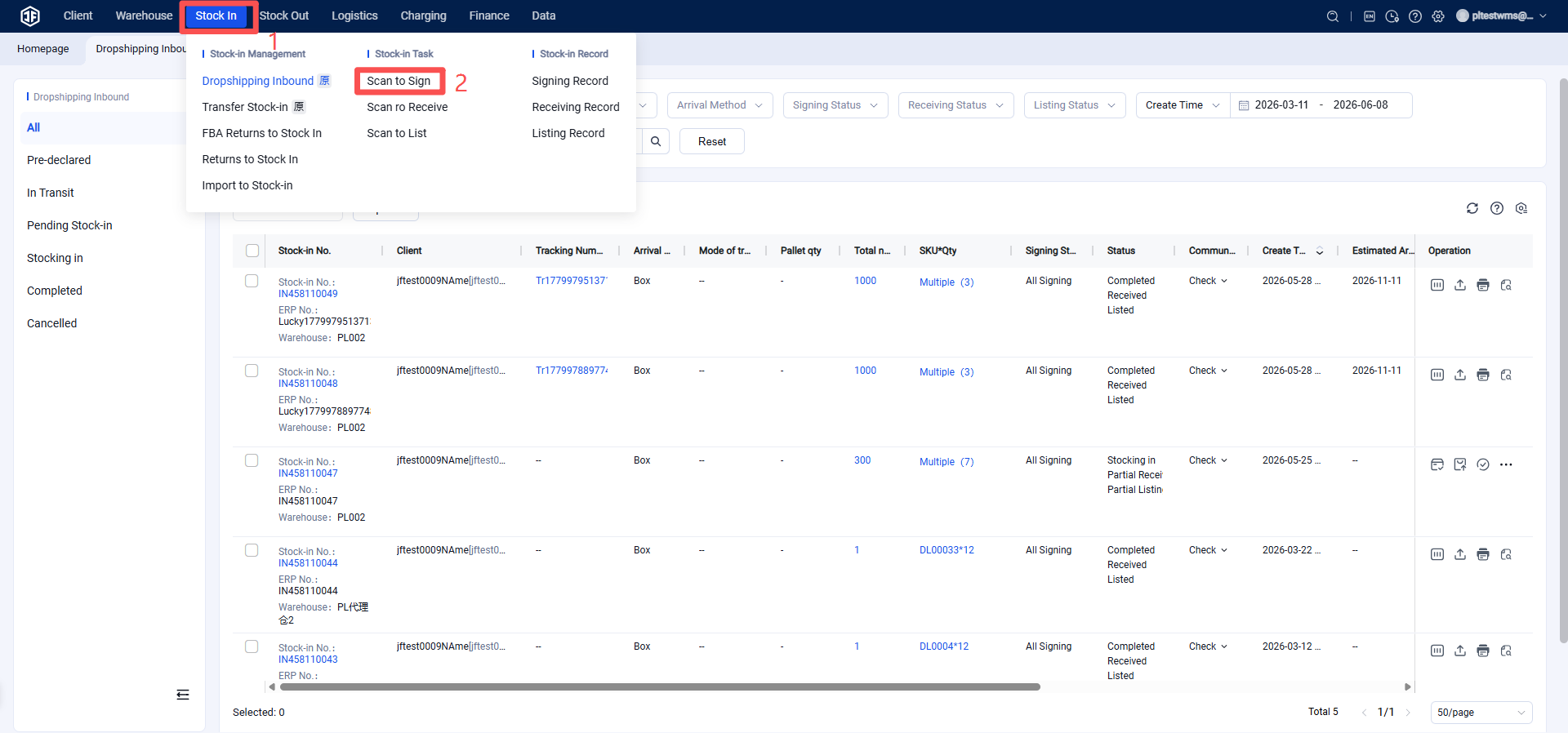
Overseas Warehouse Scans for Receiving, Checking, and Serial‑Number‑Based Putaway
(1) Scan for Receiving
(After scanning for receipt confirmation, the goods enter the "Pending Inbound" status.)
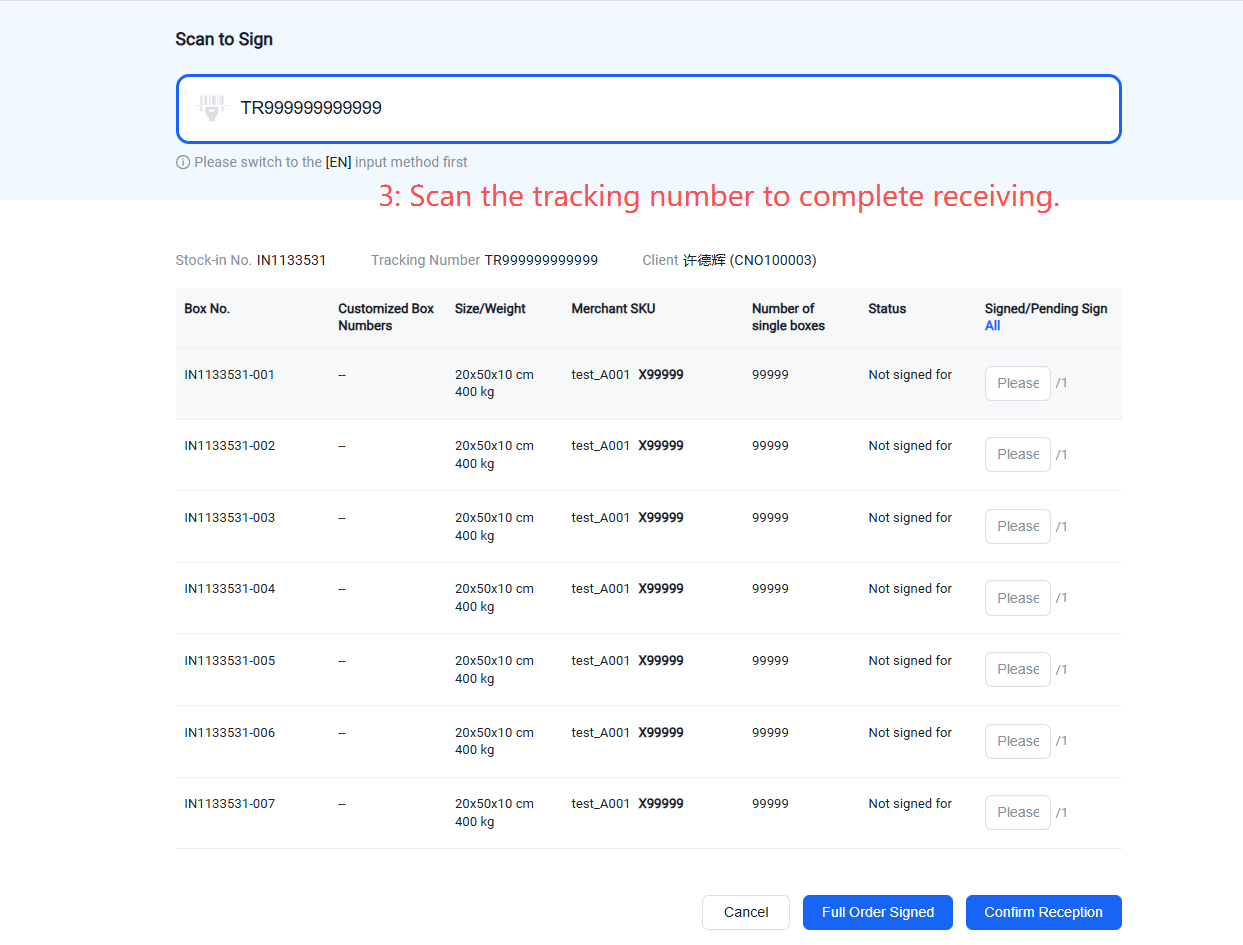
(2) Overseas warehouse scans for goods receipt
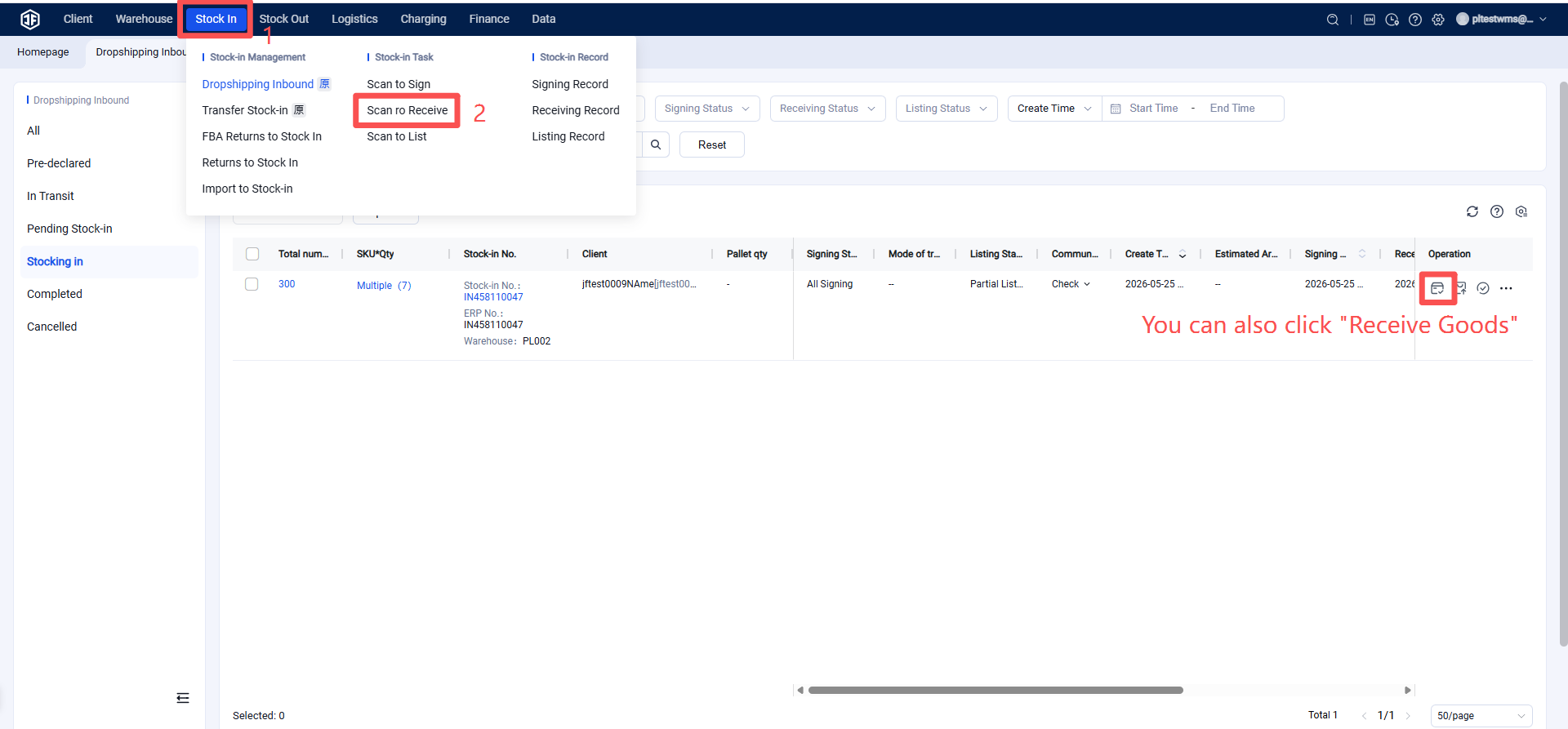
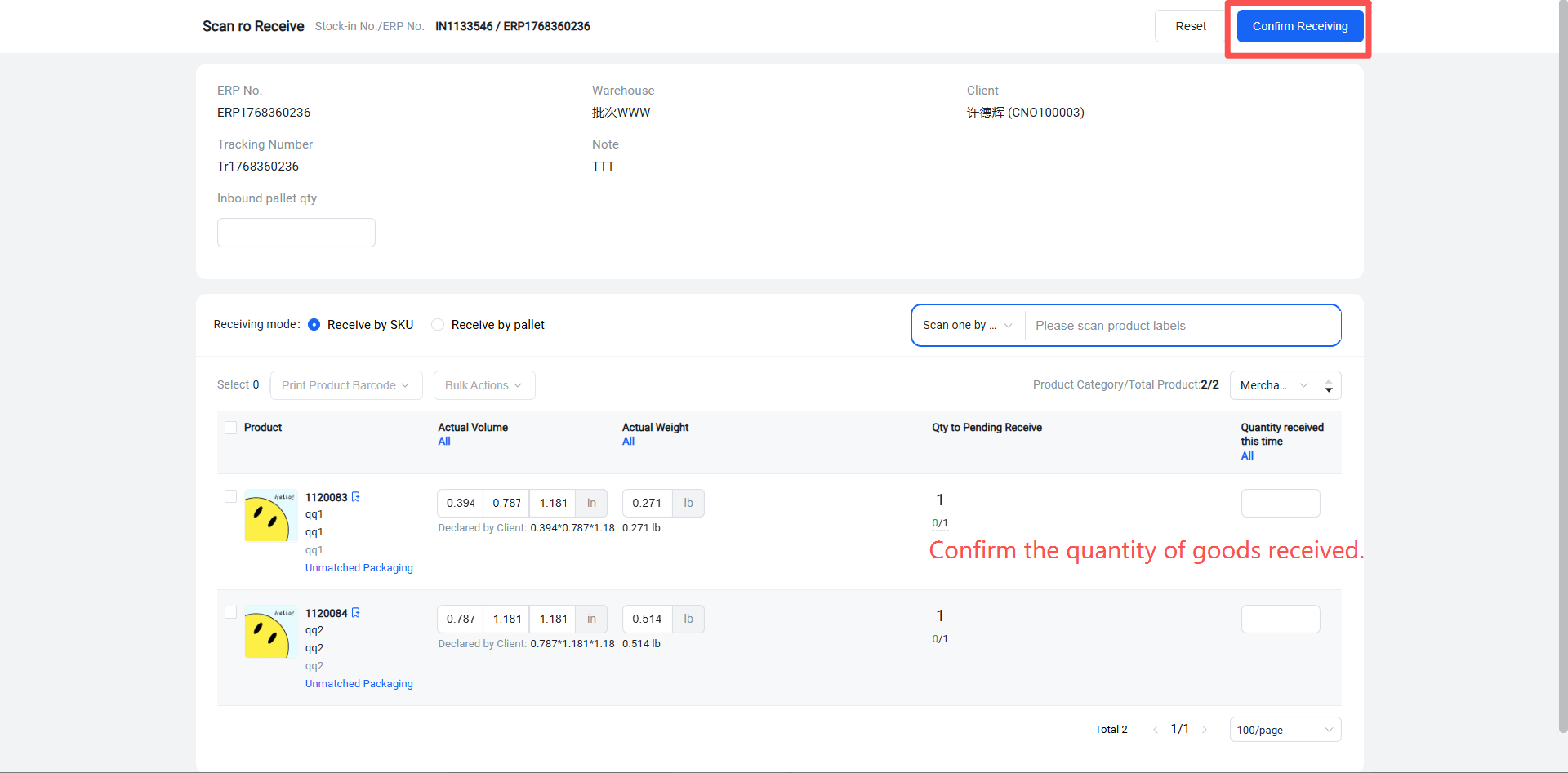
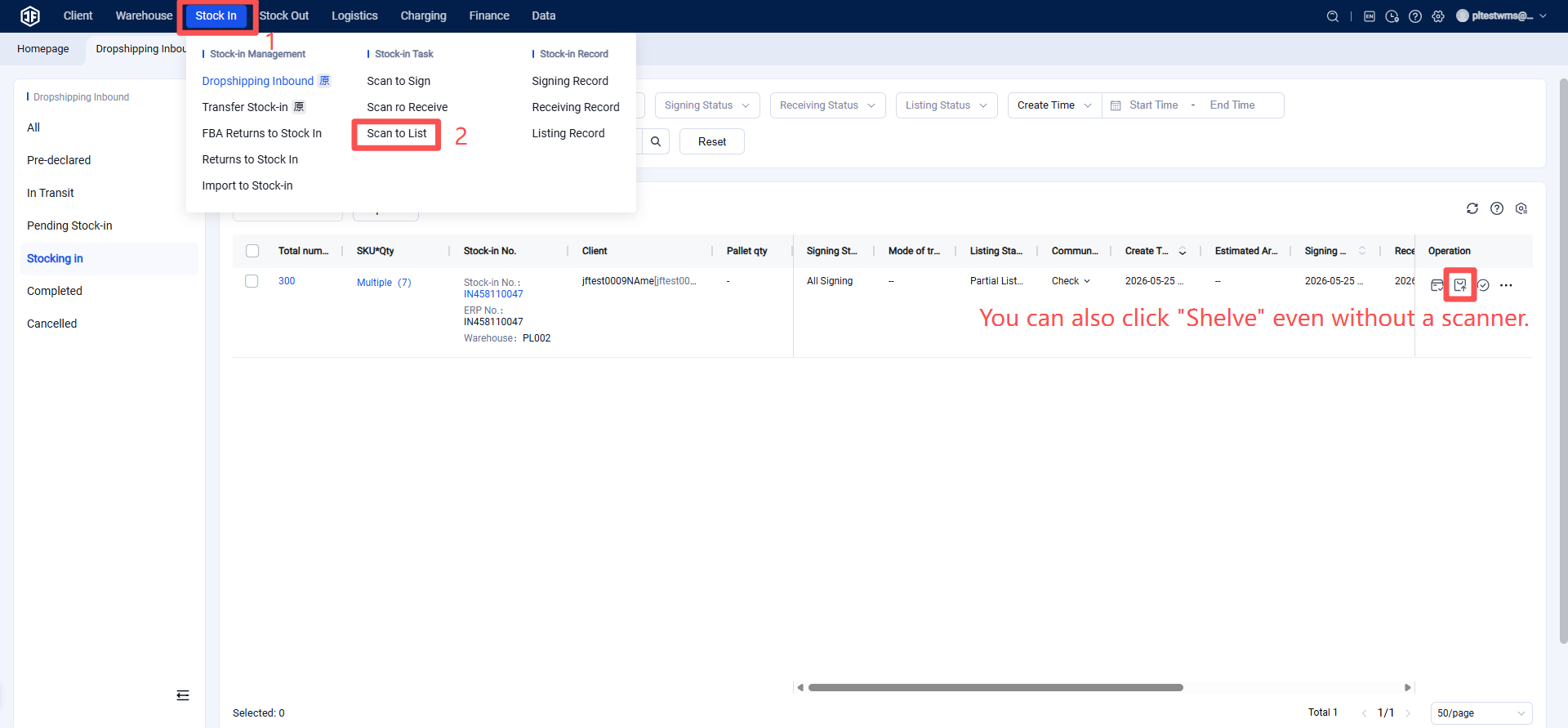
(3) Scan for shelving or click to shelve (After receipt is completed, the goods enter the "Inbound Processing" status).
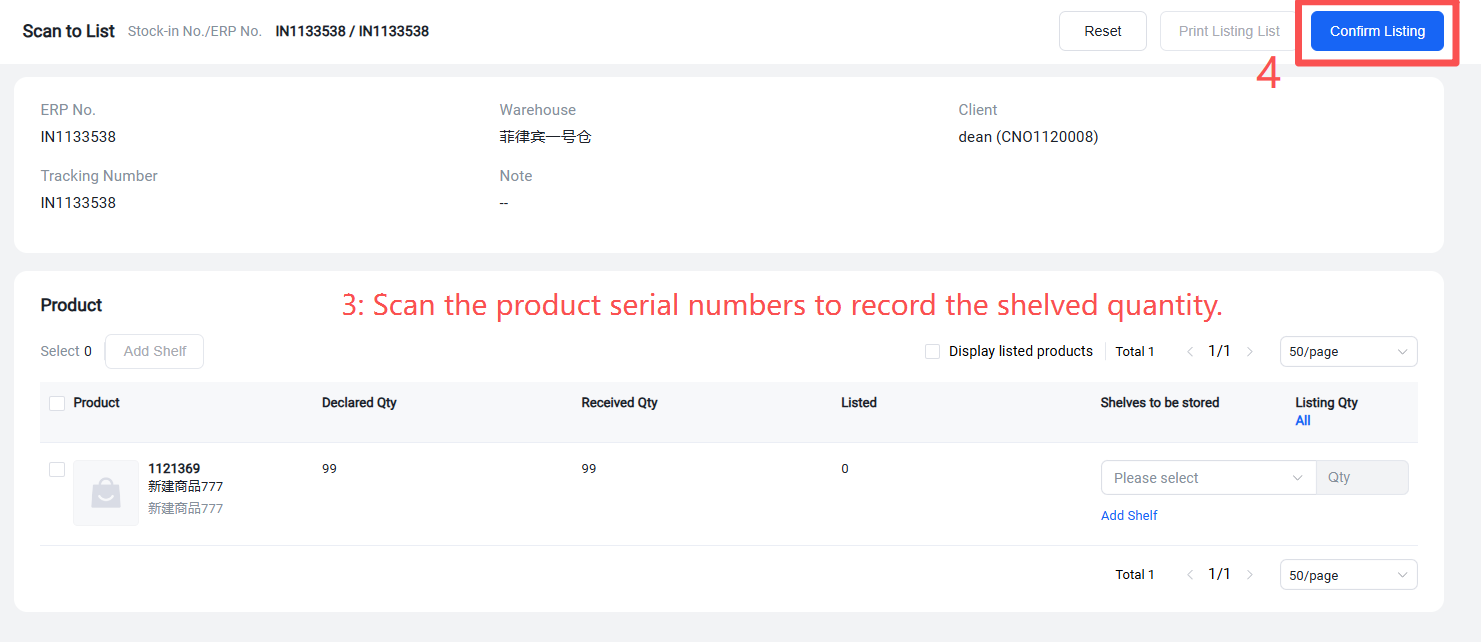
4. Overseas Warehouse Scans Product Serial Numbers for Outbound
(1) Generate picking wave for orders with serial numbers
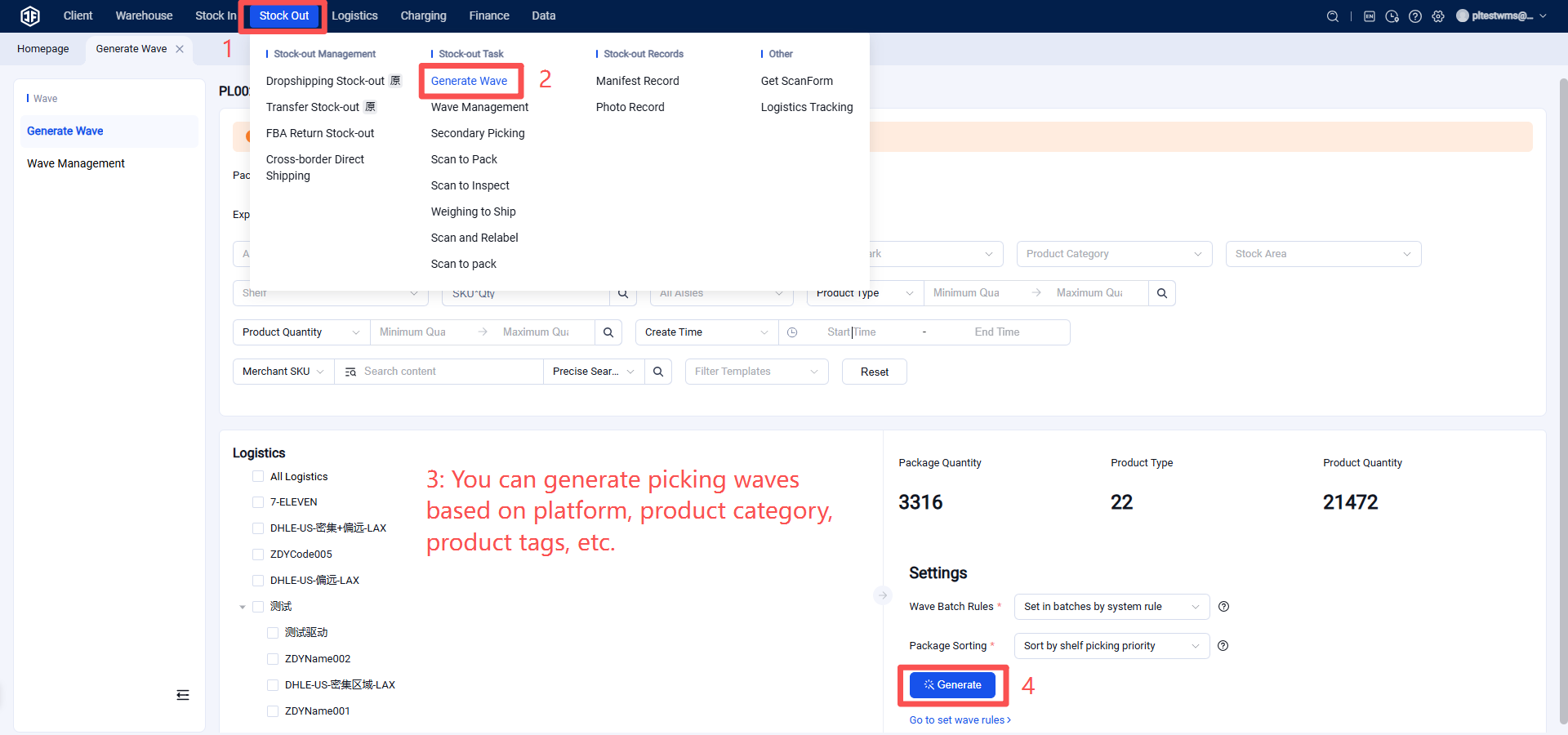
Bosses using simple order printing can generate picking waves from the pending order printing list.
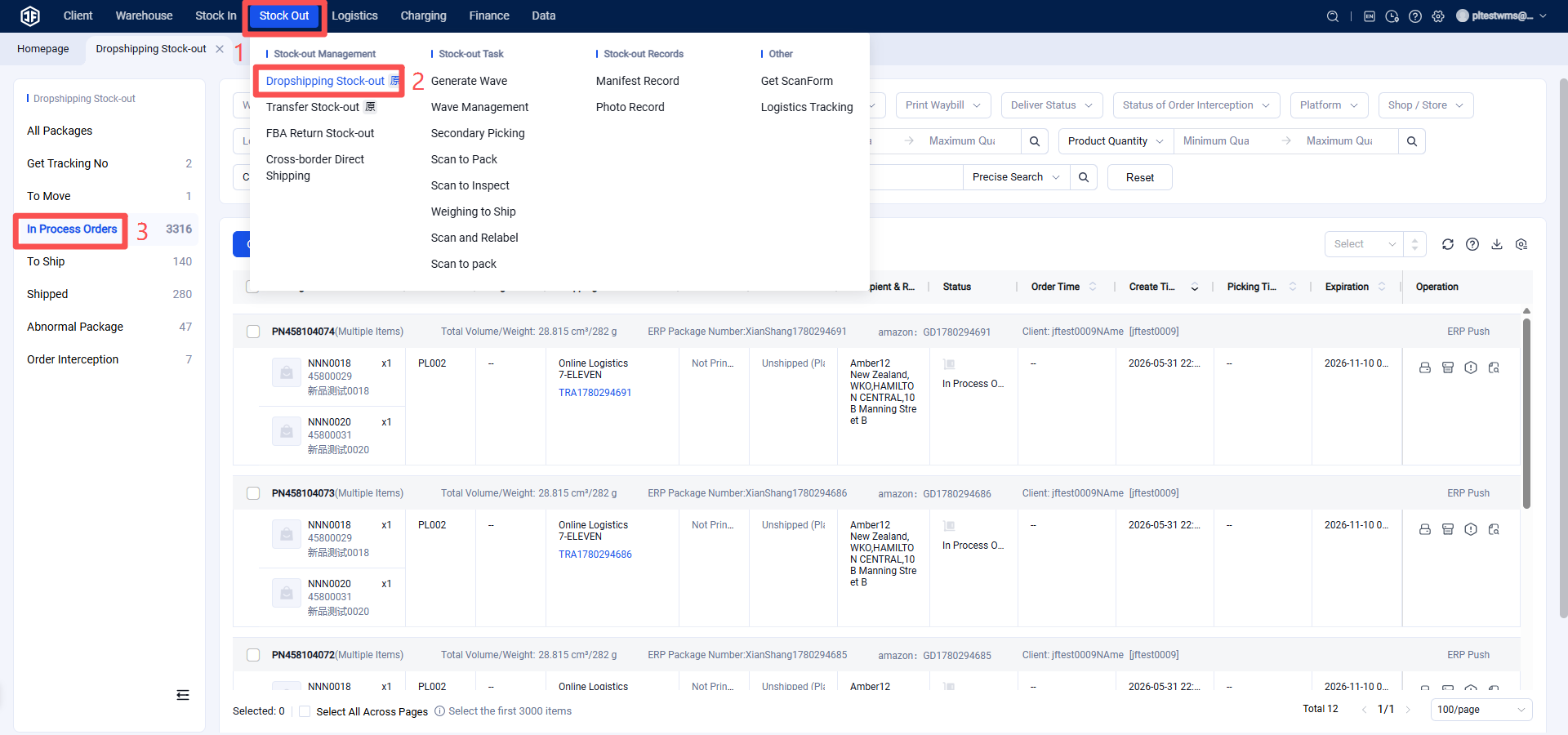
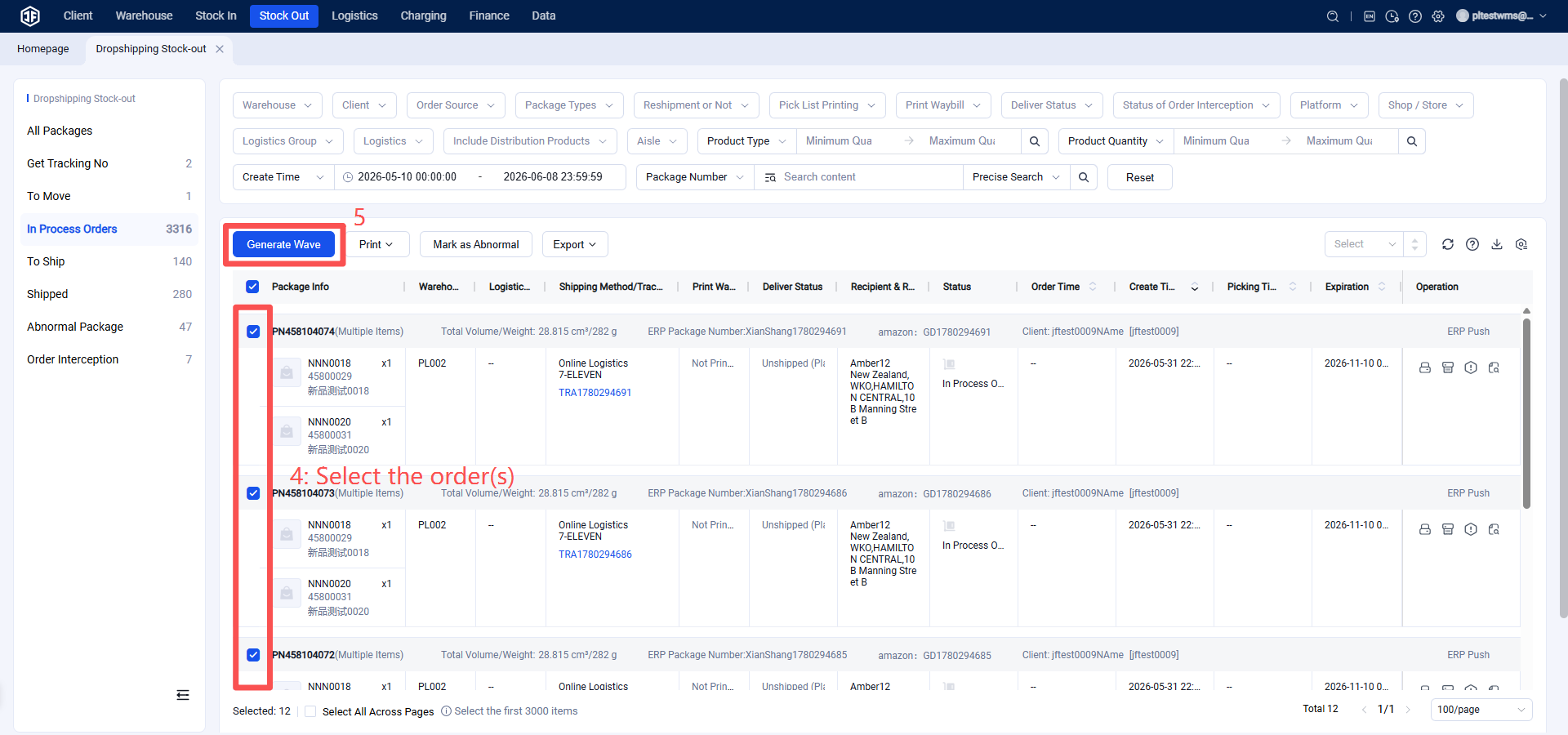
(2) Print picking list and pick goods
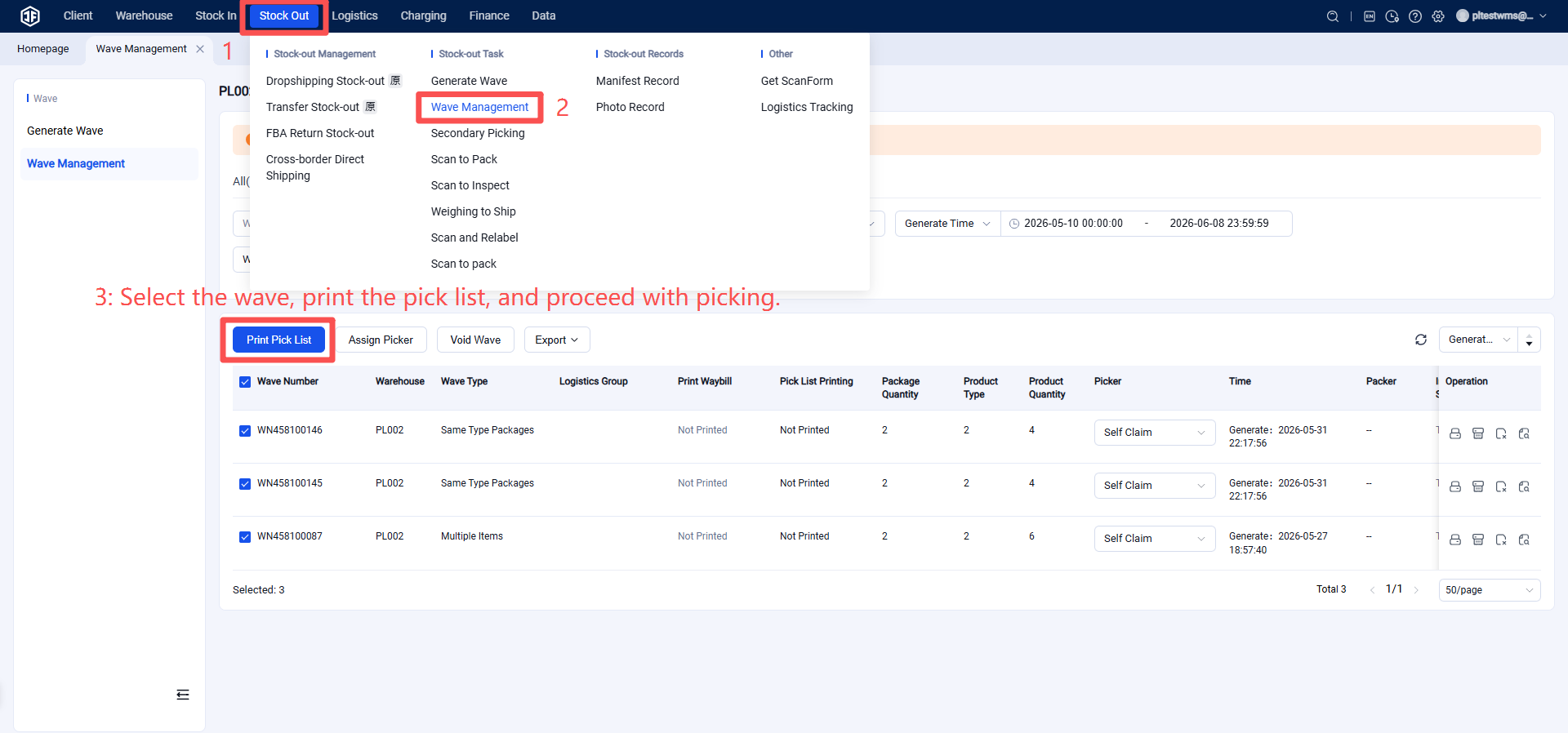
(3) Scan for packaging.
During packaging, scan the product label or scan the serial number to automatically print the shipping label.
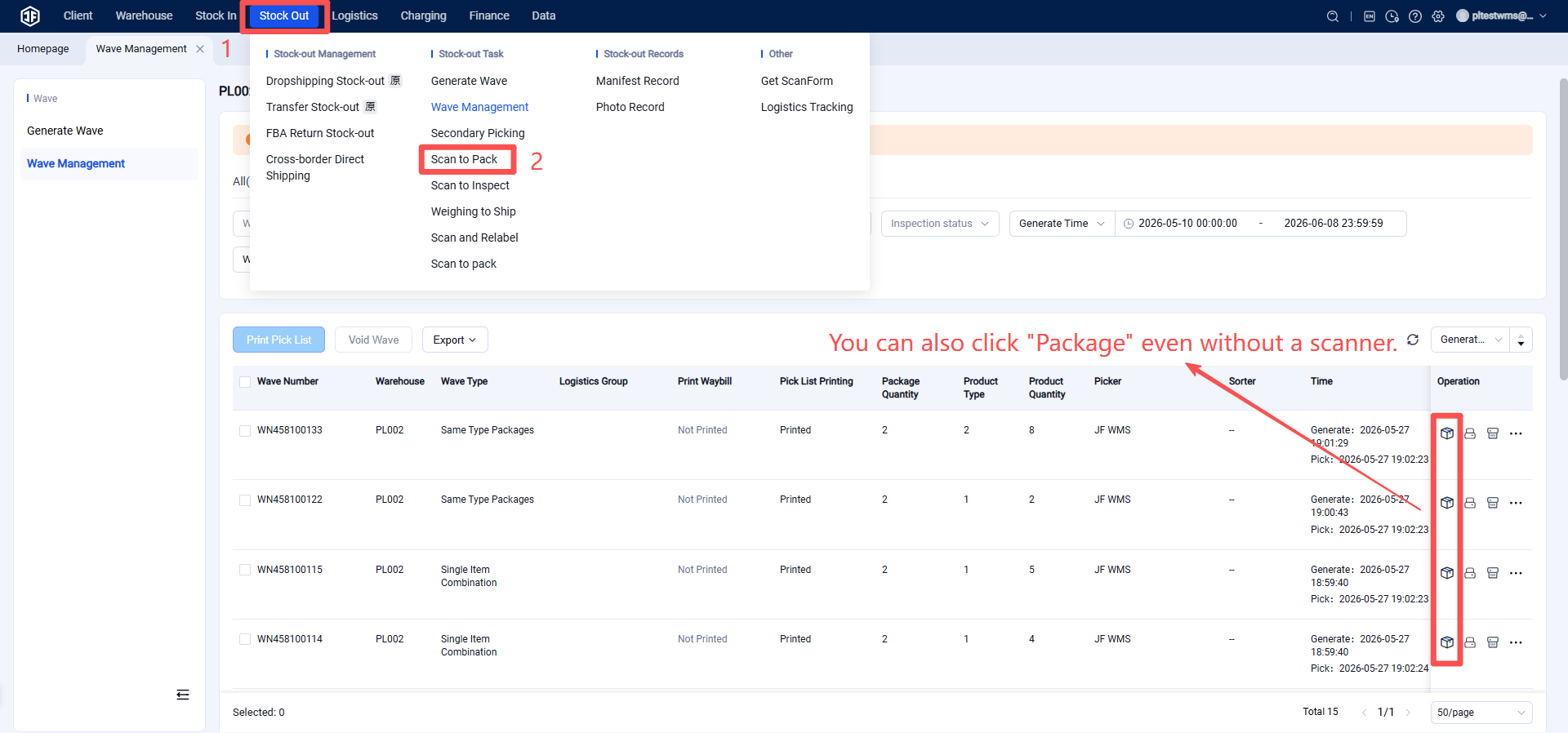
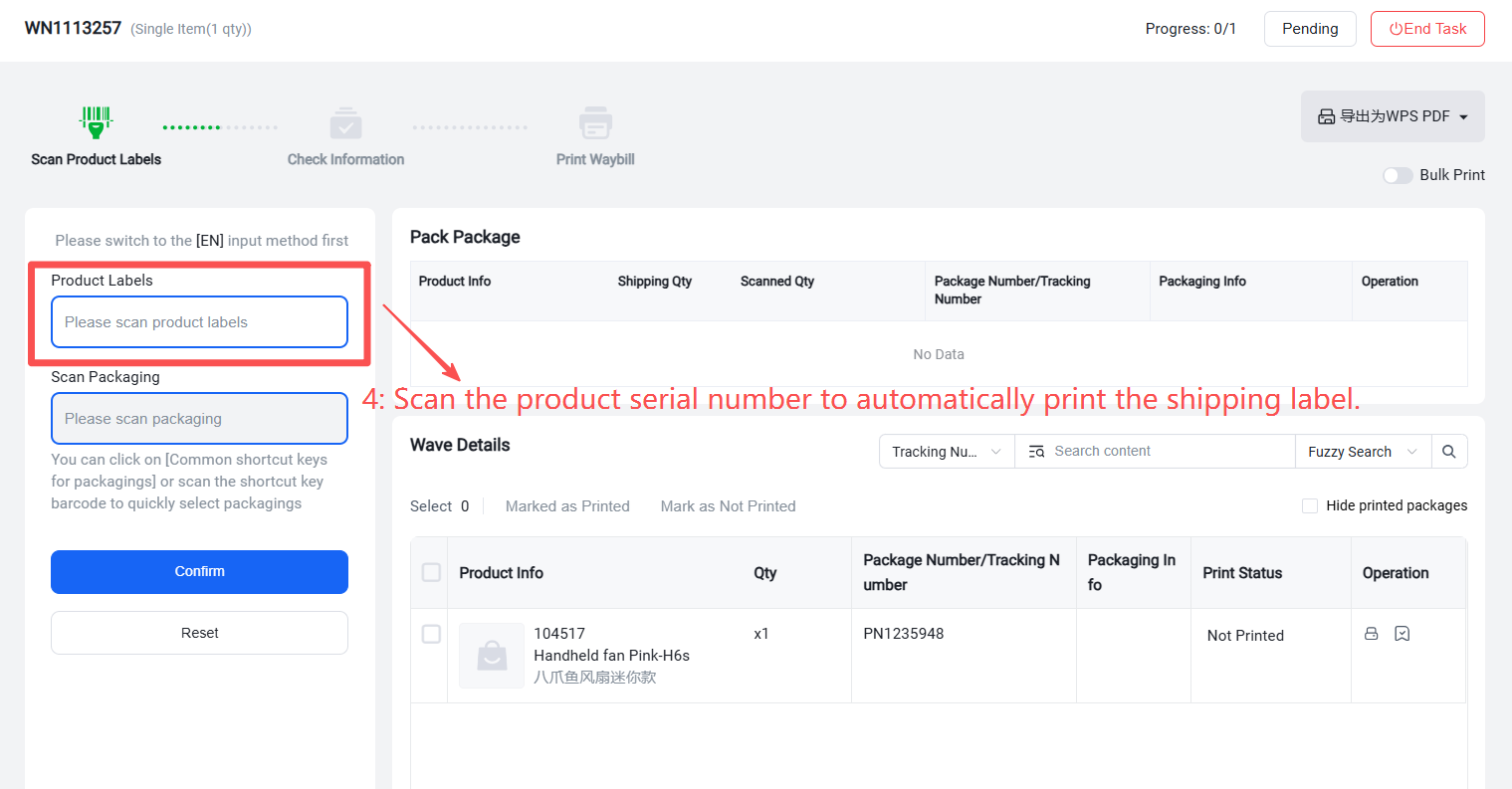
After packaging is completed and the shipment is finalized, the inventory of product serial numbers will be automatically deducted.
Product Serial Number Returns
When a product with serial number management enabled is returned, the overseas warehouse can scan the return inbound order.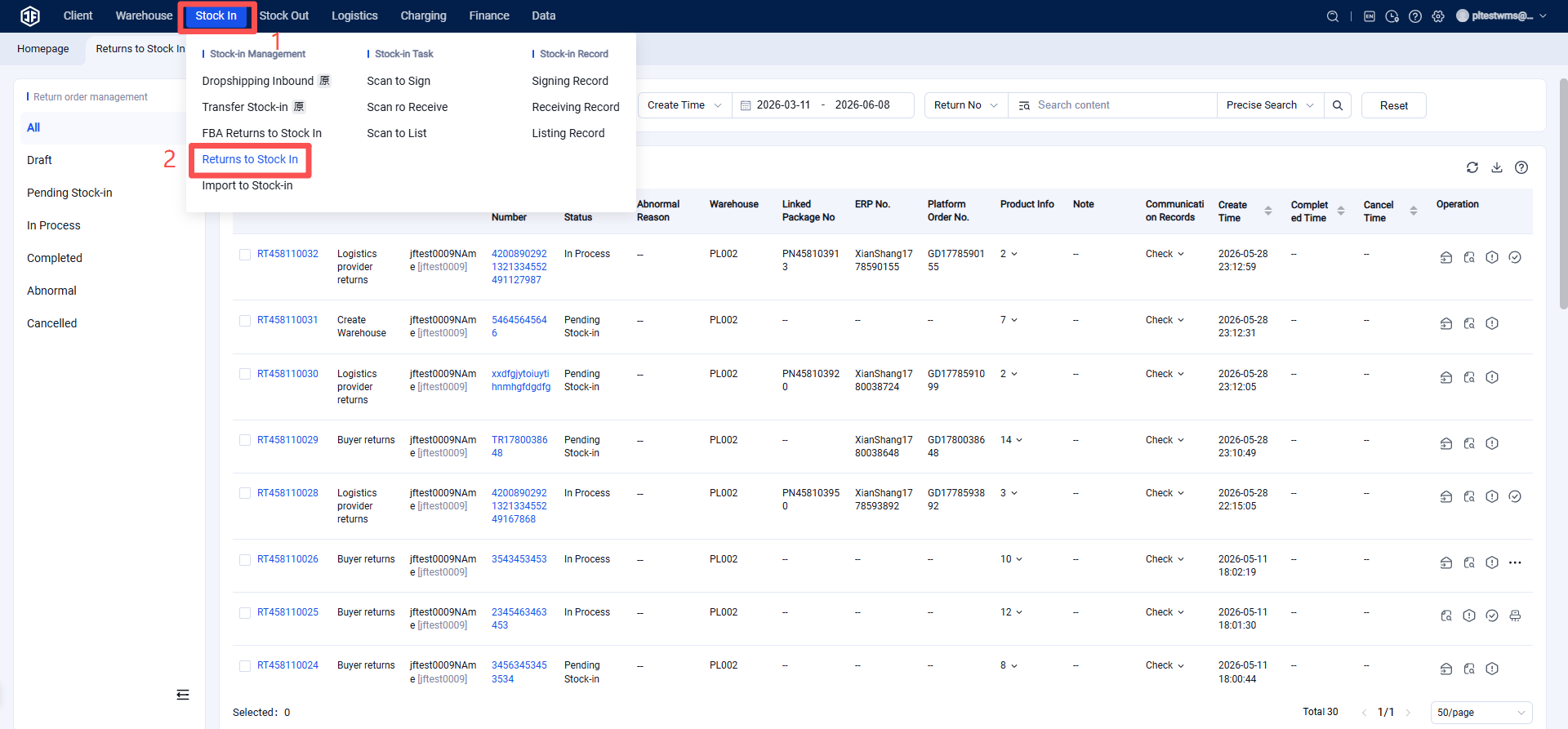
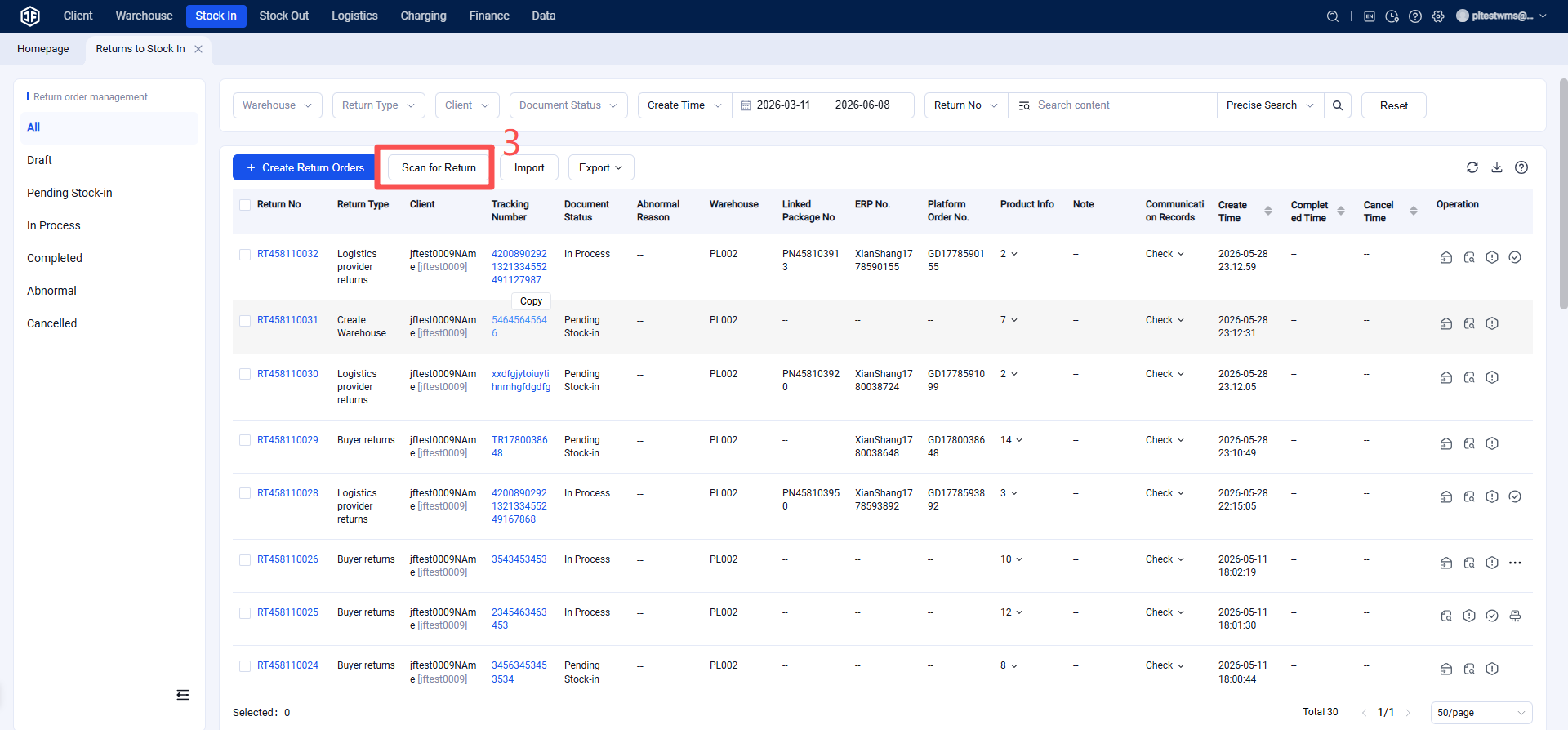
Scanning the return for inbound processing will complete the re‑shelving and restocking of the product serial number.
Seller Views Product Serial Number Status
In the Seller Portal (OMS) under Products → Serial Number Management, sellers can view all product images, SKUs, product names, serial numbers, and warehouse locations.
It also displays the status of each serial number (e.g., inbound, outbound, returned) along with the corresponding document numbers and timestamps.
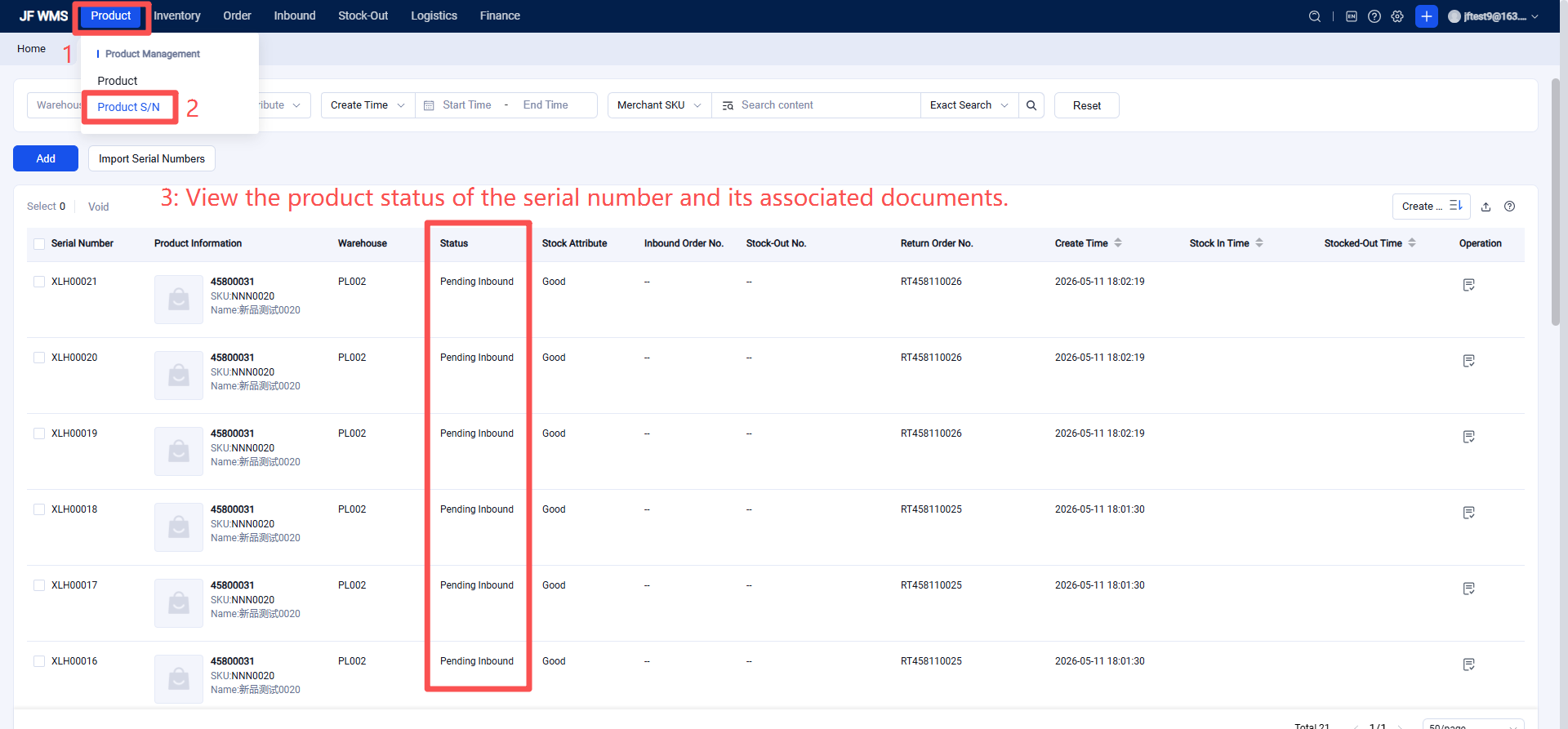
Here, you can also associate the product serial number with the corresponding inbound order.