Agent Warehouse Pushes Its Own Logistics Shipping Labels to Main Warehouse
I. Definition
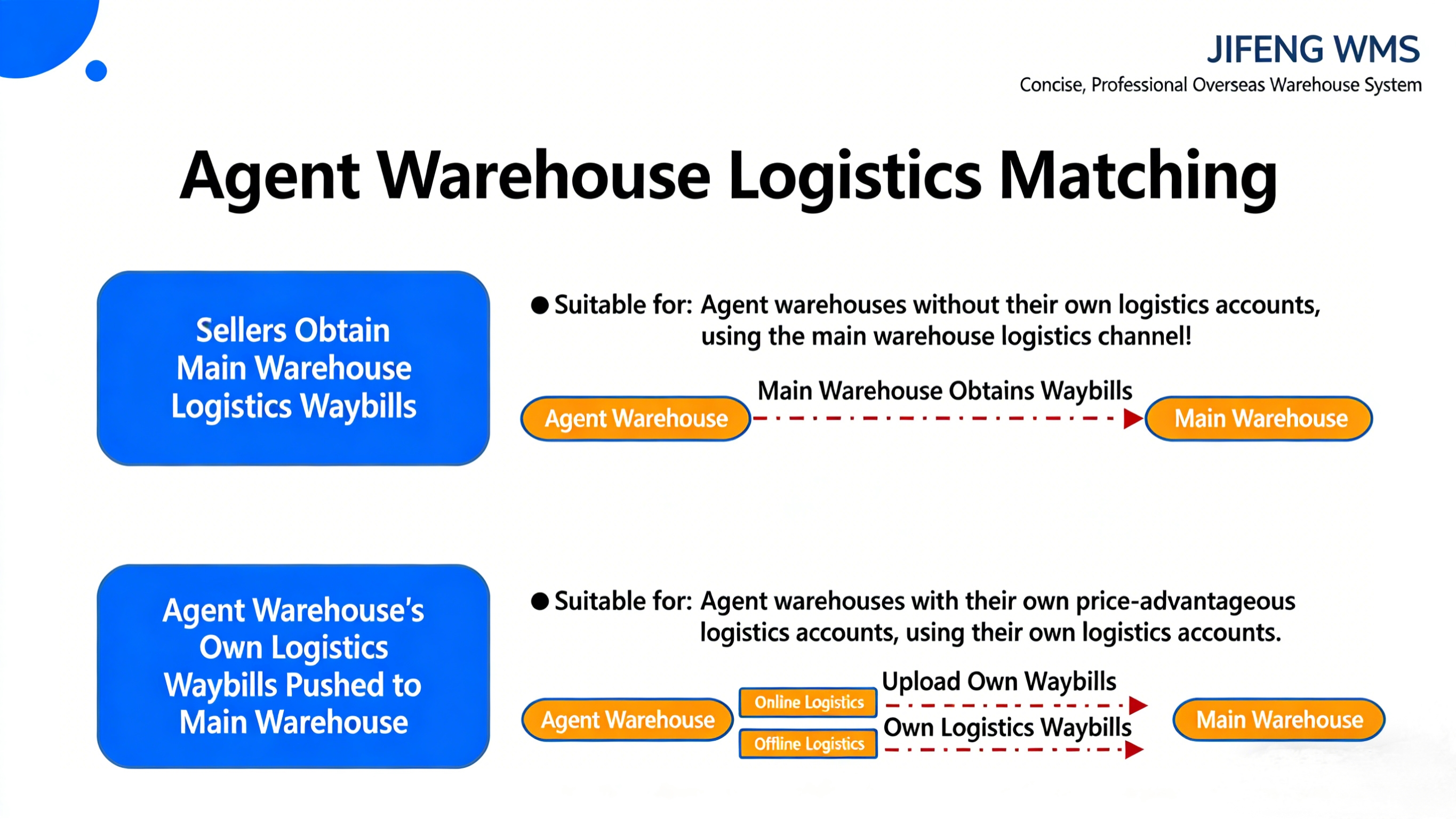
This process supports agent warehouses in pushing orders from their own logistics services to the main warehouse for fulfillment after order placement.
First, the agent warehouse authorizes its logistics accounts with competitive pricing to the overseas warehouse system (direct online logistics activation).
Second, the agent warehouse pairs its own logistics channels with the main warehouse's online channels.
Then, sellers use the agent warehouse's own logistics channels to obtain tracking numbers. Alternatively, sellers create or import manual orders into the agent warehouse.
Finally, shipping labels from the agent warehouse's own logistics channels or from manual orders are automatically pushed to the main warehouse, which is responsible for picking, packing, and shipping.
II. Operational Path
Step 1: Logistics Provider Authorization [Using Gofo as an Example]
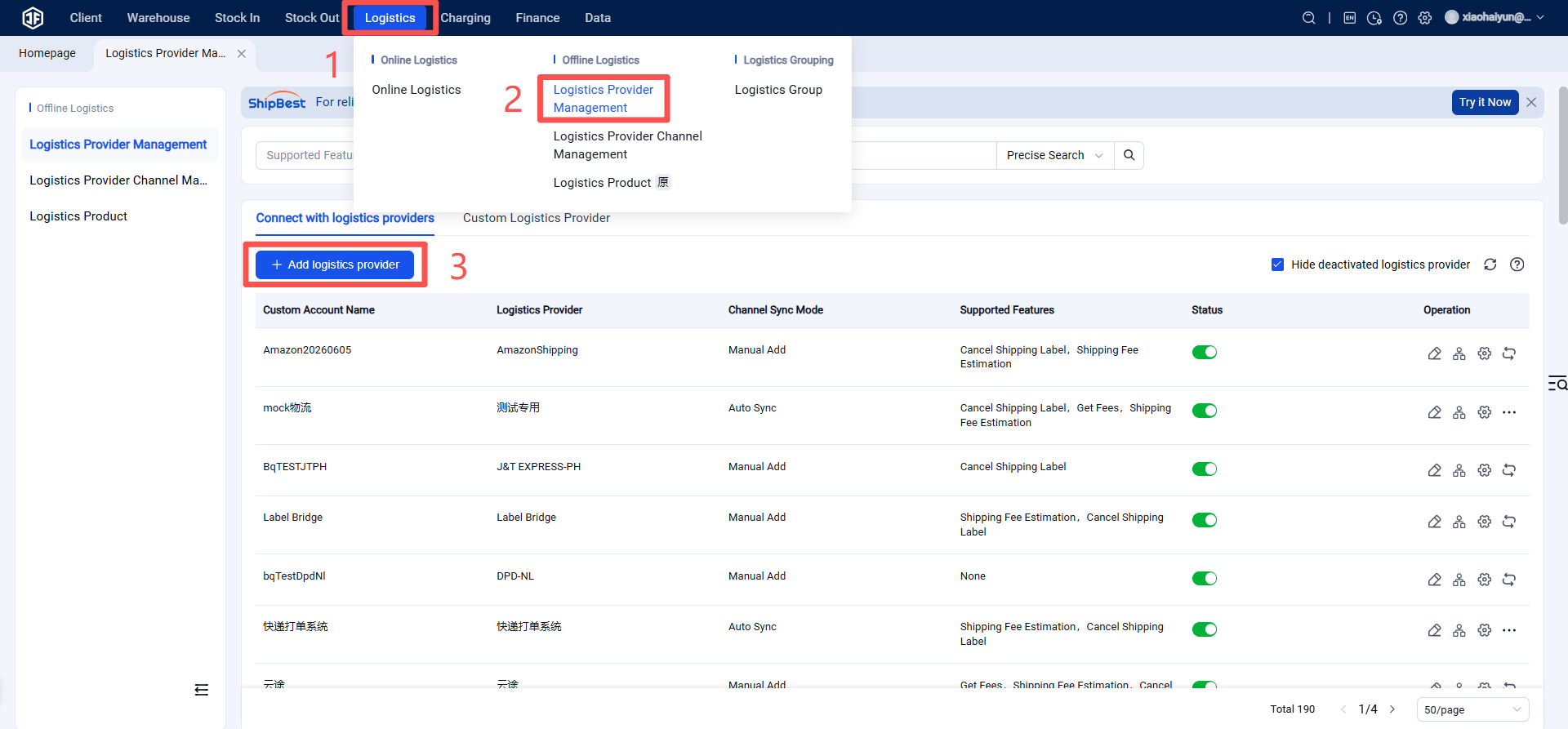
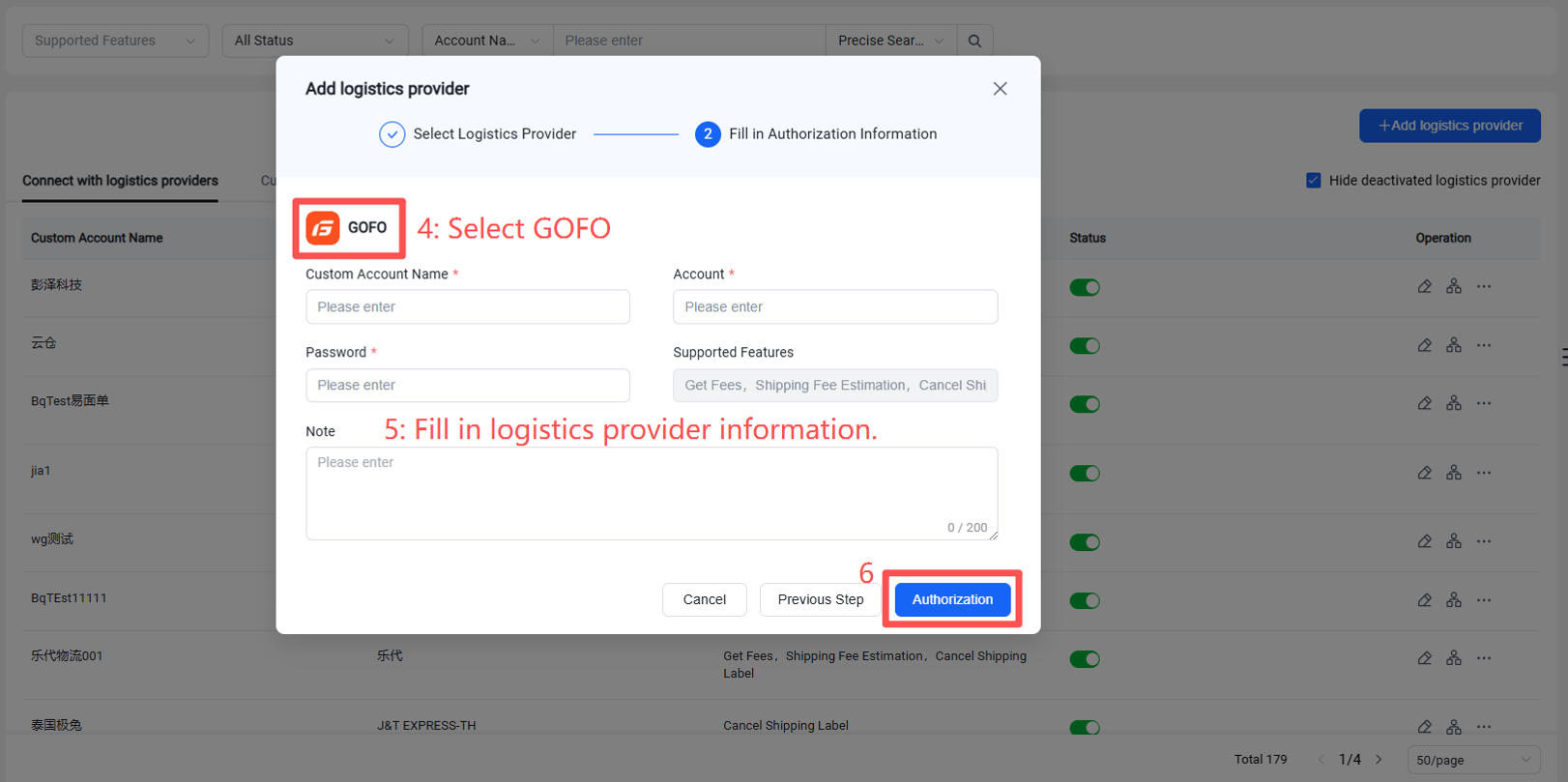
1.Add the Logistics Provider in Jifeng WMS System
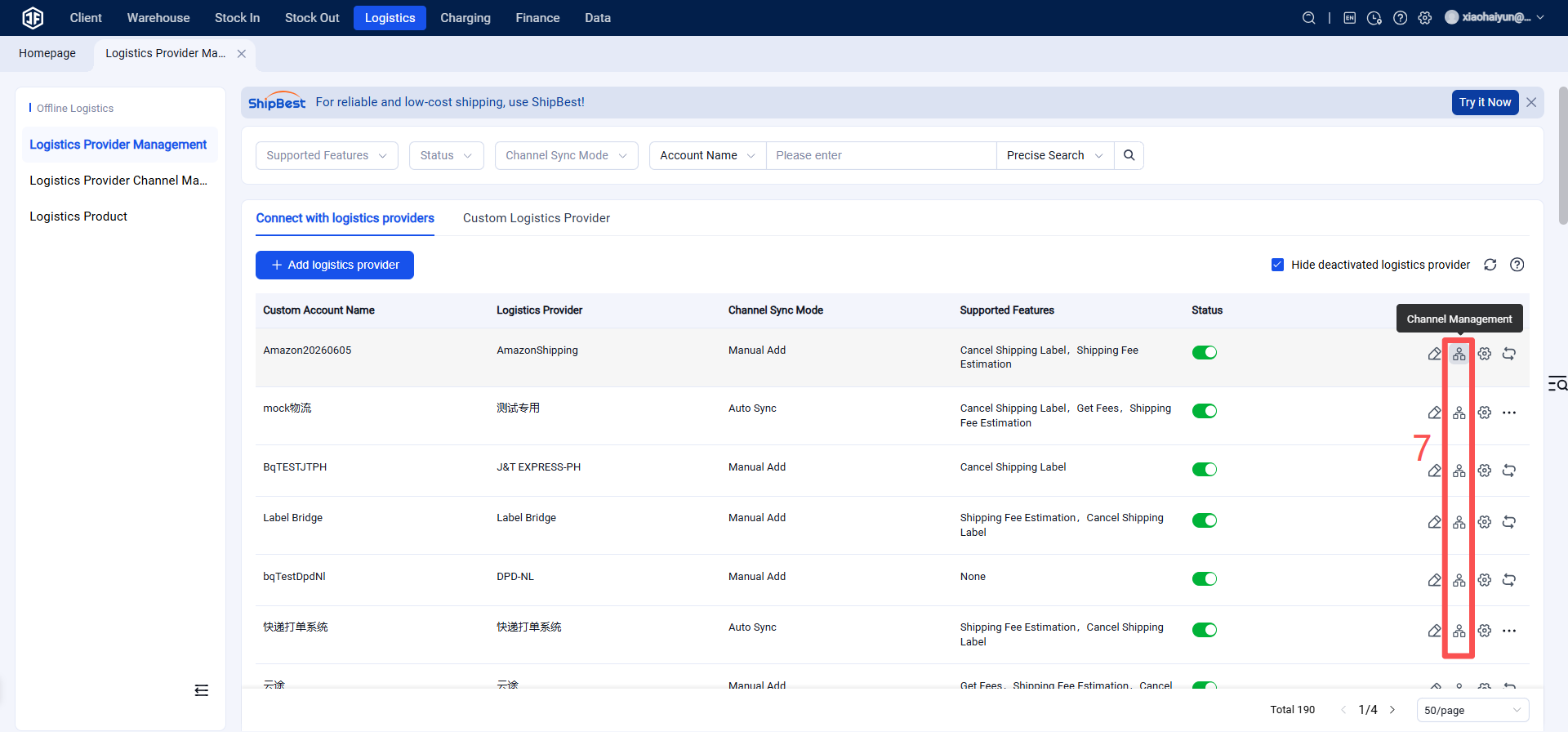
2.Enable the Logistics Provider Channel
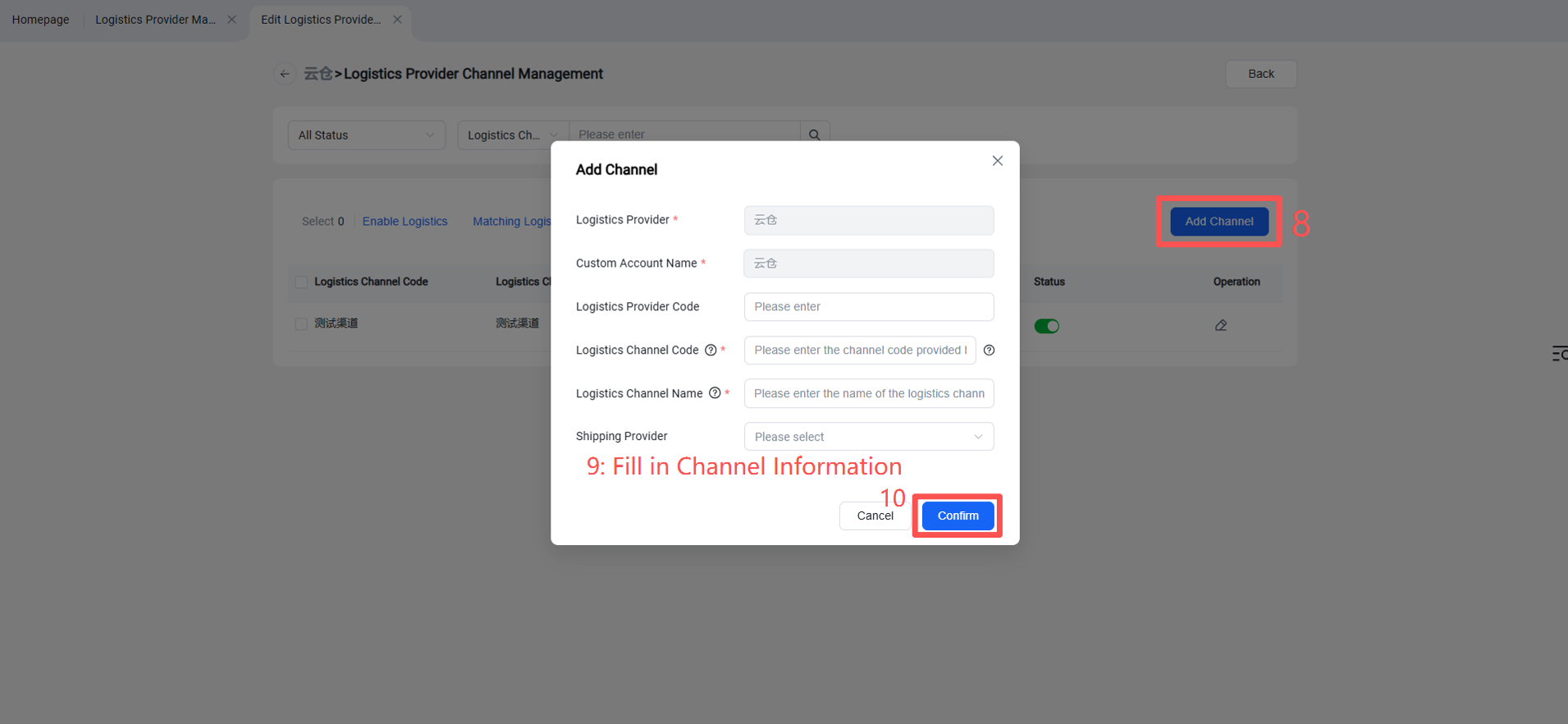
3.Create/Enable the Logistics Channel for Clients (Once enabled, sellers can see this channel on the OMS seller platform or ERP system.)
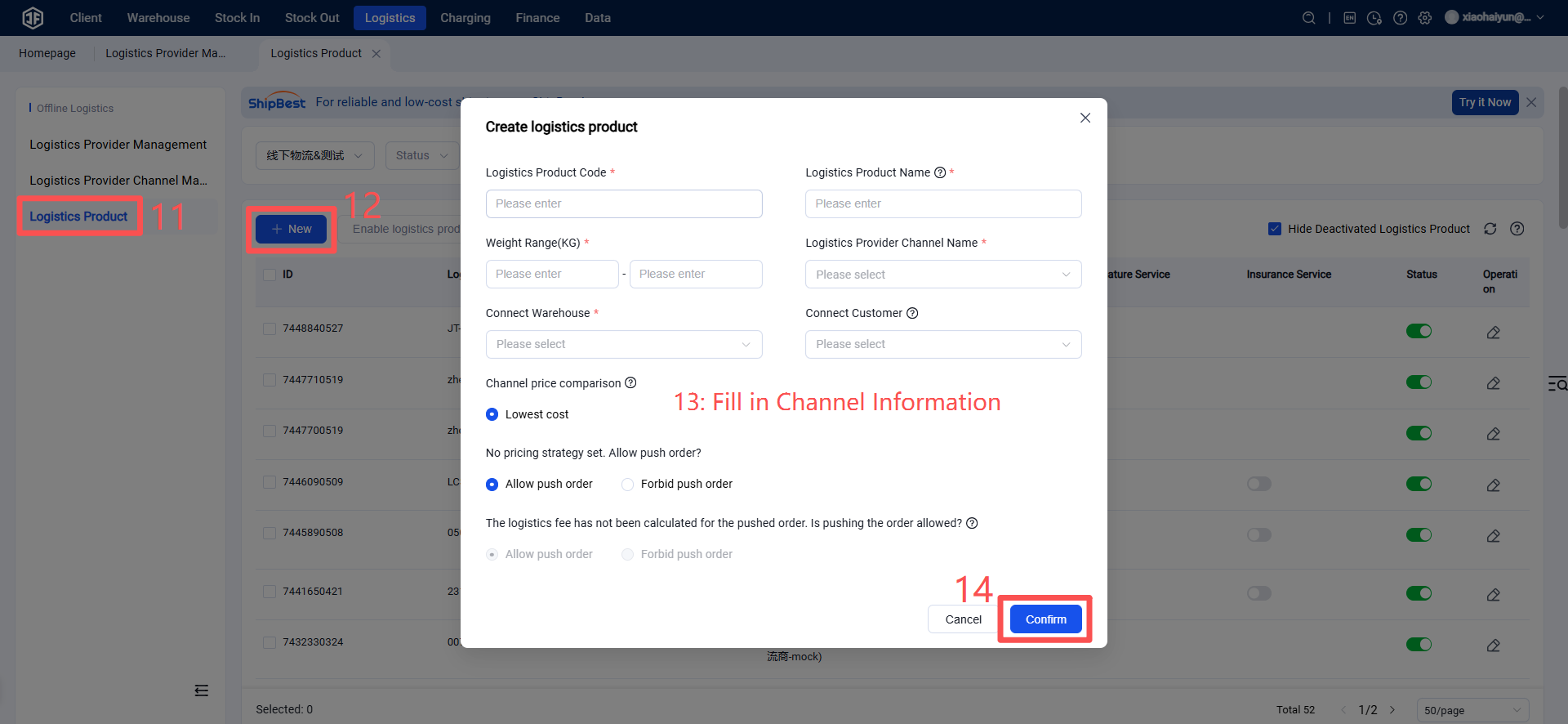
Step 2: Pair the Agent Warehouse Logistics Channel with the Main Warehouse Logistics Channel
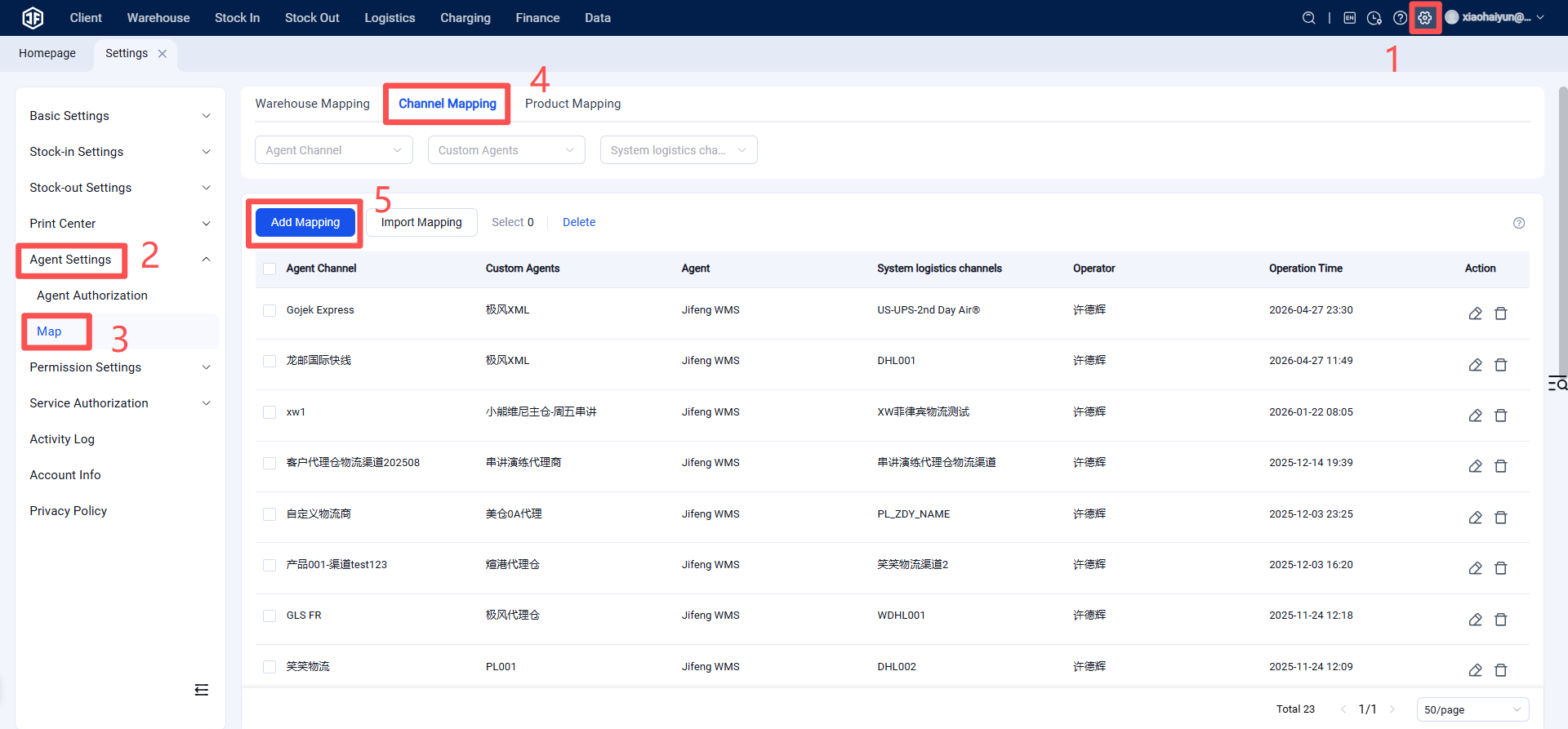
Pair the logistics channel you enabled for your clients in your agent WMS with the corresponding channel in the main warehouse's system.
Warehouse WMS > Settings > Agent Settings > Pairing > Click "Channel Pairing" > Click "Add New"
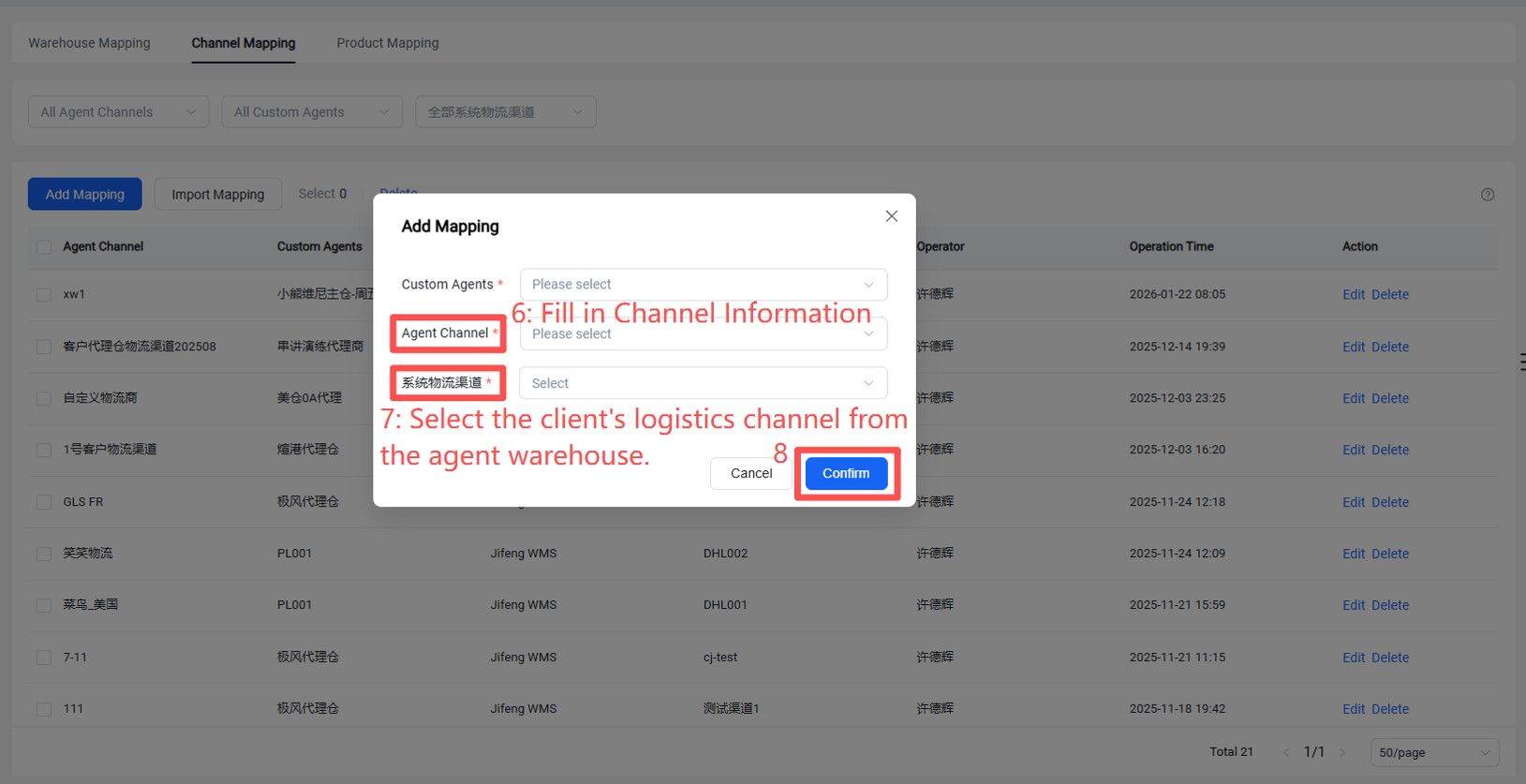
This completes the channel pairing. Sellers can now use all the logistics channels from the agent warehouse to obtain shipping labels, which will be pushed to the main warehouse.